Asset Audit Scanning Without Clipboards or Spreadsheets

Scan asset tags during field inspections to auto-populate audit forms with equipment details. Print durable barcode labels for new assets or replacements. Your audit data and asset labels live in one system. No manual lookups. No paper forms. No disconnected asset registers.
The Problem

Your Asset Audits Rely on Outdated Paper Lists

The gap between physical tags and digital records is where assets get lost.

Auditors Copy Asset IDs From Tags Manually

Your team walks sites with printed asset lists, reads tag numbers by hand, writes down condition notes, then types everything back into a spreadsheet. One typo breaks the audit trail.

No Record of Who Inspected What or When

Equipment gets marked as inspected but you can't prove who scanned it, what time they were there, or what they actually checked. Compliance audits need proof, not paper notes.

Missing or Damaged Asset Tags Stop Audits

Labels fade. Stickers peel off machinery. Field teams can't identify equipment without visible tags. The audit stalls while someone looks up serial numbers in an old register.
The Solution

Scan, Record, Print - One Workflow

Clappia connects asset tags to digital inspection forms. Scan a tag to load equipment details. Log condition notes. Print replacement labels on site.

Scan Asset Tags to Auto-Populate Inspection Forms

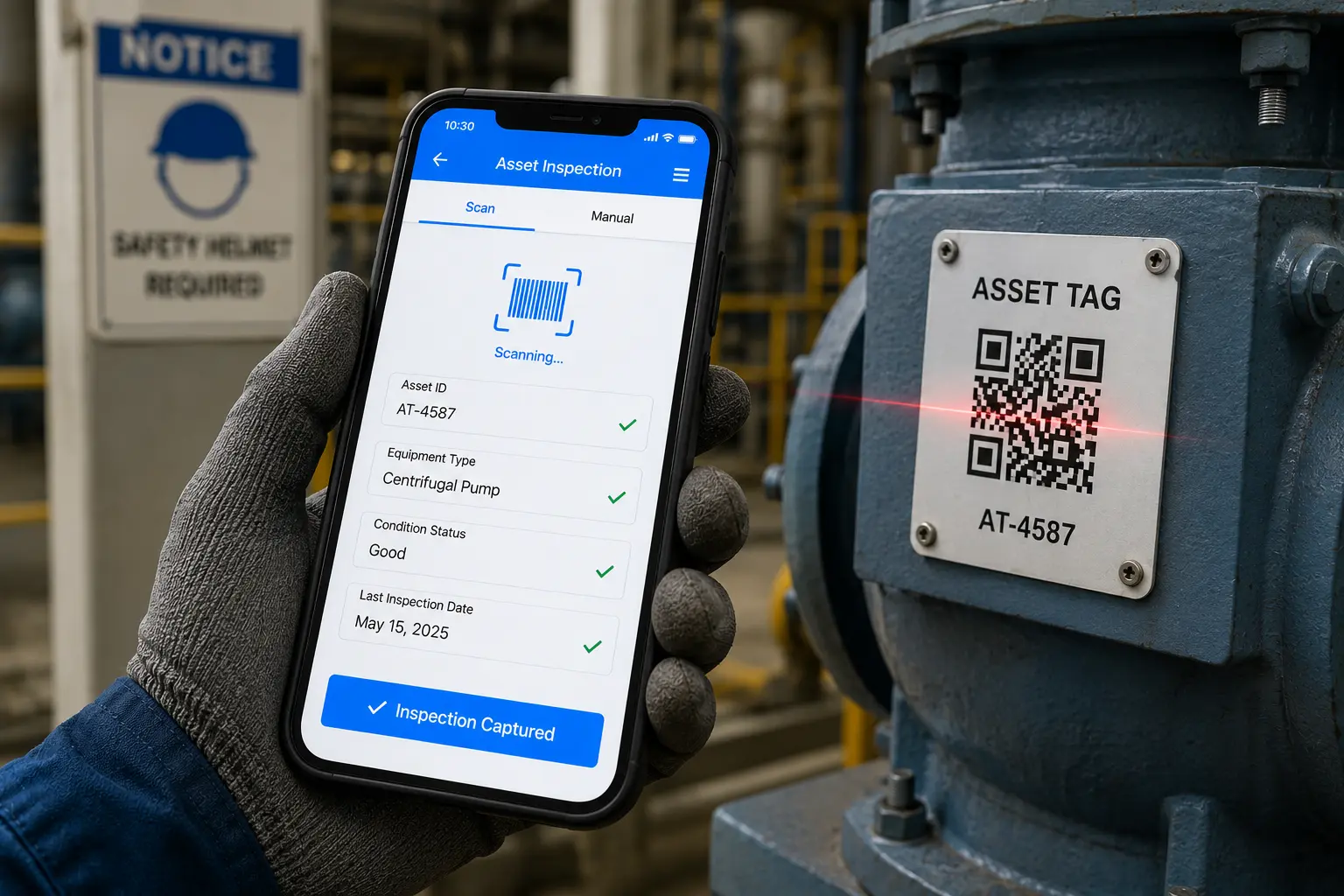
Field technicians scan QR codes or barcodes on equipment using their phones. The asset record loads instantly with model number, last inspection date, and maintenance history. They capture condition photos, log meter readings, and mark issues without typing asset IDs. Every scan logs who inspected the equipment, when, and where they were standing via GPS.
Scan asset tags to auto-fill equipment name, ID, location, and last service date
Capture photos, videos, or voice notes during inspections without switching apps
Every audit creates a timestamped record with inspector name and GPS coordinates

Dashboard mockup
Dashboard mockup

Print Durable Asset Labels for New Equipment or Replacements

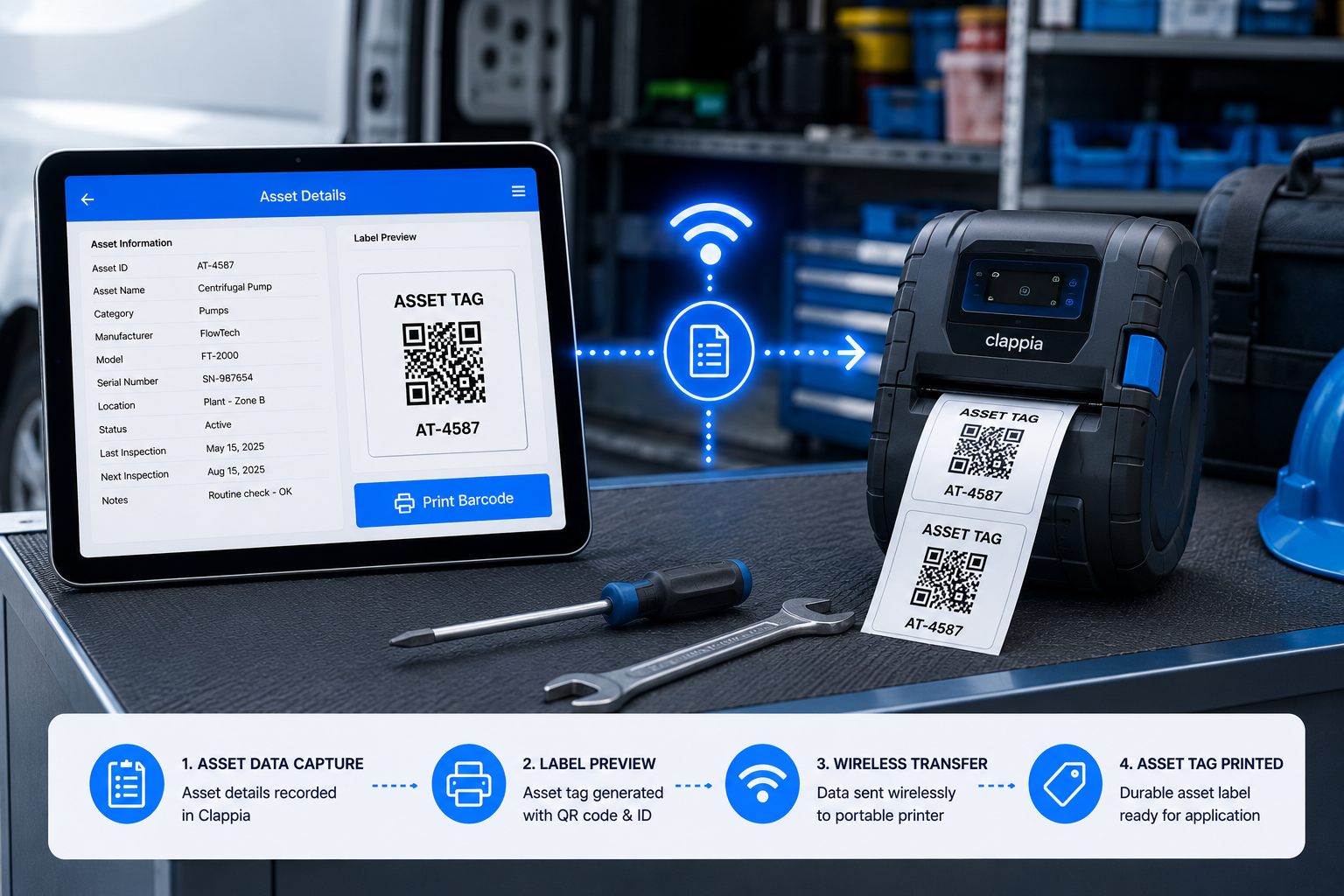
New equipment arrives without tags. Existing labels get damaged in harsh environments. Open the asset record in Clappia, click Print Barcode, and a weatherproof label prints from your thermal printer. Each label shows asset ID, QR code, and location code. No label design software. No waiting for pre-printed sticker batches.
Print asset tags with QR codes, barcodes, and custom fields like department or location
Bulk print labels for entire equipment batches commissioned in one project phase
Label templates pull live asset data including ID, install date, and maintenance schedule
Simple Setup

From Scan to Label in Four Steps

No IT team required. Works with your existing hardware.
1
Connect Your Scanner
Pair any Bluetooth HID scanner to your tablet or connect via USB. Works instantly with Clappia forms.
2
Scan to Capture Data
Scan barcodes on pallets, bins, or items. Data auto-fills into your receiving, picking, or audit forms.
3
Submit & Sync
Data logs instantly to your shared database. View real-time inventory updates across your team.
4
Print Labels On Demand
Click "Print Barcode" from any submission. Label generates and prints to your connected thermalprinter.
Why Clappia

Built for Asset Management Operations

Real-time audit trails. GPS-tagged inspections. Durable labels printed on demand.

Works on Phones and Rugged Tablets

Field inspectors use their own phones for quick scans during site walks. Maintenance teams use rugged tablets in factories or outdoor locations. Both devices log inspections to the same asset database.

Offline Audits in Remote Field Locations

No cellular signal at remote sites or inside industrial facilities? Scan asset tags and complete inspection forms offline. All audit data syncs when your device reconnects to WiFi or mobile networks.

Print Weatherproof Labels Without Design Software

Your asset inspection app talks directly to thermal printers through a local bridge. One tap prints a durable label with current asset data. No complex label software. No template matching by hand.

GPS-Tagged Asset Audits With Timestamps

Every scan captures exact location coordinates and inspection time automatically. Prove which equipment was inspected, by whom, at what time, and at which GPS coordinates during compliance reviews.

Complete Asset History in One Timeline

View every inspection, maintenance action, and location change for any piece of equipment. Who last inspected it? What issues were flagged? When is the next service due? All answers in one audit trail.

Works With Your Existing Print Hardware

We integrate with your existing hardware. Zebra, Printnode, network printers, or custom configurations. Already have a label printing setup? Clappia works with what you have. No vendor lock-in.
85%
Faster Asset Audit Completion
3sec
Average Tag Scan Time
100%
Inspection Traceability
0
Manual Retyping Steps

Ready to Digitize Asset Audits and Print Labels On Site?

See how asset barcode scanning and label printing work together in Clappia. Book a 15-minute demo. We'll show you the exact setup for field inspections, equipment tagging, and audit trails.