






Bulk Barcode Printing Straight From Your Submissions

Select hundreds of records, click once, and watch every label print in sequence. No exporting to CSV. No importing into label software. No printing one sticker at a time. Your form data becomes a full batch of labels in seconds.
The Problem

Printing Labels One at a Time Doesn't Scale

When you need 500 labels, printing them individually turns a 10-minute job into an afternoon.

Exporting and Reimporting Eats Your Day

You pull data into a CSV, clean the columns, import it into label software, fix the template mapping, then print. Repeat that for every batch. The data was already correct before you started.

One-by-One Printing Wastes Hours

Opening each record, clicking print, waiting, then moving to the next one. For a hundred items that's a hundred clicks. Your team loses entire mornings to repetitive printing.

Mismatched Labels Slip Through

Manual batch printing means manual copy-paste. One row shifts, and label 47 prints the data meant for label 48. You catch it only after the whole roll is wrong.
The Solution

 Capture Once, Print Hundreds

Clappia generates every label from data that already lives in your forms. Select a batch and print it all in one action.

Select Multiple Records and Print Them All

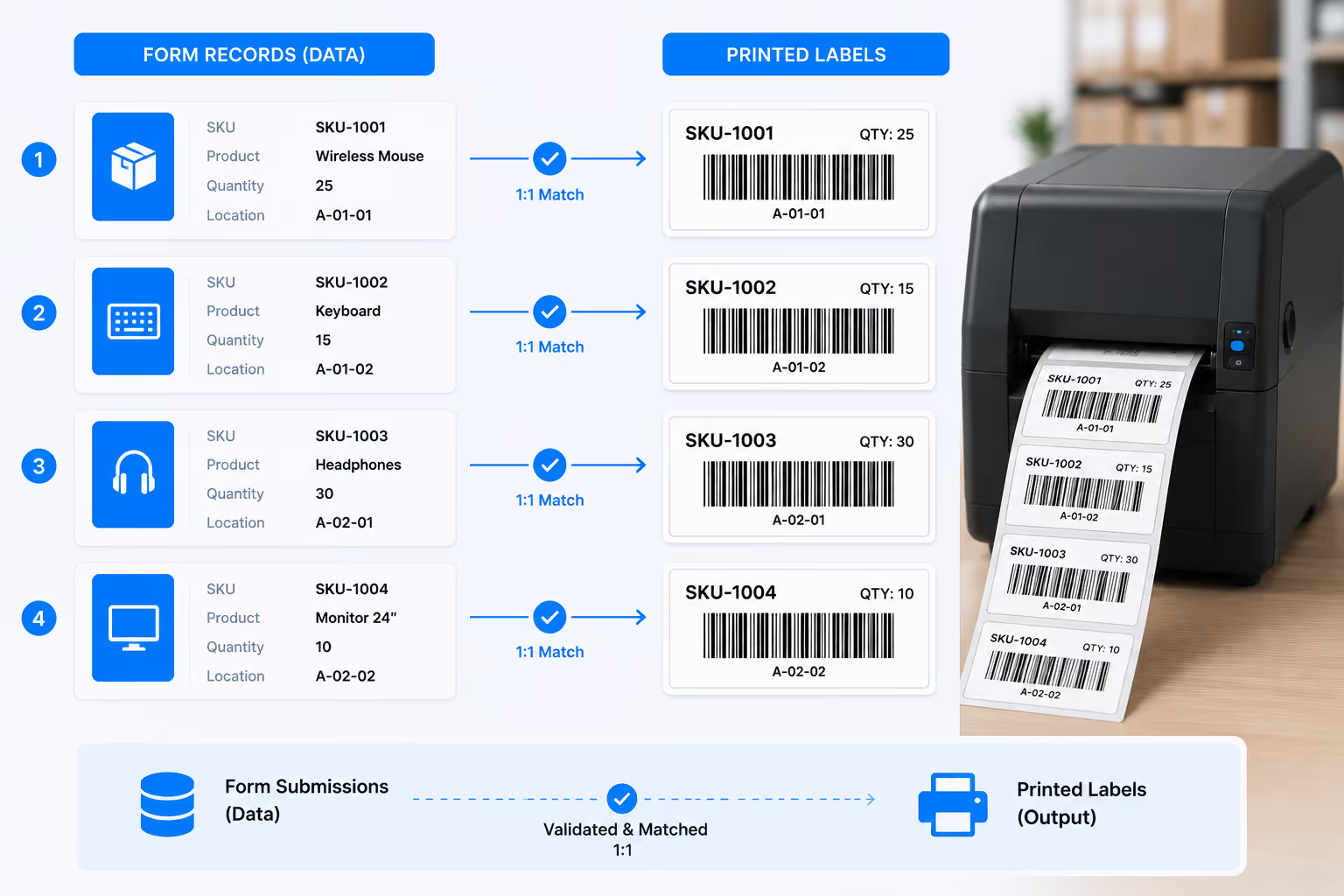
Open your submissions table, check the records you want, and click Bulk Print Barcodes. Every label generates from existing form data and queues to your printer in sequence. A shipment of 200 items prints as 200 labels without you touching a single template. No exports. No reformatting. Just select and go.
Filter submissions by date, status, or category, then print the entire filtered set
Labels print in the exact order you select, so sorting and matching stays simple
High-volume batches queue automatically without freezing your screen or printer
Dashboard mockup
Dashboard mockup

Every Label Pulls Live Data Automatically

Each label populates from the record it belongs to. Product names, SKUs, quantities, dates, and location codes all flow from the submission into the printed sticker. Change a record before printing and the label reflects it instantly. What sits in your form is exactly what comes out of the printer.
Barcode and QR formats generate automatically from your chosen data fields
Custom templates map each form field to its position on the label layout
Reprint any batch later with updated data without rebuilding the job
Simple Setup

From Scan to Label in Four Steps

No IT team required. Works with your existing hardware.
1
Connect Your Scanner
Pair any Bluetooth HID scanner to your tablet or connect via USB. Works instantly with Clappia forms.
2
Scan to Capture Data
Scan barcodes on pallets, bins, or items. Data auto-fills into your receiving, picking, or audit forms.
3
Submit & Sync
Data logs instantly to your shared database. View real-time inventory updates across your team.
4
Print Labels On Demand
Click "Print Barcode" from any submission. Label generates and prints to your connected thermalprinter.
Why Clappia

Built for High-Volume Label Runs

Batch printing without batch headaches. Accurate labels, every time, at any scale.

Bring Your Own Hardware

Works with scanners you already own. Bluetooth, USB,or wireless dongle - if it's HID-compatible, it works.

Offline-First Architecture

Scan and log data in WiFi dead zones. Everything syncsautomatically when connectivity returns.

Print Entire Shipments at Once

Received 300 cartons this morning? Select all 300 records and print every label in one continuous run while your team moves on to the next task.

Multi-User Real-Time Sync

10 people scanning simultaneously across differentwarehouse zones. Everyone sees live updates.

Zero Training Required

If your team can use a smartphone, they can use this. Scan barcode, form auto-fills, hit submit.

Works With Your Print Setup

We integrate with your existing hardware. Zebra, Printnode, network printers, or custom configurations. Already have a print setup? Clappia works with what you have. No vendor lock-in.
500+
Labels Per Print Run
1
Click to Print a Batch
100%
Label-to-Record Accuracy
0
CSV Exports Needed

Ready to Print Your Next Batch in One Click?

See how bulk barcode printing works inside your Clappia workflow. Book a 15-minute demo. We'll show you the exact setup for high-volume label runs.
