Inventory Barcode Scanning Without Separate Label Software

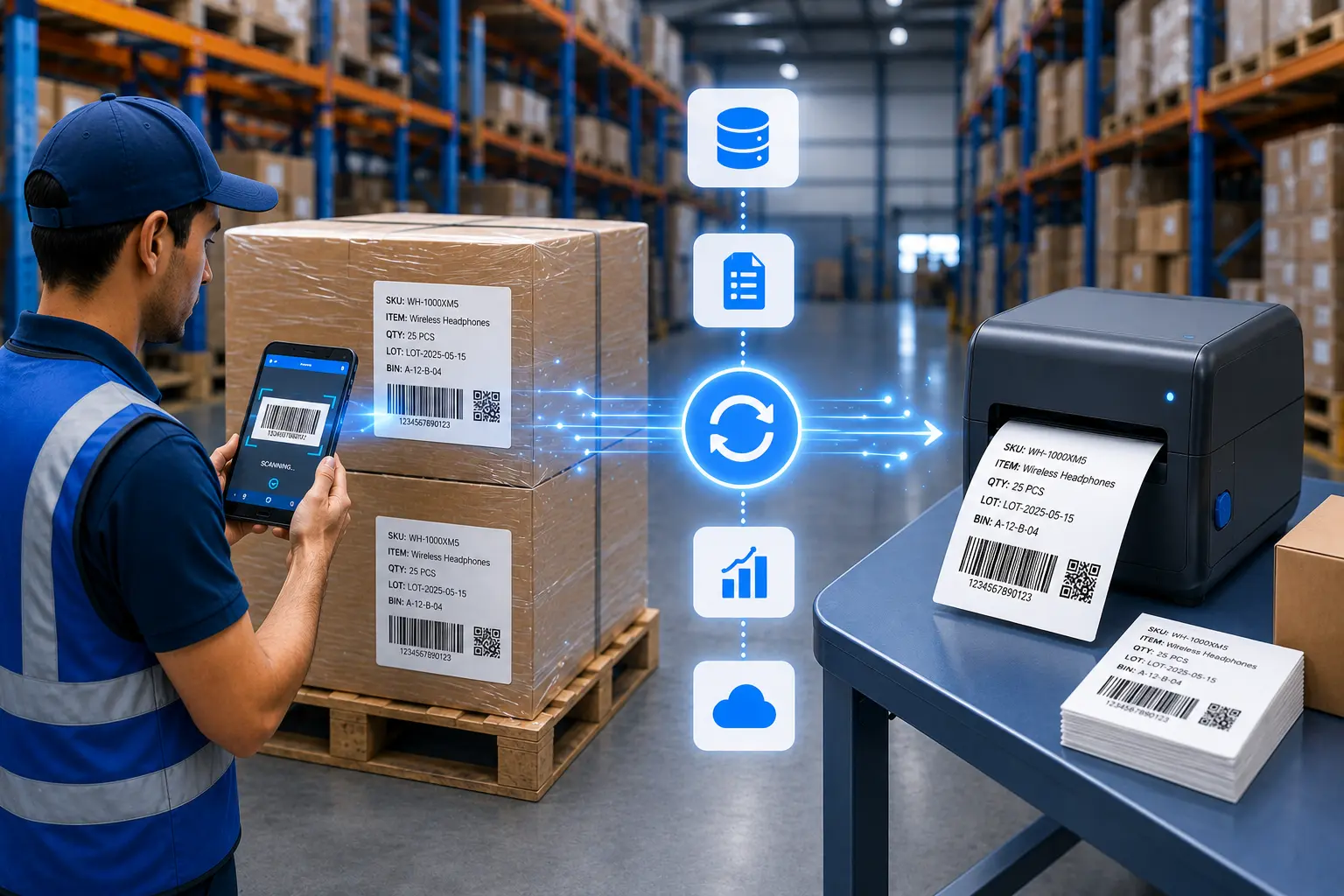
Scan incoming shipments to log stock instantly. Print barcode labels on demand for any item, shelf, or bin location. Your inventory data and labels live in one system. No spreadsheets. No manual retyping. No disconnected label apps.
The Problem

You're Managing Inventory Across Three Different Systems

The gap between scanning, recording, and labeling is where stock counts go wrong.

Excel Gets Outdated the Moment You Save It

Stock gets issued at 10 AM. Someone updates the spreadsheet at 3 PM. In between, your team makes decisions on stale data and orders inventory you already have.

Manual Counts Steal Hours Every Week

Your team walks aisles with clipboards, writes down codes, then types everything into a computer. That's not a cycle count. That's double entry with room for error.

Can't Track Who Moved What or When

A pallet disappears. Stock levels don't match. You have no audit trail showing who scanned what item, when they moved it, or why. Just a number that's wrong.
The Solution

Scan, Record, Print - One Workflow

Clappia turns every stock movement into a logged, trackable event. Scan to receive. Scan to issue. Print labels when items need identification.

Scan Barcodes to Receive, Issue, or Adjust Stock

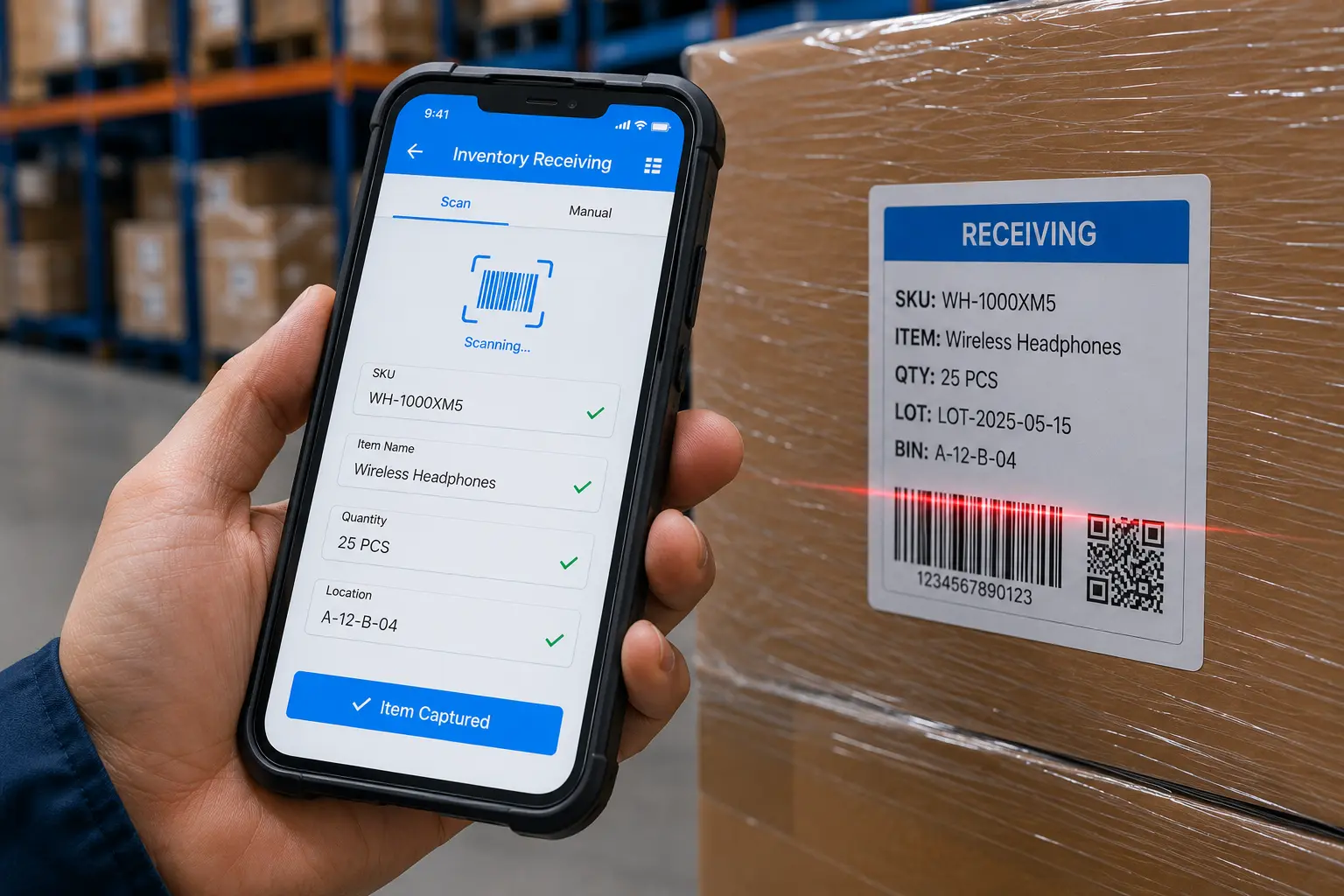
Your receiving team scans incoming shipment barcodes directly into mobile forms. Quantities update in your database instantly. No clipboard. No delay. Issue requests scan the item out with user, timestamp, and reason logged automatically. Cycle count adjustments? Scan the item, enter the physical count, submit. The system records the variance and who found it.
Scan item codes to auto-fill SKU, description, and last known location in forms
Capture photos of damaged goods or packaging directly during receiving inspections
Every transaction logs user ID, timestamp, and movement type without manual entry

Dashboard mockup
Simple Setup

From Scan to Label in Four Steps

No IT team required. Works with your existing hardware.
1
Connect Your Scanner
Pair any Bluetooth HID scanner to your tablet or connect via USB. Works instantly with Clappia forms.
2
Scan to Capture Data
Scan barcodes on pallets, bins, or items. Data auto-fills into your receiving, picking, or audit forms.
3
Submit & Sync
Data logs instantly to your shared database. View real-time inventory updates across your team.
4
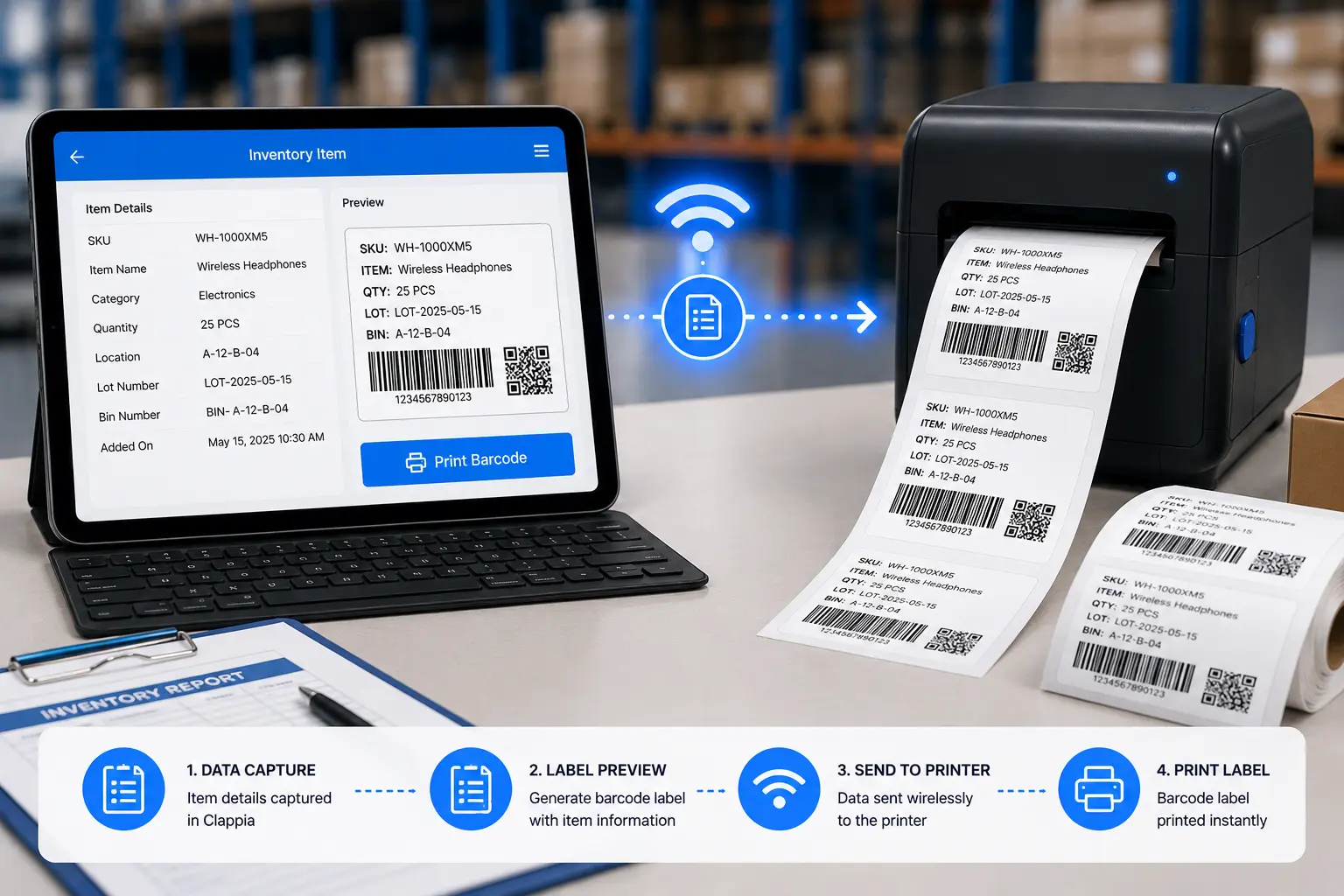
Print Labels On Demand
Click "Print Barcode" from any submission. Label generates and prints to your connected thermalprinter.
Why Clappia

Built for Inventory Operations

Real-time stock visibility. Audit trails for every movement. Label printing without separate tools.

Works on Phones and Scanners

Field teams use phone cameras for quick scans. Warehouse uses hardware scanners for speed. Both update the same inventory database instantly.

Offline Receiving in Remote Sites

No WiFi in the back of the warehouse? Scan and log stock offline. Everything syncs when your device reconnects - no data loss.

Print Labels Without Label Software

Your inventory app and your label printer talk directly. One tap prints a label. No Bartender. No NiceLabel. No middleware.

Multi-Location Stock Sync

Three warehouses, five branches, all seeing the same live inventory. Issue stock in Location A - Location B sees the update in real time.

Full Audit Trail for Every Movement

Every scan is a logged event: who moved it, when, from where, to where, and why. Run reports on any item's complete movement history.

Stock Level Alerts and Low-Stock Triggers

Set reorder points. Get notified when stock hits critical levels. Auto-trigger purchase requests based on real consumption data, not guesses.
90%
Faster Cycle Count Completion
5sec
Average Scan-to-Record Time
100%
Movement Traceability
0
Excel Files in Use

Ready to Track Every Stock Movement in Real Time?

See how inventory barcode scanning and label printing work together in Clappia. Book a 15-minute demo. We'll show you the exact setup for receiving, issuing, and cycle counts.