
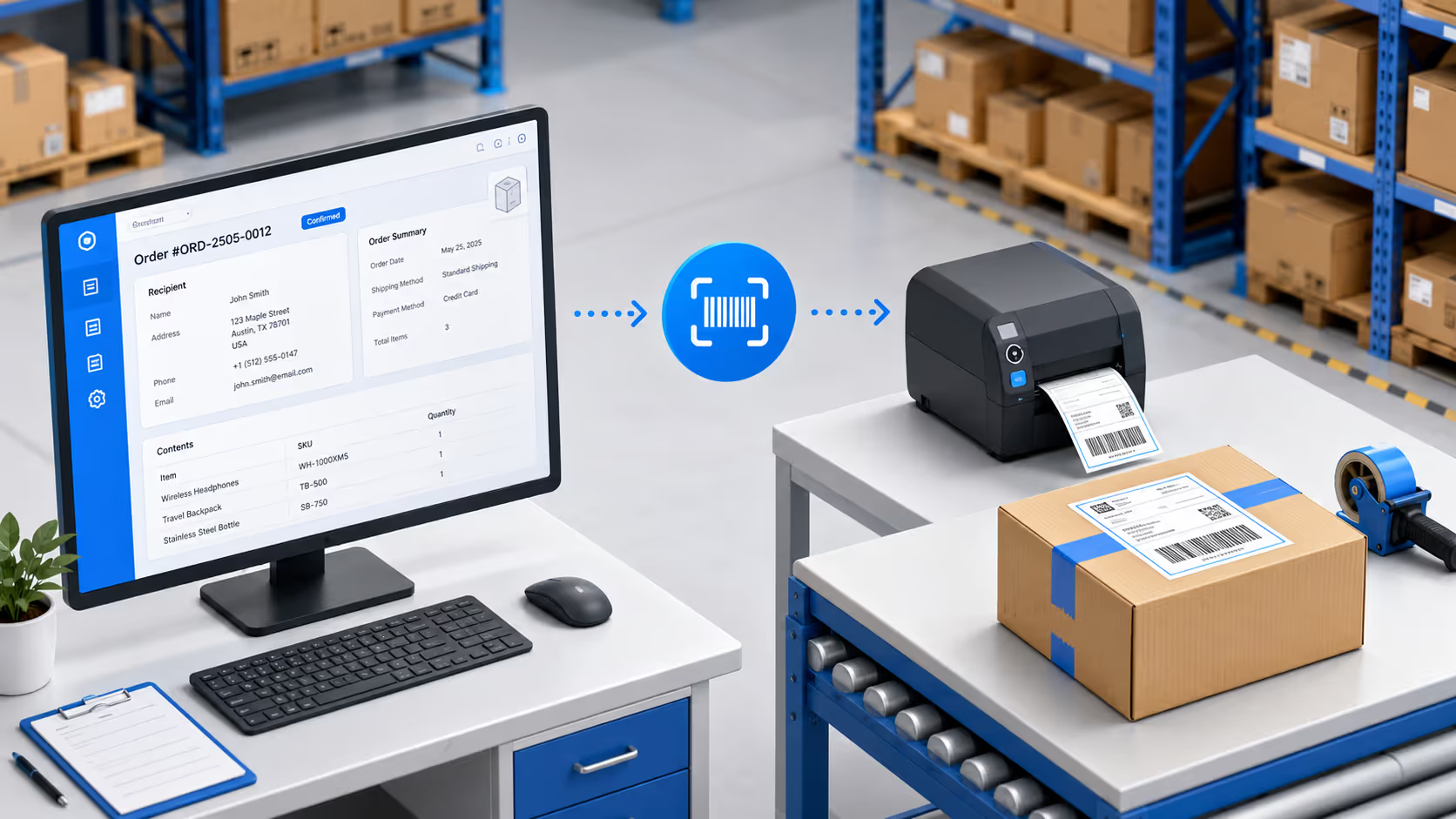






Print Shipment Labels Straight From Order Data

Turn every order into a printed shipping label without retyping a single field. Address, contents, weight, and tracking code flow from the order form to the label. No copying into shipping software. No manual label creation for each outgoing package.
The Problem

Every Package Gets Labeled Twice

The order data is already correct. Then someone retypes it into a label, and that's where dispatch errors begin.

Retyping Orders Into Label Software

The order details already exist in your system. But to print a shipping label, someone copies the address and contents into a separate tool by hand. The same data, entered twice, with twice the risk.

Wrong Labels Ship to the Wrong Place

A transposed digit in the address or a mismatched tracking code sends a package to the wrong customer. You find out when it's already in transit and the complaint arrives.

Manual Labeling Can't Keep Up With Dispatch

When orders spike, labeling each package one at a time creates a backlog at the dispatch desk. Shipments sit waiting on labels while the courier waits on shipments.
The Solution

From Order to Shipping Label

Clappia generates each label from the order it belongs to, so what ships always matches what was ordered.

Generate Shipping Labels From Order Records

When an order is ready to dispatch, open the record and print its label. Recipient details, contents, weight, and a unique tracking code all populate from the order data. There's no separate shipping tool to copy into and no field to retype. The label that prints is built from the order you already captured.
Address, contents, and order details flow straight onto the label
Generate barcode or QR tracking codes automatically for every shipment
Print one label at dispatch or a full batch of the day's orders at once
Dashboard mockup
Dashboard mockup

Track Every Package With Scannable Codes

Each label carries a unique code that ties the physical package back to its order record. Scan it at dispatch, at handover, or on return, and the package's status updates against the order. Tracking lives in the same system that created the order, so you follow a shipment end to end without stitching tools together.
Every package gets a unique scannable code linked to its order
Scan to update dispatch, handover, or return status against the record
Search any order to see its package status and full movement history
Simple Setup

From Scan to Label in Four Steps

No IT team required. Works with your existing hardware.
1
Connect Your Scanner
Pair any Bluetooth HID scanner to your tablet or connect via USB. Works instantly with Clappia forms.
2
Scan to Capture Data
Scan barcodes on pallets, bins, or items. Data auto-fills into your receiving, picking, or audit forms.
3
Submit & Sync
Data logs instantly to your shared database. View real-time inventory updates across your team.
4
Print Labels On Demand
Click "Print Barcode" from any submission. Label generates and prints to your connected thermalprinter.
Why Clappia

Built for Warehouse Operations

Use your existing scanners. Work offline. Print without separate software.

Bring Your Own Hardware

Works with scanners you already own. Bluetooth, USB,or wireless dongle - if it's HID-compatible, it works.

Offline-First Architecture

Scan and log data in WiFi dead zones. Everything syncsautomatically when connectivity returns.

Integrated Label Printing

No separate label software. Print from the same appwhere you capture data. One click, instant label.

Multi-User Real-Time Sync

10 people scanning simultaneously across differentwarehouse zones. Everyone sees live updates.

Zero Training Required

If your team can use a smartphone, they can use this. Scan barcode, form auto-fills, hit submit.

Works With Your Print Setup

Already have Printnode or network printers? Weintegrate with existing setups - not just Zebra.
1
System for Orders and Tracking
5sec
Order to Printed Label
100%
Label-to-Order Accuracy
0
Fields Retyped Per Shipment

Ready to Print Shipping Labels Without Retyping?

See how package and shipment labeling works inside your Clappia workflow. Book a 15-minute demo. We'll show you the exact setup for your dispatch operations.
