


If you run Zebra printers, you probably run Zebra's software too: ZebraDesigner for labels, Zebra Utilities for setup, and Mobility DNA if you also manage Zebra scanners. It works. It's also Windows-bound, licensed per seat, and built to keep you on Zebra hardware.
This page is about one part of that stack: the label design and printing software. If you want to print barcode labels without a proprietary, per-seat, Zebra-only tool, keep reading. (If you're trying to manage a fleet of Zebra Android scanners, that's Mobility DNA, a device-management product in a different category. Clappia doesn't replace that, and we'll say so plainly below.)
The real issue usually isn't which label designer you pick. It's that label software sits as a separate system downstream of data you already collect. Clappia flips that: the label becomes a byproduct of a form your team already fills in, printed to the Zebra printer you already own.
What "Zebra DNA" Actually Means
The name covers three different things. Worth untangling before you replace any of it:
- ZebraDesigner is the label design app. Essentials is free; Professional (database connectivity, RFID, scripting) is licensed per user and runs on Windows only.
- Zebra DNA for Printers / Zebra Utilities handles printer setup, firmware, and fleet config.
- Mobility DNA / DNA Cloud manages Zebra Android scanners and mobile computers, essentially an MDM.
When teams say they want off "Zebra's proprietary software," they almost always mean the first two: the design-and-print workflow. That's what this comparison covers.
Where Zebra's Label Software Starts to Hurt
ZebraDesigner is competent. The friction isn't the design canvas, it's everything around it:
- It's a separate system from your data. Your stock counts, asset details, and orders live in your operational tools or in people's heads on the floor. ZebraDesigner is where you design a label and then import or key in the data. The label is a destination, not an output of the work.
- It's licensed per seat. ZebraDesigner Professional runs around $799 per user per year. Every person who needs advanced label printing is another license.
- It's Windows and desktop bound. It can't even activate its license in virtual environments. There's no native way for someone in the field, on a phone, to capture data and trigger a label.
- It's built to keep you on Zebra. Zebra's own copy calls it "built from the ground up for Zebra devices." Great if you're all-Zebra forever, lock-in if you ever want flexibility.
- Licensing itself can bite. Zebra migrated its licensing servers in 2025, and older ZebraDesigner Professional license numbers can no longer be activated or deactivated after the cutover.
None of this makes ZebraDesigner bad. It makes it a separate, paid, platform-bound layer for a job that, for many teams, should just fall out of work they already do.
Zebra DNA Software vs Clappia, Side by Side
The Alternative: Make the Label a Byproduct of the Work
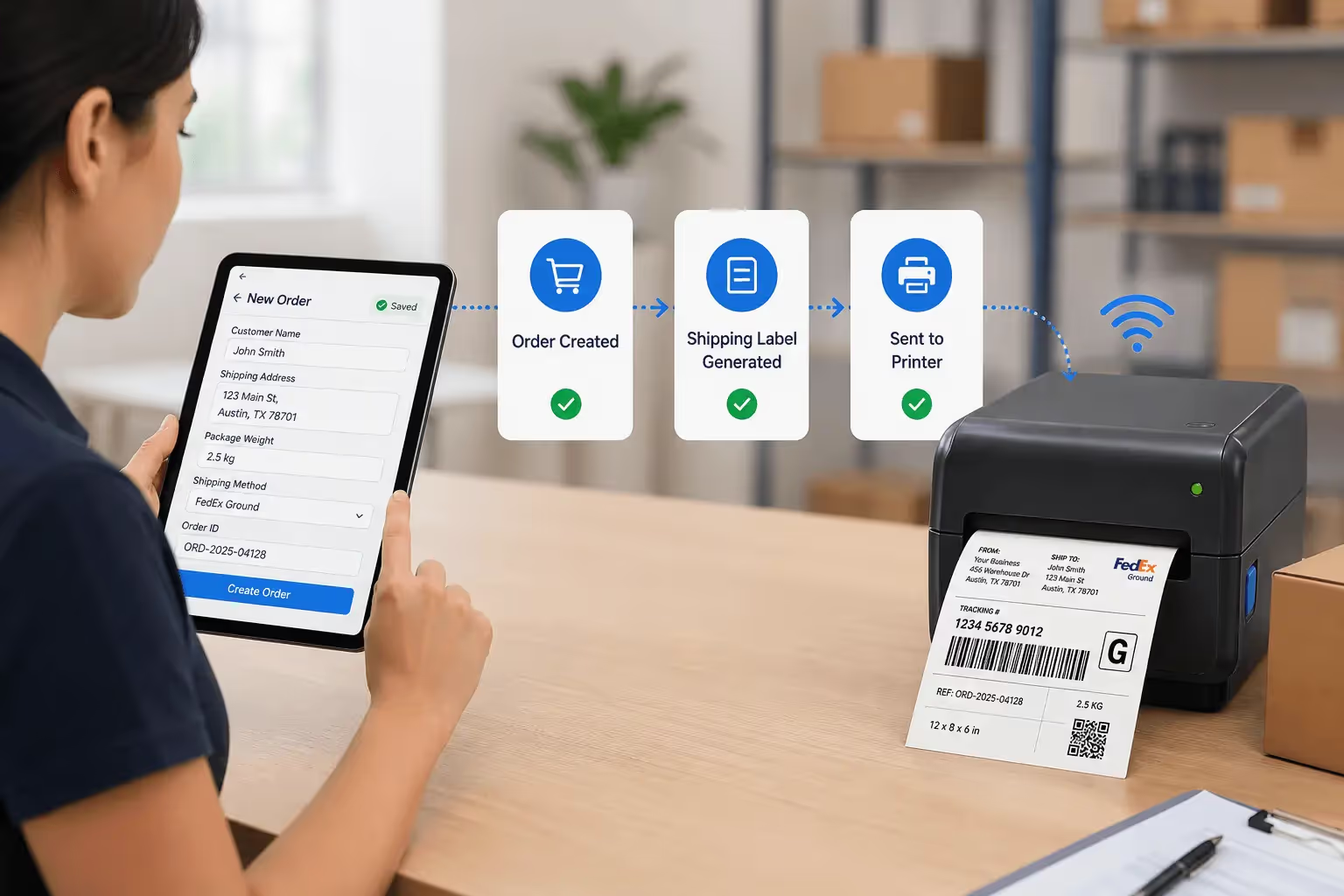
Instead of treating label printing as its own software with its own seats and its own data import, treat it as the last step of a process your team already runs. Here's the flow:
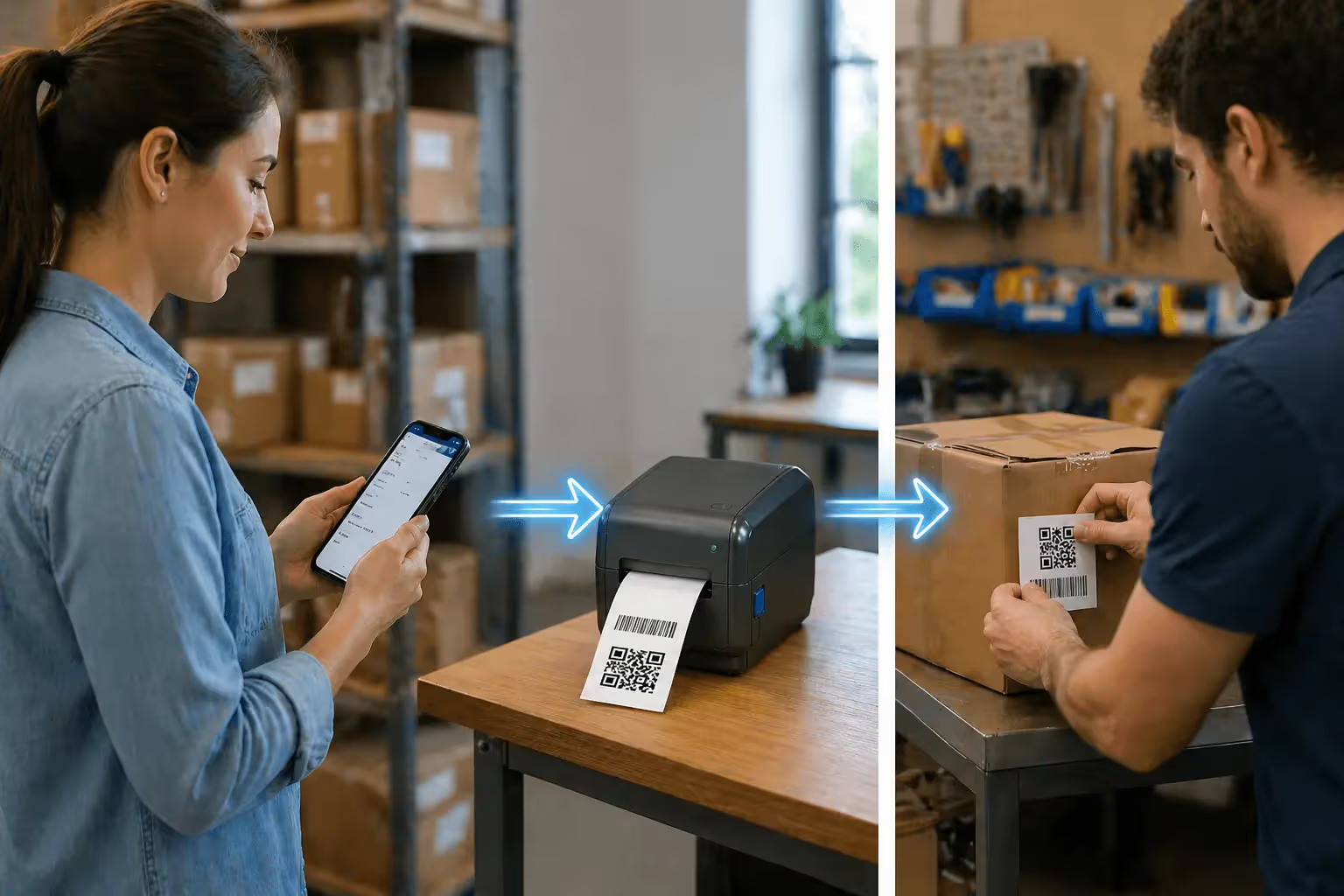
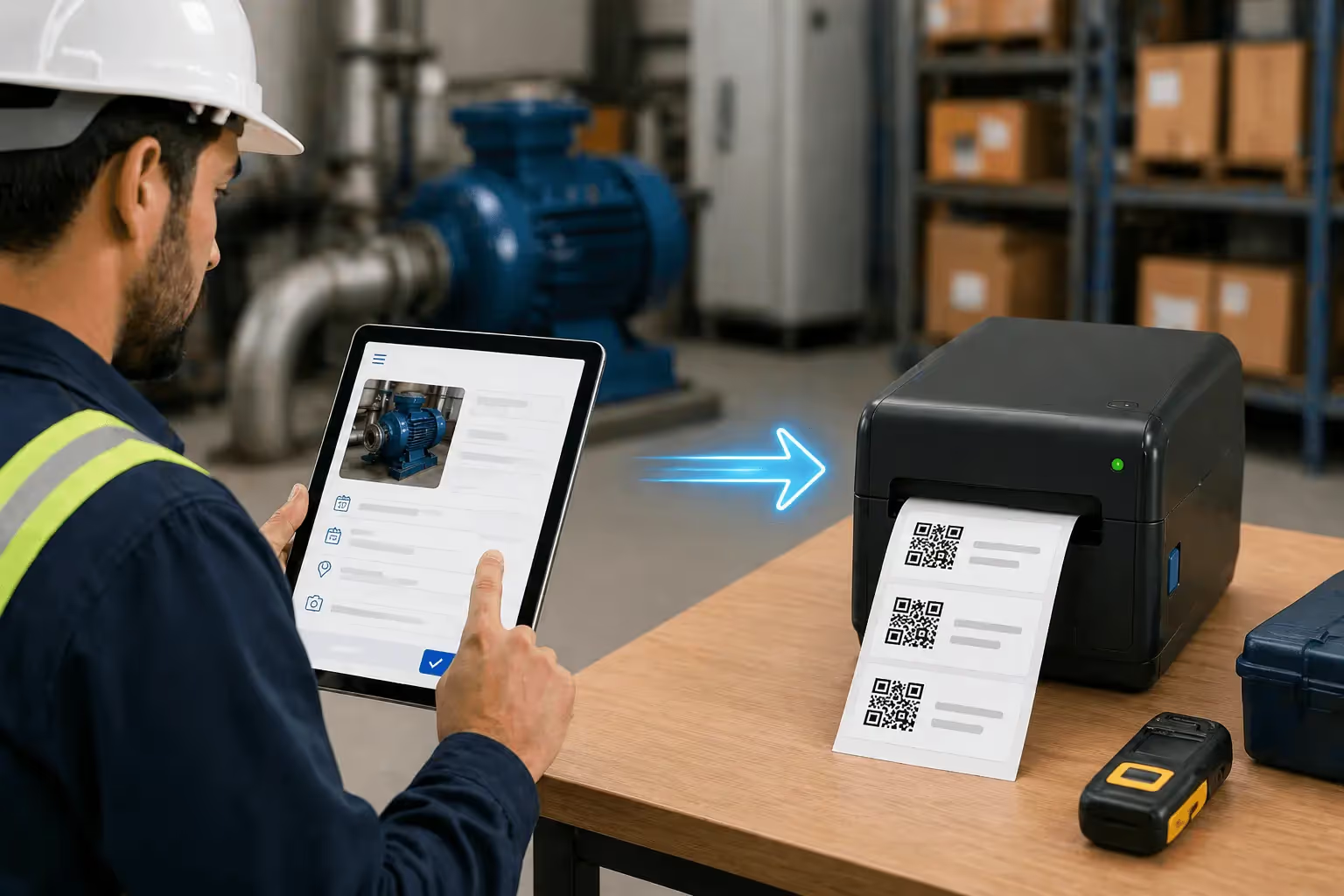
A worker fills out a form, on a phone in the aisle or a desktop at the dock. They can scan an existing code with the phone camera to auto-fill fields, so even data entry skips the keyboard. On submit, Clappia generates the barcode or QR from those field values, lays it on your label template, and sends it to your thermal printer. Open the record, click print, done. To label a batch, select the records and bulk print.
The data was captured once, by the people doing the work, and the label came out of it automatically. No second application, no database to wire up separately, no per-seat design license between the data and the print.
Who Should Switch, and Who Shouldn't
Honest positioning beats a hard sell. Here's the line:
Clappia is the better fit if:
- Your label data already lives in (or could live in) a form-based workflow
- You want field teams capturing data on mobile and printing without a Windows PC in the loop
- You'd rather not buy a per-seat design license
- You want freedom to print to mixed or non-Zebra hardware
Stick with ZebraDesigner if:
- You need a deep, standalone label-design studio with advanced RFID encoding as its own discipline
- Your team is committed to the Zebra ecosystem and fine with the per-seat model
Keep Mobility DNA / DNA Cloud regardless if you manage a fleet of Zebra Android devices. That's device management, and Clappia isn't trying to replace it.
For most teams whose real goal is "capture the data, print the label, move on," the standalone design tool is more software than the job needs.
Frequently Asked Questions
What is Zebra DNA?
Zebra's suite of enterprise software for its devices. It spans label design (ZebraDesigner), printer setup and fleet management (Zebra DNA for Printers, Zebra Utilities), and device management for Zebra Android scanners (Mobility DNA, DNA Cloud).
Is ZebraDesigner free?
Essentials is free for basic design. Professional, which adds database connectivity, RFID, and scripting, needs a paid per-user license, around $799 per user per year for a single seat.
Can I print to a Zebra printer without Zebra's software?
Yes. Zebra printers accept ZPL, the standard command language. Anything that outputs ZPL can print to them. Clappia generates ZPL from your form data and prints through a local bridge, no ZebraDesigner required.
Is Clappia a replacement for Mobility DNA or DNA Cloud?
No. Those manage fleets of Zebra Android devices. Clappia replaces the label design and printing workflow, not device management. You can keep device management on Zebra and move label printing to Clappia.
Does Clappia lock me into specific printer hardware?
No. It outputs standard ZPL for Zebra printers and integrates with existing setups including network printers, print servers like Printnode, and non-Zebra thermal units.
Can field teams print labels from a phone?
Yes. A worker captures or scans data in the Clappia mobile app, and the label prints to a connected thermal printer at the station or office. That mobile-to-label flow is the main thing a Windows-only design tool can't do.
Bringing It Together
A Zebra DNA alternative isn't about finding a cheaper label designer. It's about deciding whether label printing should be its own separate, licensed, platform-bound system, or just the last step of work your team already does.
ZebraDesigner is a capable studio if you want a standalone design tool inside the Zebra ecosystem. But if your goal is to capture data once, on mobile or desktop, and have an accurate label print to the hardware you already own, with no per-seat licenses or lock-in, that's a workflow problem. And a workflow is exactly what Clappia is built for.



.svg)



