

Scan Barcodes and QR Codes Straight Into Your Workflow
Point a phone camera or a dedicated scanner at any code and the value drops instantly into your form. No typing, no lookups, no wrong entries. One scan captures the data and pulls the full record behind it.
Turn any code into an instant, accurate form entry
Scan Into Any Field
Add a scanner block to your form and the decoded value fills the field the moment you scan. Barcodes and QR codes, both handled.
Pull Records on Scan
Link a code to a master app and one scan fetches the full record, product name, price, location, so you capture more than just an ID.
Reads Every Common Format
Handles QR plus UPC, EAN, Code 128, Code 39, Data Matrix, and Aztec, so one block covers the codes you meet on the floor.
Zero-Click Capture
Set the scanner to open the moment the app opens, so a worker records a scan without ever touching the screen. Ideal for high-speed lines.
Works Offline
Scans are captured and stored on the device even with no signal, then sync automatically when the connection returns. Dead zones don't break the flow.
Mobile or Dedicated Scanners
Use the phone camera in your team's pocket, or a Bluetooth or USB hardware scanner for high-volume work. Both feed the same form.
Built for Real Operations
From receiving docks to field audits, wherever a scan beats typing
Inventory & Receiving
Scan incoming items to log stock instantly and pull product details from your master app. No clipboards, no manual SKU entry, no stale counts.
Asset Audits
Scan an asset tag to load its full history and log the inspection on the spot. Verify you're at the right equipment before recording anything.
Attendance
Scan a QR badge to log attendance or check-ins with a timestamp and no touch. Fast, accurate, and impossible to fake with a paper register.
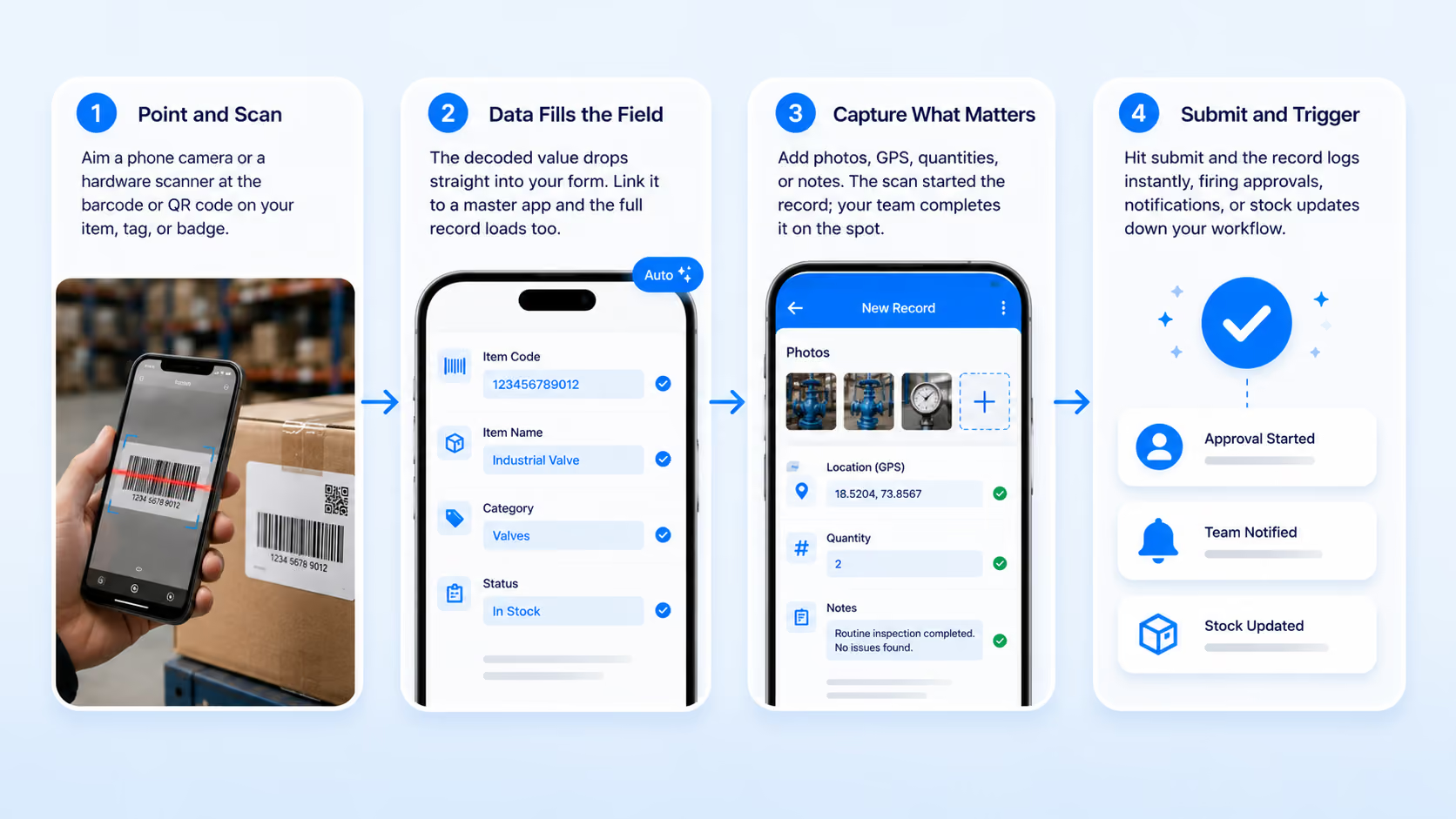
How It Works
From a photo to structured data in seconds
1
Point and Scan
Aim a phone camera or a hardware scanner at the barcode or QR code on your item, tag, or badge.
2
Data Fills the Field
The decoded value drops straight into your form. Link it to a master app and the full record loads too.
3
Capture What Matters
Add photos, GPS, quantities, or notes. The scan started the record; your team completes it on the spot.
4
Submit and Trigger
Hit submit and the record logs instantly, firing approvals, notifications, or stock updates down your workflow.
Works With the Devices You Already Have
No scanners, no new hardware, no vendor lock-in
Bluetooth / USB Scanners
Phone Cameras
Existing Clappia Apps
Workflows & Reports
💡 Already own scanners?
You don't need new hardware. Clappia works with the phone cameras and HID scanners your team already uses. Tell us your setup, and we'll show you how it fits.
See It in Action
Watch how a single scan turns into a completed, tracked record inside your Clappia workflow, from code to submission in seconds.
