Create work requests, assign technicians, schedule maintenance, track job progress, and close work orders from one centralized work order management system built for your business.
Missed SLAs and Unplanned Downtime Cost More Than the Repairs Themselves
Without a centralized work order management system, maintenance backlogs grow, mean time to repair (MTTR) increases, preventive maintenance gets delayed, and work orders become harder to track.
Delayed Work Order Assignment
Work requests from multiple channels delay technician assignment, increasing response times and affecting SLA compliance.
Limited Resource Visibility
Without real-time work order tracking, it's difficult to monitor technician progress, job status, scheduled maintenance, and overdue work.
Incomplete Work Order Records
Photos, labor hours, parts used, and completion notes remain scattered across systems, making reporting, billing, and audits difficult.
The Solution
Everything You Need to Build a Custom Work Order Management System
From work request intake and technician assignment to maintenance scheduling, job tracking, and work order completion, manage every stage from one place.
Custom Work Order Forms and Data Capture
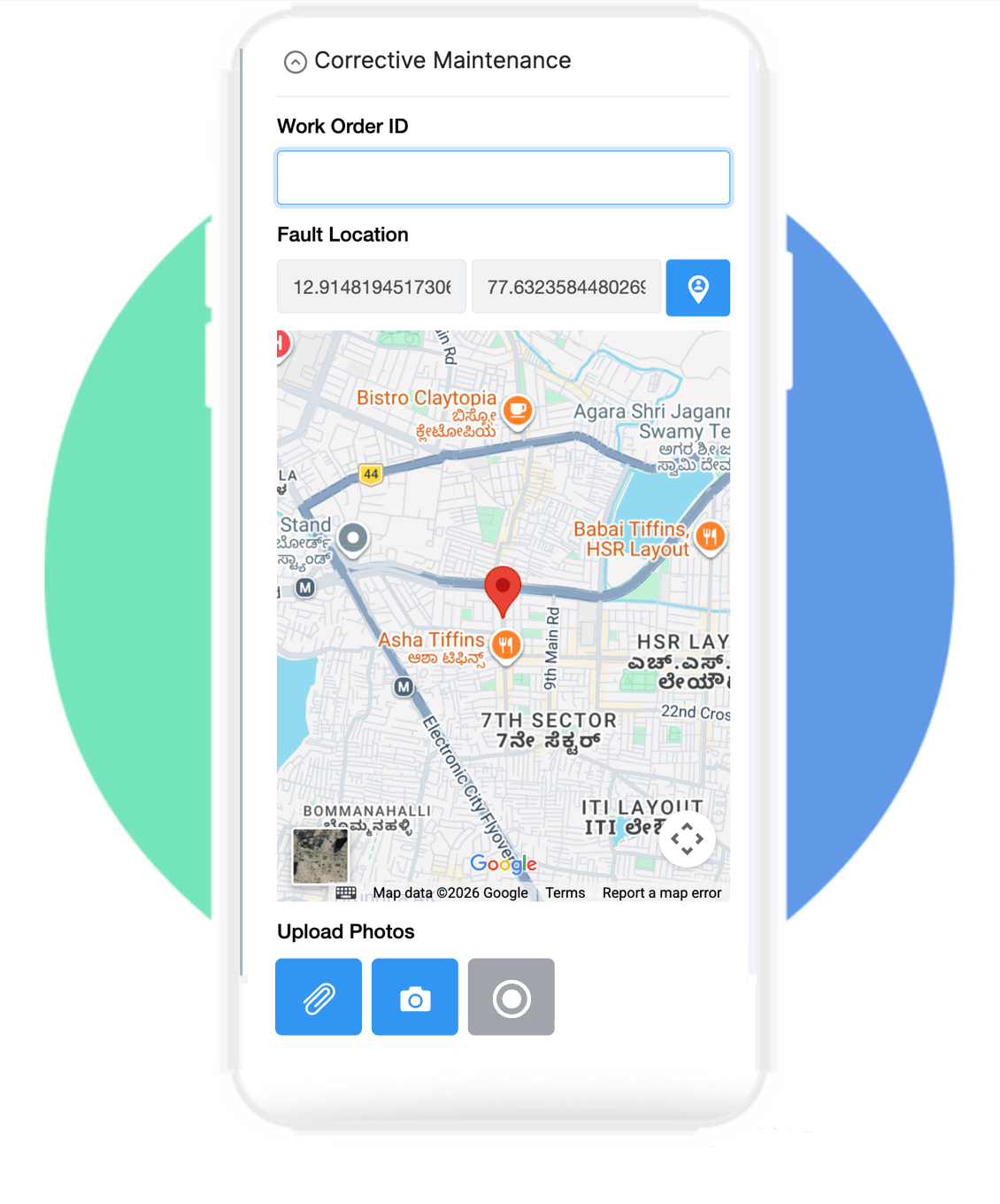
Capture work requests, asset details, technician updates, labor hours, parts used, and completion records in one digital work order.
Add customizable fields for work requests, assets, priority, location, technicians, labor hours, parts used, and completion status.
Upload photos, videos, equipment manuals, drawings, inspection reports, and supporting documents against every work order.
Calculate labor costs, parts costs, downtime, MTTR, response time, and maintenance costs automatically.
Capture technician signatures and generate customized PDFs for work orders, service reports, and completion certificates.
Work Order Automation and Preventive Maintenance
Automate work order assignment, preventive maintenance schedules, notifications, approvals, and job completion with configurable workflows.
Set up multi-level approvals for high-value or high-risk work orders
Send automatic email, SMS, WhatsApp, Slack, or Microsoft Teams notifications
Send reminders for scheduled preventive maintenance and overdue jobs
Integrate work order records with spreadsheets, SAP, ERP, CMMS, or external applications
Launch on Web, Android, and iPhone
Instantly publish your application ecosystem simultaneously across desktop systems and mobile devices safely.
✓ Mobile Ready
✓ Offline Ready
✓ AI Powered
✓ Workflow Automation
✓ Enterprise Security
Simple Setup
Set Up Your Work Order Management System in Simple Steps
No developers required. No core banking integration headaches.
Build a custom vendor management system for your business
Industries
✓Manufacturing
✓Oil & Gas
✓Healthcare
✓Real Estate
✓Retail
✓Logistics
✓Hospitality
✓Facility Management
✓Construction
✓Telecommunications
✓Utilities & Energy
✓Govt & Public Sector
Processes
Manage Every Work Order Process
Maintenance Requests
Preventive Maintenance
Corrective Maintenance
Asset Inspection
Planned Maintenance
Time Tracking
Work Order Approvals
Assignment & Dispatch
Equipment Maintenance
Facility Maintenanc
Parts & Inventory
Service Requests
70%
Faster loan approvals
5x
More applications per officer
90%
Less manual data entry
0
Spreadsheets required
Your Work Order Operations In One App
See how a complete work order management system works in Clappia. Book a 15-minute demo and we will walk through the build for your maintenance and field service process.
Work order management software is a digital system that manages the full work order lifecycle — from work request intake and technician assignment through job scheduling, parts consumption, completion, and closure. It replaces phone calls, emails, and scattered records with one system for maintenance management, field service management, and CMMS workflows. Clappia lets teams build a work order management app without coding, with AI-powered work request categorization, GPS technician tracking, and automatic notifications for job assignments and preventive maintenance.
Do I need developers or IT support to build this?
No. Clappia is a no-code platform. Anyone on your operations or product team can build and modify the app using drag-and-drop. Developers are only needed if you need them to connect to other internal systems via API.
Can field officers use it in low-connectivity rural areas?
Yes. The mobile app works fully offline. Field officers can capture applications, collect EMIs, and complete site visits without internet. Everything auto-syncs the moment connectivity returns.
Is work order and maintenance data secure?
All data is encrypted in transit and at rest with 256-bit encryption. Clappia is GDPR-compliant and ISO-certified, with role-based access controls so each user only sees the work orders and maintenance records relevant to their role and site.
How long does it take to set up a work order management app?
Most teams have a working work order intake and assignment workflow live within a week. Larger setups covering preventive maintenance schedules, multi-site technician dispatch, and integration with SAP, ERP, or CMMS usually take two to three weeks.
Is Clappia suitable for small maintenance teams or only large operations?
Clappia works for both. Small teams use Clappia to manage 50-100 work orders a month without needing a full CMMS. Large operations use it to run work order management across hundreds of technicians, multiple sites, and integrated ERP systems. The platform scales with your work order volume and complexity.
What does it cost?
Clappia offers a free plan to get started, with paid plans that scale based on users and submissions. Book a demo and we'll suggest the right plan for your data volume and team size.
Can Clappia replace our existing CMMS or field service management software?
For many teams, yes. Clappia handles work order intake, technician assignment, preventive maintenance, parts tracking, and job closure as a standalone work order management system. Some teams run Clappia alongside their CMMS or FSM platform for specific sites or asset categories, while others use it as their full work order platform. Whether full replacement makes sense depends on the scope of your current system.