

.avif)
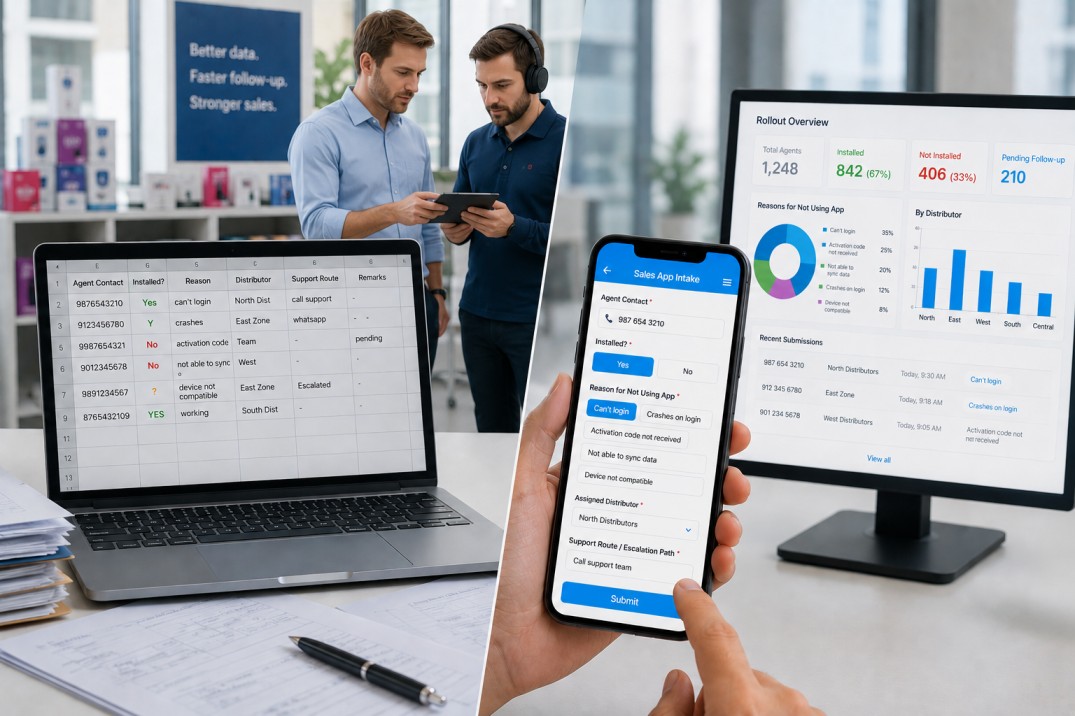
If your team places fresh product orders every day, there is a good chance someone is doing the maths by hand. A salesperson looks up the shop's discount rate, subtracts it from the unit price, then manually splits the tax into two equal halves, adds the base amount, and arrives at a total bill. Do this for ten shops across twenty products and the margin for error is not small. It is enormous.
The problem is not that your team is careless. It is that this kind of repetitive calculation is genuinely difficult to do consistently at speed, especially in the field where distractions are constant and connectivity is unreliable. A wrong discount figure or an incorrectly split tax amount does not just create a billing dispute. It erodes trust with your dealers, slows down your accounts team, and makes reconciliation a nightmare at month end.
This article walks through how to build a Daily Fresh Order and Billing Calculator in Clappia that eliminates these errors entirely. The app pulls shop-level discount terms and product tax rates automatically, runs every calculation in the background, and presents a clean, accurate total bill to your team without them needing to touch a calculator.
Long shelf-life products tend to have stable pricing and predictable order cycles. Fresh products are different. Prices can vary by shop category, discounts differ by dealer tier, and tax rates depend on the product type. When all of this has to be applied manually to a high-frequency daily order, errors compound quickly.
The three most common failure points are:
Each of these errors is entirely preventable if the data flows automatically from a trusted master source into the order form. That is exactly what the setup described in this article achieves.
The solution relies on three Clappia apps working together. Two are master data apps that store reference information. The third is the daily order entry app that pulls from both masters and handles all calculations automatically.
| App | Purpose |
|---|---|
| Fresh Products Master | Stores product details including unit price, tax rate, supply type, department, and category for each fresh item |
| Dealer/Shop Master | Stores shop-level details including price category, discount percentage, tax number, and route information |
| Daily Fresh Order & Billing Calculator | The order entry app used daily; pulls data from both masters and computes discount, base rate, tax split, and total bill automatically |
This separation of concerns is important. Master data is maintained independently by authorized users, and the order entry app always reads the latest values at the time of order placement. There is no copy-paste, no manual lookup, and no version mismatch.
The Fresh Products Master stores the catalog of items your team orders daily. It is structured as a single section that supports multiple product entries per submission. You can learn more about setting up database apps in the Clappia Help Center.
Required Fields
| Field Name | Block Type | Purpose |
|---|---|---|
| item_code | Single Line Text | Unique identifier for the product |
| food | Single Line Text | Product name as it will appear in the order app dropdown |
| weight | Single Line Text | Weight or size specification of the product |
| mrp | Single Line Text | Maximum retail price for reference |
| gst_ | Single Line Text (Numeric) | Tax rate percentage applicable to this product. Drives the tax split calculation in the order app. Rename this field to match your region's tax terminology if needed. |
| dept | Single Line Text | Department or product group this item belongs to |
| category | Single Line Text | Product category for reporting and filtering |
| supply | Single Line Text | Supply type associated with this product, shown read-only in the order form |
| shelf_life | Single Line Text (Number) | Number of days the product remains fresh |
Optional Fields
The section in this app supports up to three copies per submission with five initial rows, meaning a single submission can capture multiple products at once. The Submit button is always visible and all fields are visible by default with no display conditions.
The Dealer/Shop Master stores the commercial terms for each shop or dealer your team services. These terms, particularly the discount percentage and price category, are what the order app uses to calculate the correct rate for each transaction.
| Field Name | Block Type | Required |
|---|---|---|
| shortname | Single Line Text | Yes - dealer or shop code |
| bky_name | Single Line Text | Yes - full dealer or shop name |
| drop_down | Dropdown (Showroom, Dealers) | Yes - price category |
| discount | Single Line Text (Numeric) | Yes - discount percentage applied to this shop |
| gstin | Single Line Text | Yes - tax registration number |
| route_deta | Single Line Text | Yes - route or territory information |
| shop_qty | Single Line Text | Optional - typical order quantity for planning |
All fields are visible and independent. There are no formulas or display conditions in this app. It is purely a reference database that the order app reads from.
This is the app your sales team uses every day. It is a single-section form that connects to both master apps, auto-fills key data, and runs all pricing and tax calculations in the background. Here is how to build it step by step.
Add a Get Data from Other Apps block and point it to the Dealer/Shop Master. Name this field my_shop. When a user selects a shop from this field, the following fields are auto-filled and hidden from view:
These four fields are pulled automatically and kept hidden. The salesperson does not need to know or enter any of this information. It is simply there to power the calculations.
Add a second Get Data from Other Apps block and point it to the Fresh Products Master. Name this field food. When a user selects a product, the following fields are pulled:
Hidden auto-filled fields:
Visible read-only fields:
Setting rate_per_u and supply_1 as visible and read-only is intentional. The user should be able to see the rate being used, but not be able to change it. This protects pricing integrity without obscuring it.
| Field | Block Type | Notes |
|---|---|---|
| quantity | Single Line Text (Numeric) | Required. Must be numeric and greater than zero. A validation is applied to enforce this. |
| delivery_d | Date | Required. Date picker with a current-date shortcut for speed. |
| my_name | Single Line Text | Optional. The name of the person placing the order. |
All pricing and tax calculations happen through hidden formula fields. Add each of the following as a Formula block and set it to hidden so the form stays clean. The user only needs to see the final total, not every intermediate step.
1. total_amou - Discounted Rate
2. basic_rate - Pre-Tax Base Rate
3. total_basi - Total Pre-Tax Amount
4. cgst_amoun - First Tax Component
5. sgst_amoun - Second Tax Component
6. total_bill - Final Tax-Inclusive Total
Every calculation in this chain runs automatically the moment the user selects a shop and a product. By the time they enter a quantity, the total bill is ready.
In Clappia, validations block a submission when a defined condition is not met. Add a validation to the quantity field with the following rule: the value must be numeric and greater than zero. This prevents accidental zero-quantity submissions and non-numeric entries from creating zero-value or broken order records.
You can set up this validation directly on the field. For a detailed walkthrough, refer to the Clappia Validations documentation.
The Daily Fresh Order and Billing Calculator includes a workflow that triggers when a record is saved. The workflow contains a placeholder step for sending the saved order to an external system, such as an ERP, accounting tool, or messaging platform.
In its current state, the placeholder step has no server URL or headers configured. Once you are ready to connect to an external system, you can configure this step by adding the destination URL and any required headers or authentication details. Until then, orders are simply saved within the app and accessible to authorised users.
To learn more about setting up external call steps in workflows, visit the Clappia Workflows documentation.
Once your apps are built, controlling who can do what is straightforward in Clappia.
For workspace access, add the relevant users to your Clappia workspace so they can see and interact with apps shared with them.
For app-level access, go to the app, click Design App, then navigate to Distribute and select User Access. On the right panel, select the user and assign them a role:
Apply this access configuration to all three apps. Your sales team needs Submitter access to the order app. Only your catalog manager or operations admin should have edit rights to the product and shop masters.
The Daily Fresh Order and Billing Calculator is designed to be used in the field, which means mobile and offline support matters. Clappia's mobile app supports the full order entry flow including the Get Data from Other Apps selections, formula calculations, and validations.
When a salesperson is in an area with poor or no connectivity, they can still fill and submit orders using offline mode. The submission is stored locally on the device and syncs automatically once the device reconnects. All formula calculations and validations run locally, so there is no degradation in accuracy when offline.
This is particularly relevant for fresh product operations where orders are placed early in the morning during route runs, often in warehouses or delivery areas where signal strength is inconsistent.
From a salesperson's perspective, the entire order entry process involves just a handful of steps. Here is the complete user flow:
The salesperson never sees a formula, never manually looks up a discount rate, and never has to calculate a tax split. The entire billing chain runs invisibly and the record is complete at the point of submission.
To make the formula chain concrete, here is an end-to-end example using sample values.
| Input | Value |
|---|---|
| Unit Rate (rate_per_u) | 120 |
| Shop Discount (discount) | 10% |
| Tax Rate (gst_) | 5% |
| Quantity | 15 |
| Calculation Step | Formula | Result |
|---|---|---|
| Discounted Rate (total_amou) | 120 - (120 * (10 / 100)) | 108 |
| Pre-Tax Base Rate (basic_rate) | (108 * 100) / (100 + 5) | 102.86 |
| Total Pre-Tax (total_basi) | 102.86 * 15 | 1,542.86 |
| First Tax Component (cgst_amoun) | (1542.86 * (5 / 100)) / 2 | 38.57 |
| Second Tax Component (sgst_amoun) | (1542.86 * (5 / 100)) / 2 | 38.57 |
| Total Bill (total_bill) | 1542.86 + 38.57 + 38.57 | 1,620.00 |
Every figure in this table is computed automatically. The salesperson enters the shop, the product, and the quantity. The app does the rest.
The three-app structure described here is designed to scale. A few natural extensions worth considering:
Manual discount calculations and tax splits are a solvable problem. The Daily Fresh Order and Billing Calculator described in this article removes the human error from the equation entirely by connecting order entry directly to master data and running every calculation automatically.
The result is a team that places orders faster, a billing process that starts with accurate numbers, and a reconciliation cycle that does not require chasing down discrepancies after the fact. For operations that handle fresh products daily, this kind of reliability is not a nice-to-have. It is what keeps the business running smoothly.
If you are new to Clappia, the Clappia Help Center has step-by-step guides for building apps, configuring Get Data from Other Apps blocks, writing formula fields, and setting up workflows. The setup described here is achievable without any coding and can be running in a single afternoon.
L374, 1st Floor, 5th Main Rd, Sector 6, HSR Layout, Bengaluru, Karnataka 560102, India
3500 S DuPont Hwy, Dover,
Kent 19901, Delaware, USA


.svg)




3500 S DuPont Hwy, Dover,
Kent 19901, Delaware, USA
L374, 1st Floor, 5th Main Rd, Sector 6, HSR Layout, Bengaluru, Karnataka 560102, India



.jpg)

