.avif)
Build fully functional mobile and web apps using natural language. No coding, no technical setup, and no complexity. You simply describe the app you want, and Clappia’s AI App Builder creates it for you, complete with the required fields, workflows, logic, integrations, and ready-to-use mobile interfaces.
Clappia is a mobile-first AI app builder designed for businesses, operations teams, field staff, and non-technical users who need production-ready apps quickly. Whether you’re creating an internal tool, a data collection app, an approval workflow, an attendance tracker, a field operations system, a CRM, or any other business process app, the AI generates a working application in minutes rather than days or weeks.
Once the app is generated, you can open it immediately, review how it works, and refine it visually using Clappia’s no-code tools. This combination of AI-powered app generation, visual editing, and enterprise-grade features makes it possible for teams to build and use real applications without writing code or managing infrastructure.
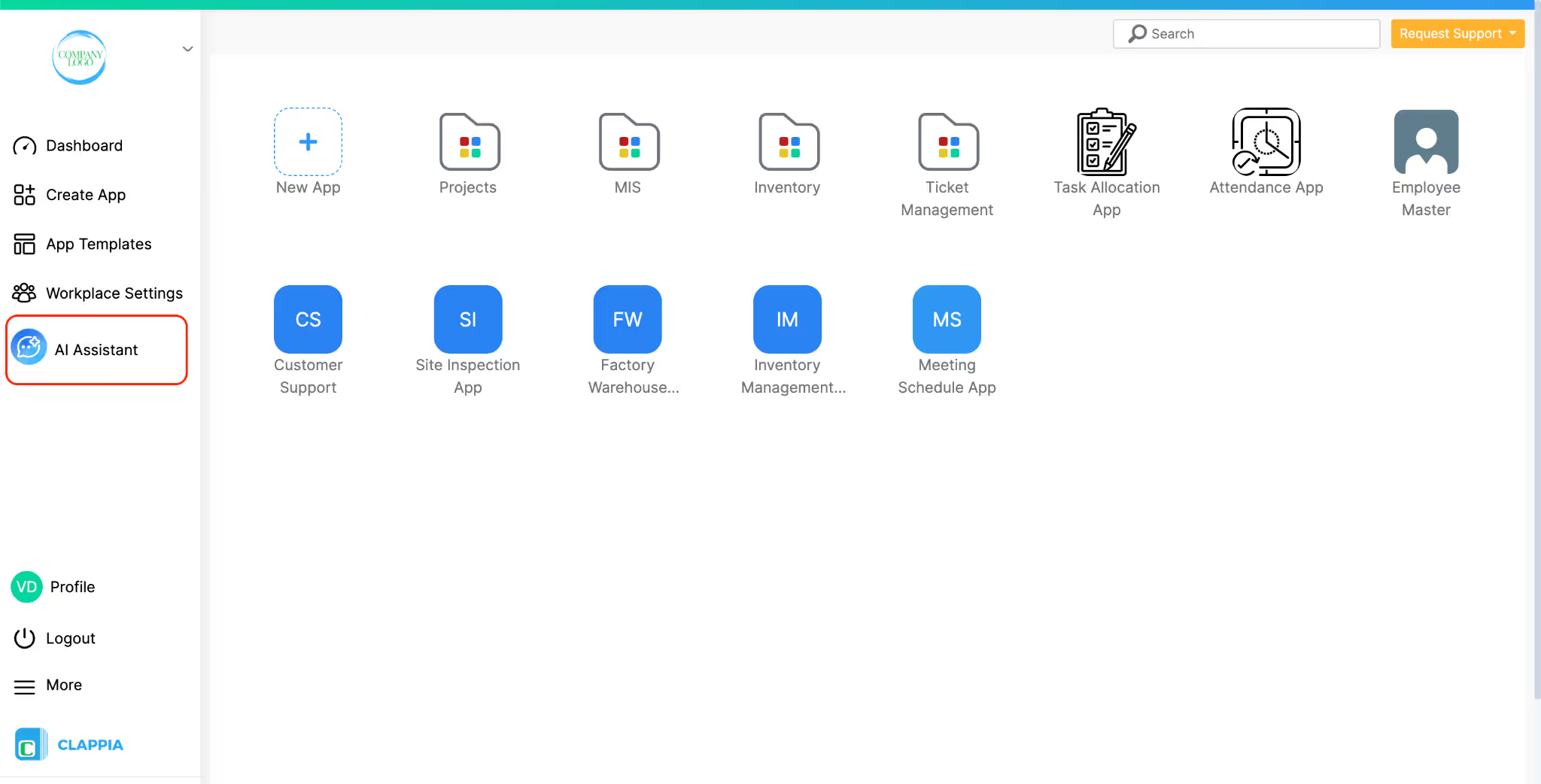
Clappia’s AI App Builder understands your requirements directly from plain English. Instead of thinking in terms of code, screens, or databases, you just need to explain what kind of app you want to build for your business and how that process works. The AI interprets this description and uses it to generate the structure of the application for you.
You can describe your requirement in simple prompts such as:
The more detail you provide about how your business app should work, such as the steps involved, the information you want to capture, or what should happen after a submission, the better the AI can shape the app to match your process.
Based on your description, Clappia instantly creates the full application which can be used on the web and mobile. It includes the input fields needed to capture data, and the underlying logic that makes the app function. The AI applies calculations where necessary, sets up conditional visibility so fields appear only when relevant, and configures task flows and approval steps to match your process. It also prepares notifications, automations, PDF reports, and integrations so the app is ready for real use.
What you get is a real, working application rather than a mockup or prototype. You can open it immediately, review how it works, and start using it. Everything the AI creates can be modified visually using Clappia’s no-code tools, so there is no need to write code, set up databases, or manage infrastructure at any stage.
Clappia’s AI App Builder follows a simple, practical flow that mirrors how businesses think about building internal tools. You explain what you want to build, review what the AI plans to create, refine it if needed, and then start using the app across your team.
Step 1: Describe Your App
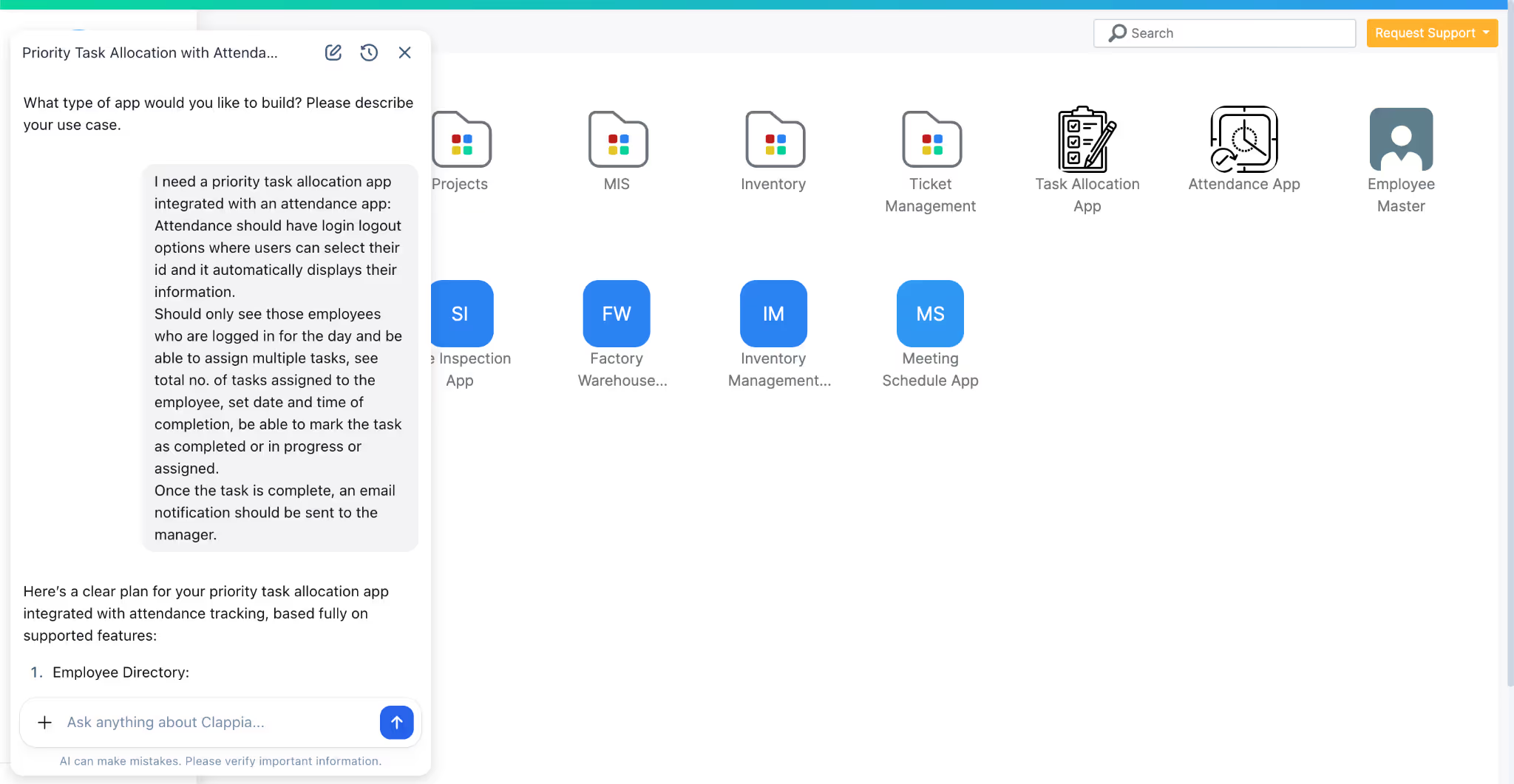
You begin by typing your requirements in natural language. This is where you explain the kind of app you want and how it should support your business process.
For example, suppose you want to build a field operations app for your inspection team. You could start with a prompt like:
“Create a field inspection app with GPS capture, photo uploads, offline usage, scoring, and PDF reports.”
If you want the app to closely reflect how your operations work, you can add more context in the same prompt. For instance, you might specify who will use the app, what information needs to be captured, or what should happen after a submission. The more detail you provide about your process, the better the AI can structure the app to match your requirements.
Before creating the app, the AI first proposes a structure based on what you described. This includes how the app will be organised and what features it plans to include. You can review this proposal, ask the AI to make changes, or clarify anything that doesn’t look right. Once you’re satisfied, the AI proceeds to build the app.
Step 2: AI Creates the App
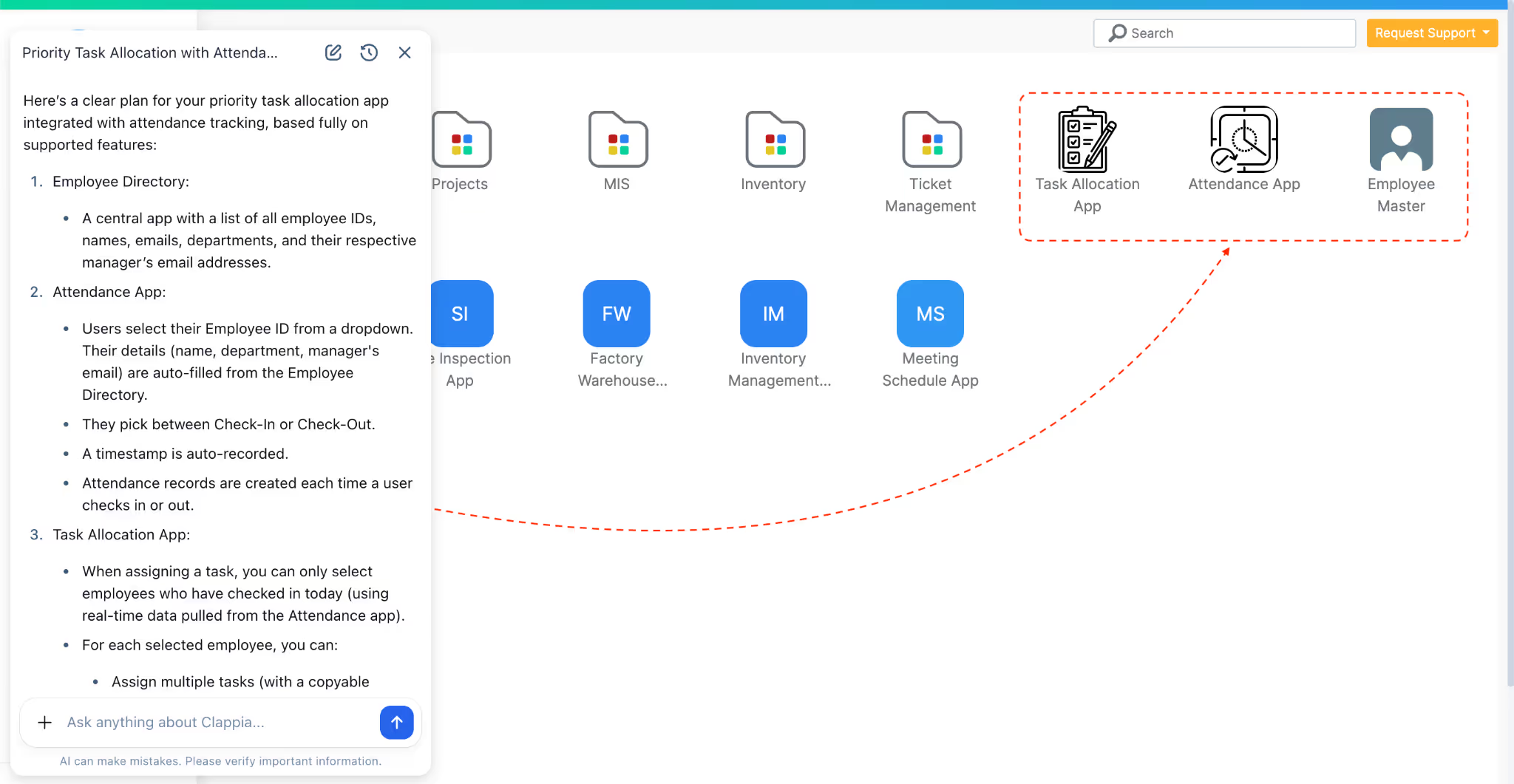
After you confirm the proposed structure, Clappia’s AI generates the full application. This includes setting up the data inputs your team will use, such as text fields, number fields, photo uploads, GPS capture, and checkboxes. It also applies logic where required, for example validations, conditional visibility, or calculations like scores and totals.
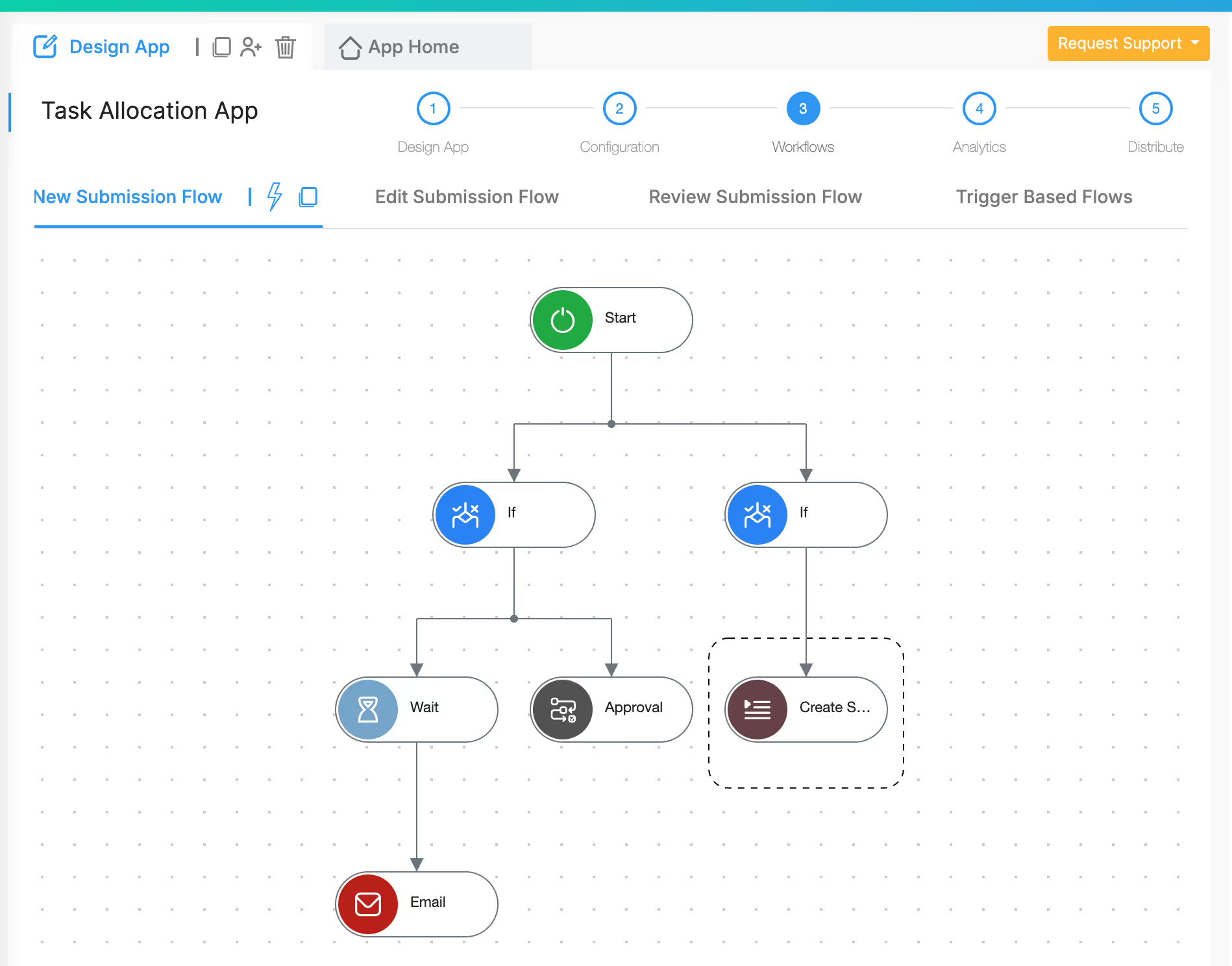
If your process involves workflows, the AI sets those up as well. This could include sending email notifications, triggering WhatsApp or SMS messages, assigning tasks to users, and even creating or updating records in related apps. The AI also prepares reports and basic dashboards where relevant, so you can start tracking activity as soon as the app is live.
Everything is created inside Clappia using its no-code capabilities, so the app is functional immediately without any technical setup.
Step 3: Customize Visually
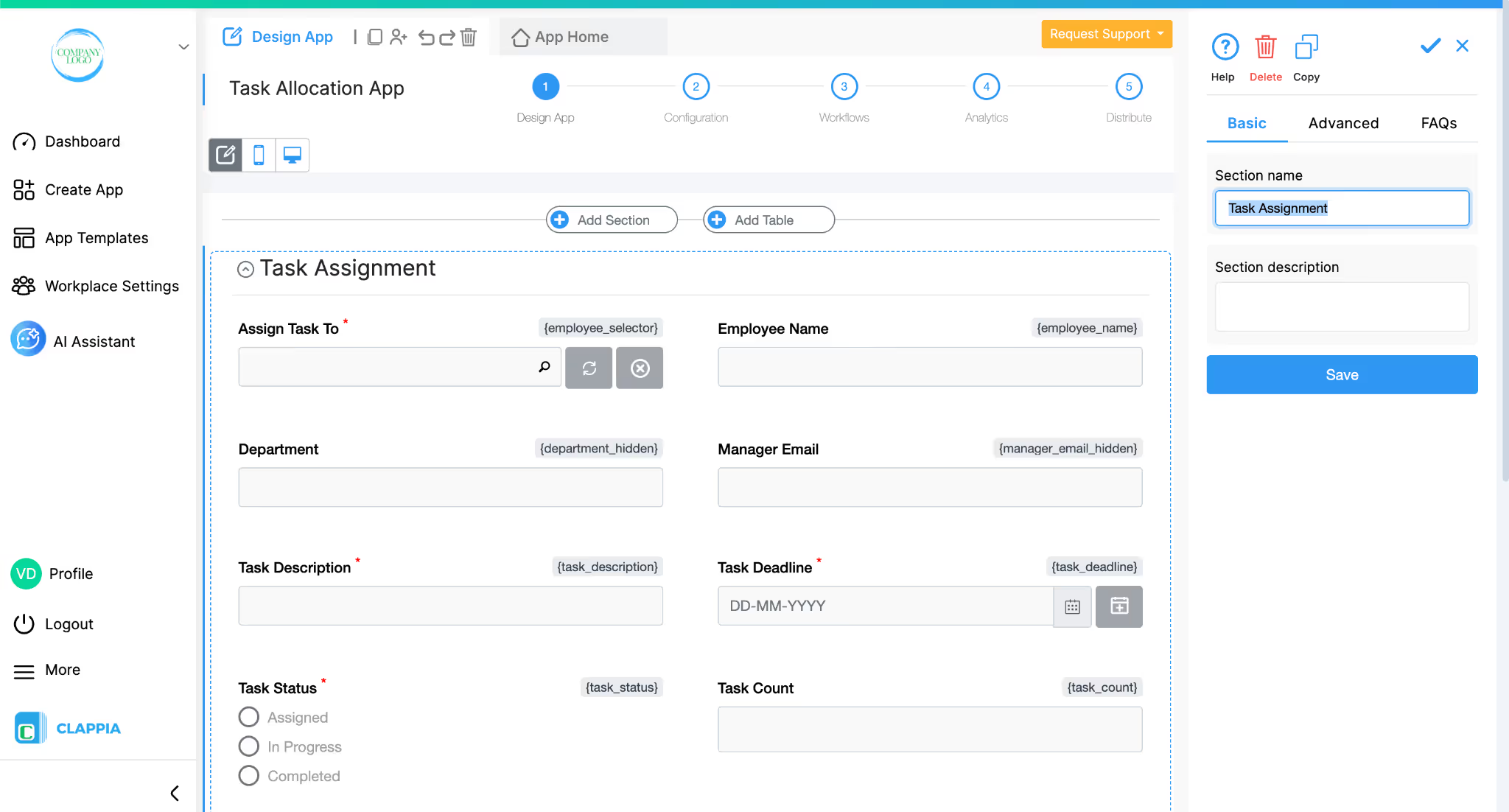
You can edit your app at any point. If you’re just starting out or want to test the app, you can treat the AI-generated version as a starting point or template.
From there, you have multiple ways to refine it:
Step 4: Deploy Instantly
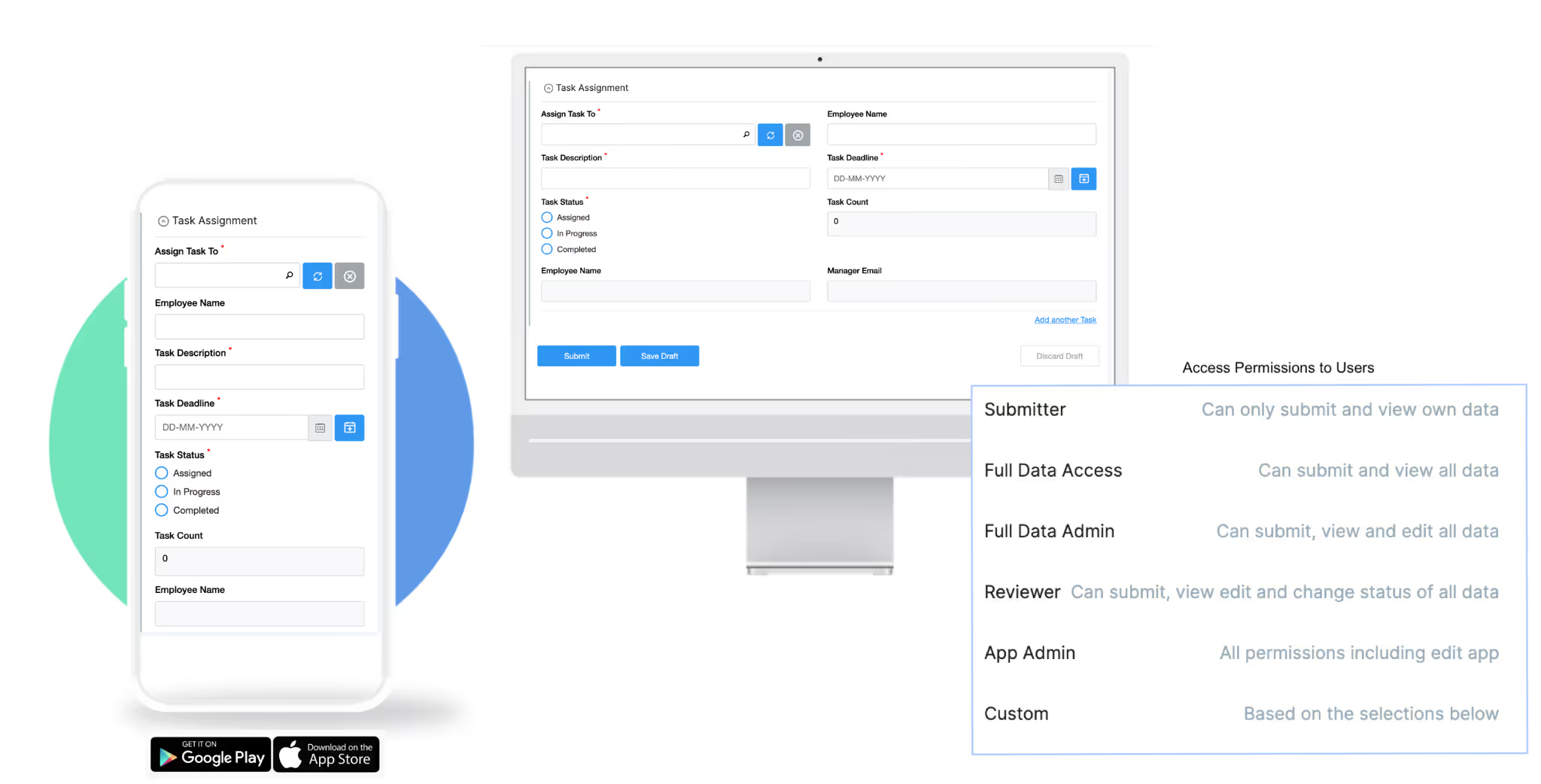
Once the app is ready, it’s immediately available on web and mobile. There are no publishing steps, no app store approvals, and no server configuration required.
You can share the app with your team, assign user roles and permissions, and start collecting data right away. The app works on iOS, Android, and the web, and supports offline usage so teams can continue working even without an internet connection. Any updates you make to the app are reflected instantly for all users, making it easy to roll out changes as your process evolves.
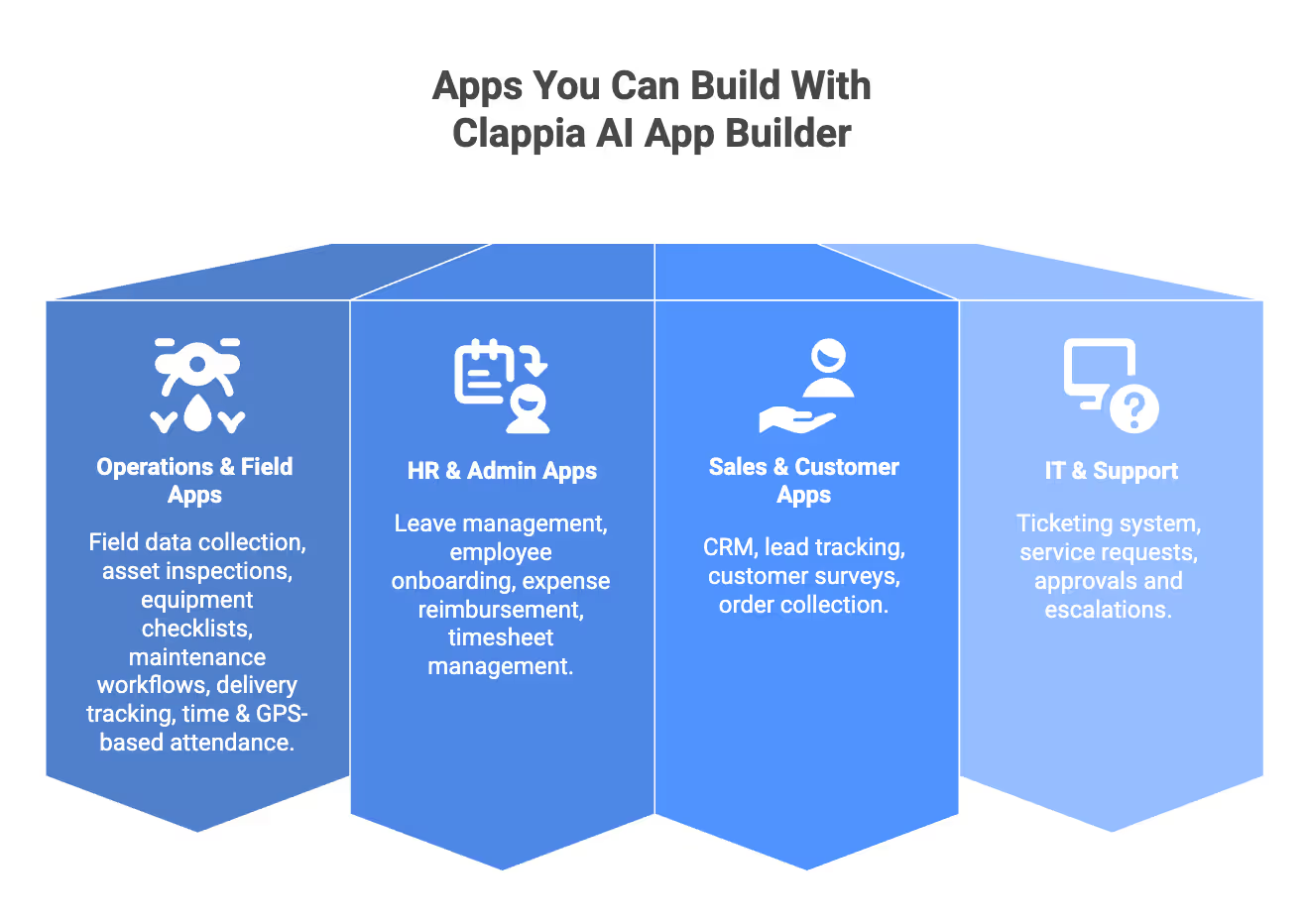
Clappia’s AI App Builder is designed for people who understand their business processes but don’t want to deal with coding or technical setup. If you know how work gets done in your team and want to turn that into a functional app, Clappia is built for you. Even if you don't know where to start, just ask the AI app builder to help you get started.
Non-technical users can use Clappia to create apps without learning programming or worrying about how the technology works behind the scenes. Operations managers and process owners can digitise workflows such as approvals, task tracking, inspections, and reporting, and adjust them easily as processes change.
Field teams benefit from mobile-ready apps that work on phones and tablets, including offline usage, GPS capture, photos, and real-time updates. Admin and HR teams can build internal tools for attendance, onboarding, audits, requests, and employee management without depending on IT teams.
Business analysts and team leads can use Clappia to translate requirements directly into working applications, test processes quickly, and refine them based on real usage. Small and mid-sized businesses as well as enterprise departments can use the same platform to build apps that fit their scale and complexity.
In short, if you need to automate or digitise business processes, create mobile-ready apps quickly, and do it all without coding, Clappia’s AI App Builder is built to support exactly that.
Clappia combines AI-powered app generation with mobile-first design and enterprise-ready capabilities, making it suitable for real business use rather than a demo. Each part of the platform is built to support how teams actually work, especially when apps need to be used on the field, across departments, or at scale.
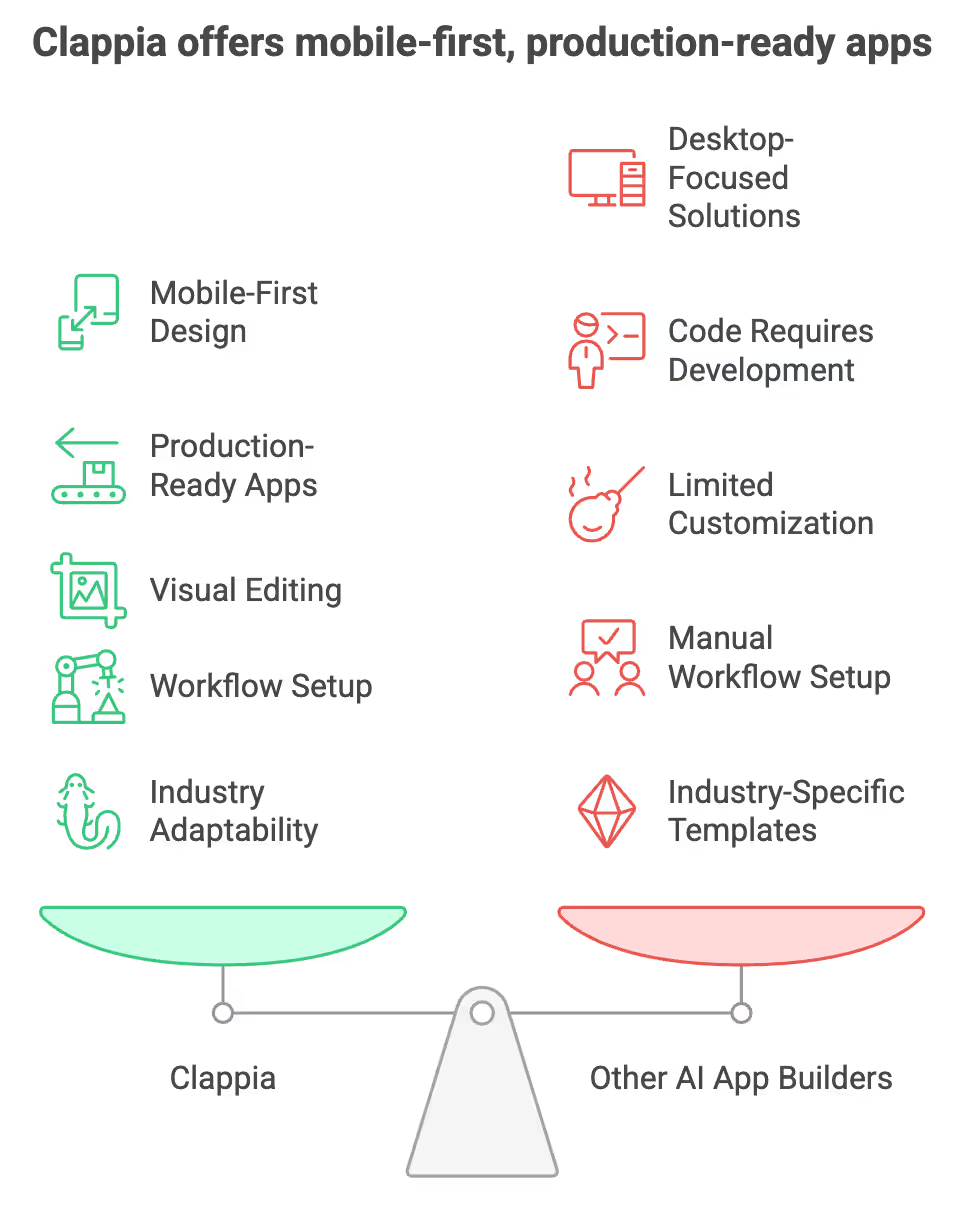
Clappia generates applications that work smoothly across iOS, Android, tablets, and web browsers. The platform supports features that mobile teams rely on, including GPS capture, geofencing, Live Tracking, offline capability, automatic data sync, NFC, and QR or barcode scanning, etc. Field teams can use these applications without needing additional deployment steps, and data can be captured even when internet connectivity is limited. This mobile-first approach distinguishes Clappia from many AI app builders that generate only desktop-focused solutions.
While some AI tools generate code that still requires further development or deployment, Clappia creates applications that are ready for immediate use. The system prepares the user interface, sets up the logic behind each field, configures workflows, handles notifications, manages data storage, and applies role-based permissions. Because all of this is generated automatically, organisations can get a functioning app without navigating code, servers, or development environments.
Once the AI generates the app, you can modify any part of it visually. Clappia provides a no-code editor where you can add fields, adjust layouts, configure conditions, refine workflow steps, add validations, and connect external systems. All changes are made through simple clicks, and the system updates the app instantly. This flexibility ensures that even if the initial AI-generated version is not perfect, you can shape it into the exact app your team needs.
Clappia includes an AI-driven workflow builder that helps you automate processes. You can describe what needs to happen when a form is submitted, when a task is assigned, or when a specific condition is met, and the AI will set up the corresponding workflow steps. This includes notifications, approvals, data updates, integrations with external services, PDF creation, API calls, and routing rules. By combining AI workflows with no-code configuration, Clappia supports both simple and complex automation needs.
Clappia works across industries because it focuses on business processes rather than industry-specific templates. Most organisations, regardless of sector, deal with similar needs such as data collection, approvals, task tracking, reporting, and coordination between teams. Clappia’s AI app builder is designed around these common process patterns, which is why it can adapt easily to different use cases.
Teams in operations, logistics, manufacturing, urban services, HR, sales and distribution, healthcare, field inspections, facility management, retail, construction, and finance use Clappia to digitise their workflows. The underlying idea is the same across industries: you describe how your process works, and the AI creates an app that supports it. Because the apps are mobile-friendly and configurable, they fit both office-based and field-based teams without needing separate solutions.
This approach allows businesses to build apps that reflect how they actually work, instead of forcing their processes to fit predefined industry tools.
If you’re exploring ways to digitise workflows, automate internal processes, or create mobile-ready business apps without coding, Clappia AI app builder provides a practical place to start. You can generate your first app, refine it visually, and adapt it as your needs evolve.
Sign up today to get started with Clappia’s AI App Builder and see how quickly you can turn your ideas into usable business applications.
L374, 1st Floor, 5th Main Rd, Sector 6, HSR Layout, Bengaluru, Karnataka 560102, India
3500 S DuPont Hwy, Dover,
Kent 19901, Delaware, USA


.svg)




3500 S DuPont Hwy, Dover,
Kent 19901, Delaware, USA
L374, 1st Floor, 5th Main Rd, Sector 6, HSR Layout, Bengaluru, Karnataka 560102, India