
Grab Clappia’s 50% OFF Black Friday Deal before it’s gone! Ends 05 Dec 2025.
View offer →
#bf-banner-text { text-transform: none !important; }
HIPAA Compliant Forms: Enterprise Implementation Guide

HIPAA Compliant Forms: Enterprise Implementation Guide

By
Vidhyut A
July 20, 2026
|
10 Mins
Table of Contents

TL;DR:

HIPAA compliance for forms requires proper authorization language and technical safeguards like encryption and access controls. Ensuring a signed Business Associate Agreement and offline data protection are essential before PHI flows in production. Using platforms like Clappia helps organizations implement all controls accurately and at scale.

A HIPAA-compliant form combines two distinct layers: the legal authorization elements required by the Privacy Rule (45 CFR §164.508) and the technical safeguards mandated by the Security Rule. Get either layer wrong and the form creates liability, not protection. The immediate recommended next step for any operations or compliance team is to run a pilot on an enterprise no-code platform that supports offline encrypted sync, e-signatures with timestamps, role-based access controls, auditable logs, and a signed Business Associate Agreement.

At a glance — five compliance status checks:

  • Legal authorization elements present (PHI description, purpose, recipient, expiration, revocation, signature)
  • Encryption active: TLS in transit, AES-256 or equivalent at rest
  • Signed BAA or Data Processing Addendum on file with every vendor handling PHI
  • Role-based access controls and audit logging enabled
  • E-signatures captured with tamper-proof timestamps and stored securely

What makes a form legally and technically HIPAA-compliant?

HIPAA compliance for forms splits cleanly into two regulatory tracks. The Privacy Rule governs what the form must say; the Security Rule governs how the data must be protected.

Under 45 CFR §164.508, a valid authorization must include: a description of the PHI to be used or disclosed, the specific recipient(s), the purpose of the disclosure, an expiration date or event, instructions for revoking the authorization, and the patient's signature with date. Covered entities may share PHI without authorization for treatment, payment, and healthcare operations - all other disclosures generally require a signed release. Critically, plain-language wording is treated as a legal necessity, not a courtesy: if a patient cannot understand what they are consenting to, the authorization is not valid informed consent. The form must also apply the minimum necessary principle, collecting only the PHI fields required for the stated purpose.

The Security Rule adds the technical layer. At minimum, your platform and workflow must satisfy:

  • Encryption in transit: TLS on all data transfers
  • Encryption at rest: AES-256 or equivalent for stored PHI
  • Role-based access control (RBAC): limit who can view, edit, or export form data
  • Multi-factor authentication (MFA): protect access to form administration and PHI exports
  • Audit logs: tamper-proof, timestamped records of every access and modification
  • Secure hosting: enterprise-grade infrastructure with SOC/HIPAA-aligned controls (AWS is the common standard)
  • Signed BAA/Data Processing Addendum: required whenever a vendor processes PHI on your behalf

How do you make an existing form HIPAA-compliant step by step?

The sequence matters. Legal wording must be correct before technical controls are configured, and both must be validated before any PHI flows through the form in production.

  1. Verify PHI scope. Identify every field that collects, displays, or transmits protected health information. Remove fields that violate the minimum necessary principle.
  2. Rewrite authorization in plain language. Replace legal boilerplate with clear, patient-readable sentences. Confirm the form names the PHI, the purpose, and the recipient explicitly.
  3. Define purpose and recipients. Each authorization must state a specific purpose; generic language ("as needed") does not satisfy 45 CFR §164.508.
  4. Add expiration and revocation instructions. State a specific date or event, and include clear instructions for how a patient can revoke the authorization and any exceptions to revocation.
  5. Secure a signed BAA/DPA. Before any vendor or platform touches PHI, obtain a signed Business Associate Agreement or Data Processing Addendum that defines permitted uses, security obligations, and breach notification responsibilities.
  6. Configure encryption and access controls. Verify TLS is active on all endpoints, AES-256 is applied at rest, RBAC limits access by role, and MFA is enforced for administrators.
  7. Enable audit logging and e-signatures. Turn on tamper-proof audit trails. Electronic signatures are valid when they meet E-SIGN Act criteria and are captured with a timestamp and stored securely.
  8. Test offline collection and secure sync. Offline data must use encrypted local storage and a secure sync mechanism. Unprotected PHI on a device is a breach waiting to happen.
  9. Run a validation audit and UAT. Test edge cases: incomplete submissions, revocation requests, role-permission boundaries, and sync failure scenarios.
  10. Train staff and publish SOPs. Document who can access form data, how to handle a breach, and how to process revocation requests.
  11. Schedule regular audits and backups. Quarterly reviews of access logs, retention policies, and backup integrity keep compliance from drifting.

Pro Tip: Test your plain-language authorization with a readability tool targeting a middle school reading level, then have two or three non-clinical staff members read it cold. If they cannot explain what they are consenting to in their own words, rewrite it before deployment.

Timeline and cost: A focused pilot typically takes several weeks covering form design, configuration, and UAT. Organization-wide rollout adds additional months depending on integration complexity, training scope, and the number of form types. Budget for pilot licenses, integration effort (especially EHR adapters), professional services for configuration review, and staff training time.
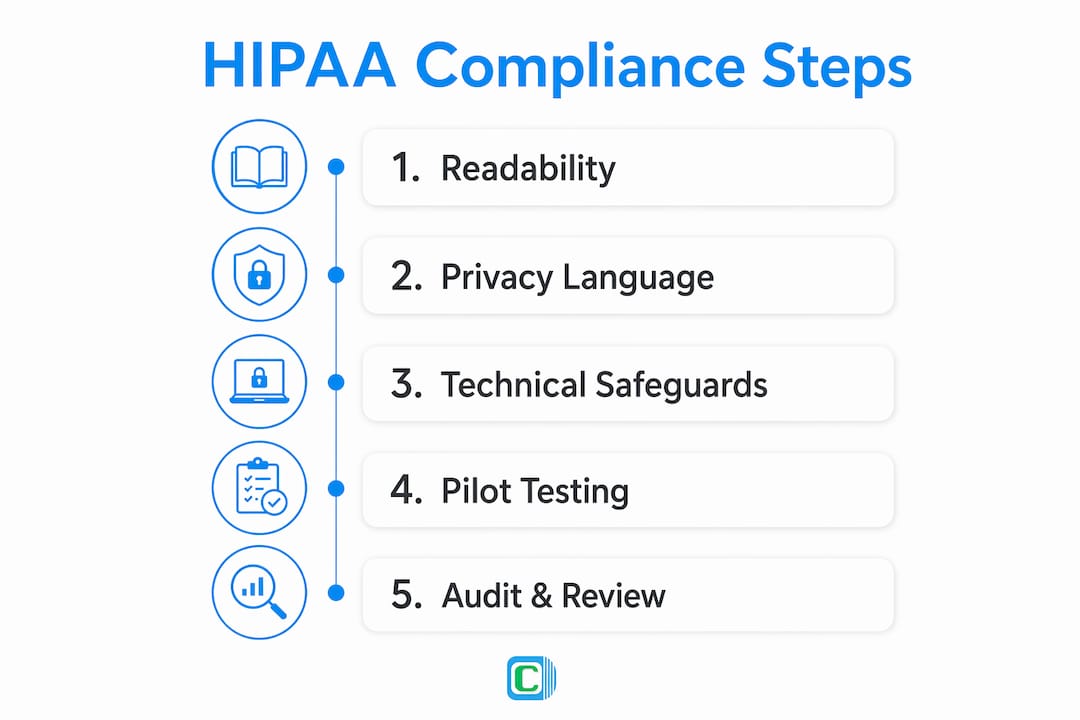
Infographic showing five steps for HIPAA compliant forms

What should you require from an enterprise no-code platform?

Procurement teams need a short, defensible requirements list. The non-negotiables tie directly to HIPAA obligations; the nice-to-haves accelerate operations without creating compliance risk.

Must-have requirements:

  • Signed BAA or Data Processing Addendum available before production use
  • TLS encryption in transit and AES-256 (or equivalent) at rest
  • Tamper-proof audit logs with immutable timestamps
  • Role-based access controls with configurable permission levels
  • MFA support for administrators and PHI-access roles
  • E-signature capture with timestamp and secure storage
  • Offline data collection with encrypted local storage and secure sync
  • Enterprise-grade hosting (AWS with SOC/HIPAA-aligned controls)

Nice-to-have features that speed up compliance workflows: conditional logic and form versioning, automated PDF generation for signed authorization copies, API and EHR integration adapters, configurable data retention and deletion policies, and delegated admin roles for compliance officers.

Requirement Why it matters How to verify
Encryption (transit + rest) Protects PHI from interception and unauthorized access. Request TLS certificate details and AES-256 confirmation in writing.
Role-based access controls Limits PHI exposure to authorized roles only. Test permission boundaries with a non-admin test account.
Audit logging Primary evidence in breach investigations and OCR audits. Review a sample log export for completeness and tamper-evidence.
Signed BAA/DPA Contractual requirement before any vendor handles PHI. Request the document before signing any service agreement.
Offline encrypted sync Prevents unprotected PHI on field devices. Test sync behavior on a device with no connectivity, then verify encrypted transfer on reconnect.
Close-up hands using tablet for platform configuration

How does Clappia support HIPAA-compliant form implementation?

Clappia supports the required legal and technical controls and can be configured for a 30–60 day pilot that validates PHI handling, encryption, offline sync, e-signatures, RBAC, and audit trails.

  1. Define scope and PHI fields. Map every PHI field in your intake or release form. Use Clappia's conditional logic to enforce minimum-necessary collection.
  2. Build the plain-language authorization template. Use the drag-and-drop builder to create a patient-readable form with all required authorization elements.
  3. Configure RBAC and MFA. Assign role-based permissions so only authorized staff can view or export PHI. Enable MFA for admin accounts.
  4. Verify encryption and hosting controls. Clappia hosts on AWS with SOC/HIPAA-aligned controls. Confirm TLS is active on all form endpoints and AES-256 applies to stored data.
  5. Enable e-signatures and timestamps. Clappia's e-signature capture records a timestamped signature that satisfies E-SIGN Act requirements.
  6. Configure offline encrypted storage and sync. Clappia's offline data collection uses encrypted local storage and a secure sync mechanism, keeping PHI protected even when field teams lose connectivity.
  7. Connect audit logs and retention policy. Enable tamper-proof GPS and date/time stamps on every submission. Configure automated retention and deletion workflows.
  8. Run pilot test cases and UAT. Recommended test cases: a patient intake form with PHI, a document release request, and a consent form for third-party data sharing.
  9. Sign the Data Processing Addendum and finalize rollout. Clappia's Data Processing Addendum is available for review before any PHI enters the platform.

Feature-to-control mapping:

  • Offline forms with encrypted sync → offline data controls
  • E-signature + timestamp → consent capture and E-SIGN compliance
  • Tamper-proof GPS/date-time stamps → audit evidence for OCR investigations
  • Data Processing Addendum → contractual protection for covered entities
  • Hospital management integration patterns → EHR adapter support

Pilot phase lasts several weeks. EHR integration and additional adapter configuration take additional weeks depending on complexity.

What are the most common HIPAA form compliance failures?

The most frequent compliance failures are poor authorization wording, a missing BAA, weak encryption, inadequate access controls, absent audit logs, and insecure offline handling. Each one is fixable, but only if you catch it before PHI flows through the form.

  • Missing or ambiguous PHI description → Rewrite the authorization to name the specific data elements being disclosed.
  • Vendor refuses to sign a BAA → Stop sharing PHI immediately. A vendor unwilling to sign a BAA is a compliance disqualifier, not a negotiating position.
  • No audit trail → Disable the form for PHI collection until logging is enabled and verified.
  • Unencrypted offline storage → Enforce device-level encryption and configure secure sync before any field collection resumes.
  • RBAC not enforced → Lock down permissions immediately and rotate credentials for any accounts with over-broad access.
  • Vague revocation instructions → Add a specific, patient-actionable revocation process to the authorization before the next submission.

Routine log reviews, UAT with edge cases, and scheduled quarterly audits will surface most of these issues before they become reportable incidents. Treat each audit finding as a configuration task, not a compliance failure, and resolve it within a documented remediation window.

Key Takeaways

A HIPAA-compliant form requires correct Privacy Rule authorization language, Security Rule technical safeguards, a signed BAA, auditable e-signatures, and verified offline encryption before any PHI enters production.

PointDetailsLegal authorization elementsEvery form must name the PHI, purpose, recipient, expiration, and revocation method per 45 CFR §164.508.Technical safeguardsTLS in transit and AES-256 at rest are the baseline; add RBAC, MFA, and tamper-proof audit logs.BAA before productionNo vendor should handle PHI without a signed Business Associate Agreement or Data Processing Addendum.Pilot timelineA focused pilot validating all controls typically runs several weeks; organization-wide rollout adds additional months.Clappia for implementationClappia provides offline encrypted collection, e-signatures, tamper-proof timestamps, RBAC, and a Data Processing Addendum for covered entities.

The compliance gap most organizations miss

Forms are consistently the weakest link in PHI handling, and the reason is almost never encryption. Encryption gets configured because it is visible and auditable. What gets missed is the authorization language itself: vague purpose statements, missing revocation instructions, and authorization text that a patient cannot actually parse. An organization can have perfect technical controls and still be out of compliance because the consent language fails the plain-language standard.

The second underestimated risk is the vendor BAA gap. Many teams deploy a form tool quickly, collect PHI, and only later discover the vendor has not signed a BAA. By that point, every submission is a potential breach. The fix is contractual, not technical, but it requires stopping data collection until the agreement is in place.

The practical lesson: run your authorization text through a readability check before you configure a single technical control. If the language fails, no amount of encryption makes the form compliant.

Clappia makes HIPAA-compliant forms practical at enterprise scale

Compliance teams that have spent months wrestling with basic form tools know the gap: lightweight builders lack the audit trails, offline encryption, and contractual protections that HIPAA demands. Clappia closes that gap without requiring a development team.
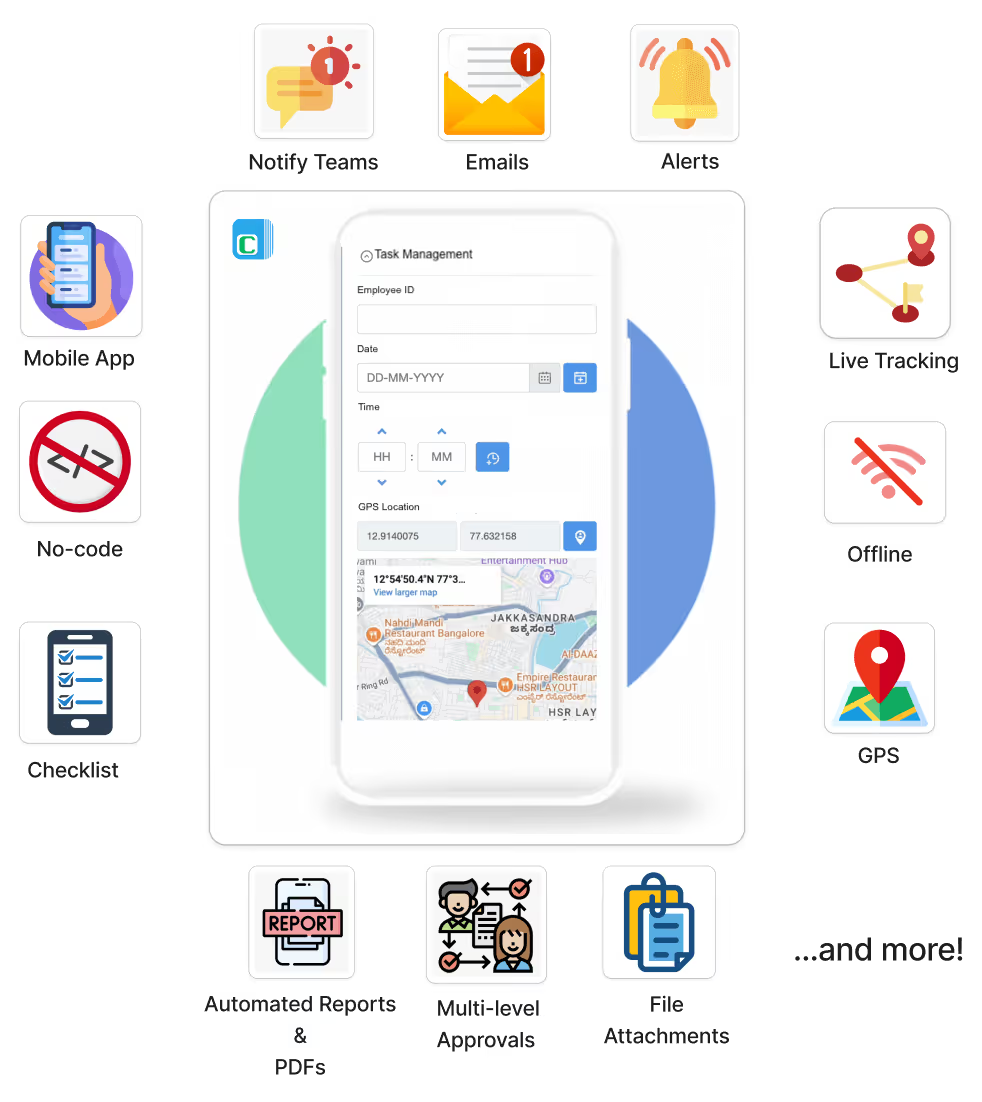
Features of Clappia

Clappia's no-code platform delivers TLS and AES-256 encryption, role-based access controls, tamper-proof GPS and date/time stamps, e-signature capture with timestamps, and offline encrypted data collection with secure sync — all hosted on AWS with SOC/HIPAA-aligned controls. A signed Data Processing Addendum is available before any PHI enters the platform. Over 2,000 organizations and 300,000 users rely on Clappia to run compliance-grade workflows at scale.

Ready to validate your HIPAA form controls? Start a 30–60 day pilot, request a Data Processing Addendum, or schedule a demo with Clappia's implementation team at clappia.com/no-code-platform.

Useful sources for legal and technical validation

These are the primary U.S. sources compliance officers should consult when validating form language and technical controls.

  • HIPAA Privacy Rule — 45 CFR §164.508: Validates required authorization elements, plain-language standards, minimum necessary principle, and revocation requirements.
  • HIPAA Security Rule — 45 CFR Part 164 Subpart C: Governs technical safeguard expectations including encryption, access controls, audit logs, and contingency planning.
  • HHS Office for Civil Rights (OCR) guidance: Authoritative interpretation of authorization requirements, electronic signature validity, and breach notification obligations. Available at hhs.gov/ocr.
  • E-SIGN Act (15 U.S.C. § 7001): Federal law establishing the validity of electronic signatures on HIPAA release forms when captured with a timestamp and stored securely.

Recommended

FAQ

Build HIPAA-compliant forms for free with Clappia. Start your pilot today.

Build HIPAA-compliant forms for free with Clappia. Start your pilot today.Get Started – It’s Free

Build HIPAA-compliant forms for free with Clappia. Start your pilot today.

Summary

Close