
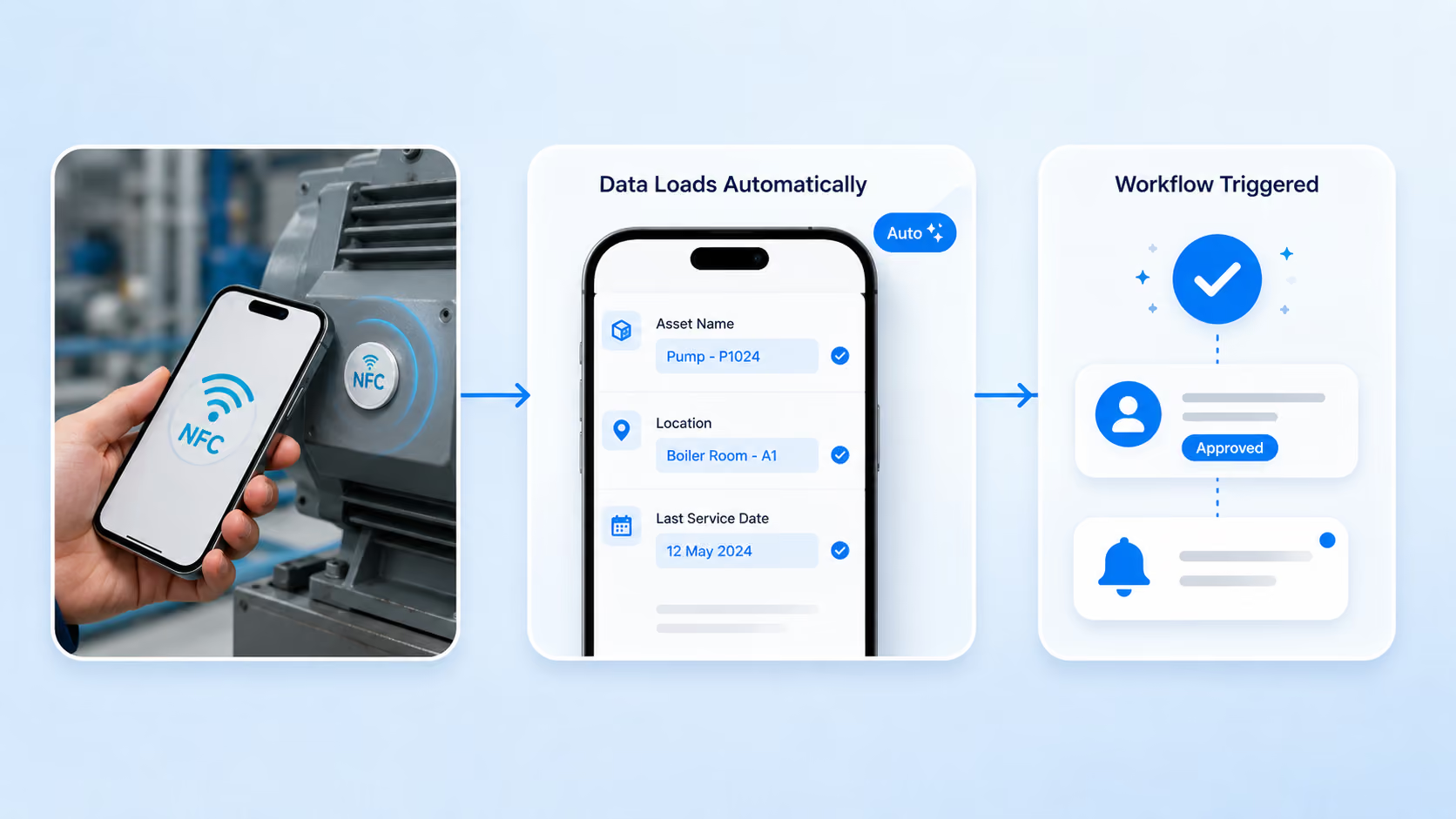


Tap an NFC tag with your phone to capture data, verify an asset, log attendance, or start a workflow instantly. No typing, no searching, no separate app. One tap fills the form and moves the work forward.
From a single tap to a completed record in seconds
1
Tap the NFC Tag
Hold an NFC-enabled Android phone or tablet near a tag on your asset, checkpoint, or item. No app switching, no camera to line up.
2
Data Loads Automatically
Clappia reads the tag and fills the field. Link it to a master app and the full record, name, location, history, loads instantly.
3
Capture What Matters
Add photos, readings, GPS, or a signature to the form. The tap started it; your team completes the record on the spot.
4
Submit and Trigger
Hit submit and the record logs instantly. Approvals, notifications, and status updates fire automatically down your workflow.
Works With the Devices You Already Have
No dedicated readers, no new hardware, no vendor lock-in
Tablets
Mobile Phones
Standard NFC Tags
Scanner Gun
💡 Already using NFC tags?
Don't assume you need special hardware. Clappia's NFC Reader works with standard NFC tags and the Android devices your team already carries. Tell us your setup, and we'll show you how it fits.
See It in Action
Watch how a single NFC tap turns into a completed, tracked workflow in Clappia, from tag to submission in seconds.
