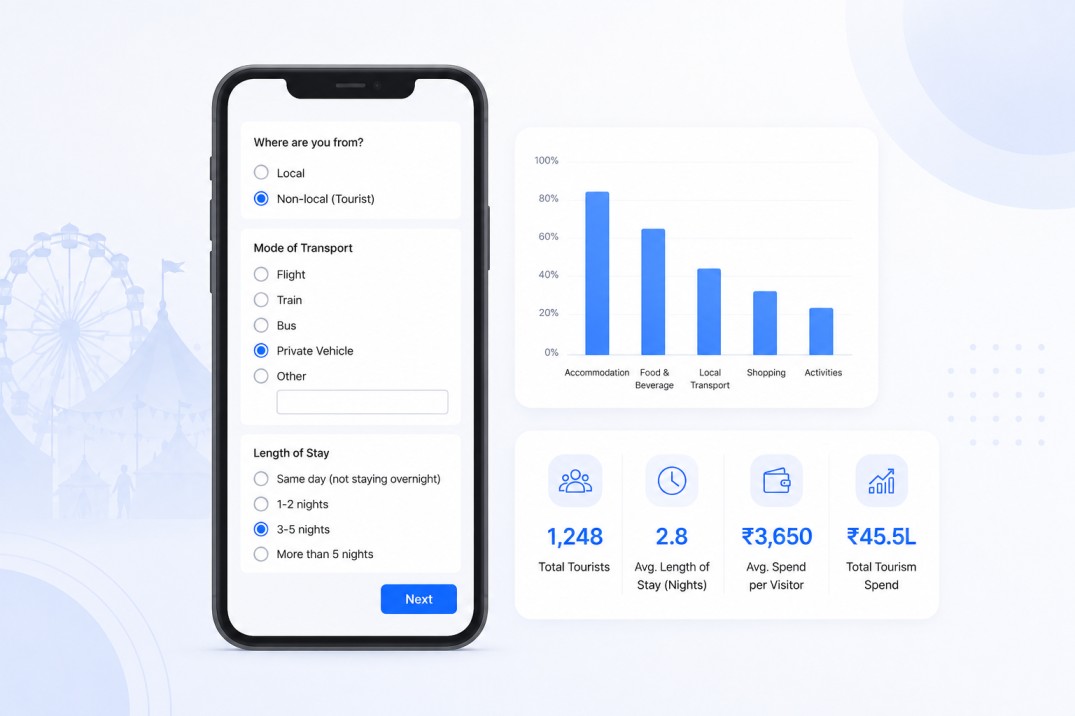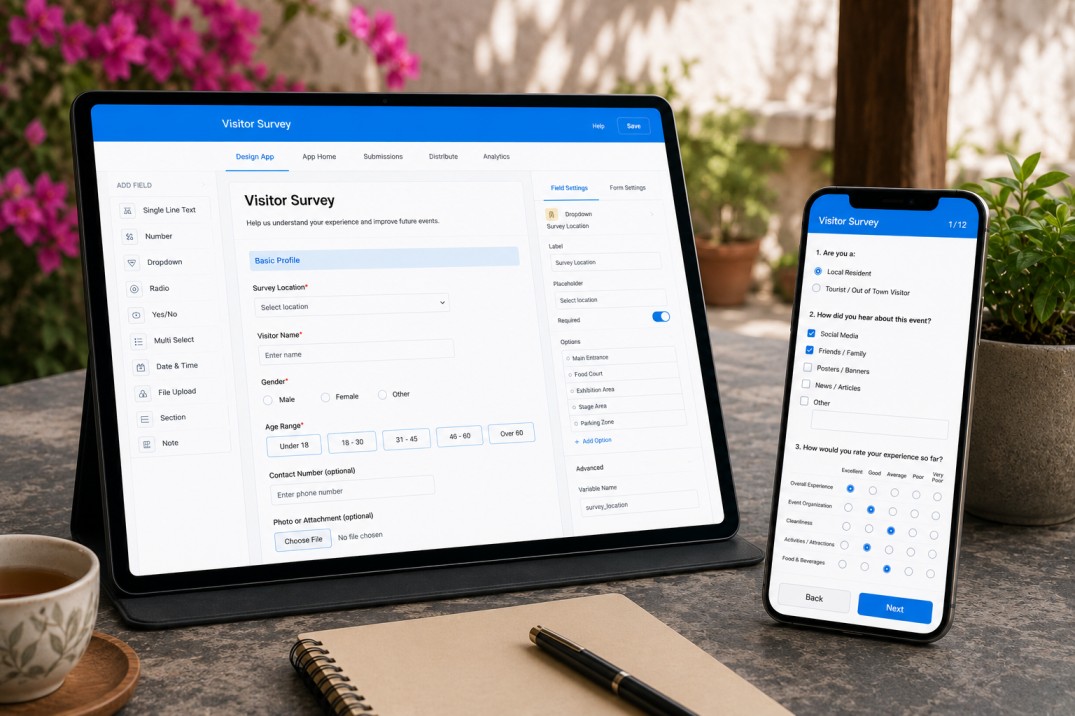
Google Forms is the default choice for many event teams setting up a visitor survey for the first time. It is free, familiar, and takes about ten minutes to set up. For a simple post-event feedback form where visitors fill it in themselves on their phones, it does the job.
Festival and fair visitor surveys are rarely that simple. They involve enumerators approaching visitors on the ground, filling in a form on behalf of the visitor in under three minutes, routing different questions to local residents versus out-of-town tourists, capturing spend data in banded ranges, and working in areas where mobile connectivity is unreliable. Under those conditions, the limitations of a basic form tool become operational problems that affect data quality.
This article compares Google Forms against a purpose-built no-code app, using Clappia as the example, across the specific requirements of a festival visitor survey. Clappia is a no-code platform for building mobile field data collection apps: you build forms visually by adding field blocks, configure conditional logic through display rules, and collect data on any mobile device with or without network connectivity. The comparison uses a real visitor survey structure to make the differences concrete rather than abstract.
Before comparing tools, it helps to be specific about what a well-designed festival visitor survey requires. The survey described in this comparison captures:
Across this structure there are nine separate conditional fields: fields that only appear when a specific answer has been given to a preceding question. The year comparison question is enabled only for returning visitors. The entire tourist path appears only for non-local visitors. The entire local path appears only for local residents. Each free-text Other field appears only when the visitor selects Other in the parent question.
| Feature | Google Forms | No-Code App (Clappia) |
|---|---|---|
| Conditional branching | Section skipping based on one answer; cannot branch on multiple independent conditions simultaneously | Field-level display conditions based on any combination of previous answers; each field controlled independently |
| Editability conditions | Not available; a field is either shown or hidden, not shown but locked | Fields can be visible but locked based on a condition; the year comparison field is present for all but editable only for returning visitors |
| Multi-select fields | Checkbox questions allow multiple selections | Multi-Select block with chip display on mobile; display conditions can reference whether a specific option is included |
| Free-text Other fields | Added manually as separate questions; no automatic linking to the parent question | Single Line Text block with a display condition tied to the parent field equalling Others; automatic pairing |
| Offline use | Requires internet connection to load and submit; no offline mode | Full offline mode; forms work without connectivity and sync when connection returns |
| Media capture | File upload available but not camera-integrated; photos must be selected from gallery | Built-in camera capture block; enumerators can take photos directly within the form |
| Mobile optimisation | Responsive layout but not optimised for fast field use; standard web form experience | Designed for field use; chip selectors for fast tapping, compact layout, draft saving for interrupted sessions |
| Data submission model | Visitors fill in themselves via a shared link | Enumerators fill in on behalf of visitors; Submit Only user access for enumerators; Full Access for analysts |
| Analytics and filtering | Basic response summary; limited filtering; export to Google Sheets for analysis | Built-in analytics dashboards; filter by visitor type, date, location; no export required |
| User access control | Anyone with the link can submit; no role-based access | Submit Only, View, Edit, and Full Access roles per app; enumerators cannot see other submissions |
Google Forms handles simple conditional logic through section skipping: if a visitor answers Yes to one question, they skip a section; if they answer No, they go through it. This works for linear branching with a single decision point.
The festival visitor survey has multiple independent conditional paths. The year comparison question needs to be present for all respondents but interactive only for returning visitors: that is an editability condition, not a visibility condition. Google Forms cannot distinguish between the two. You either show the field to everyone (and get meaningless answers from first-time visitors) or hide it from first-time visitors (and lose the opportunity to remind returning visitors that it exists).
The tourist and local paths are also more complex than a single section skip. Each individual field within those paths has its own reason to appear or not: the free-text field for Other transport appears only when Transport = Other AND the visitor is a tourist. This is a compound condition. Google Forms cannot apply compound conditions to individual fields; the conditional logic operates at the section level, not the field level.
In Clappia, display conditions are set on each field individually. The Other transport text field has two conditions: the visitor must have selected Non-local Tourist in the origin question AND must have selected Other in the transport question. Both must be true for the field to appear. This means the form surface is always exactly what the current visitor needs, with no irrelevant questions visible.
Field-level conditional logic is not a nice-to-have for a survey with multiple visitor types and multiple Other free-text fields. It is the difference between a form that takes two minutes to complete and one that takes five, and between data that is clean and data that requires manual cleaning before it can be analysed.
Most events and festivals do not have reliable mobile data coverage across the entire venue. Large outdoor events in particular draw crowds that saturate local cell towers. Indoor markets and covered fair grounds often have poor signal. Rural festivals may have no data coverage at all in the surrounding area.
Google Forms requires an internet connection to load the form and to submit responses. If connectivity drops mid-interview, the form does not save. The enumerator loses the completed data and must start again when signal returns.
In Clappia, offline mode allows the form to be completed and submitted without any network connection. The submission is stored locally on the device and syncs to the server when connectivity returns. For a team of ten enumerators working across a large venue for four hours, offline mode is the difference between a reliable dataset and a patchy one.
The conditional logic also evaluates on the device rather than the server. This means the branching between local and tourist paths works offline just as it does online. The display conditions respond immediately to each answer regardless of connectivity.
The festival visitor survey includes an optional photo or file field. The use case is context capture: an enumerator who wants to attach a photo of a specific stall, a facility issue, or a location to a piece of feedback.
Google Forms includes a file upload field, but it requires the visitor or enumerator to select a file from the device's gallery. It does not integrate with the device camera directly within the form. On a phone, this means opening the camera app separately, taking a photo, returning to the form, tapping the upload field, navigating to the new photo, and attaching it. Under field conditions, most enumerators skip this step.
In Clappia, the File Upload block opens the device camera directly from within the form. The enumerator taps the field, the camera opens, they take the photo, and it is attached to the submission without leaving the form. The friction of switching between apps is removed, which means the optional photo field actually gets used when there is something worth capturing.
The data quality argument for conditional logic is straightforward. When a form shows every visitor every question, some visitors will answer questions that are not relevant to them: a local resident providing an accommodation spend figure, or a first-time visitor answering the year comparison question. These answers are not usable. They must be identified and removed before analysis, which requires either manual review or a filtering script.
When the form shows each visitor only the questions relevant to them, there are no irrelevant answers in the dataset. The accommodation spend field is empty for every local visitor not because they left it blank but because it never appeared in their form. The year comparison field has a response for every returning visitor and is blank for every first-time visitor, cleanly and consistently.
The free-text Other fields work the same way. In Google Forms, an Other text field is a separate question that appears for everyone. Enumerators for visitors who did not select Other are either told to leave it blank or forget and enter something anyway. The result is a dataset where the Other explanation field has entries that are not linked to an actual Other selection. In Clappia, the field physically does not exist in the form until Other is selected, so the data is always accurate.
Google Forms sends a single link that anyone can use to submit a response. There is no concept of named users, no tracking of who submitted what, and no ability to give different team members different levels of access. Enumerators can see each other's submissions if they have the response sheet link.
In Clappia, user permissions are configured per app. Enumerators are added as named users with Submit Only access: they can fill in and submit forms and view their own past submissions, but cannot see submissions made by other enumerators or change any form settings. The survey coordinator who needs to review and analyse all submissions is given Full Access. Each submission is attributed to the named user who submitted it, which gives the coordinator visibility into which enumerator collected which data.
Google Forms is a reasonable choice for event surveys when:
For a short, self-administered post-event satisfaction survey with five to ten questions and no branching, Google Forms works perfectly well and requires no setup beyond creating the form. The tool becomes inadequate when the survey needs to adapt its question set to different visitor types, work reliably without internet access, or support a team of enumerators working on behalf of visitors.
| Choose Google Forms when | Choose a no-code app when |
|---|---|
| The survey is self-administered via a link or QR code | Enumerators fill in the survey on behalf of visitors |
| All visitors answer the same questions | Different visitor types need different question sets |
| The venue has reliable connectivity throughout | Connectivity is unreliable or absent in parts of the venue |
| The survey has no free-text Other fields linked to parent questions | Multiple Other free-text fields need to be tied to specific parent answers |
| Media capture is not needed | Enumerators need to attach photos from within the form |
| A single link for all respondents is acceptable | Enumerators need named accounts with controlled access levels |
| Post-survey data cleaning is acceptable | Clean, analysis-ready data is required from the point of submission |
Google Forms handles simple surveys well. The moment a survey involves conditional branching across multiple visitor types, free-text fields linked to specific parent answers, offline data collection, or a team of named enumerators with access controls, a dedicated no-code app produces faster fieldwork and cleaner data.
The festival visitor survey described in this comparison has nine conditional fields, two branching paths, an offline requirement, and a multi-person enumerator team. Every one of those requirements is handled natively in Clappia and requires workarounds or produces data quality problems in Google Forms.
To build the visitor survey described in this article in Clappia, visit clappia.com and create a new app. The form builder is visual and requires no coding. The complete survey with all conditional logic can be configured and deployed to your enumerator team on the same day.
L374, 1st Floor, 5th Main Rd, Sector 6, HSR Layout, Bengaluru, Karnataka 560102, India
3500 S DuPont Hwy, Dover,
Kent 19901, Delaware, USA


.svg)




3500 S DuPont Hwy, Dover,
Kent 19901, Delaware, USA
L374, 1st Floor, 5th Main Rd, Sector 6, HSR Layout, Bengaluru, Karnataka 560102, India