If your team still finishes a site visit by typing up notes in Word, hunting through WhatsApp for the right photos, and stitching together a PDF the next morning, you already know the pain. Reports go out late. Photos go missing. The supervisor finds out about a critical defect three days after the inspector spotted it. By the time corrective action gets assigned, the small issue has grown into an expensive one.
This guide shows you what it actually takes to automate field inspection reports end to end, what features make the difference, and how to build the whole thing without writing a single line of code.
Automating field inspection reports means three things stop being human problems:
The paper checklist disappears. The "I'll send the report tomorrow" disappears. The supervisor sees the finding in real time, and the maintenance crew receives a task before the inspector has left the site.
A clipboard looks cheap. The real costs are buried in:
Across construction sites, factory floors, retail chains, and utility grids, the same four failure points show up:
Every one of these disappears when the form, the photos, the GPS coordinates, the signature, and the corrective-action workflow live inside a single app.
Not every inspection tool gives you the full stack. Here is what to look for.
Inspectors work on phones and tablets. Forms need to load fast, work in portrait mode, and use mobile-friendly controls (dropdowns, toggles, image pickers) instead of tiny text fields. A drag-and-drop app builder like Clappia's lets you assemble these forms by stacking pre-built blocks, no code required.
Construction sites, mines, oil rigs, warehouses, rural utility poles. These places have no Wi-Fi and patchy mobile data. With Clappia, offline data collection is the default behavior of the mobile app. Inspectors fill in the entire form, attach photos, capture GPS, and submit. The data sits safely on the device and uploads automatically the moment connectivity returns. There is nothing to toggle on, it just works.
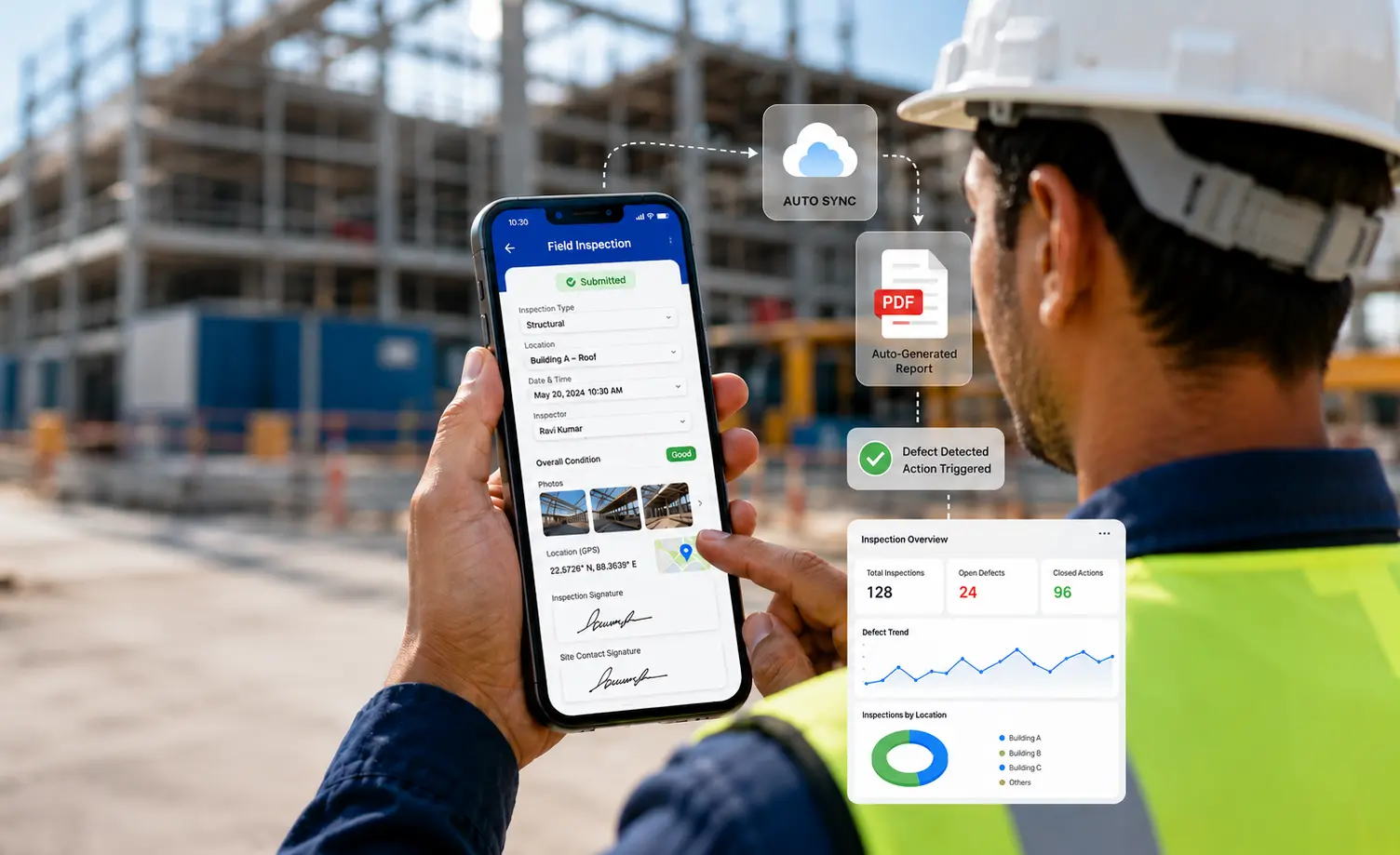
A real inspection record needs more than text. You want photos with timestamps, GPS location to prove the inspector was on site, a QR and barcode scanner to identify the exact asset being inspected, and a digital signature block for both the inspector and the site contact.
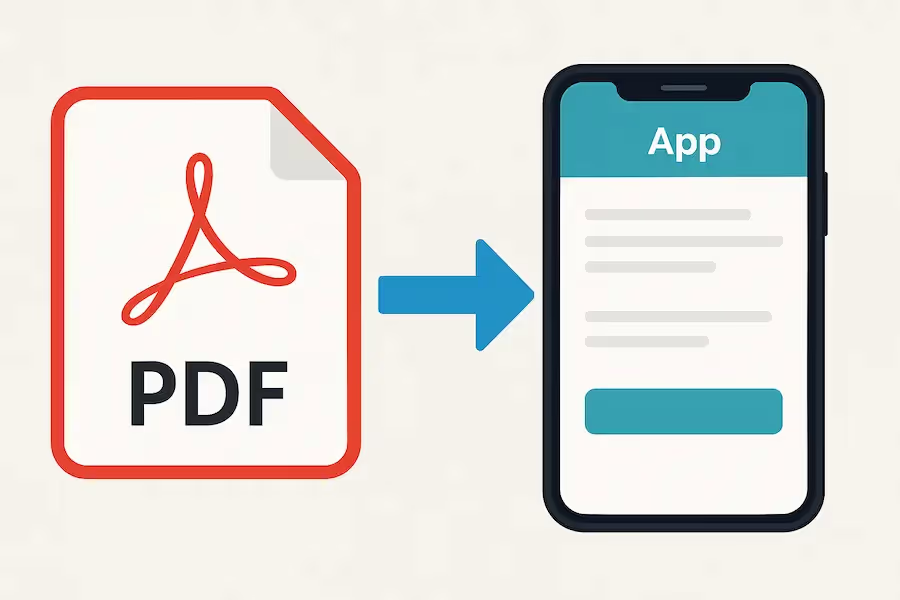
The instant the inspector hits submit, a formatted file should be produced. With Clappia's dynamic PDF reports, you build a print template once with your logo, tables, images, and field variables. From then on, every submission auto-fills the template, embeds the photos, plots the GPS, and pulls in the signatures.
If a defect score crosses a threshold, the app should kick off the next step on its own. Clappia's approval workflows let you chain together email nodes, wait nodes, approval gates, push notifications, and status changes. Inspections that don't lead to action are just paperwork in a different format.
Managers need to see inspection volumes, defect trends, open corrective actions, and inspector performance without exporting anything. Clappia's live dashboard analytics build charts directly from your submissions, and you can schedule automated email reports to land in stakeholder inboxes at a fixed cadence.
<div style="background:#f4f0ff;border-left:4px solid #6b46c1;padding:18px 22px;border-radius:6px;margin:24px 0;"><strong>Ready to ditch paper checklists?</strong><br>Turn your inspection checklist into a working app for your field team in just a few steps.</div>
Here is the end-to-end sequence using Clappia.
After signing up, the first thing you create is a workplace. The workplace is the virtual boundary for your organization, where you control user access and where all your apps live. Give it your company name or any label that fits your team structure.
Inside your workplace, click the plus button to create a new app. You land on the Design App page. Add sections to organize your checklist, for example "Site Details," "Safety Checks," "Equipment Condition," and "Sign-off." Then drag in fields from Clappia's library of pre-coded blocks: single-line text, dropdown, single-select, multi-select, date, number, camera, file upload, GPS, signature, code scanner, and more. Each field can be configured from a side panel for label, mandatory status, validation rules, and advanced options.
If you'd rather skip the blank canvas, clone a ready-made inspection template and edit the fields to match your checklist.
Use the Calculations and Logic block to do the work a spreadsheet would do. Type @ to call any field as a variable, then write formulas to compute defect scores, percentages, totals, or pass/fail outcomes. Add conditional display logic so the form shows only what is relevant. Examples:
The inspector never has to calculate or remember anything. The form drives the process.
Open Print Settings and design your branded PDF template once. Add your logo, headers, tables, and inspection sections. Use field variables to autofill submission data. Insert photos, embedded GPS maps, and signature images directly into the template. From the next submission onward, the PDF is generated automatically and ready to share.
Inside the app settings, connect a Google Sheet or Drive folder so every submission flows in real time. If you use SAP, Oracle, or another system, the Get Data from REST APIs block pulls in master data (asset lists, customer codes) when the form opens, and webhook nodes push submission data into your downstream systems.
Configure the workflow canvas to define what happens after each submission. Common patterns for field inspections:
Every variable from your form is callable inside workflow nodes with @, so messages can include the asset ID, location, defect description, and a deep link to the submission.
Build a live dashboard with bar graphs, pie charts, data tables, and Gantt views, all driven directly off your submissions. Schedule automated email reports for daily, weekly, or monthly cadence. Then distribute the app by adding users (individually or in bulk), publishing it as a public link, embedding it on your website, or rolling it out through the Clappia mobile app on Android and iOS.
Your inspector finishes the walk-through, hits submit, and three things happen before they reach their vehicle: the client gets the PDF, the maintenance lead gets the task, and the dashboard updates.
Any industry with recurring on-site checks and audit obligations. The most common use cases:
| Industry | Common inspection use cases |
|---|---|
| Construction | Daily site inspections, safety audits, quality checks, snag and punch lists. |
| Manufacturing | Quality control, machine condition monitoring, 5S audits, calibration checks. |
| Utilities | Tower inspections, substation checks, pipeline surveys, meter audits. |
| Oil and Gas | HSE inspections, equipment integrity checks, contractor audits. |
| FMCG and Distribution | Retail merchandising audits, cold-chain inspections, warehouse audits. |
| Retail Chains | Store visit reports, hygiene audits, visual merchandising compliance. |
| Facility Management | HVAC inspections, lift inspections, fire safety audits, cleaning checks. |
| Agriculture | Field surveys, crop monitoring, equipment inspections. |
If your team carries a checklist and a clipboard today, an automated inspection app fits.
The savings show up in three places.
Reporting time drops sharply. Inspectors stop double-handling data, and the PDF is generated automatically the moment they hit submit.
Supervisor chase-up reduces dramatically. Submissions are real-time, dashboards are live, and notifications fire without anyone sending reminder emails.
Corrective-action delay collapses. Defects route to the right person automatically with deadlines and escalations baked in, so small issues stay small.
The economics get clearer before you even add audit-failure costs and lost data. Compare your current monthly cost of manual reporting (inspector hours, supervisor hours, missed defects) against the cost of an automated app, and the decision usually makes itself.
Yes. Clappia is built for non-technical business users. If you can work with a spreadsheet and drag a box on a screen, you can build a full inspection app with forms, conditional logic, PDF reports, and approval workflows. There is no coding, no developer queue, and no IT ticket.
Yes. Offline mode is the default for the Clappia mobile app. Inspectors can fill the form, attach photos, capture GPS, and submit with no internet connection. The submission sits safely on the device, and uploads automatically the moment connectivity returns. No data is ever lost.
Yes. You design the print template once with your logo, layout, tables, and field variables. Every submission auto-generates a formatted PDF with embedded photos, GPS coordinates, and signatures. You can email it directly to clients or stakeholders the moment the inspector submits.
Yes. Clappia integrates with Google Sheets and Google Drive for real-time sync. For ERPs and CRMs like SAP, Oracle, or Salesforce, use the REST API blocks to pull master data into the form and push submission data out through workflows. Zapier and webhook integrations cover almost everything else.
Use Clappia's workflow canvas. Set a rule like: "If safety score is below the threshold, send a mobile push to the maintenance lead, create a corrective-action task with a deadline, and escalate to the plant head if the task is not closed in time." The app handles assignment, notifications, deadlines, and escalations without anyone watching over it.
Manual inspection reporting is one of the highest-ROI processes you can automate. The form is repetitive, the data is structured, and the output is predictable, which is exactly what software handles better than humans.
You do not need a long software project or a developer on retainer. You need a clear process map, a drag-and-drop builder, and a free account to start.
Sign up for free, build from scratch in the drag-and-drop designer. No credit card. No coding. Just a working app, and a team that stops dreading reporting day.
 Get Started – It’s Free
L374, 1st Floor, 5th Main Rd, Sector 6, HSR Layout, Bengaluru, Karnataka 560102, India
3500 S DuPont Hwy, Dover,
Kent 19901, Delaware, USA


.svg)




3500 S DuPont Hwy, Dover,
Kent 19901, Delaware, USA
L374, 1st Floor, 5th Main Rd, Sector 6, HSR Layout, Bengaluru, Karnataka 560102, India

.avif)

.avif)