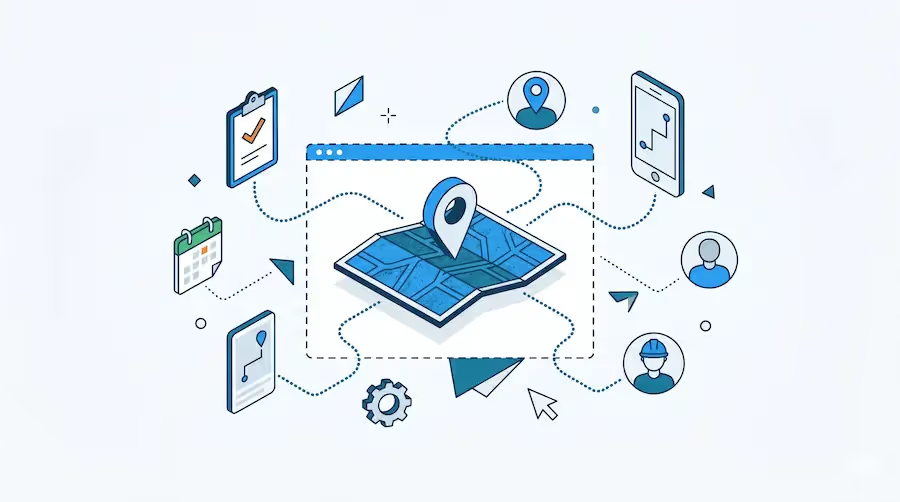
Citizen developers are transforming how organizations manage field operations. Armed with no-code platforms, business users—operations managers, HR professionals, sales coordinators—build custom field force applications without writing a single line of code. This democratization of software development addresses a critical challenge: the demand for field management solutions far exceeds the supply of professional developers.
Traditional field service software forces businesses to adapt their processes to rigid, pre-built templates. No-code platforms flip this equation, enabling you to design apps matching your exact workflows through intuitive drag-and-drop interfaces. The result is faster deployment, complete customization, and solutions built by people who actually understand the operational challenges.
This guide compares the leading no-code platforms specifically for field force management, evaluating their visual development capabilities, workflow automation features, and ease of use for non-technical builders.
The citizen development movement emerged from a simple reality: IT departments can't keep pace with the volume of application requests from business units. Field operations particularly suffer from this backlog because they require specialized apps for attendance tracking, job assignment, data collection, and real-time reporting.
No-code platforms empower domain experts to build these solutions themselves. An operations manager understands field challenges better than any external developer—they know which data points matter, which workflows create bottlenecks, and what mobile capabilities field workers actually need.
Key advantages of no-code field force development:
According to recent industry research, non-IT professionals now create over 65% of new business applications using low-code or no-code platforms. This shift represents fundamental changes in how organizations approach software development, particularly for operational tools like field force management.
A mid-sized construction company needed digital safety inspection forms replacing paper checklists across 15 active job sites. Each site required different inspection criteria based on project type—residential, commercial, or industrial.
Traditional approach challenges:
No-code solution:The safety manager, with no programming background, built a custom inspection app using a no-code platform within two weeks. The app included:
Results:Inspection completion rates increased from 73% to 97%. Safety violations identified and resolved 4x faster. The company saved $45,000 in development costs and deployed the solution in weeks instead of months.
A regional HVAC service provider with 25 field technicians struggled with manual job assignment, paper service reports, and delayed invoicing. Existing field service software cost $8,000+ monthly and required extensive customization.
No-code solution:The operations coordinator built a complete field service management app featuring:
The coordinator had no technical background but understood operational workflows intimately. Using drag-and-drop components, they assembled the complete solution in three weeks, testing and refining with technician feedback.
Results:Average job completion time decreased 22%. Invoice processing time reduced from 3 days to same-day. Customer satisfaction scores improved 31% due to automated communication. Total software costs dropped from $8,000/month to $750/month.
Let's walk through creating a basic field attendance and job tracking app using no-code development principles. This example demonstrates the typical workflow for citizen developers building field force solutions.
Step 1: Define App StructureStart by mapping the data you need to collect:
Step 2: Add Visual Components via Drag-and-DropMost no-code platforms provide component libraries. For field attendance, you would drag these blocks onto your app canvas:
Step 3: Configure Logic Without CodingSet rules using visual interfaces:
Step 4: Design Automated WorkflowsCreate workflow triggers:
Step 5: Deploy to Mobile DevicesPublish the app to iOS and Android with one click. Field workers download and immediately start using it—no app store submission required for most platforms.
Total build time: 2-4 hours for a citizen developer creating their first app. Subsequent apps build even faster as you become familiar with the platform.
This represents a fundamental shift from traditional development requiring months of requirements gathering, design, coding, testing, and deployment. No-code empowers iterative development where you build, test with real users, and refine quickly.
| Feature | Clappia | Microsoft Power Apps | AppSheet | Zoho Creator | Budibase |
|---|---|---|---|---|---|
| True No-Code | 100% no-code, zero scripting required | Low-code (formulas needed) | No-code with expressions | Low-code (Deluge scripting) | Low-code (JavaScript) |
| Learning Curve | Minimal (hours) | Moderate (days to weeks) | Moderate (days) | Moderate (days to weeks) | Steep (weeks) |
| Free Plan | Yes (100 users, 400 submissions) | No (trial only) | Limited (10 users) | Limited (1 app, 3 users) | Yes (5 users) |
| Starting Price | $6/user/month | $20/user/month | $5/user/month | $10/user/month | $50/month (20 users) |
| Offline Capability | Full offline mode with auto-sync | Limited offline | Offline mode available | No offline mode | No offline mode |
| GPS & Location | Advanced geofencing, live tracking | Basic GPS | GPS capture | Basic location | No built-in GPS |
| Workflow Automation | Visual workflow builder, unlimited nodes | Power Automate (separate) | Basic workflows | Workflow builder included | Manual configuration |
| Mobile Apps | Native iOS, Android, Web | Canvas apps (web wrapper) | Progressive Web App | Native mobile apps | Web-based only |
| AI Integration | 5+ LLMs (GPT, Claude, Gemini, Llama, Mistral) | Copilot (additional cost) | No AI integration | Zia AI (limited) | No AI integration |
| Custom Branding | White-labeled apps included | Premium tiers only | Not available | Enterprise only | Available all plans |
| Best For | True citizen developers, any industry | Microsoft ecosystem users | Google Workspace integration | CRM-heavy workflows | Technical users wanting flexibility |
Why It Stands Out for Citizen Developers:
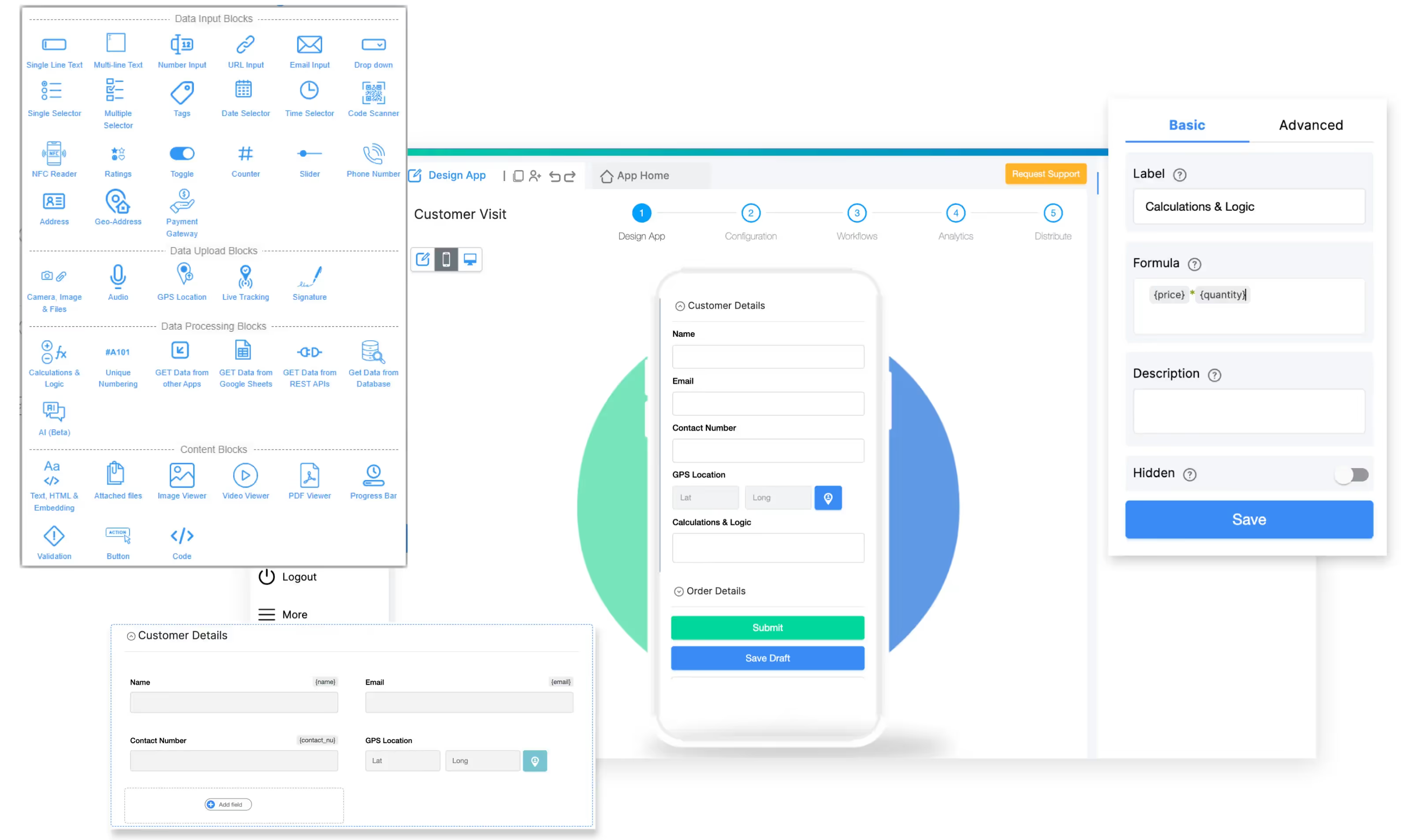
Clappia delivers the purest no-code experience for field force management. Unlike platforms requiring formula knowledge or scripting, Clappia's visual builder uses simple drag-and-drop blocks enabling anyone to create sophisticated apps. This design philosophy makes it ideal for citizen developers focused on solving business problems rather than learning development concepts.
100+ Pre-Built Blocks:
The platform provides extensive component libraries covering every field force need. GPS location blocks capture coordinates automatically. Live tracking blocks enable real-time employee monitoring. Camera blocks, signature capture, barcode scanners, date pickers, calculations, dropdowns—every component installs with drag-and-drop simplicity.
For example, building a field data collection app requires selecting relevant blocks, arranging them on the canvas, and configuring settings through checkboxes and dropdown menus. No formulas, no scripting, no code.
Advanced Offline Functionality:
Field workers often operate in areas with unreliable connectivity. Clappia's offline apps continue functioning completely without internet, storing all data locally and syncing automatically when connection restores. This isn't limited offline mode—it's full capability including GPS tracking, photo uploads, and workflow triggers.
Construction crews in remote areas, utility workers in rural territories, and agricultural inspectors in fields all benefit from uninterrupted productivity regardless of network availability.
Visual Workflow Automation:
Workflow builders automate every operational process without coding. Create multi-step approval chains, automatic notifications, data synchronization, and conditional logic through visual flow diagrams.
Example workflow: When field technician submits service report → Check if customer satisfaction rating below 3 stars → If yes, send alert to customer service manager → Create follow-up task → Send WhatsApp message to customer requesting feedback call.
This entire workflow builds visually in minutes. No coding required.
Multiple AI Integration:
Clappia stands alone in offering integrated access to five leading AI models: OpenAI GPT, Anthropic Claude, Google Gemini, Meta Llama, and Mistral. Citizen developers add AI capabilities through simple blocks—no API knowledge required.
Use cases include: Automatically categorize field reports by severity, extract data from photos of handwritten notes, generate summary descriptions from inspection checklists, and predict maintenance schedules from historical data.
Enterprise-Grade Features at Citizen Developer Pricing:
The permanent free plan supports up to 100 users with 400 monthly submissions—genuinely unlimited time for small teams to operate at zero cost. Paid plans start at $6 per user monthly, dramatically lower than enterprise competitors charging $50-150 per user.
Despite affordable pricing, Clappia includes enterprise capabilities: white-labeled mobile apps with your branding, role-based access controls, integration with external APIs, Slack notifications, advanced analytics, and comprehensive workflow automation.
Start building free - No credit card required, unlimited apps.

Platform Overview:
Power Apps targets organizations already invested in Microsoft 365 and Dynamics environments. The platform integrates seamlessly with SharePoint, Teams, OneDrive, and other Microsoft services, making it natural for businesses standardized on Microsoft technology.
Citizen Developer Considerations:
While marketed for citizen development, Power Apps requires more technical knowledge than true no-code platforms. Users must understand Power FX formulas—a language similar to Excel formulas but more complex. Even basic functionality often requires formula writing rather than simple configuration.
The learning curve spans days to weeks for non-technical users compared to hours with pure no-code alternatives. However, those already comfortable with advanced Excel formulas adapt more quickly.
Canvas Apps vs Model-Driven Apps:
Canvas apps provide free-form design where you place controls anywhere on the screen. Model-driven apps generate interfaces automatically from data models. Most field force scenarios require canvas apps, which offer more flexibility but demand more configuration effort.
Power Automate Dependency:
Workflow automation requires Power Automate, a separate service with its own licensing and learning curve. While powerful, this split increases complexity for citizen developers expecting integrated workflow builders.
Pricing Structure:
No free plan exists—only trials. Paid licensing starts at $20 per user monthly, increasing significantly with premium features. Additional costs accrue for Power Automate workflows and premium connectors to external services.
Best Fit:
Organizations deeply committed to Microsoft infrastructure and willing to invest in citizen developer training find value in Power Apps' ecosystem integration. Companies seeking simpler, more affordable solutions may face frustration with its complexity.
No-Code Approach:
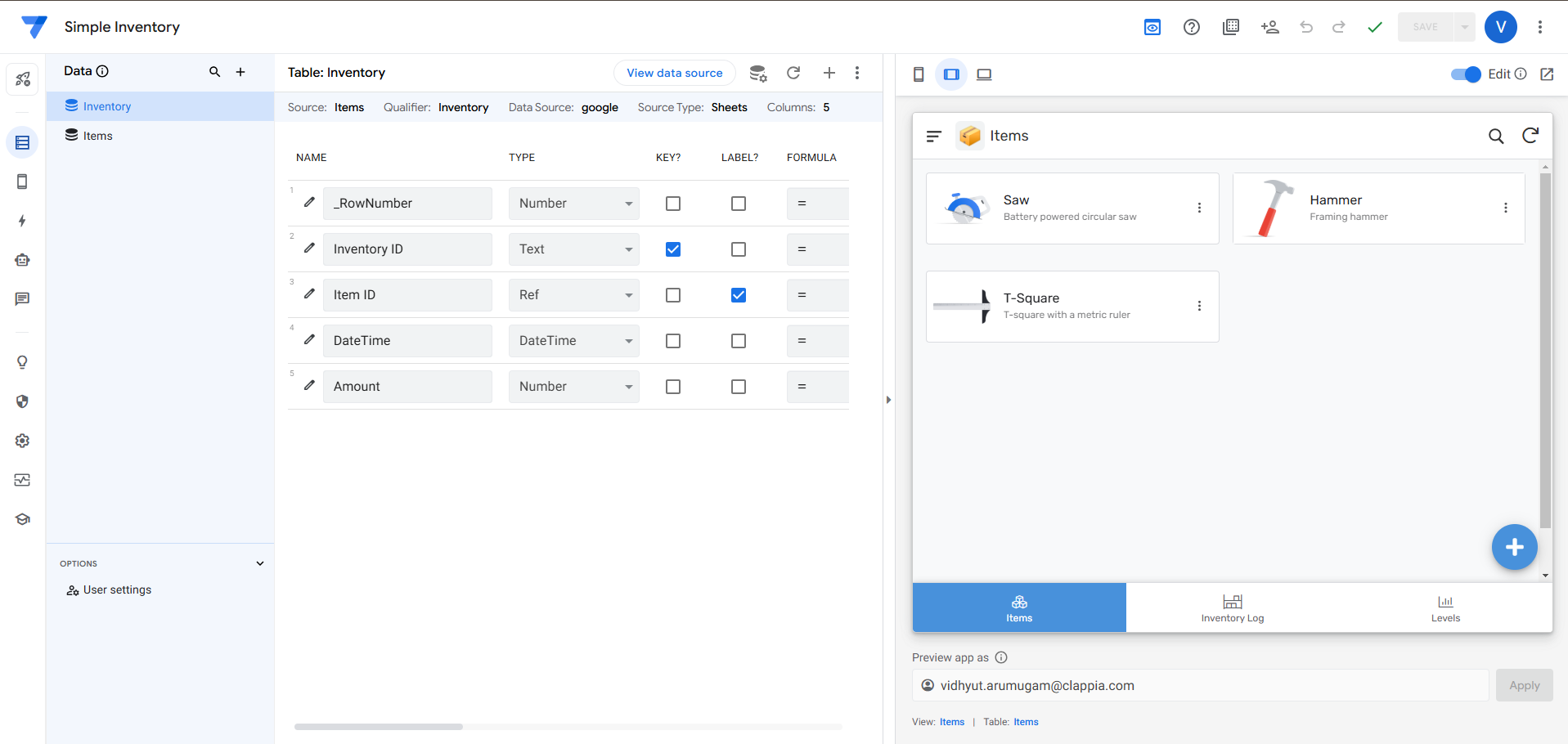
AppSheet builds apps from data sources—primarily Google Sheets, but also Excel, SQL databases, and other structured data. This data-first approach works well when existing spreadsheets already contain the information your field force needs.
Rapid Prototyping:
Point AppSheet at a Google Sheet and it automatically generates a working app interpreting column headers as field labels and data types. This instant app creation impresses during demos but requires significant customization for production use.
Expression Language:
Despite being marketed as no-code, AppSheet relies heavily on expressions (formulas) for advanced features. Conditional formatting, data validation, workflow triggers, and calculations all require expression syntax knowledge. This creates barriers for true citizen developers without technical backgrounds.
Google Workspace Integration:
Native integration with Google Calendar, Gmail, Drive, and other Google services provides advantages for organizations standardized on Google Workspace. Data flows naturally between apps and familiar Google tools.
Pricing Accessibility:
Core plan at $5 per user monthly offers reasonable entry pricing. However, features needed for field force management—offline access, workflow automation, advanced integrations—require higher-tier plans at $10-20 per user monthly.
Limitations for Field Teams:
Progressive Web Apps (PWAs) rather than native mobile apps create usability challenges for field workers. GPS functionality exists but lacks advanced capabilities like geofencing and live tracking. Offline mode works but requires careful configuration and testing.
Best Fit:
Google Workspace organizations needing simple field data collection apps benefit from AppSheet's spreadsheet integration. Complex field force requirements exceeding basic data entry may outgrow platform capabilities.
Platform Positioning:
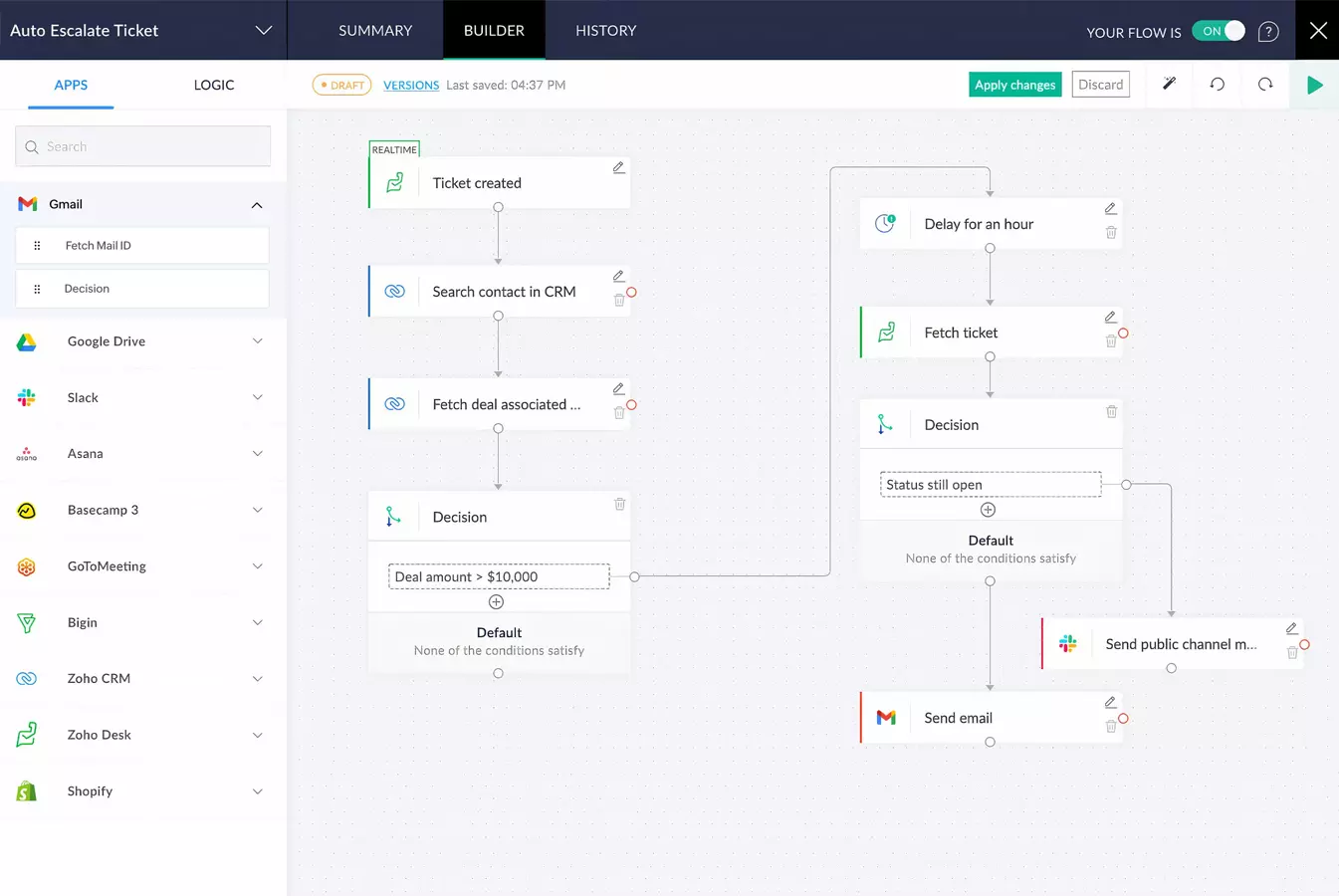
Zoho Creator serves as the application development arm of Zoho's extensive business software ecosystem. It excels when field force apps need tight integration with Zoho CRM, Zoho Books, or other Zoho products.
Low-Code Reality:
Despite no-code marketing, Zoho Creator employs Deluge—a proprietary scripting language—for workflow logic, validations, and advanced features. Learning Deluge adds complexity compared to visual no-code builders.
Citizen developers comfortable learning a simplified programming language adapt successfully. Those seeking true visual development find the scripting requirement challenging.
Comprehensive Feature Set:
The platform provides extensive capabilities: form builders, workflow automation, reports, dashboards, and mobile apps. Integration across the Zoho suite enables sophisticated business processes spanning sales, accounting, and operations.
Mobile App Generation:
Native iOS and Android apps generate from Creator applications. This provides better field worker experiences than web-based solutions, though customization options for mobile-specific features remain limited.
Pricing Considerations:
Free plan restricts to single app and three users—insufficient for most field force scenarios. Standard plan at $10 per user monthly provides reasonable pricing for small teams. However, advanced features like custom branding, API access, and increased storage require premium tiers significantly elevating costs.
Best Fit:
Organizations already using Zoho CRM for customer management and wanting to extend field service capabilities into the same ecosystem. Companies seeking standalone field force solutions without CRM integration may find better value in specialized platforms.
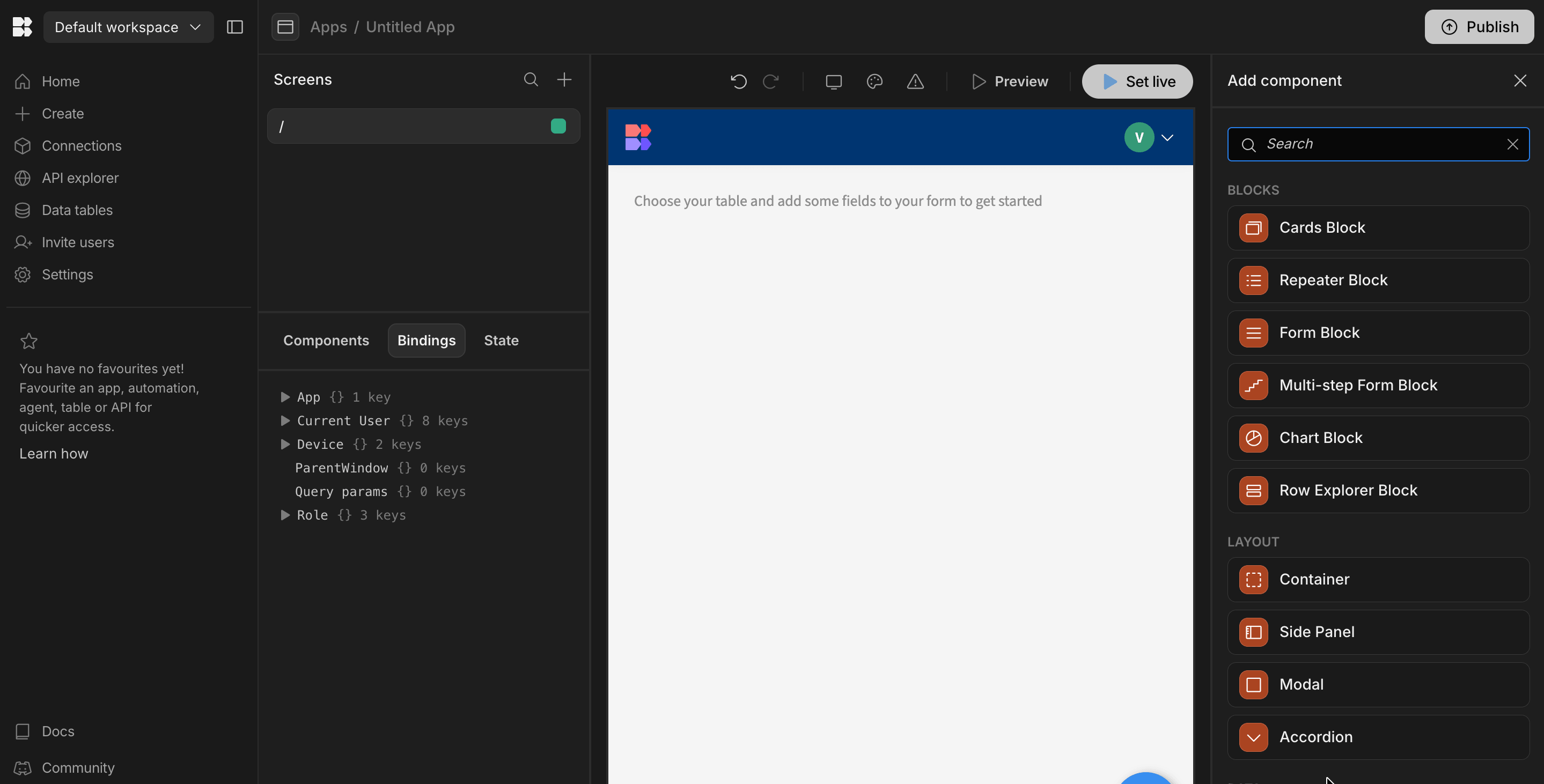
Open-Source Foundation:
Budibase offers open-source no-code development with self-hosting capabilities. This appeals to organizations prioritizing data sovereignty and customization freedom over simplicity.
Technical Requirements:
While marketed as no-code, Budibase assumes technical comfort. The platform uses JavaScript for custom logic, requires database knowledge for data modeling, and involves manual configuration for deployment and hosting.
Technical citizen developers—those with some IT background but not full software development expertise—navigate Budibase successfully. True non-technical users face steep learning curves.
Component Library:
Extensive UI components enable building sophisticated interfaces. However, assembling these components into cohesive apps requires more manual effort than platforms with intelligent defaults and templates.
Self-Hosting vs Cloud:
Organizations can self-host Budibase on their own infrastructure, providing complete control over data and security. This flexibility comes with operational complexity—managing servers, updates, backups, and security.
Cloud-hosted options simplify deployment but at premium pricing compared to competitors.
Field Force Limitations:
Lack of built-in GPS tracking, limited mobile optimization, and no native offline capabilities constrain field force use cases. Teams must build these features manually or integrate third-party services.
Best Fit:
Technical teams wanting open-source flexibility and willing to invest development effort into customization. Non-technical citizen developers seeking simple, purpose-built field force tools should consider alternatives.
Selecting a no-code platform requires evaluating several factors based on your specific situation.
If you're a true non-technical citizen developer:Choose platforms with 100% visual development requiring zero coding or formula knowledge. Clappia delivers the smoothest experience, enabling app building through drag-and-drop without learning programming concepts. Avoid platforms requiring expressions, formulas, or scripting languages.
If you already use Microsoft 365 extensively:Power Apps integrates naturally with existing Microsoft infrastructure. However, assess whether this integration justifies the increased complexity and higher costs compared to specialized field force platforms.
If your data lives in Google Sheets:AppSheet quickly transforms spreadsheets into mobile apps. This works well for simple data collection but may struggle with complex field service workflows requiring advanced automation and offline capability.
If you need tight CRM integration:Zoho Creator connects seamlessly with Zoho CRM. Organizations already paying for Zoho services benefit from unified ecosystem. Standalone field force needs may find better value elsewhere.
If you have technical resources:Budibase offers open-source flexibility for teams comfortable with JavaScript and self-hosting. Pure citizen developers without IT support should select more accessible alternatives.
Key evaluation criteria for field force apps:
Start Simple:Your first app should solve one specific problem well rather than attempting comprehensive field management immediately. Choose a straightforward use case like daily attendance tracking or simple inspection checklists.
Involve Field Workers Early:Build with continuous feedback from the people who will actually use the app. Their input ensures the solution addresses real pain points rather than theoretical requirements.
Iterate Quickly:No-code's advantage lies in rapid iteration. Deploy a basic version, gather usage data, and refine based on actual patterns. Don't wait for perfection before launching.
Plan for Scale:Even simple apps grow complex as adoption increases. Choose platforms offering advanced features you can grow into without migrating to new systems.
Document Your Build:As citizen developer, you own the app. Document key decisions, workflows, and configurations so others can understand and maintain what you've built.
Leverage Platform Communities:Most no-code platforms host active user communities sharing templates, solutions, and best practices. These resources accelerate learning dramatically.
No-code development fundamentally changes who can build field force applications. Citizen developers—the operations managers, safety coordinators, and field supervisors who understand business challenges intimately—now create solutions without IT bottlenecks or consultant dependencies.
The platforms reviewed here represent different philosophies: Clappia prioritizes pure no-code simplicity, Power Apps focuses on Microsoft ecosystem integration, AppSheet emphasizes spreadsheet transformation, Zoho Creator extends CRM capabilities, and Budibase offers open-source flexibility.
For most citizen developers seeking to build field force apps quickly without technical barriers, Clappia delivers the most accessible experience. The platform's drag-and-drop simplicity, comprehensive field-specific features, and generous free tier enable rapid app development by anyone regardless of technical background.
Start building your field force app free - No technical skills required, no time limits, unlimited customization.
Do I really need zero technical knowledge to build no-code apps?
True no-code platforms like Clappia require no programming, formulas, or scripting—only point-and-click configuration. If you can use Excel or PowerPoint, you can build apps. However, some platforms marketed as "no-code" actually require formula knowledge (Power Apps) or scripting languages (Zoho Creator). Evaluate the learning curve before committing. Most citizen developers build their first functional app within hours on pure no-code platforms versus days or weeks on low-code systems.
How do no-code field force apps compare to traditional software?
No-code apps match or exceed traditional software capabilities for field force management. They offer GPS tracking, offline functionality, workflow automation, mobile apps, and integrations—all the features of enterprise solutions. The key difference lies in customization: no-code platforms let you modify everything yourself instantly, while traditional software requires vendor customization or IT development. Cost differs dramatically too, with no-code solutions typically 60-90% cheaper than enterprise field service software.
Can no-code apps handle complex workflows and integrations?
Modern no-code platforms support sophisticated multi-step workflows, conditional logic, API integrations, and database connections. Platforms like Clappia enable complex approval chains, automatic data syncing between systems, triggered notifications across multiple channels, and integration with accounting, CRM, and communication tools. The limitation isn't workflow complexity but rather highly specialized requirements like machine learning model training or real-time video processing—scenarios rare in field force management.
What happens if I outgrow the no-code platform?
Quality no-code platforms scale from simple apps to enterprise deployment. Clappia, for instance, supports small teams on free plans and enterprises with thousands of users on the same platform—just different tier levels. Your apps grow with you, adding users, features, and integrations without rebuilding. If you eventually need capabilities beyond any no-code platform, most offer API access and data export letting you migrate to custom solutions while preserving your data and business logic.
 Get Started – It’s Free
No-code platforms empower citizen developers to build field force applications through visual drag-and-drop interfaces eliminating programming requirements. These platforms provide pre-built components for common needs like GPS tracking, offline data collection, photo capture, and workflow automation that snap together like building blocks. Citizen developers—operations managers, safety coordinators, field supervisors—understand operational challenges better than external developers, enabling them to create precisely tailored solutions addressing real pain points. The best no-code platforms like Clappia require zero coding knowledge while offering enterprise capabilities including mobile apps, advanced automation, AI integration, and offline functionality. This democratization of development reduces costs by 60-90% compared to custom coding, accelerates deployment from months to days, and puts app ownership directly in business users' hands for faster iteration and continuous improvement.
L374, 1st Floor, 5th Main Rd, Sector 6, HSR Layout, Bengaluru, Karnataka 560102, India
3500 S DuPont Hwy, Dover,
Kent 19901, Delaware, USA


.svg)




3500 S DuPont Hwy, Dover,
Kent 19901, Delaware, USA
L374, 1st Floor, 5th Main Rd, Sector 6, HSR Layout, Bengaluru, Karnataka 560102, India