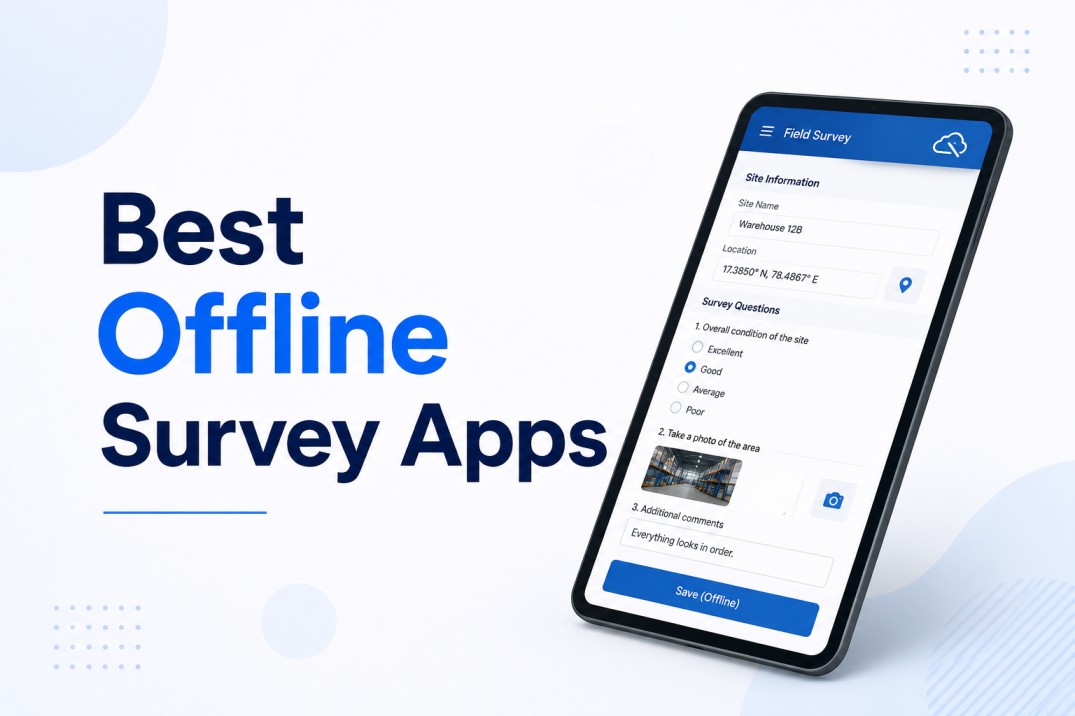
.avif)
Picture this: a customer just finished an experience at one of your outlets. You want honest, real-time feedback. But by the time a traditional survey reaches them, the moment has passed. And even if they do respond, you have no way to verify they were actually at that location. Worse, the data lands in a spreadsheet with no routing, no escalation, no follow-up.
This is the challenge facing any business that operates multiple physical locations, whether that is a retail chain, a service network, a fuel station group, a restaurant franchise, or a field inspection team. The feedback data is either too slow, too thin, or too unverifiable to act on.
A location-aware outlet rating app solves exactly this problem. It combines GPS location capture with a structured mobile survey, automatic outlet lookup, and workflow-driven escalation, so the right data reaches the right team the moment a submission is saved. This article explains what location-aware really means in practice, what data it captures, how it integrates with downstream systems, and how you can build one using Clappia without writing any code.
The phrase is thrown around a lot, but in the context of outlet rating tools it has a very specific technical meaning. A location-aware survey app uses the device's GPS to determine where the respondent is at the moment they open the form. That coordinate is then passed to a backend lookup service that identifies the nearest registered outlet or site from your master database.
This lookup does two things at once. First, it verifies that the respondent is physically near a known location, reducing the risk of remote or fraudulent submissions. Second, it auto-populates a range of outlet metadata fields, such as the outlet code, name, district, territory, and region, directly into the submission record, without the respondent having to type anything or select from a dropdown.
Location-aware feedback is not just a convenience feature. It is a data quality layer that connects every submission to a verified physical context.
In a Clappia-based implementation, this works through the GPS Location block (used as the Current User Location field) combined with a REST API integration that queries your outlet master data. The API call fires automatically on form load, uses the captured coordinates as input, and populates hidden fields with the matched outlet record. If no outlet is found within range, a read-only error message is shown and the form prevents submission, ensuring clean data from the start.
Location-aware outlet rating apps are not limited to a single industry. The underlying pattern, capture GPS, match an outlet, collect structured feedback, and route results, applies across a wide range of business scenarios.
Customer Satisfaction Surveys at Physical Locations
This is the most common deployment. A customer visits an outlet, scans a QR code or clicks a link, and instantly receives a short survey pre-loaded with their outlet's details. Because the location is verified automatically, the business can be confident the feedback actually came from that site. Rating questions typically cover cleanliness, service quality, facility availability, and overall experience.
Quality Audits and Compliance Checks
Field auditors use the same app to document inspection results. Since the outlet is identified by GPS rather than manual input, auditors cannot accidentally log findings against the wrong site. Photo evidence can be attached directly to each submission, complete with auto-generated captions that include the outlet name, code, and district.
Field Inspections and Issue Reporting
Technicians, territory managers, or supervisors conducting site visits can use a location-aware form to log observations and flag issues in real time. The GPS check confirms the visit is genuine, and automated workflows can create a support case in an external CRM the moment a below-threshold rating is submitted.
| Use Case | Who Uses It | Key Benefit |
|---|---|---|
| Customer satisfaction survey | Customers at outlet | Verified location, higher response rate |
| Quality audit | Field auditors | Accurate site matching, photo evidence |
| Compliance inspection | Supervisors or territory managers | Automated escalation, real-time data |
| Post-visit issue reporting | Service technicians | CRM case creation, instant notification |
Higher Response Rates
Shorter forms with auto-filled fields require far less effort from respondents. When a customer opens the form and sees their outlet already identified, the friction drops significantly. Businesses that move from manual outlet selection to GPS-based lookup typically see a meaningful improvement in completion rates because respondents do not need to search through long dropdown lists.
Better Data Quality
Manual data entry introduces errors. Respondents mistype outlet names, select the wrong branch, or skip the location field entirely. GPS-based lookup eliminates these errors at the point of capture. The outlet code, name, region, and category are drawn directly from your master data, so every submission carries consistent, validated metadata ready for MIS and CRM ingestion.
Location Verification and Fraud Reduction
When the form only allows submission after a GPS match, you gain a built-in verification layer. Submissions from people who are not physically near a registered outlet are blocked by the validation logic before they ever reach your database. In field operations, this also confirms that visits actually happened, which is critical for performance reporting and SLA compliance.
Faster Issue Escalation
Perhaps the biggest operational benefit is the speed of resolution. Because the submission carries outlet metadata, outlet code, district, and contact details from the moment it is saved, automated workflows can immediately route it to the right team, create a CRM case, and send an email notification to the support desk. Issues that previously took days to escalate from paper forms or email surveys can be actioned within minutes of the customer walking out of the outlet.
Automated case creation, triggered at submission time, can reduce average issue resolution time dramatically compared to manual triage from aggregated survey exports.
A well-designed outlet rating form balances depth with brevity. The goal is to capture enough structured data for analysis and escalation without overwhelming the respondent. Here is the typical data model used in a location-aware outlet rating solution:
Respondent Identity
Location and Outlet Metadata (Auto-Populated)
Structured Rating Questions
Emoji or star rating questions (typically scored 1 to 5) covering key service dimensions such as:
Each question stores a numeric value that feeds into a computed Average Score and a visual Final Star Rating string (for example, five filled stars). Questions scoring below a threshold are automatically concatenated into a Low-Rating Summary field, which is included in escalation notifications and CRM case payloads.
Photo Evidence
A camera-enabled image upload field allows respondents or auditors to attach photo evidence directly to the submission. Image captions are auto-generated from the outlet name, district, and outlet code using formula blocks in Clappia, so every stored image carries meaningful contextual metadata without any manual labelling.
Computed Fields and Formulas
One of the most powerful aspects of a Clappia-based outlet rating app is the ability to compute scores and summaries at the point of submission, rather than in a downstream spreadsheet. Here are the three key formulas used in this design:
Average Score
Fields used: The six numeric rating question fields (each returning a value between 1 and 5).
Formula logic: ROUND(({Q1}+{Q2}+{Q3}+{Q4}+{Q5}+{Q6})/6, 0)
What the user sees: A rounded whole number (1 to 5) stored in the Average Score field and displayed on the post-submission card.
Final Star Ratings
Fields used: The computed Average Score.
Formula logic: An IF or SWITCH expression maps the numeric average to a star text string, for example Average Score = 5 returns five filled stars, Average Score = 4 returns four filled stars, and so on.
What the user sees: A visual star string shown on the submission card and included in email notifications.
Low-Rating Summary
Fields used: All six rating question fields and their display labels.
Formula logic: Concatenates the label of each question where the rating value is below 5, separated by a delimiter. If all questions score 5, the field returns an empty string.
What the user sees: A plain-text summary of underperforming parameters, for example 'Cleanliness, Staff Service', which is sent directly in the CRM case payload and support email.
If you are new to Clappia, the platform lets you design mobile-ready forms using a block-based builder, no coding required. Here is a step-by-step guide to replicating this solution.
Step 1: Create the App and Add Core Blocks
Log in to your Clappia workspace and create a new app. Give it a name that reflects the use case, for example 'Customer Outlet Rating'. Then add the following blocks to a single section:
Step 2: Configure the Outlet Lookup API
Before adding this block, it helps to understand what it is doing. Your business likely has a list of registered outlets stored somewhere, whether that is a database, a CRM, or a backend system. When someone opens this form, you want it to automatically recognise which outlet they are standing at, without them having to type a name or pick from a long dropdown list. The REST API block is what makes that connection. It takes the GPS coordinates captured from the device and sends them to your outlet data source, which responds with the matching outlet's details. Those details are then silently loaded into the form in the background.
To set this up, add a REST API block to the form. Configure it to fire a POST request to your outlet lookup endpoint when the form loads. Pass the GPS coordinates from the Current User Location field in the request body, along with any filtering value you need (such as a company or category code pre-filled via the app URL). Map the fields from the API response; Outlet Code, Outlet Name, District, Territory, State, and an internal errorCode; to hidden fields in the form so they are stored with every submission without cluttering the respondent's view.
Handling 'outlet not found': Add a read-only text field labelled 'Error Message' with a display condition that shows it only when the errorCode field equals 404. This tells the respondent clearly that no registered outlet was detected nearby.
Step 3: Add Validation
Use a Custom Validation block to warn users when their name is entered but no outlet has been populated. The validation condition checks: Name is not empty AND Outlet Code is empty. The warning message can read 'Please select an outlet to proceed'. This prevents accidental submissions without a verified location.
Step 4: Add Formula Blocks
Add three Formula blocks to compute the derived fields described in the previous section:
where Q1,Q2, etc. are the ratings blocks added to the app.
You can also add formula blocks to build the outlet's dealer code display text and logo HTML for the post-submission card. These pull values from the API response fields and format them for display.
Step 5: Configure Workflows
Workflows in Clappia can be triggered automatically when a submission is saved. Go to Design App > Workflows. You can then add the following logic under ‘New submission Flow (opened by default):
Step 6: Set Up Aggregation Apps
Create separate Clappia apps to store your aggregated MIS data. Typical apps in this design include:
These apps do not need their own workflows. They are updated entirely by the main rating app's orchestration layer.
Step 7: Configure Access and Permissions
Clappia lets you control who can submit, view, and edit each app. For a customer-facing survey, you can enable public form access so respondents do not need a Clappia account. For auditor or field staff use cases, assign the app to specific user groups or roles so only authorised personnel can submit inspection data.
The app works fully on the Clappia mobile app (available for Android and iOS), and it supports offline mode so field staff can complete inspections even in areas with poor connectivity. Submissions made offline are synced automatically when the device reconnects.
The real value of a location-aware outlet rating app is not the survey itself. It is what happens to the data the moment it is submitted. Because every submission carries verified outlet metadata, the routing logic is deterministic and the downstream records are always correctly attributed.
MIS Aggregation
Each submission triggers a series of counter increments across multiple aggregation apps. For example, when a respondent rates the cleanliness parameter at 3 stars, the workflow locates the row for that outlet and parameter in the Parameter-wise Rating Counters app and increments the 3-star count by 1. The same logic runs for the Customer Ratings Aggregator (incrementing the 3-star total for the outlet category and region) and the State-wise Rating Totals app (incrementing the state-level count).
This means that by the end of any given day, your MIS dashboards reflect the exact distribution of ratings across every parameter, outlet, category, and state, without any manual data compilation.
CRM Case Creation
For submissions that include a low-rating summary (any question scored below the threshold), the workflow proceeds to the CRM integration branch. It first obtains a short-lived OAuth token from the CRM authentication endpoint, then POSTs a case creation request that includes the outlet code, respondent contact details, the low-rating summary text, and the photo attachment encoded as base64.
The CRM's response (case number, success flag, error message) is captured in workflow variables and included in the technical summary email. This gives your operations team a real-time log of every case raised without needing to log in to the CRM directly.
| Integration Point | Trigger | Data Sent | Expected Output |
|---|---|---|---|
| Downstream MIS or reporting app | On save, per submission or business unit | All survey fields and metadata | New submission in reporting archive |
| Parameter-wise counters | On save, per question | Outlet code, parameter label, rating value | Counter incremented by 1 |
| State-level totals | On save, per submission | Business unit or category, state, star value | Star count and grand total updated |
| CRM case creation | On save, when low rating present | Outlet metadata, low-rating summary, image base64 | Case number returned and logged |
| Support email | On save | Outlet, district, respondent details, submission link | Email delivered to support team |
Handling 'No Outlet Found' Scenarios
Your outlet lookup API may not always return a match, particularly in areas with sparse coverage or when a customer is a short distance outside the geofence radius. Always implement a graceful fallback: display a clear read-only message explaining that no nearby outlet was detected, and use a validation rule to prevent submission in this state. This protects your data quality without frustrating respondents who genuinely tried to submit from a valid location.
Photo Evidence Best Practices
If photo uploads are part of the submission, enforce camera-only capture (rather than allowing gallery uploads) to ensure the image is taken at the time of the visit. Auto-generating the image caption using formulas that include the outlet name, code, and district means that stored images are self-describing. This is critical when images are later attached to CRM cases or reviewed in offline audit reports.
Mapping Ratings to Star Summaries
The numeric-to-star mapping formula should be defined and tested before the app goes live. Ensure the formula handles edge cases, such as a mix of numeric and 'Not Available' responses, by excluding 'Not Available' values from the average calculation. Clappia's formula block supports conditional logic (IF statements) that lets you define the inclusion rules cleanly.
Workflow Counter Increment Consistency
When updating aggregation apps through workflows, always use query conditions that uniquely identify the target row (outlet code plus parameter label, for example) before applying the increment. A mismatch in field naming between the source submission and the aggregation app is the most common cause of incorrect counter values. Use explicit field-to-field mapping in the Edit Submission action and verify with a small sample of test submissions before going live.
Wait Nodes for Concurrent Updates
If your workflow updates multiple aggregation apps in parallel, use Wait nodes on branches that depend on external API responses before proceeding to state-level or parameter-level updates. This ensures counter values remain consistent even when API response times vary.
While every deployment is different, these are realistic performance benchmarks that businesses have achieved after switching from manual or unverified survey collection to a location-aware outlet rating system:
| Metric | Typical Before | Typical After |
|---|---|---|
| Invalid or unverified submissions | 15-30% of total | Near zero (GPS validation blocks unverified) |
| Average time from submission to case creation | 24-72 hours (manual triage) | Under 5 minutes (automated workflow) |
| Data completeness (outlet metadata) | 60-80% (manual entry errors) | 100% (auto-populated from master) |
| Survey completion rate | Moderate (long forms) | Higher (pre-filled fields reduce effort) |
| Time to update MIS dashboards | Daily or weekly batch | Real-time (per submission) |
A location-aware outlet rating app is more than a mobile survey. It is a data infrastructure layer that connects physical experiences to digital records in real time, with built-in verification, structured escalation, and automated aggregation. For any business managing multiple physical locations, whether retail outlets, service stations, franchise branches, or inspection sites, this approach solves the three core problems with traditional feedback collection: unverified submissions, delayed escalation, and fragmented reporting.
Clappia makes it possible to build this entire system without writing application code, from the GPS-enabled survey to the REST API outlet lookup, formula-driven scoring, branching workflows, CRM integration, and MIS counter updates. The result is a production-ready solution that a first-time Clappia user can configure following the steps in this article, and that scales easily to hundreds of outlets and thousands of monthly submissions.
L374, 1st Floor, 5th Main Rd, Sector 6, HSR Layout, Bengaluru, Karnataka 560102, India
3500 S DuPont Hwy, Dover,
Kent 19901, Delaware, USA


.svg)




3500 S DuPont Hwy, Dover,
Kent 19901, Delaware, USA
L374, 1st Floor, 5th Main Rd, Sector 6, HSR Layout, Bengaluru, Karnataka 560102, India