


Site inspections are critical for ensuring safety, compliance, and operational efficiency. Traditional paper-based inspections are slow, error-prone, and difficult to track. Modern organizations are adopting AI-powered no-code inspection software like Clappia to digitize site inspection checklists, automate workflows, and generate real-time insights.
This guide will help you understand what inspection software is, why digital checklists matter, how to build inspection apps without coding, and how AI enhances inspection efficiency and accuracy.
Inspection software is a digital platform used to plan, execute, manage, and analyze inspections across sites, facilities, or assets. Unlike traditional methods, AI-powered no-code solutions enable users to create custom inspection apps without programming expertise.
Organizations use inspection software to:
Clappia provides a no-code AI platform that allows teams to build, deploy, and manage inspection apps efficiently.
A site inspection checklist is a structured tool used to evaluate safety, quality, compliance, and operational readiness. With AI-powered no-code inspection software, checklists are fully digital, interactive, and actionable.
Common checklist elements include:
Digital checklists ensure standardized inspections, error-free data, and traceable records, replacing manual paper-based processes.
Manual inspections often lead to delayed reporting, inconsistent data, and compliance risks. AI-powered no-code inspection software solves these issues by offering:
Digital checklists allow inspectors to complete inspections on mobile devices instead of paper.
AI identifies missing data, suggests checklist items, and highlights potential risks, improving overall accuracy.
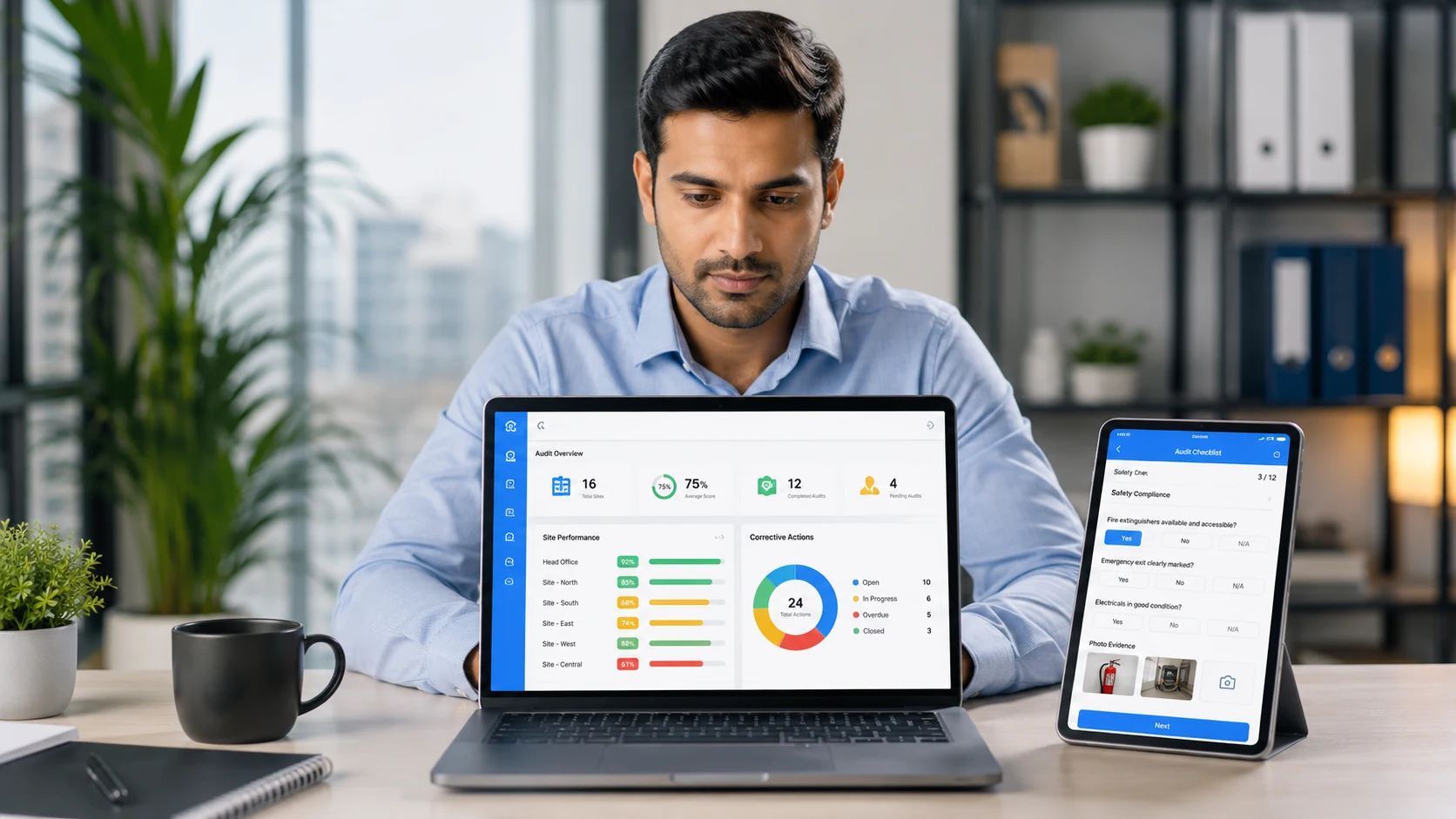
Managers track inspection progress, unresolved issues, and completion status through live dashboards.
Reports are generated automatically, reducing manual work and ensuring timely insights.
All inspection data is securely stored and can be accessed for audits, compliance reviews, and analytics.
Clappia offers a powerful platform designed to streamline the creation and management of site inspection checklists. With its no-code interface, Clappia makes it easy for professionals in construction, safety inspection, facilities management, and other industries to build and manage digital checklists that improve accuracy, compliance, and efficiency.
Clappia offers a powerful platform designed to streamline the creation and management of site inspection checklists. With its no-code interface, Clappia makes it easy for professionals in construction, safety inspection, facilities management, and other industries to build and manage digital checklists that improve accuracy, compliance, and overall efficiency. Here are the key features that make Clappia the ideal choice for site inspection checklists:
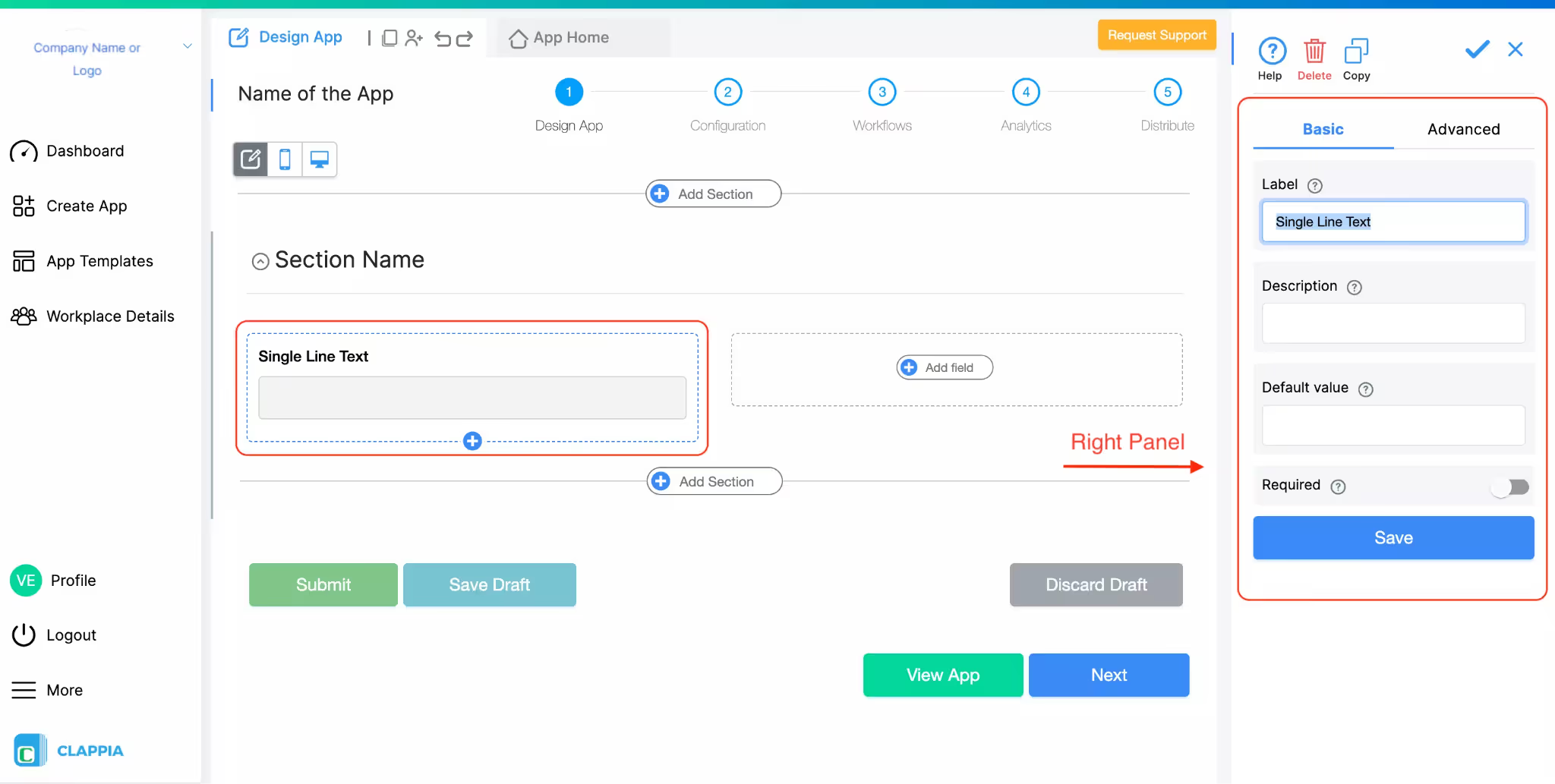
Effortlessly capture various types of textual data on-site, from short notes to detailed descriptions, directly within your inspection forms.
Quickly scan barcodes or QR codes to retrieve asset details and information, enhancing accuracy and reducing manual data entry errors.
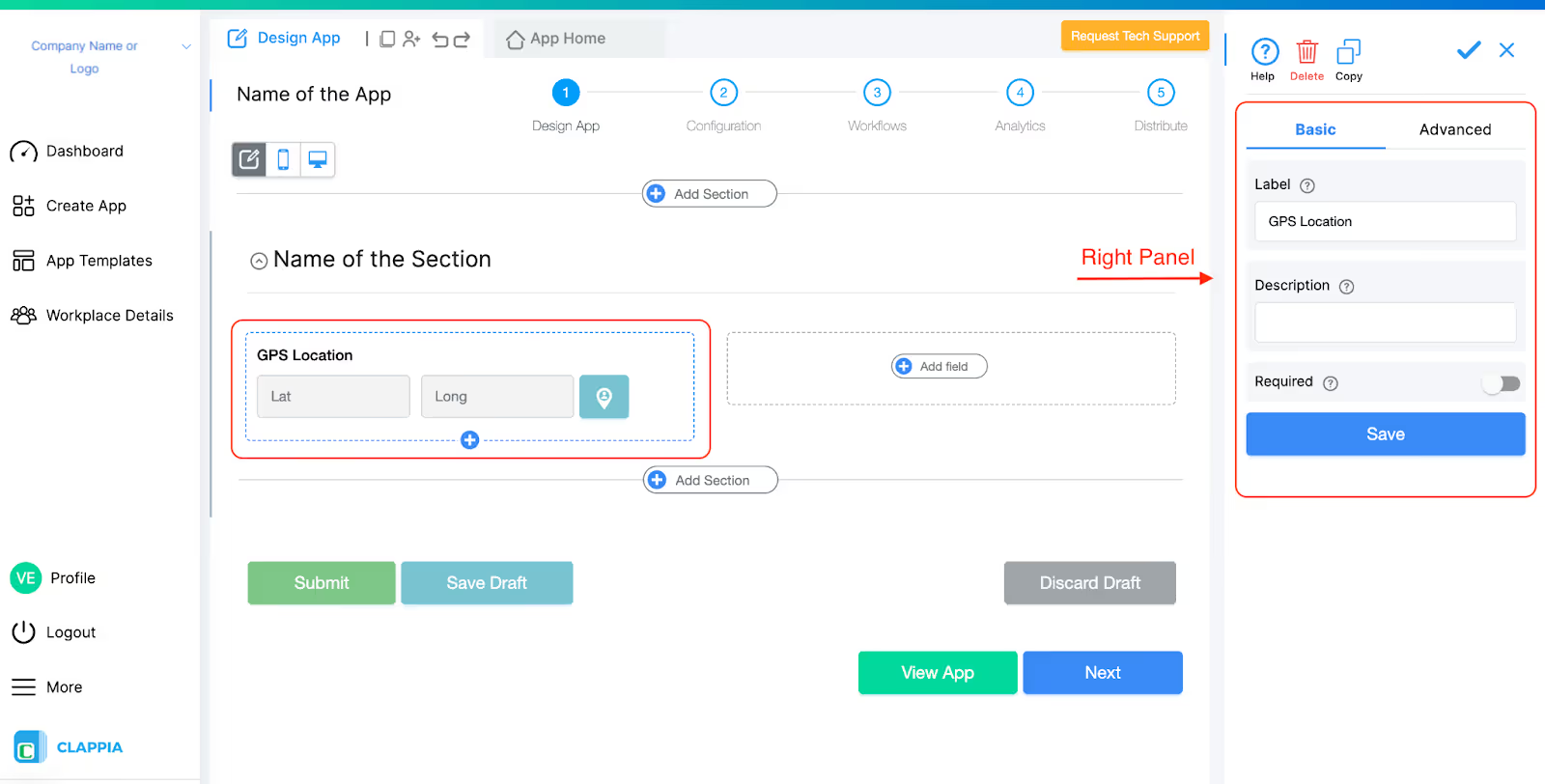
Automatically log inspection point coordinates and trigger location-based tasks, ensuring precise tracking of your inspection sites.
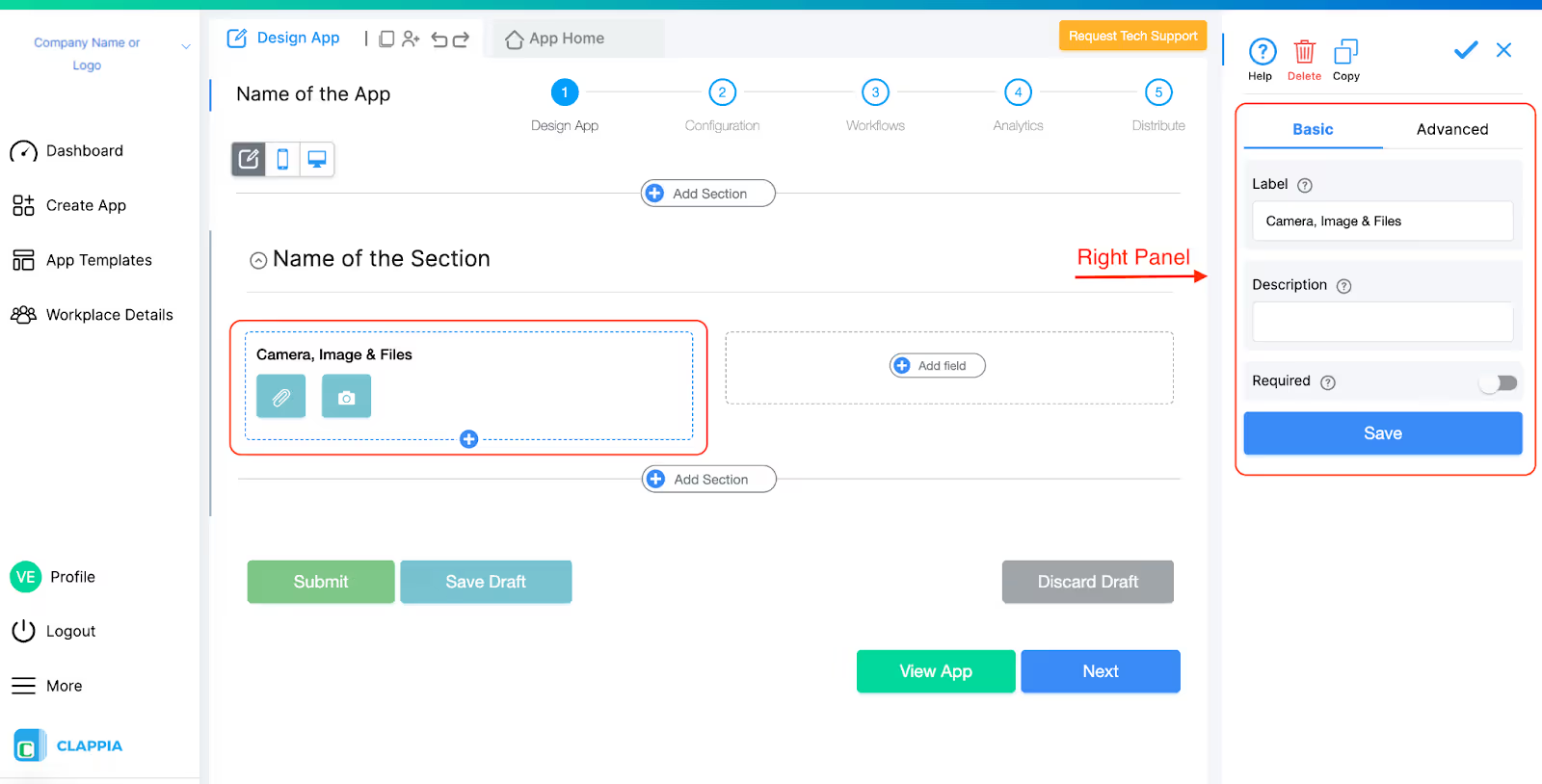
Easily document visual evidence by uploading images or using the camera-only mode for direct photo capture, ensuring comprehensive inspection records.
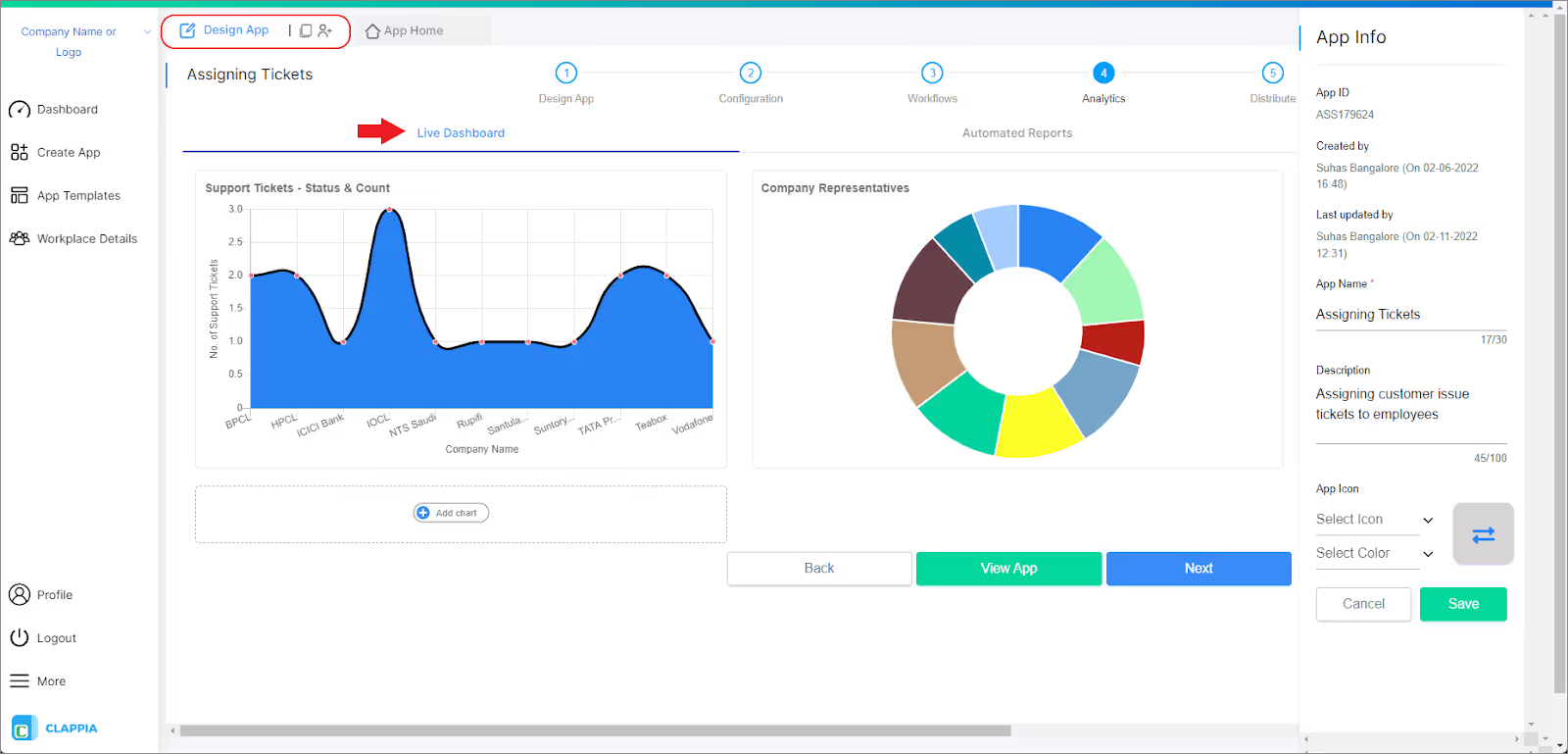
Automatically generate detailed reports that provide insights into inspection results, saving time and enhancing decision-making.
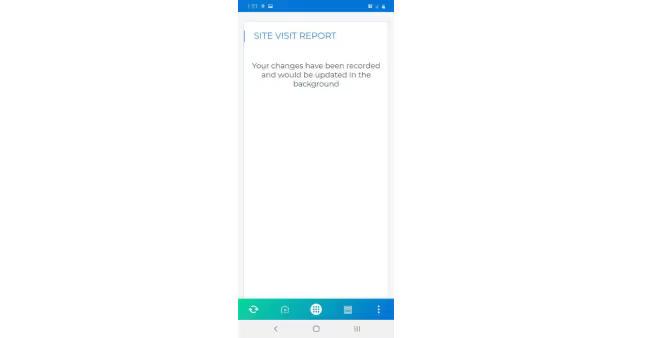
Conduct inspections in areas with no internet connectivity, and sync the collected data once you’re back online to ensure no information is lost.
Access Control: Clappia allows precise control over who can view or edit checklist data, ensuring the right individuals have access to the relevant information.
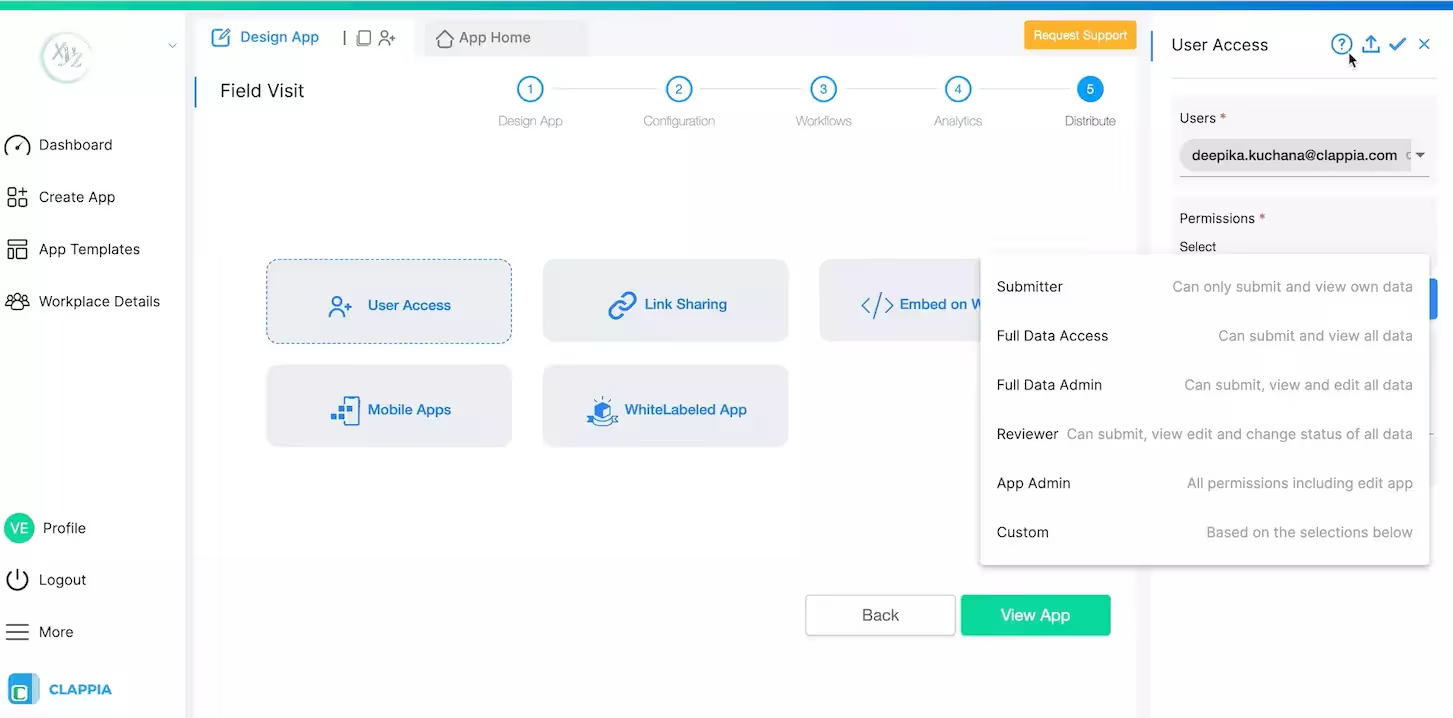
Set specific access levels for different team members, thereby ensuring data integrity and preventing unauthorized modifications.
Integration is crucial for the seamless flow of data between various platforms. Clappia offers exceptional integration options:
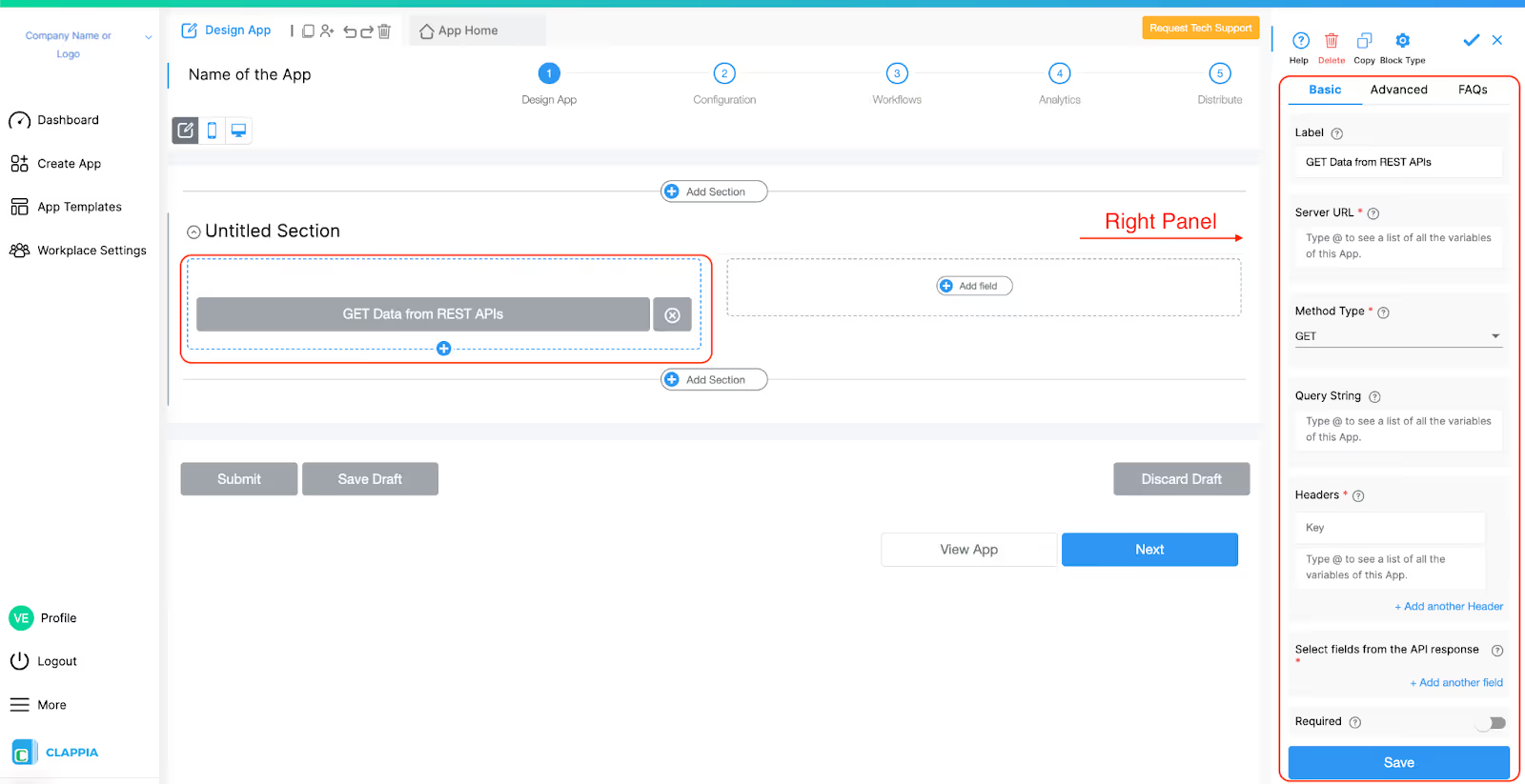
Easily integrate Clappia with existing systems to push and pull data as needed.
Automate workflows by connecting Clappia to thousands of Zapier-supported apps.
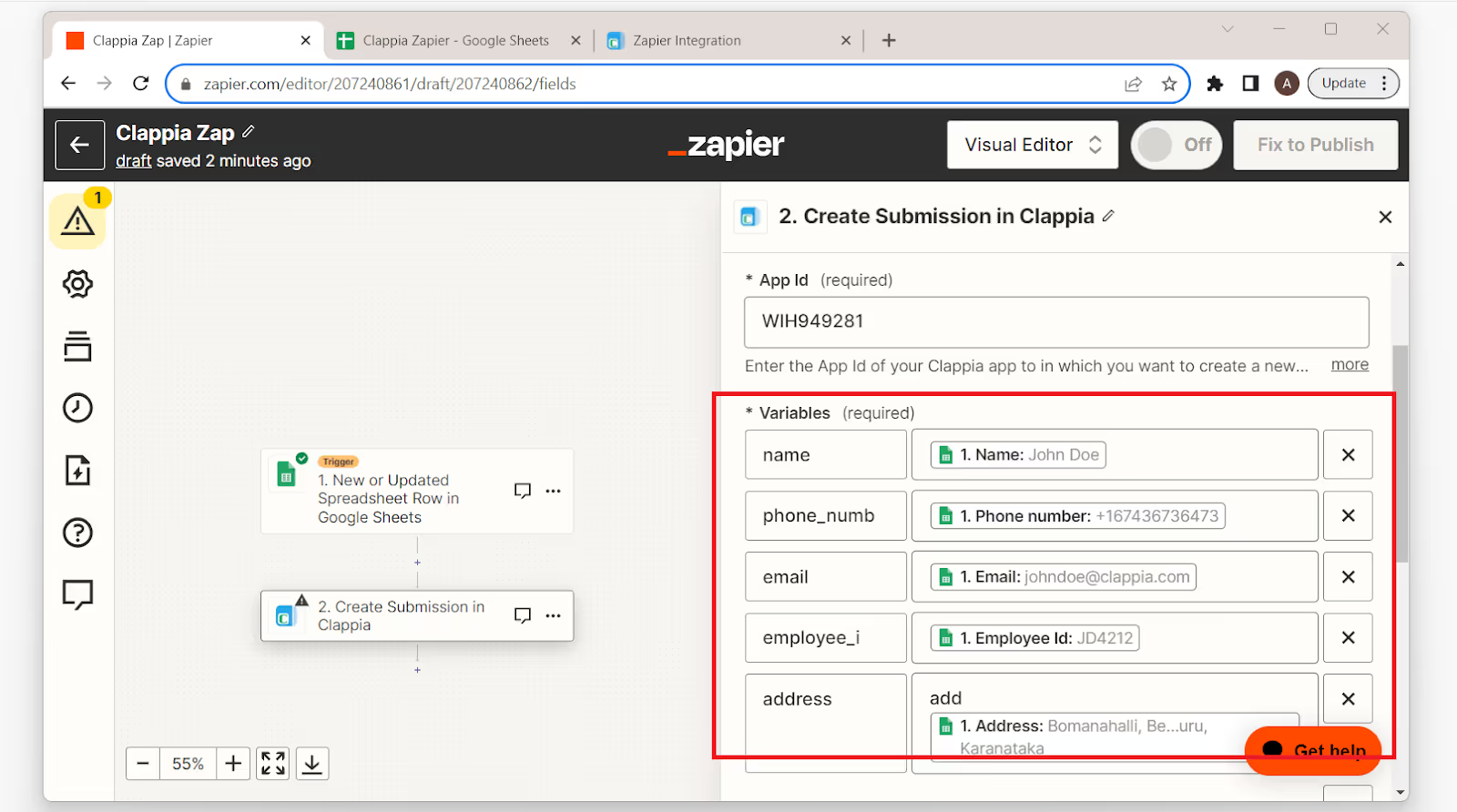
Retrieve and sync data directly with Google Sheets for dynamic data management.
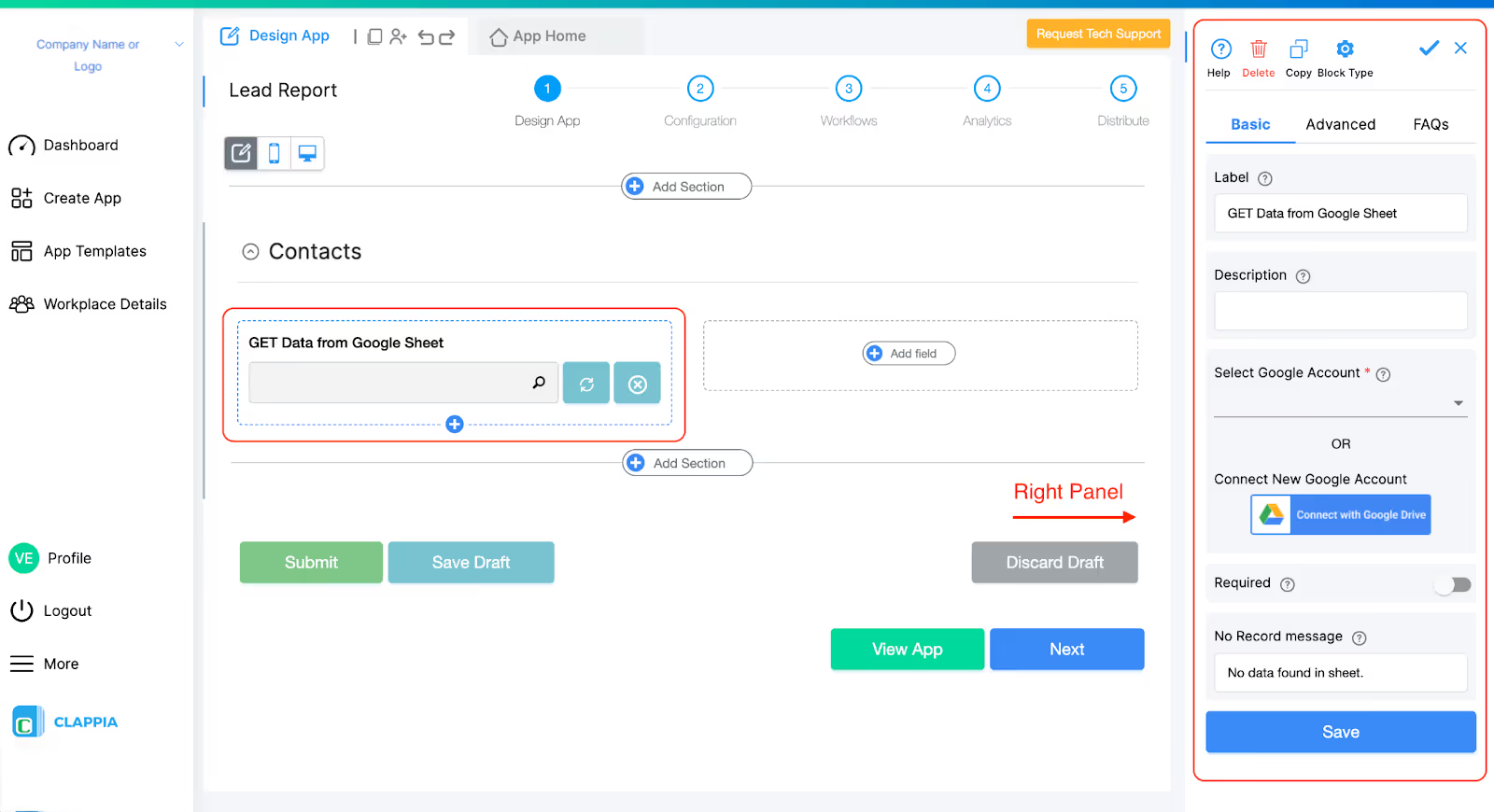
Determine whether your inspection app focuses on safety, compliance, quality, or operational processes.
Group items logically into categories such as safety, equipment, and environment for clarity.
Use AI to recommend relevant questions, improve logic, and highlight mandatory fields to enhance inspection quality.
Conduct pilot inspections, gather feedback, and optimize your app for real-world usage.
Once finalized, distribute the app across field teams to standardize inspections and ensure consistent data capture.
AI-powered inspection apps help organizations maintain consistent compliance with industry regulations and internal policies. By using digital checklists with built-in validation, conditional logic, and automated reminders, teams can ensure inspections meet legal and operational standards every time. This reduces the risk of non-compliance and helps maintain audit-ready records.
Inspection software allows teams to capture real-time data and highlight anomalies immediately. Early identification of safety hazards, equipment malfunctions, or process deviations helps mitigate risks before they escalate, preventing operational failures and potential financial or reputational damage.
By replacing paper-based processes with AI-driven digital inspections, organizations save time on data entry, report generation, and manual follow-ups. Automation streamlines workflows, accelerates inspections, and reduces operational costs, freeing staff to focus on critical tasks.
With real-time dashboards and analytics, managers can monitor who conducted inspections, what actions were taken, and when tasks were completed. This enhances accountability, ensures transparency, and makes it easier to follow up on outstanding issues or corrective actions.
No-code AI-powered inspection apps can be easily customized, scaled, and deployed across multiple locations or teams. Whether expanding operations or updating workflows, organizations can adapt apps quickly without technical expertise, ensuring consistency and efficiency across all inspection activities.
Ensure your team is proficient in using mobile-responsive inspection apps to conduct site inspections efficiently. Training staff to navigate forms, capture data offline, and use features like GPS tracking, image uploads, and QR scanning ensures accurate, real-time data collection. Well-trained inspectors reduce errors, improve compliance, and increase adoption of digital inspection workflows.
Create standardized inspection templates and workflow processes to maintain consistency across all sites. Use Clappia’s no-code platform to design uniform checklists, approval flows, and conditional logic. Standardization helps teams follow the same inspection criteria, eliminates ambiguity, and ensures high-quality, comparable inspection data across projects.
Inspection requirements and compliance standards evolve over time. Regularly reviewing and updating your digital checklists ensures they reflect current safety regulations, operational procedures, and quality standards. With Clappia, you can quickly update forms and workflows, ensuring your inspections remain relevant, accurate, and legally compliant.
Leverage dashboard analytics to gain actionable insights from your inspection data. Track site performance, identify recurring issues, and monitor team productivity in real-time. Data-driven monitoring enables managers to make informed decisions, optimize inspection strategies, and proactively address safety or operational risks.
AI-powered inspection software like Clappia provides intelligent recommendations and predictive insights. Use AI to identify anomalies, suggest corrective actions, and highlight high-risk areas. Integrating AI insights into your inspection processes improves accuracy, reduces oversight, and enables proactive decision-making, ultimately enhancing overall operational efficiency.
AI-powered, no-code inspection software like Clappia helps organizations digitize inspections, improve compliance, reduce risk, and generate actionable insights. By replacing paper checklists with AI-assisted digital inspection apps, teams can operate more efficiently, accurately, and safely. Adopting Clappia allows businesses to build, customize, and deploy inspection apps quickly, with minimal technical knowledge.
L374, 1st Floor, 5th Main Rd, Sector 6, HSR Layout, Bengaluru, Karnataka 560102, India
3500 S DuPont Hwy, Dover,
Kent 19901, Delaware, USA


.svg)




3500 S DuPont Hwy, Dover,
Kent 19901, Delaware, USA
L374, 1st Floor, 5th Main Rd, Sector 6, HSR Layout, Bengaluru, Karnataka 560102, India




.jpg)
.jpg)