PNGRB Schedule 1 prescribes two work permit formats for any non-routine maintenance at a petroleum retail outlet. Annexure VI(a) is the one the dealer, RO manager, or operator can issue directly for low-risk activities. Annexure VI(b) is the one only a company-authorised officer can issue for high-risk activities like hot work, tank cleaning, and major hazardous-area electrical work. Most networks run a single generic permit and miss the split, which is exactly what TPIA audits flag. This article walks through the Annexure VI(a) format, the 10 specific activities it covers, what the dealer must verify before issuing, and how a Clappia PNGRB audit checklist app turns the paper permit into a digital approval workflow with traceable closure. For the wider stack, see the parent PNGRB audit checklist guide.
Annexure VI(a), titled "Work Permit (Operator Issued)", sits inside Schedule 1 of the PNGRB Technical Standards and Specifications including Safety Standards (T4S) Regulations. It is the format the regulation mandates for any non-routine maintenance work falling under the dealer's authority.
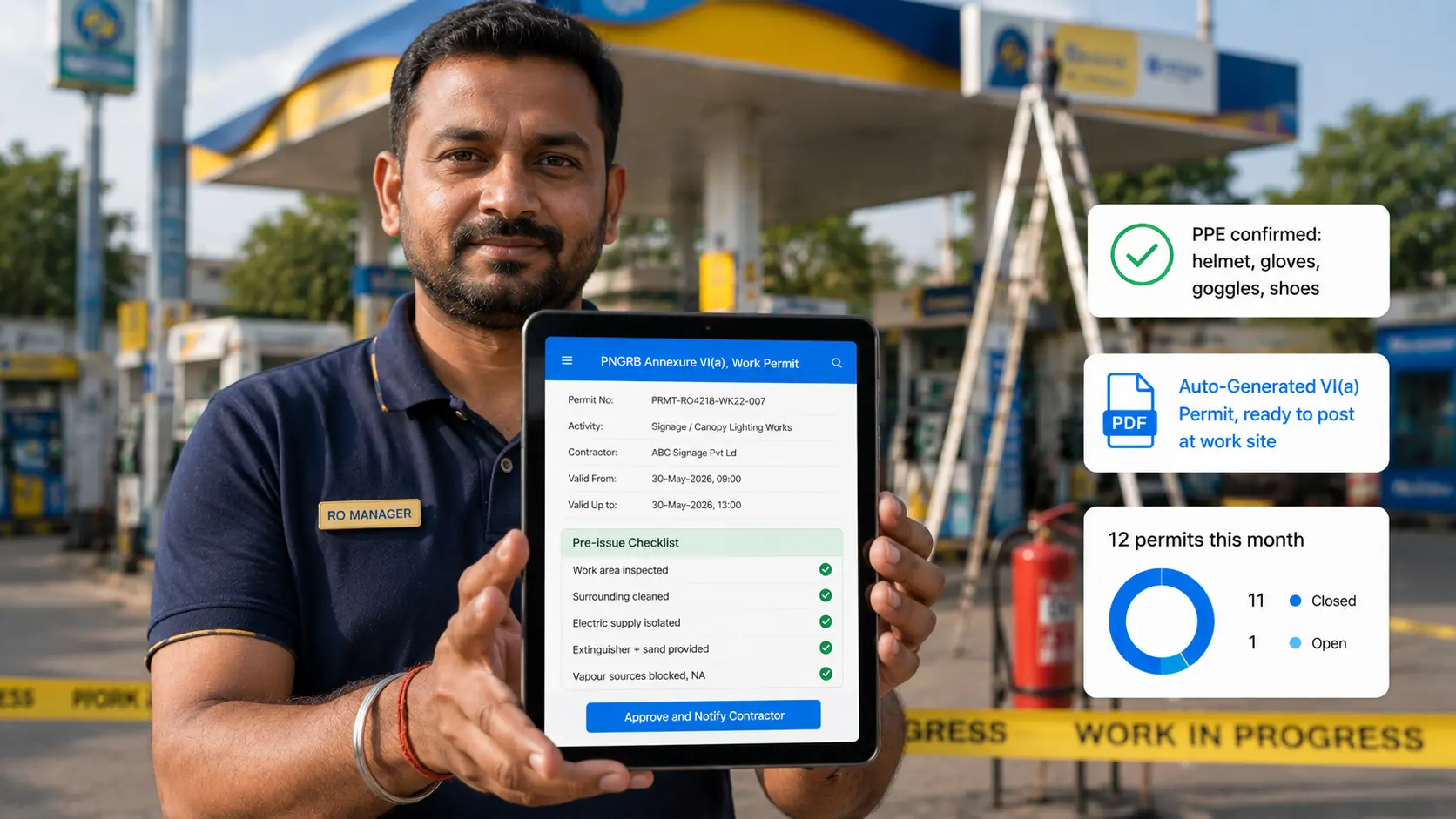
The format has five blocks. Header block: company name, retail outlet name, permit serial number, date and time of validity from and to. Permission block: name of the section or contractor receiving permission. Nature and location block: detailed description of the work to be done and the specific area inside the RO. Pre-issue checklist block: five mandatory checks the issuer must tick before signing (equipment inspected, surrounding area checked/cleaned/covered, equipment electric supply isolated, portable extinguisher and sand buckets provided, sources of product or vapour blocked). Special instructions block: PPE selection, fire alert protocol, remarks on toxic chemicals, alternate escape route, permit availability at work site.
The permit closes with signatures of the issuer (dealer/manager) and the receiver (contractor), and on closure, both the issuer and the contractor sign again with timestamp.
Risk class. The regulation deliberately separates low-risk activities (which a dealer can authorise) from high-risk activities (which only a company officer can authorise). The split exists because:
Most networks have historically used one generic permit format for everything, which CEIL and other TPIAs explicitly flag in audit reports. The corrective action is to maintain two separate registers, one for VI(a) and one for VI(b), and the digital version makes this clean by routing each activity type to the correct approver automatically.
These are the only activities a dealer, RO manager, or operator can permit directly. Anything not on this list must go through Annexure VI(b).
| # | Activity | What it typically involves |
|---|---|---|
| 1 | Access to building / canopy roof | Maintenance crew climbing on the canopy or sales-room roof for cleaning, signage repair, or inspection. |
| 2 | Access to building / canopy cavity | Crew working inside the canopy or building cavity, typically for cabling, signage wiring, or air conditioning service. |
| 3 | Electrical switch board work | Repairs on the LT panel, MCBs, or distribution boards located OUTSIDE the hazardous zone. |
| 4 | Excavation including forecourts up to 1 metre depth | Cable laying, small trench work, signage post installation. Deeper than 1 metre falls under VI(b). |
| 5 | Forecourt surface repair | Patching cracks, repainting hazard markings, fixing tile damage on the forecourt. |
| 6 | Water removal from underground tank through hand pump | Routine water draining at the tank manhole, using a hand pump only, no powered equipment. |
| 7 | Repair of electrical and electronic equipment inside hazardous area | Limited to certified intrinsically safe equipment. Anything not intrinsically safe falls under VI(b). |
| 8 | Promotional activities on forecourts | Brand promotions, customer engagement events, sampling on the forecourt. |
| 9 | Signage, including canopy signage / lighting works | Installation, replacement, or repair of brand signage and canopy lighting fixtures. |
| 10 | Replacement / installation of dispensing units | Swapping out a dispenser, only the equipment-replacement aspect. Any associated hot work or pipeline modification needs a VI(b). |
The Annexure VI(a) format has a structured pre-issue checklist. Every box must be ticked or marked "Not required" before the dealer signs.
| # | Pre-issue check | What the dealer verifies |
|---|---|---|
| 1 | Equipment / work area inspected | Dealer physically walks the area before signing the permit. |
| 2 | Surrounding area checked, cleaned, and covered | No product exposed to atmosphere in the working area, no fuel spills nearby. |
| 3 | Equipment to be repaired identified, electric supply switched off | Confirms isolation of the specific equipment, not just the main switch. |
| 4 | Portable extinguisher and sand buckets provided | A 9 kg DCP extinguisher and at least one sand bucket positioned at the work site. |
| 5 | Blocking of sources of product / vapour in pipeline / tank / equipment | Any line or tank that could release vapour into the work area is isolated. |
| S1 | PPE specified | Tick from: safety helmet, safety gloves, protective goggles, safety shoes, safety belt. |
| S2 | Fire alert protocol communicated | Contractor knows to stop work and evacuate to a designated assembly area on alert. |
| S3 | Toxic / hazardous chemicals noted | Sludge, oil spillage, or any chemical present at the work site is flagged in writing. |
| S4 | Alternate escape route confirmed | Either confirmed available, marked "Not required", or specified. |
| S5 | Permit available at work site at all times | Physical or digital copy with the receiver throughout the work. |
If you are moving the work permit off paper, the form needs to capture every regulatory field and several that make multi-shift handover and closure work cleanly.
Identity and context fields: company name, retail outlet code and address (pulled from master list), permit serial number (auto-generated sequential), date and time valid from, date and time valid to. Issuer details: name and designation of the dealer / manager / authorised person issuing the permit, digital signature, date and timestamp of issue. Receiver details: name of the section or contractor receiving the permit, supervisor's name, contact number, digital signature on receipt, date and timestamp.
Work scope fields: activity class (dropdown from the 10 VI(a) activities, with conditional logic that BLOCKS submission if the user selects an activity that actually falls under VI(b)), detailed description of the work, specific location inside the RO (dropdown from a master list of areas: dispenser bay, canopy roof, tank manhole, electrical panel room, etc.).
Pre-issue checklist fields: five mandatory tick-or-not-required toggles for the five regulatory checks, photo evidence for the area inspection and equipment isolation, contractor's PPE checklist (multi-select from safety helmet, gloves, goggles, shoes, belt), remarks on toxic / hazardous chemicals (free text), alternate escape route status, additional items field for anything specific to the job.
Closure fields: closure date and time, closure remarks (any incident, anything left in progress), closure photo of the work area, issuer's closure signature, contractor's closure signature.
System-side fields: GPS coordinates of the device at issue and closure, link to the parent outlet's annual Annexure V audit (so the permit register is auto-compiled), severity tag (Low / Medium) per permit type.
| Annexure VI(a) need | Clappia feature |
|---|---|
| Auto-generate sequential permit numbers, format PRMT-OUT4218-WK22-001 | Unique ID block with custom prefix per outlet |
| Block submission when user picks an activity that actually needs VI(b) | Formula block with validation rule on the activity dropdown |
| Issuer (dealer) and receiver (contractor) signatures with timestamp | Digital signature blocks, separate fields for issue and closure |
| Photo evidence of area inspection, equipment isolation, PPE worn | Camera and file upload block, mandatory before signature |
| Route permit for issuer approval before contractor sees "Approved" status | Approval workflows, dealer signs off, contractor receives notification |
| Auto-generated PDF in the Annexure VI(a) format, ready to print and post at work site | Print Settings templates that mirror the regulatory layout |
| Notify the contractor by SMS or WhatsApp when permit is approved and when closure is due | SMS notifications, WhatsApp workflows |
| Permit register for the annual Annexure V audit, sliced by activity and by year | Live dashboards with filters by outlet, activity class, status |
| Multi-shift handover, morning dealer issues, evening manager closes | Get Data from Other Apps + workflow nodes route the open permit to the on-shift user |
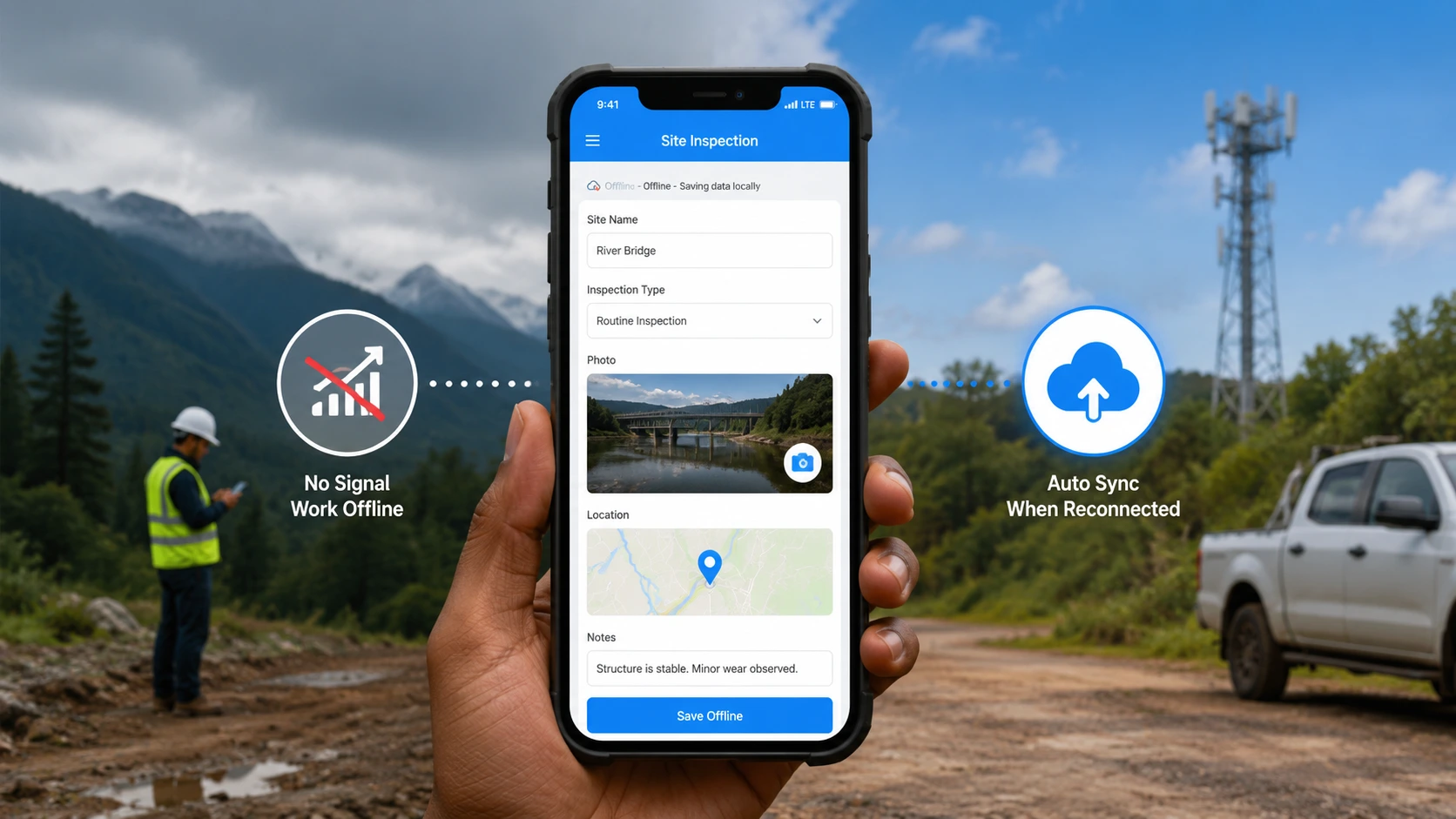
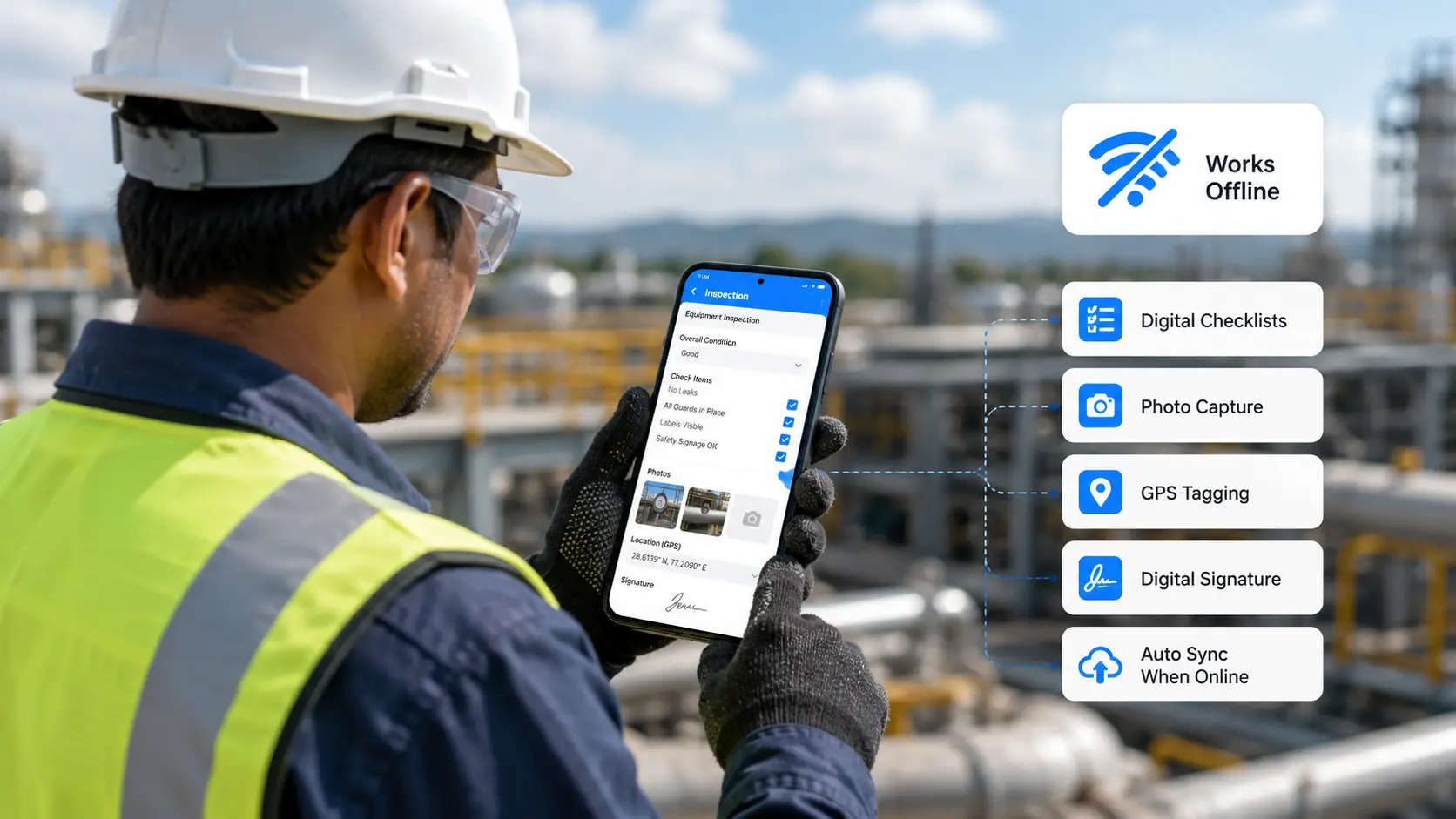
| Issue permits at outlets with poor connectivity | Offline mode by default on Android and iOS |
| Field-only mobile UX for the dealer and contractor | Clappia mobile app for tablet and phone |
Build your PNGRB work permit app on Clappia in minutes, with PPE checks, photo evidence, and contractor sign-off.
Get Started For FreeThe work permit is not "done" at the moment of signing. It is open until the work is finished, the area is cleared, and the closure is signed. Without a system, the permit gets filed and forgotten, and the same activity gets re-permitted without checking the previous closure photo.
A working setup. Permit issued: an approval workflow routes the draft to the dealer for sign-off. The dealer reviews on a phone, signs, and the contractor receives a WhatsApp notification with the auto-generated PDF and a link to acknowledge. The contractor signs on receipt and starts work. The permit appears on the network dashboard as "Open, due to close by [time]". On closure, the contractor uploads a closure photo of the work area, signs digitally, and the dealer counter-signs the closure. The PDF gets regenerated with the closure block filled, and the permit moves to "Closed" in the dashboard.
If the closure time passes without sign-off, an automatic WhatsApp message goes to the dealer and contractor asking for status. Permits open beyond 4 hours past their target trigger an escalation to the area manager.
An RO manager runs a busy retail outlet on a national highway. About 12 to 15 non-routine maintenance jobs happen every month: signage cleaning, canopy lighting replacement, dispenser swaps, forecourt surface patching, hand-pump water removal at tank manholes. Under the paper system, the manager kept a permit book at the cash desk. About 30 percent of the permits had no closure block filled because the contractor left at end of shift and the closure was supposed to be on a separate visit.
After moving to the Clappia template, every contractor scans a QR code at the gate to request a permit. The activity dropdown auto-classifies whether it is VI(a) or VI(b) (and blocks submission if VI(b) without an oil company officer in the approval chain). The manager reviews on a phone, approves with a digital signature. The contractor's WhatsApp shows the PDF and a "Start Work" button. On completion, the contractor takes a closure photo, signs, and the manager counter-signs. The annual Annexure V audit now has a clean, photographed, signed permit register for every job in the year, with zero open permits at audit time.
The operator-issued work permit is one half of the Annexure VI dual-format system. Use it alongside the PNGRB Annexure VI(b) hot work permit for activities that require an oil company officer's sign-off; the PNGRB Annexure V annual safety audit checklist, whose Section 1 reviews the permit register for the year; the PNGRB Annexure III weekly inspection checklist, which catches housekeeping issues the permitted work might create; the PNGRB Annexure IV electrical audit checklist, required every three years for the electrical scope; and the PNGRB Annexure VII tank-truck decantation checklist for routine fuel deliveries. The parent PNGRB checklist guide explains how every annexure ties together.
The RO manager, the dealer, or an operator authorised by the dealer. Critically, the dealer must have physically inspected the work area before signing. The contractor cannot issue their own permit.
VI(a) is issued by the dealer or RO manager for 10 specific low-risk activities (signage, canopy roof access, forecourt repair, etc.). VI(b) is issued only by a company-authorised oil company officer for 12 high-risk activities (hot work, tank cleaning, hazardous-area electrical work, etc.). Confusing the two is one of the most common TPIA audit findings.
Yes. Replacement / installation of dispensing units is item 10 on the VI(a) list, so a dealer can permit the equipment-replacement aspect. However, any associated hot work (welding, cutting), pipeline modification, or major electrical work inside the hazardous area requires a separate VI(b) permit.
No. Hot work, including welding, grinding, and gas cutting, falls under Annexure VI(b) and requires a company-authorised officer's sign-off. A dealer issuing a hot-work permit on a VI(a) form is a critical audit finding.
The validity is whatever the issuer enters in the "valid from" and "valid up to" fields, typically the duration of one job. The format does not impose a fixed validity period like VI(b)'s 45-day cap, but the permit is "until the work as mentioned in 'Nature of Work' is completed", per the regulatory format.
The permit must be reviewed and re-issued, not silently extended. A digital system makes this clean by triggering a re-issue prompt when the target closure passes, and by escalating to the area manager if it goes past 4 hours overdue.
Work permits are the highest-friction routine on the PNGRB stack. Every non-routine job at every outlet, every day, needs one. The paper version slows everything down and leaves gaps that TPIA audits flag year after year. A digital workflow makes issue a 30-second job, closure auditable, and the annual Annexure V permit register self-compiling.
Ready to run Annexure VI(a) without paper? Sign up for free and build your operator work permit app on Clappia in under 10 minutes. No credit card, no contracts, no risk, just results.
 Get Started – It’s Free
L374, 1st Floor, 5th Main Rd, Sector 6, HSR Layout, Bengaluru, Karnataka 560102, India
3500 S DuPont Hwy, Dover,
Kent 19901, Delaware, USA


.svg)




3500 S DuPont Hwy, Dover,
Kent 19901, Delaware, USA
L374, 1st Floor, 5th Main Rd, Sector 6, HSR Layout, Bengaluru, Karnataka 560102, India



.jpg)