
Google Forms is excellent for quickly creating surveys and collecting responses online. However, there's a significant limitation that many businesses discover too late: Google doesn't offer a native mobile app for creating or filling out forms. Users must access forms through a web browser, which creates real challenges when you need offline data collection, GPS tracking, or a branded mobile experience.
If you're searching for ways to convert Google Forms to Android or iOS apps, you're likely facing one of these common problems: field teams need to collect data without internet connectivity, you want to track employee locations during form submissions, or you need a professional branded app for your customers. This comprehensive guide walks you through five proven methods to transform your Google Forms into fully functional mobile applications, including advanced solutions that go far beyond basic form conversion.
The shift from desktop to mobile isn't just a trend anymore—it's how work gets done in 2026. Field service teams, delivery drivers, inspection crews, and sales representatives all depend on mobile devices as their primary work tool. Traditional web-based forms like Google Forms simply can't meet the demands of these mobile-first workflows.
Consider these real-world scenarios where web forms fall short. A construction company needs site inspectors to complete safety checklists while working in areas with poor cell coverage. A retail chain wants mystery shoppers to verify store conditions while capturing GPS locations for each visit. A healthcare organization requires field nurses to collect patient information with electronic signatures during home visits. None of these use cases work well with browser-based forms that require constant internet connectivity.
Mobile apps solve these challenges by offering capabilities that web forms can't match: genuine offline functionality with automatic syncing when connectivity returns, GPS location capture for attendance verification and field tracking, barcode and QR code scanning for inventory management, electronic signature collection for approvals and contracts, and payment processing integration for registrations and orders. These features transform simple data collection into comprehensive business solutions.
Before exploring conversion methods, it's important to understand exactly what Google Forms lacks in terms of mobile functionality. Google Forms operates entirely as a web application—there is no dedicated Android or iOS app for creating, managing, or filling out forms. While forms are mobile-responsive and work in mobile browsers, this browser-based approach creates significant limitations.
The absence of offline capabilities means users must maintain stable internet connections while completing forms. This creates problems for field workers in rural areas, delivery drivers in regions with spotty coverage, or event staff working in venues with overwhelmed WiFi networks. Any internet interruption results in lost data and frustrated users.
Google Forms also lacks several features that businesses need for mobile data collection. You cannot capture GPS coordinates to verify where forms were submitted, track live locations of field teams, scan barcodes or QR codes for inventory or attendance, collect electronic signatures for contracts and approvals, or process payments within forms. Additionally, you cannot brand forms with your company logo, create white-labeled mobile apps, or publish forms as standalone apps to the App Store or Play Store.
These limitations explain why businesses outgrow Google Forms and search for alternatives that offer true mobile app functionality. The good news is that multiple conversion methods exist, each with different capabilities and trade-offs.
The quickest way to turn a Google Form into something resembling a mobile app is using a wrapper service like AppsGeyser or FormsApp. These platforms essentially embed your Google Form URL inside a basic mobile app container, making it appear as a standalone app on a user's device.
The process is straightforward: you copy your Google Form's shareable link, paste it into the wrapper service's app builder, customize basic settings like the app name and icon, then generate an APK file that can be installed on Android devices. Some services also support iOS, though this typically requires paid plans.
Wrapper apps work well for very basic needs where you simply want form access through an app icon rather than a browser. The setup takes minutes, costs little or nothing, and doesn't require technical knowledge. However, these solutions are essentially just embedded web views—they don't add any real mobile functionality that wasn't already available through the mobile browser.
The significant limitations of wrapper apps include no true offline capability since the embedded form still requires internet, no additional features beyond what Google Forms already offers, limited customization and branding options, potential app store rejection during publishing attempts, and poor user experience compared to native mobile apps. These wrapper solutions are best suited for situations where you simply need convenient access to an existing Google Form without requiring any advanced mobile features.
For organizations with development resources, you can programmatically integrate Google Forms into custom mobile apps using their API. This approach involves accessing form submission endpoints, parsing form field IDs, then using Android or iOS development tools to build native apps that post data directly to Google Forms.
The technical process requires several steps. You first need to obtain the form's prefilled link to extract field entry IDs, set up Retrofit (for Android) or URLSession (for iOS) for HTTP requests, create custom UI screens matching your desired form layout, and implement API calls that post user input to the form's formResponse endpoint. Developers often use this method when building apps that need to submit data to existing Google Forms while providing custom mobile interfaces.
This approach offers maximum control over app design and functionality, enables complete customization of user experience, allows integration with other systems and services, and provides native mobile performance. However, it requires significant development expertise and time investment, needs ongoing maintenance as Google updates APIs, creates dependency on your form structure (field reordering breaks implementations), and still doesn't add advanced mobile features like offline mode or GPS tracking to the underlying Google Form.
Programming-based solutions make sense when you have specific integration requirements or need forms embedded within larger mobile applications. For most businesses looking to simply convert forms to mobile apps, this approach over-engineers the problem and creates unnecessary technical debt.
Google AppSheet represents Google's official solution for creating no-code mobile apps. You can connect AppSheet to Google Forms through the response spreadsheet, essentially building an app that reads and writes data to the same sheet that collects form responses.
The integration process involves installing the AppSheet add-on for Google Forms, clicking "Prepare" to analyze your form structure, then "Launch" to auto-generate an app based on your form fields. AppSheet attempts to map form questions to app fields and can automatically create appropriate input types based on your form design.
AppSheet offers genuine advantages over simple wrapper apps. It creates actual mobile apps for iOS and Android with offline data synchronization, provides more field types and input options than Google Forms, supports workflows and automation rules, and offers conditional logic and branching. AppSheet apps can be customized with your branding and published to app stores through their deployment tools.
However, AppSheet comes with notable challenges and limitations. The free tier restricts you to 10 users and limited features, making it impractical for most business applications. The platform has a steep learning curve compared to Google Forms' simplicity. Many users report issues with form conversion, particularly when forms include complex navigation or branching logic. The conversion process works best with simple, linear forms and struggles with sophisticated designs.
AppSheet's pricing starts free but quickly scales as you need more users and features. The Starter plan begins at $5 per user per month, Core at $10 per user monthly, and Enterprise plans require custom quotes. For a team of 25 users, you're looking at $125-$250 monthly before adding any advanced features or data capacity.
One critical consideration: AppSheet is designed as a general app builder, not specifically as a Google Forms replacement. While you can connect it to Forms data, you're essentially learning an entirely new platform rather than simply converting your existing forms. This makes sense if you need AppSheet's broader capabilities, but creates unnecessary complexity if you just want better mobile form functionality.
While the previous methods offer ways to work around Google Forms' mobile limitations, Clappia provides a fundamentally different approach: a no-code platform purpose-built for creating mobile and web apps without coding, offering features that go far beyond simple form conversion.
Rather than trying to force Google Forms into a mobile context, Clappia allows you to create apps from Google Forms while dramatically expanding what those apps can do. You can import your existing Google Forms structure or start fresh, then enhance your app with over 100 pre-built blocks including GPS tracking, offline mode, QR code scanning, electronic signatures, payment processing, and AI-powered automation.
Clappia addresses every limitation that businesses encounter with Google Forms while maintaining the ease of use that makes Google Forms popular in the first place. The platform provides true offline functionality that captures data without internet connectivity and automatically syncs when connection returns. This makes it perfect for field teams working in remote areas, construction sites, or any environment with unreliable connectivity.
Location-based features include GPS coordinate capture for attendance verification, geofencing to ensure submissions occur at designated locations, and live tracking to monitor field team movements in real-time. These capabilities enable use cases like GPS-based attendance systems and field force management that are impossible with standard Google Forms.
Advanced data capture blocks allow scanning QR codes and barcodes for inventory management and contactless attendance, reading NFC tags for access control, collecting electronic signatures for contracts and approvals, and capturing photos with mandatory selfie options for identity verification. These features transform basic forms into comprehensive business applications.
Clappia also offers payment gateway integration with Razorpay, Stripe, and PayPal, enabling you to collect payments directly within forms for event registrations, product orders, or service bookings. The platform includes AI-powered features for intelligent data extraction from images, automated quality inspection, and document processing using OpenAI, Claude, and Gemini models.
The process of migrating from Google Forms to Clappia takes advantage of your existing work while opening up new possibilities. Here's how to transform your Google Forms into powerful mobile apps:
Step 1: Connect Your Google Forms Data
Sign up for Clappia and navigate to the app creation section. Choose the option to import from Google Forms, then grant permission for Clappia to access your Google Forms and response sheets. Select the specific form you want to convert, and Clappia will automatically map all your existing questions and field types.
Step 2: Enhance with Advanced Mobile Features
Once your form structure is imported, you can enhance it with features Google Forms can't provide. Add GPS location capture to verify where submissions occur, include QR code scanning for inventory or attendance tracking, insert signature blocks for approvals, or enable photo capture with automatic timestamp and location stamping. These additions happen through simple drag-and-drop without any coding required.
Step 3: Configure Offline Mode
Enable offline data collection in your app settings, which allows users to complete forms without internet connectivity. Data gets stored locally on the device and automatically syncs to your database when connection returns. This capability is essential for field inspection apps and remote data collection scenarios.
Step 4: Set Up Workflow Automation
Create approval workflows that route submissions to managers for review, configure automated email or WhatsApp notifications triggered by submissions, and set up conditional logic that adapts form behavior based on user inputs. These workflows automate business processes that would otherwise require manual intervention.
Step 5: Customize Branding and User Experience
Apply your company logo, colors, and branding throughout the app. Configure user roles and permissions to control who can view, create, or edit data. Design custom reports and dashboards that provide real-time insights from submissions. The platform provides extensive customization options without requiring design or technical skills.
Step 6: Publish to Mobile Devices
For basic use, users can access your app through Clappia's mobile apps or web interface. For a completely branded experience, Clappia offers white-labeled mobile apps published to the App Store and Play Store under your company name. This professional option makes your app indistinguishable from an app built by a development team.
Clappia's comprehensive feature set enables applications that extend far beyond simple data collection. Companies use it to build GPS-enabled attendance tracking systems with geofencing that prevents buddy punching and location fraud. Field service teams create inspection checklist apps with photo documentation, signature capture, and automatic PDF report generation.
Event organizers create registration apps with integrated payment processing, attendee check-in via QR codes, and real-time capacity tracking. Sales teams build lead collection apps with offline mode for trade shows, automatic CRM integration, and manager approval workflows. Delivery companies develop tracking apps with live location updates, proof of delivery with signatures and photos, and customer notification automation.
The platform adapts to virtually any business process that involves data collection, approval workflows, or field operations. From healthcare patient intake forms to construction safety checklists to loan application processing, Clappia provides the building blocks needed for comprehensive mobile solutions.
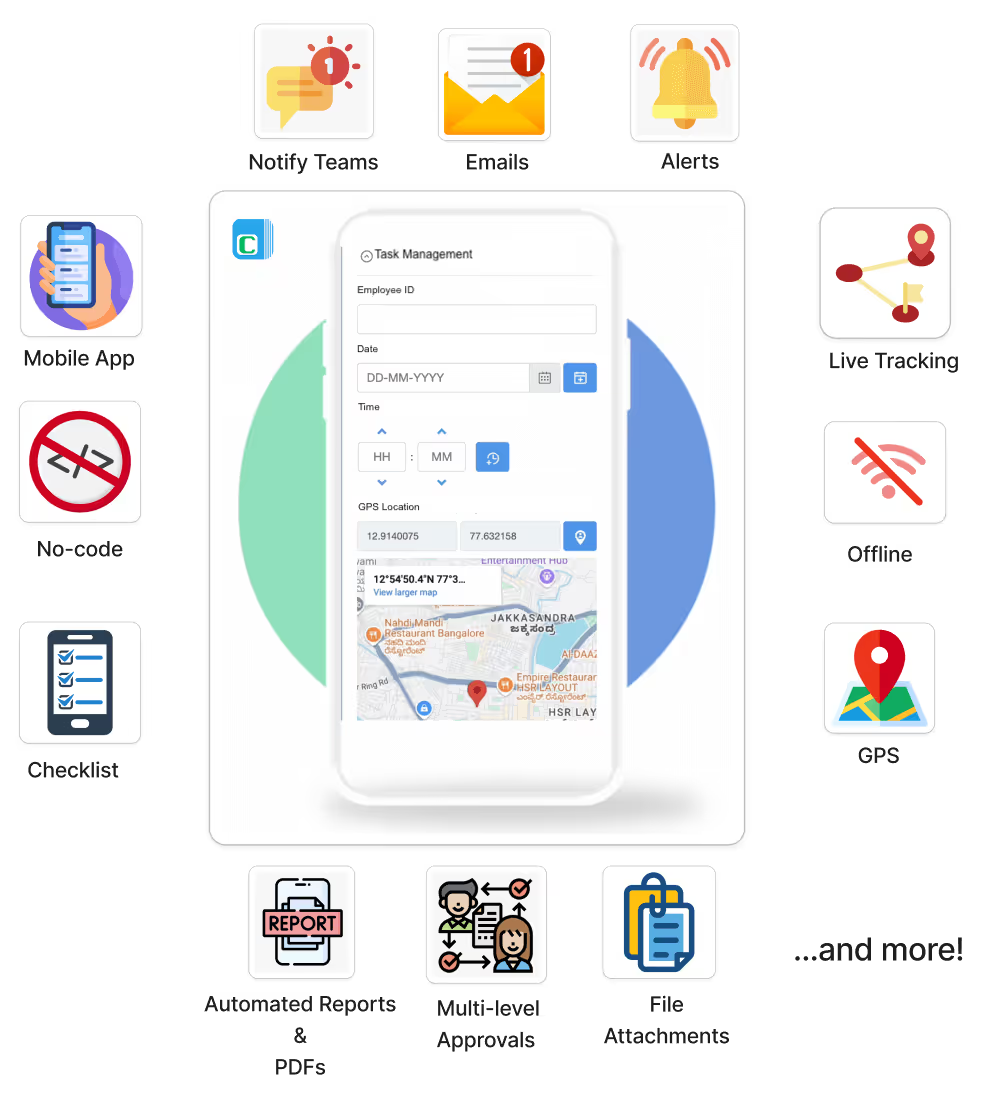
Beyond the basics of converting forms to apps, modern mobile applications require sophisticated features to meet real business needs. GPS geofencing enables automatic attendance tracking when employees enter or leave work sites, prevents time theft through location verification, and generates compliance reports for labor regulations. This capability proves essential for companies managing distributed workforces.
Barcode and QR code scanning streamlines inventory management, asset tracking, and contactless attendance systems. Employees scan product codes to update inventory levels, visitors scan QR codes for facility check-in, or field techs scan equipment codes for maintenance logging—all without manual data entry that introduces errors.
Electronic signature collection digitizes approval processes, contracts, and proof of delivery. Managers approve expense reports with a signature on their phone, customers confirm service completion directly in field apps, or patients provide consent on tablets rather than paper forms. Digital signatures accelerate business processes while creating auditable trails.
Payment gateway integration brings e-commerce capabilities directly into your data collection apps. Register attendees for events and collect fees simultaneously, process deposits for service bookings, or enable customers to pay invoices on mobile devices. This integration eliminates the need for separate payment systems and creates seamless user experiences.
Multi-level approval workflows route submissions through organizational hierarchies automatically. Expense reports flow from employees to managers to finance teams, purchase requests escalate based on dollar amounts, or quality issues get assigned to appropriate departments based on severity. These automated workflows eliminate bottlenecks and ensure accountability.
When evaluating solutions for converting Google Forms to mobile apps, total cost of ownership extends beyond subscription fees. While Google Forms itself is free, the limitations often create hidden costs through inefficiency, errors, and lost opportunities.
AppSheet's pricing structure becomes expensive quickly. The free tier's 10-user limit makes it impractical for most organizations. A company with 50 field workers would pay $250-500 monthly on Starter or Core plans, plus additional costs for data capacity, integrations, and premium features. Annual costs easily reach $3,000-6,000 before considering implementation and training time.
Custom development approaches carry even higher costs. Building a basic form app typically requires 200-400 hours of development time at $75-150 per hour, resulting in $15,000-60,000 in initial costs. Ongoing maintenance, updates, and feature additions add 20-30% of development costs annually. This approach only makes sense for organizations with specific requirements that no-code platforms can't address.
Clappia offers transparent pricing starting at $5 per user per month with full access to features including offline mode, GPS tracking, and automation. For 50 users, this represents $3,000 annually—less than many organizations spend on AppSheet while providing more comprehensive functionality. The platform includes unlimited apps, so you can digitize multiple business processes within the same subscription.
The return on investment calculations favor platforms like Clappia that eliminate both development costs and operational inefficiencies. Consider a field service company with 100 technicians completing 20 service calls daily. Moving from paper forms or basic Google Forms to a comprehensive mobile app with GPS verification, digital signatures, and automated reporting can save 15-30 minutes per service call through reduced data entry, eliminated paperwork handling, and automated reporting. At an average technician cost of $50/hour, this efficiency gain produces savings of $125,000-250,000 annually while simultaneously improving data accuracy and customer satisfaction.
Having a functional mobile app is only valuable if you can distribute it effectively to your users. For internal company apps, distribution through Clappia's mobile apps or web interface works well—users simply install the Clappia app and access your specific applications through their account. This approach requires no app store approval and provides instant updates.
For customer-facing applications or external users, white-labeled apps offer a more professional experience. Rather than users downloading a generic "Clappia" app, they download your company's branded app from the App Store or Play Store. The app icon shows your logo, the splash screen displays your branding, and the app name matches your company or product.
App Store and Play Store publishing involves several requirements that often overwhelm businesses attempting self-publishing. Apple requires a Developer Account ($99 annually), app builds compiled for iOS, compliance with extensive Human Interface Guidelines, and detailed descriptions with screenshots and preview videos. Google Play demands a Developer Account ($25 one-time), Android app packages (APK/AAB), compliance with content policies, and appropriate permission declarations.
Clappia's white-label service handles this entire process as a managed service. The platform team builds your branded apps, manages the submission process to both app stores, handles all technical requirements and policy compliance, and manages updates as you modify your apps. This transforms app store publishing from a complex technical challenge into a simple business decision.
Distribution beyond app stores includes options like direct app links for web access, embedding apps within your website for seamless integration, and QR codes for easy installation at physical locations. Multiple distribution channels ensure your apps reach users regardless of their preferences or technical comfort levels.
Can I convert Google Forms to a mobile app for free?
Basic wrapper apps from services like AppsGeyser offer free options that embed your Google Form in a simple app container. However, these provide limited functionality and don't add true mobile features. For comprehensive solutions with offline mode, GPS tracking, and custom branding, platforms like Clappia offer free trials and affordable plans starting at $5 per user monthly.
Does Google Forms have a native mobile app?
No, Google Forms does not offer native Android or iOS apps. Users must access forms through mobile web browsers. While forms are mobile-responsive, this browser-based approach lacks advanced mobile features like offline functionality, GPS tracking, and native device integration that dedicated apps provide.
What's better than Google Forms for mobile data collection?
Clappia provides the most comprehensive alternative to Google Forms specifically designed for mobile use cases. It offers true offline mode, GPS location tracking, barcode scanning, electronic signatures, payment processing, and white-labeled mobile apps—all features absent from Google Forms. The platform maintains ease of use while adding enterprise-grade capabilities.
Can I use Google Forms offline?
No, Google Forms requires an internet connection to create, edit, and submit forms. This dependency on connectivity creates problems for field workers in areas with poor coverage. Platforms built for mobile offline use, like Clappia, capture data locally on devices and automatically sync when internet connection returns.
How do I add GPS location tracking to my forms?
Google Forms doesn't support GPS tracking natively. To add location capabilities, you need to use a platform designed for mobile data collection like Clappia, which includes built-in GPS location blocks that capture coordinates, addresses, and even enable geofencing to verify submissions occur at designated locations.
Can I publish my form app to the Apple App Store and Google Play Store?
Publishing to app stores requires compliance with extensive technical requirements and policies. While AppSheet offers publishing capabilities, the process is complex and requires significant technical knowledge. Clappia provides white-labeling as a managed service where the platform team handles the entire app store submission, approval, and update process on your behalf.
With five distinct approaches to converting Google Forms into mobile apps, selecting the best method depends on your specific requirements, technical resources, and budget. Let's summarize when each approach makes sense.
Choose wrapper apps (AppsGeyser, FormsApp) if you simply need icon-based access to existing Google Forms, have minimal budget and no need for advanced features, or require a quick solution implemented in hours. These work for basic surveys where users have reliable internet and don't need mobile-specific capabilities.
Select AppSheet if you're already invested in Google Workspace and want tight integration, need moderate mobile functionality without custom development, have technical staff available to manage the platform, or require general app-building capabilities beyond just forms. AppSheet works well for organizations willing to invest in learning a comprehensive no-code platform.
Opt for custom development if you have very specific integration requirements not met by no-code platforms, possess in-house development resources and budget for ongoing maintenance, need forms embedded within larger custom mobile applications, or require absolute control over every aspect of app functionality and design.
Consider mobile-first form builders like Jotform if you're starting fresh without existing Google Forms to preserve, prioritize extensive template libraries and form-building features, need moderate mobile capabilities without complex workflows, or prefer platforms focused specifically on forms rather than general app development.
Choose Clappia when you need comprehensive mobile functionality including offline mode and GPS, want to convert existing Google Forms while adding advanced features, require white-labeled apps published to app stores, need workflow automation and approval processes, want AI-powered data processing and analysis, or need a complete solution at transparent, affordable pricing. Clappia excels as the most practical choice for businesses serious about mobile data collection.
Converting Google Forms to Android and iOS apps doesn't require expensive development teams or complex technical processes anymore. Five viable approaches exist in 2026, ranging from simple wrapper apps to comprehensive no-code platforms that deliver enterprise-grade mobile solutions.
While Google Forms serves basic online survey needs well, businesses operating in the mobile-first world need more. Field teams require offline data collection, location-based verification demands GPS tracking, professional operations need electronic signatures and branded apps, and modern workflows require automation and approvals. These capabilities transform simple data collection into complete business solutions.
For organizations serious about mobile data collection, Clappia provides the most complete answer. It combines the ease of use that made Google Forms popular with the advanced features that businesses actually need—offline functionality, GPS tracking, workflow automation, payment processing, AI integration, and white-labeled apps published to app stores. The platform eliminates the false choice between simple tools that lack capabilities and complex platforms that require technical expertise.
Ready to transform your Google Forms into powerful mobile apps? Start building for free and experience how easy mobile app creation can be when you have the right platform. Your field teams, customers, and operations will benefit from the comprehensive solution that Clappia provides.
Build Custom Apps With GPS Location Without CodingGet Started - It's free!
L374, 1st Floor, 5th Main Rd, Sector 6, HSR Layout, Bengaluru, Karnataka 560102, India
3500 S DuPont Hwy, Dover,
Kent 19901, Delaware, USA


.svg)




3500 S DuPont Hwy, Dover,
Kent 19901, Delaware, USA
L374, 1st Floor, 5th Main Rd, Sector 6, HSR Layout, Bengaluru, Karnataka 560102, India