
Managing field employees without GPS tracking creates expensive operational blind spots. Buddy punching inflates payroll by 2-8% according to industry estimates. Disputed hours delay payments and damage team morale. False location claims undermine accountability across field operations.
Modern field force apps with GPS tracking eliminate these issues through automated location verification, real-time monitoring, and data-driven workforce optimization. This comparison evaluates six leading platforms to help you select the solution matching your operational requirements.
Traditional attendance systems rely on manual reporting that creates fraud opportunities. Employees clock in from unauthorized locations, engage in buddy punching, and dispute hours without verifiable documentation. GPS tracking solves these problems by automatically capturing precise coordinates during clock-ins, confirming employee presence at designated work sites.
Geofencing creates virtual boundaries around approved locations, preventing clock-ins from unauthorized areas. When employees enter predefined zones, the system automatically triggers check-ins and verifies their physical presence. Real-time monitoring provides managers with instant visibility into field operations, enabling dynamic task assignment and accurate customer communication about technician arrival times.
Route tracking captures complete travel histories throughout work days. This data supports accurate mileage reimbursement, identifies route optimization opportunities, and provides compliance documentation for industries with strict audit requirements. The combination of these capabilities transforms field operations from reactive management to proactive optimization.
Rating: 4.9/5 | Starting Price: Free | Best For: All business sizes requiring custom workflows
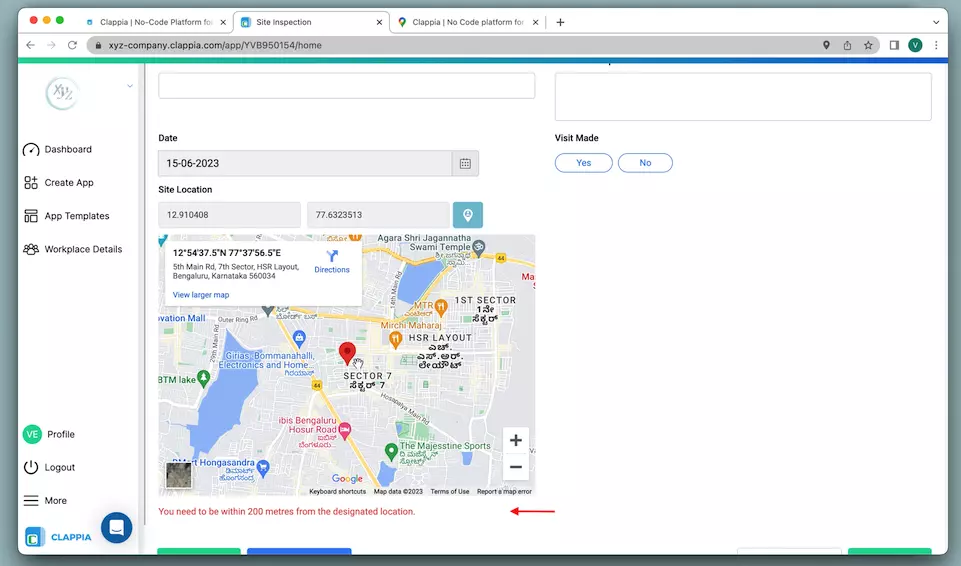

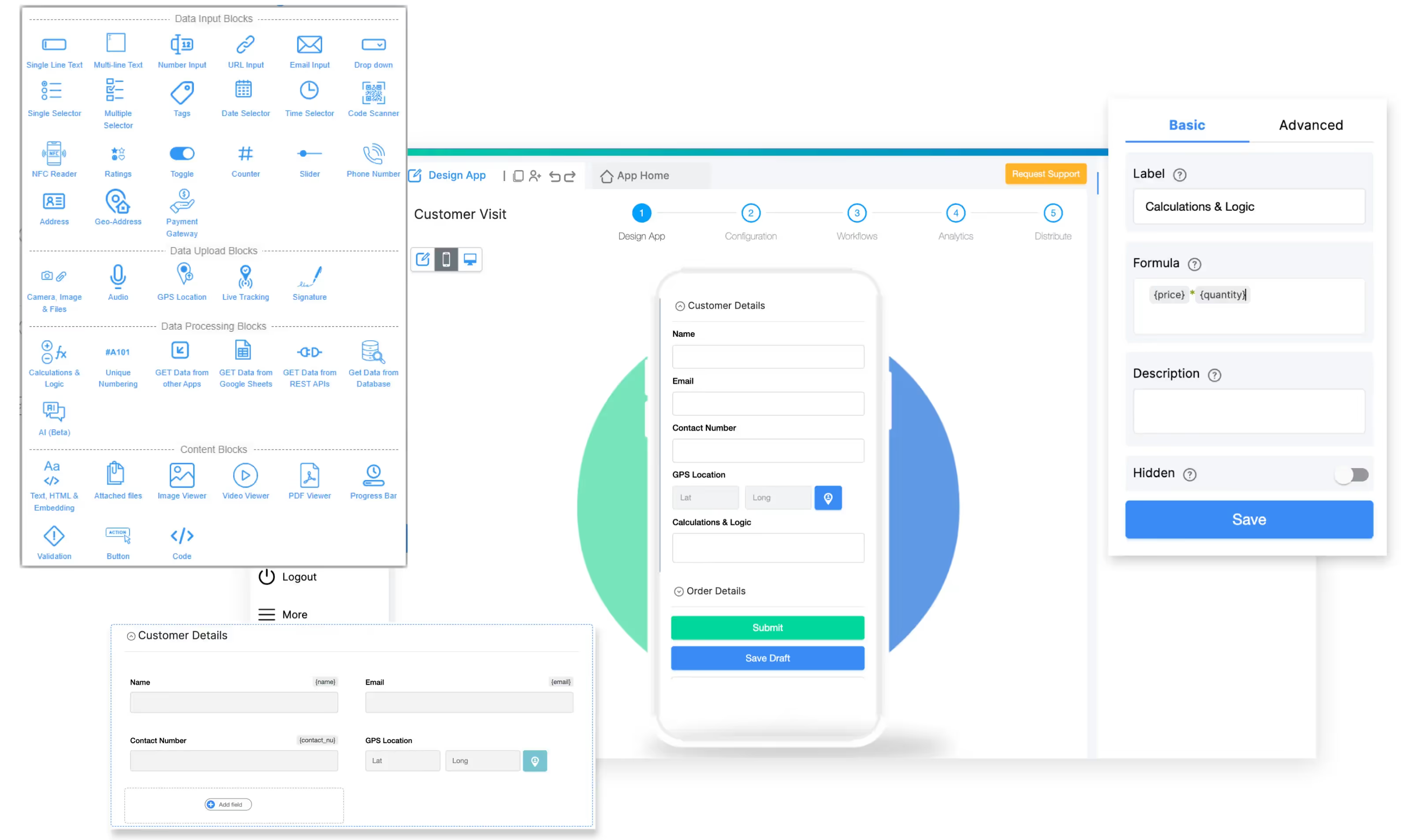
Clappia stands alone as the only no-code platform in this comparison, enabling businesses to build custom field force apps with advanced GPS tracking capabilities without programming knowledge. While competitors force adaptation to rigid templates, Clappia provides building blocks that configure to exact operational requirements.
Key GPS Features:
The GPS location block captures real-time coordinates with configurable geofencing that restricts data capture to designated areas. Businesses define virtual boundaries around work sites, ensuring employees can only submit forms or mark attendance when physically present within these zones. This prevents remote clock-ins and ensures location compliance.
Live tracking provides real-time visibility into field employee movements with route visualization, distance calculation, and time tracking. Managers view interactive maps displaying current locations, paths traveled, and complete movement history.
Attendance Verification Methods:
These methods combine to create multi-factor attendance systems that eliminate buddy punching and ensure accurate time tracking.
AI-Powered Capabilities:
Clappia integrates multiple AI models including OpenAI, Claude, Gemini, Mistral, Grok, and Llama. Field teams can leverage artificial intelligence for:
A field inspector can photograph equipment damage, and the AI block automatically analyzes the image to detect defects, generate repair estimates, and create detailed inspection reports.
Offline Functionality:
The platform ensures productivity continues in areas with poor connectivity. Field workers capture data, complete forms, and mark attendance without internet access. All information automatically syncs when connection restores, preventing data loss and maintaining operational continuity. This capability proves essential for construction sites, rural service areas, and underground facilities.
Workflow Automation:
Trigger actions based on GPS events and attendance data. When employees check in at customer locations, systems can automatically send client notifications via WhatsApp, update CRM records, generate task assignments, and alert supervisors through Slack integration.
Pricing Structure:
The permanent free plan supports unlimited apps, up to 100 users, and 400 monthly submissions. This allows complete platform evaluation without financial commitment. Features include live tracking, 20 WhatsApp and SMS messages monthly, 1000 API calls, and AI usage credits.
The Starter Plan begins at $6 per user monthly, providing increased submission limits, unlimited PDF configurations, priority support, and white-labeled mobile apps. View detailed pricing.
Strengths:
Limitations:
Rating: 4.5/5 | Starting Price: $8/user/month | Best For: Teams with heavy travel requirements
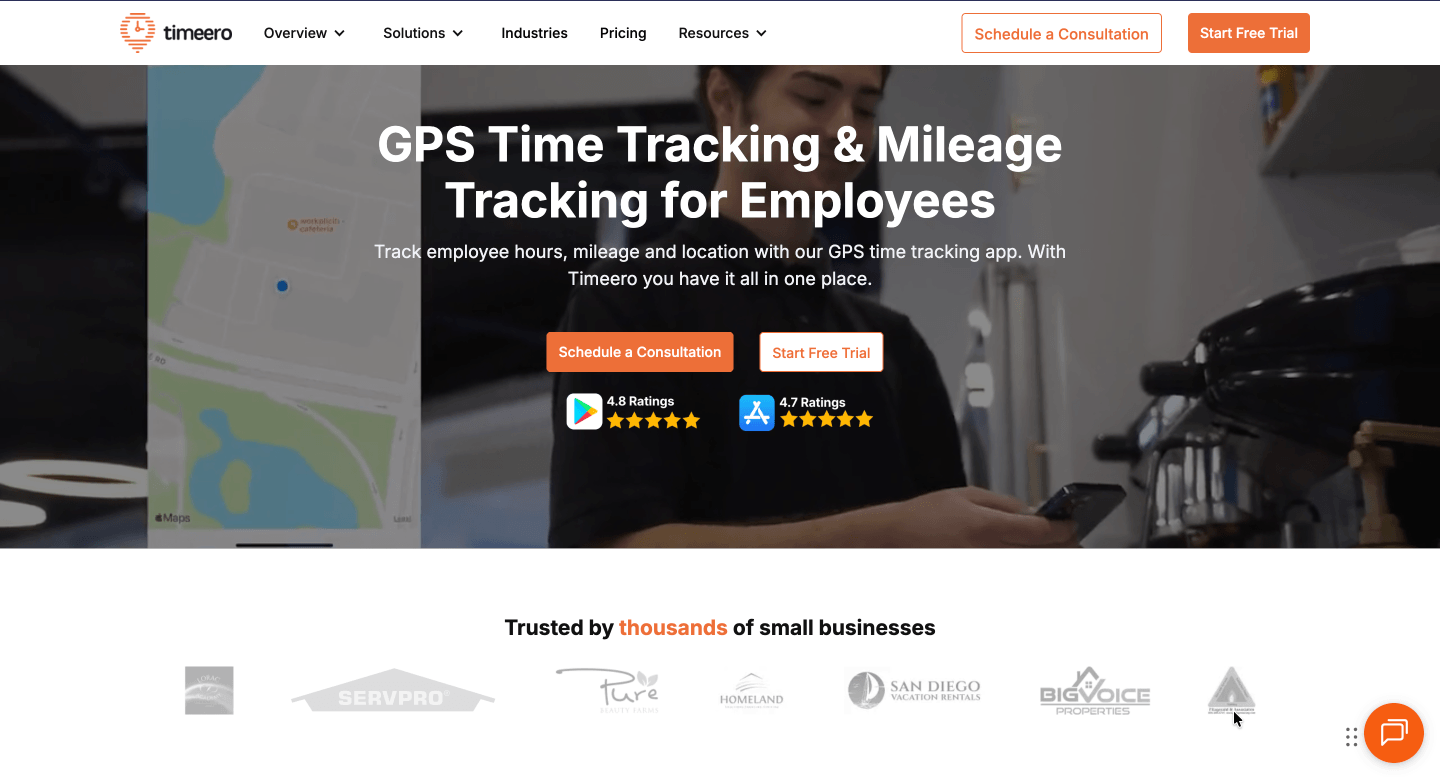
Timeero specializes in GPS time tracking with breadcrumb trail technology that captures detailed location histories displaying exact routes traveled throughout shifts. This granular data supports mileage reimbursement accuracy, helps identify route inefficiencies, and provides audit documentation.
Core Capabilities:
Breadcrumb tracking records continuous location points rather than simple check-in coordinates, creating visual route maps showing complete paths traveled. Geofencing prevents off-site clock-ins by restricting time entries to designated work zones. Employees attempting to clock in outside permitted areas receive immediate alerts.
Photo verification adds visual confirmation to GPS data by requiring employees to capture selfies during clock-in. This dual authentication prevents device sharing and confirms the right person is present at the correct location.
Automated mileage calculation tracks distance traveled between locations, generating reimbursement reports without manual odometer readings. The system differentiates personal and business travel, applies appropriate IRS rates, and integrates with payroll systems for seamless processing.
Ideal Use Cases:
Small to mid-sized mobile teams prioritizing GPS accuracy and mileage tracking without requiring extensive customization. The platform suits delivery operations, service technicians, and sales representatives managing multiple daily appointments.
Rating: 4/5 | Starting Price: $7/user/month | Best For: Companies managing field and office employees
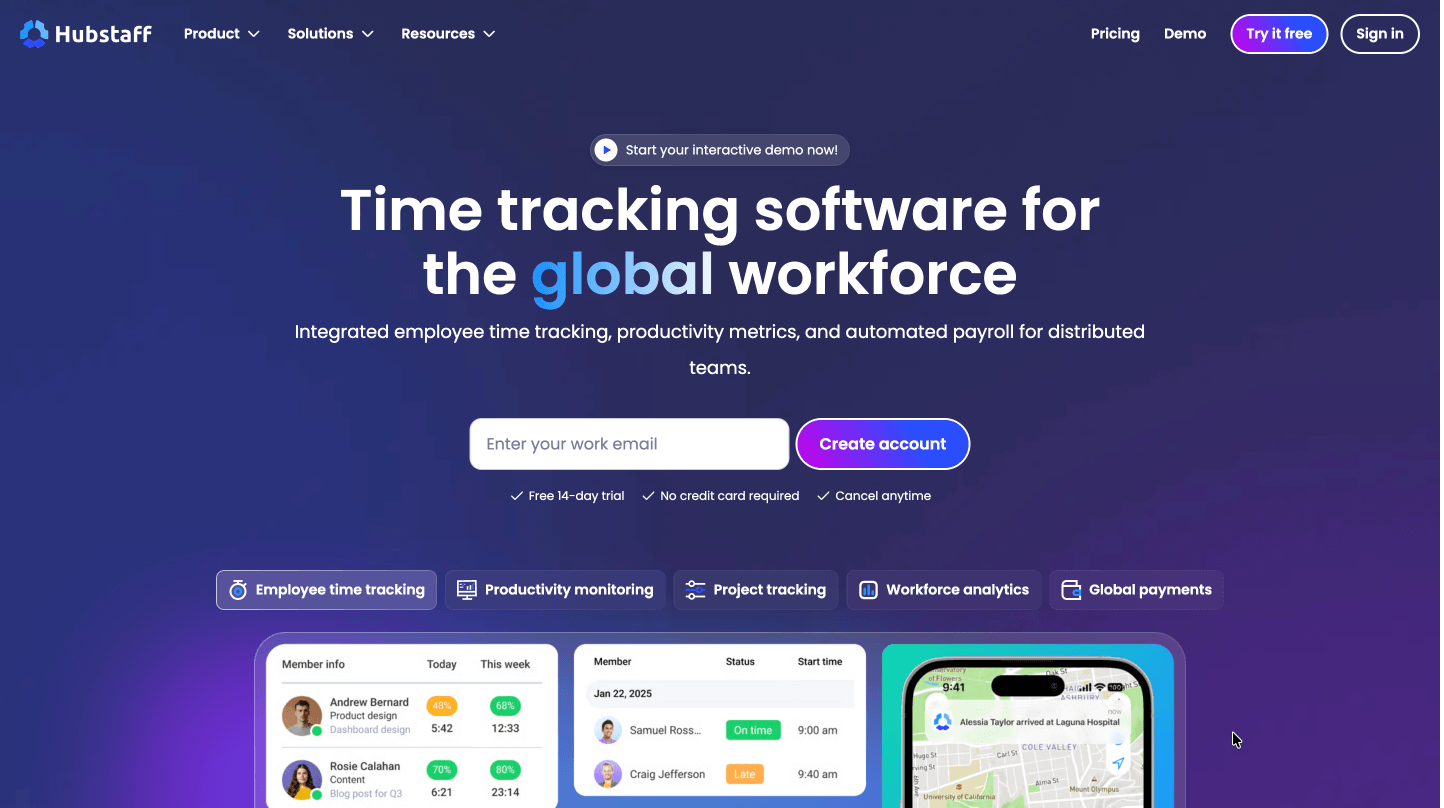
Hubstaff combines GPS tracking for field teams with productivity monitoring for office workers in a unified platform. Real-time GPS tracking displays employee locations during work hours with configurable update frequencies. Managers view live maps showing field team positions, enabling dynamic task assignment.
Key Features:
Geofencing creates location-based automation triggers. When employees enter predefined zones, the system automatically starts timers, sends notifications, or triggers workflow actions. This reduces manual clock-in requirements while ensuring accurate time capture.
Productivity monitoring extends beyond location tracking to include activity levels, screenshot capture, and application usage tracking. While valuable for office staff, these capabilities provide less relevance for purely field-based teams focused primarily on location verification.
The integration ecosystem connects Hubstaff with project management platforms, payroll systems, and accounting software. This interoperability supports comprehensive business process automation across departments.
Pricing Tiers:
Plans range from $7 per user monthly for basic time tracking to $20+ for advanced features. The platform suits businesses managing hybrid workforces requiring both field GPS tracking and office productivity monitoring.
Rating: 4/5 | Starting Price: $8/user/month + $20 base fee | Best For: Existing QuickBooks customers
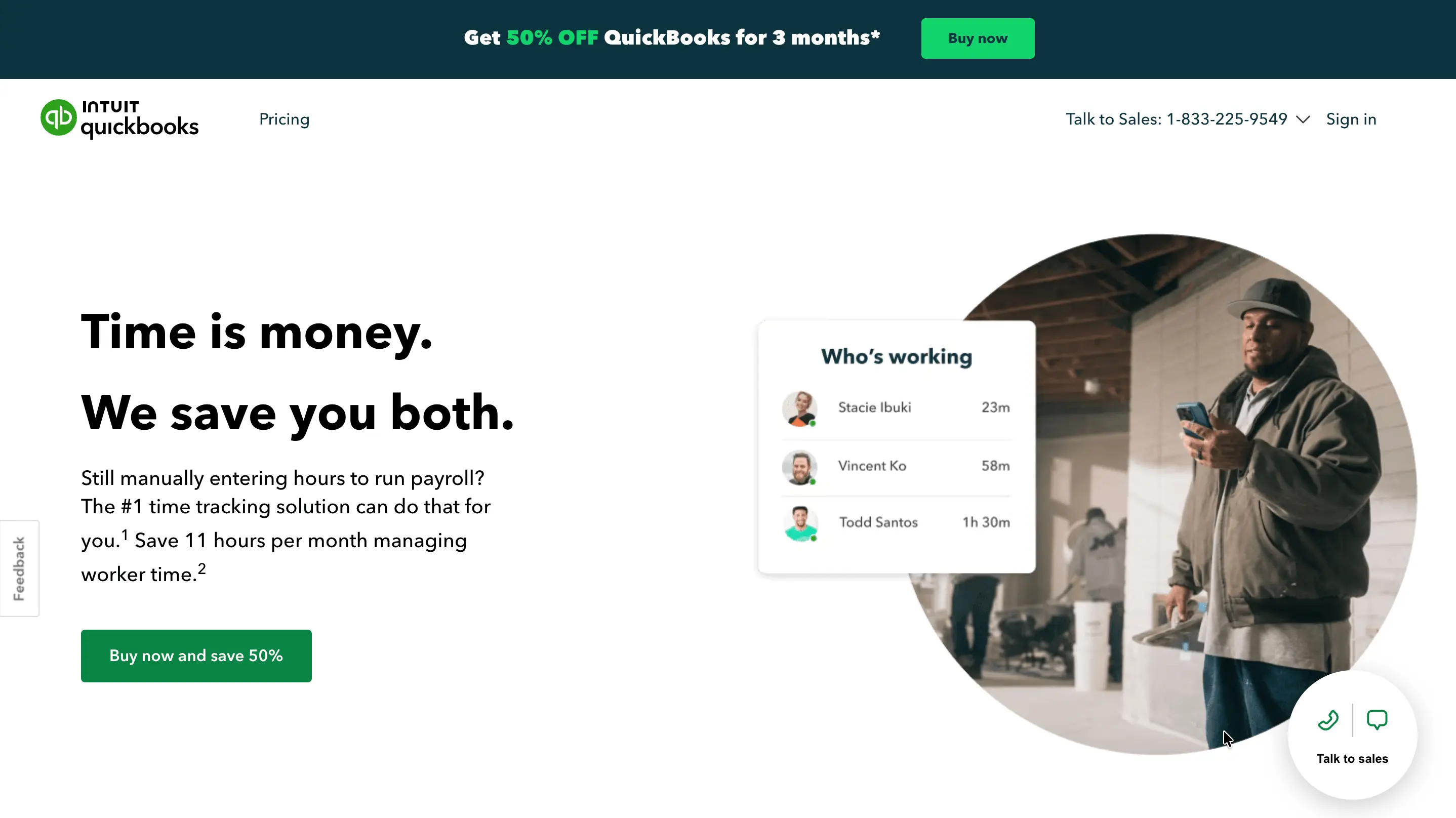
QuickBooks Time delivers GPS tracking integrated seamlessly with QuickBooks accounting and payroll systems. GPS location capture records coordinates during clock-in events, providing managers with attendance verification. Geofencing restricts clock-ins to designated job sites, preventing employees from starting time entries before arriving at work locations.
Integration Advantage:
Native QuickBooks integration eliminates double-entry between time tracking and payroll systems. Approved hours flow directly into payroll processing with associated location data, supporting labor cost tracking by job site. This seamless workflow proves valuable for businesses already invested in the QuickBooks ecosystem.
Considerations:
The platform provides less sophisticated GPS capabilities than dedicated tracking platforms but meets basic location confirmation needs for most field operations. Monthly base fees add to overall costs compared to per-user-only pricing models.
Rating: 4/5 | Starting Price: Custom quote | Best For: Field sales and territory-based operations
Hellotracks emphasizes geographic workforce coordination with advanced territory management and route optimization. Real-time location tracking displays field team positions on interactive maps with customizable update intervals. Managers assign territories to employees, monitor coverage patterns, and receive alerts when team members enter or exit designated zones.
Territory Management Tools:
The platform visualizes employee assignments geographically, helping businesses optimize coverage and minimize travel time. The system identifies gaps in territory coverage and recommends adjustments based on actual movement patterns.
Route optimization generates efficient paths between multiple stops, reducing fuel costs and increasing daily capacity. Historical tracking provides complete movement records for compliance documentation, performance analysis, and route improvement identification.
Target Users:
Field sales organizations and service companies prioritizing territory coverage optimization alongside basic GPS tracking capabilities.
Rating: 3.5/5 | Starting Price: Custom quote | Best For: Established field service companies
Field Force Tracker provides comprehensive field service management with GPS tracking integrated into broader operational capabilities. GPS location tracking monitors field technician positions during work hours with historical route playback for verification.
Complete Feature Set:
The mobile app equips technicians with complete job information, customer details, and service history accessible in the field. GPS integration confirms technicians arrived at scheduled locations and provides location-stamped service documentation.
Job management features extend beyond simple tracking to include work order creation, parts inventory management, and on-site payment collection. Customer portal capabilities allow clients to track technician locations in real-time, improving communication and reducing inquiry volume.
When to Choose:
The platform works best for established field service companies requiring extensive operational capabilities alongside GPS tracking. Custom pricing models and longer implementation timelines make this solution more suitable for mature organizations than startups or small teams.
| Feature | Clappia | Timeero | Hubstaff | QB Time | Hellotracks | FF Tracker |
|---|---|---|---|---|---|---|
| Free Plan | Yes (unlimited apps) | No | No | No | No | No |
| Starting Price | $6/user/month | $8/user/month | $7/user/month | $8/user + $20 base | Custom quote | Custom quote |
| Offline GPS | Full offline capability | Basic offline | Limited offline | Limited offline | Limited offline | Basic offline |
| Geofencing | Advanced multi-zone | Yes | Yes | Yes | Yes | Yes |
| AI Capabilities | Multi-LLM integration | None | None | None | None | None |
| Customization | Complete no-code | Limited | Limited | Limited | Moderate | Moderate |
| Mileage Tracking | Yes | Advanced breadcrumbs | Yes | Basic | Yes | Yes |
| Mobile Apps | iOS, Android, Web | iOS, Android | iOS, Android | iOS, Android | iOS, Android | iOS, Android |
| Best For | Custom workflows | Mileage-heavy teams | Hybrid workforces | QuickBooks users | Territory management | Full field service |
When evaluating field force apps with GPS tracking, prioritize these critical capabilities:
Geofencing Accuracy: Advanced geofencing supports multiple fence types including circular zones around points and polygon shapes matching irregular property boundaries. The system should trigger reliably when employees enter or exit zones without excessive battery drain. Look for platforms supporting multiple geofences per employee with configurable trigger distances.
Offline GPS Functionality: Field teams often work in areas with poor cellular coverage. Apps must capture GPS coordinates offline with automatic synchronization when connectivity restores. This prevents attendance gaps and ensures complete location histories. The best solutions provide visual indicators showing sync status and pending uploads.
Battery Optimization: Continuous GPS tracking drains device batteries rapidly. Quality apps optimize location updates based on movement patterns, reducing battery consumption without sacrificing accuracy. Configurable update frequencies allow balancing precision against battery life based on specific operational needs.
Privacy Controls: Location tracking raises privacy concerns requiring transparent policies and consent mechanisms. Apps should restrict tracking to work hours, provide employees with visibility into their own location data, and comply with regional privacy regulations including GDPR. Clear communication about tracking purposes and data usage builds trust with field teams.
Integration Capabilities: GPS data becomes more valuable when integrated with existing business systems. REST API access enables custom integrations with payroll platforms, project management tools, accounting software, and CRM systems. Pre-built connectors simplify common integrations while APIs support unique requirements.
Reporting and Analytics: Comprehensive reporting transforms raw GPS data into actionable insights. Essential reports include:
Export capabilities support further analysis in external tools like Excel or business intelligence platforms.
Selecting the appropriate platform requires evaluating specific operational needs against available capabilities.
Consider Team Size and Growth: Small teams benefit from platforms with low entry costs and simple deployment like Clappia's free plan or Timeero's straightforward pricing. Growing organizations should evaluate scalability without forced migrations to different systems. Large enterprises often require robust solutions handling complex operations across multiple locations.
Evaluate Industry Requirements: Home service contractors find value in industry-specific platforms understanding HVAC, plumbing, and electrical workflows. Organizations in diverse industries benefit from flexible platforms like Clappia that adapt to unique requirements without rigid industry assumptions.
Assess Customization Needs: Standard processes fit template-based platforms well, but unique workflows demand customization capabilities. Clappia's no-code approach enables businesses to build exactly what they need without compromise or expensive custom development from IT teams.
Calculate Total Cost of Ownership: Software costs extend beyond subscription fees to include implementation expenses, training time, customization work, and ongoing support. Platforms with generous free tiers like Clappia allow thorough evaluation before financial commitment. Calculate costs over 3-5 years rather than focusing solely on monthly subscription rates.
Test in Real Conditions: Evaluate platforms through trials focusing on features critical to your operations:
Successful GPS tracking implementation follows these proven steps:
Week 1 - Planning Phase:Define attendance verification requirements clearly. Identify all geofencing locations with accurate coordinates. List integration needs with existing systems. Set realistic budget parameters including implementation costs.
Week 2 - Testing Phase:Sign up for free trials or Clappia's permanent free plan. Build basic GPS attendance applications. Test thoroughly in actual field conditions. Gather feedback from field employees who will use the system daily.
Week 3 - Deployment Phase:Configure geofences for all work locations. Set up attendance verification methods. Create automated workflows for common processes. Train field employees on mobile apps and procedures.
Week 4 - Optimization Phase:Review GPS accuracy reports for issues. Adjust geofence boundaries based on real-world triggers. Fine-tune automation rules and triggers. Expand to additional use cases beyond basic attendance.
GPS tracking transforms field workforce management from reactive crisis handling to proactive optimization. Location verification eliminates attendance fraud that inflates payroll costs. Real-time monitoring enables dynamic resource allocation improving customer service. Route analytics identify efficiency improvements reducing fuel expenses and travel time.
For most organizations in 2026, Clappia delivers the best combination of flexibility through no-code customization, value with a permanent free plan, innovation via AI integration, and reliability through offline GPS capabilities. The platform scales from startups to enterprises without forcing migration to different systems.
Start building your custom GPS tracking app today with Clappia's free plan. No credit card required, no time limits, unlimited apps.
 Get Started – It’s Free
L374, 1st Floor, 5th Main Rd, Sector 6, HSR Layout, Bengaluru, Karnataka 560102, India
3500 S DuPont Hwy, Dover,
Kent 19901, Delaware, USA


.svg)




3500 S DuPont Hwy, Dover,
Kent 19901, Delaware, USA
L374, 1st Floor, 5th Main Rd, Sector 6, HSR Layout, Bengaluru, Karnataka 560102, India




.avif)