TL;DR:
A role-based access control form ties every permission - view, edit, approve, export - to a person's role instead of their name. Define roles once, assign users to them, and access updates automatically as your team changes. Platforms like Clappia let you configure RBAC on a form without writing code, using teams, section-level display rules, and approval workflows.
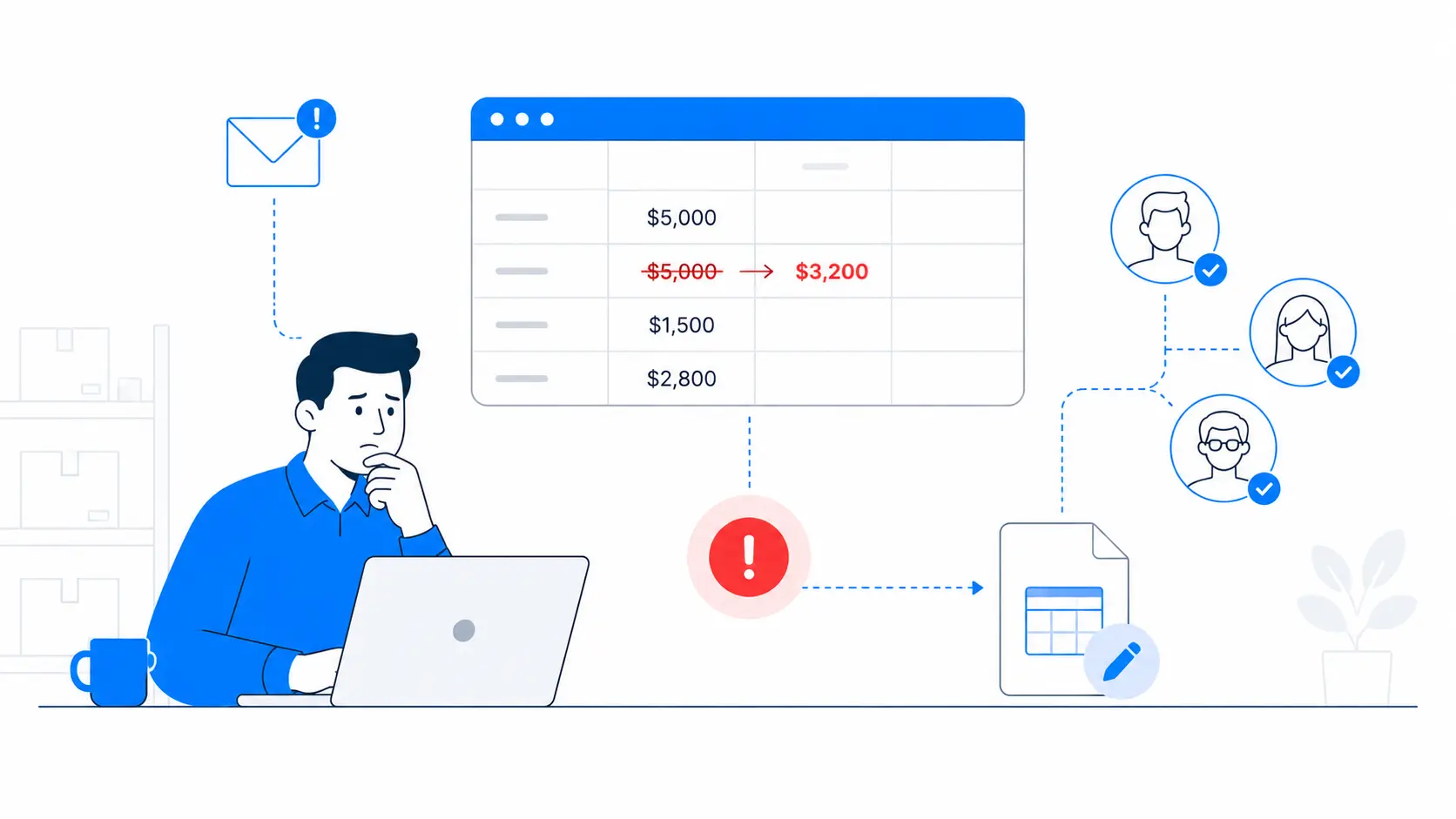
Your warehouse supervisor emails about an unexpected issue. A junior data entry clerk edited a submitted purchase order, changed the approved amount, and no one noticed for a week. Nothing was malicious. The clerk simply had edit permissions they were never supposed to have. In a shared spreadsheet or a basic form tool, everyone with access can often change the same data, and that's exactly how costly mistakes slip through unnoticed.
This guide shows you how to fix that with a role-based access control form: one where permissions follow the job, not the individual. You will see what RBAC actually means, why open-access forms cost you more than you think, which capabilities you need, and how to configure the whole thing in Clappia without a developer.
At a glance - five RBAC checks for any form:
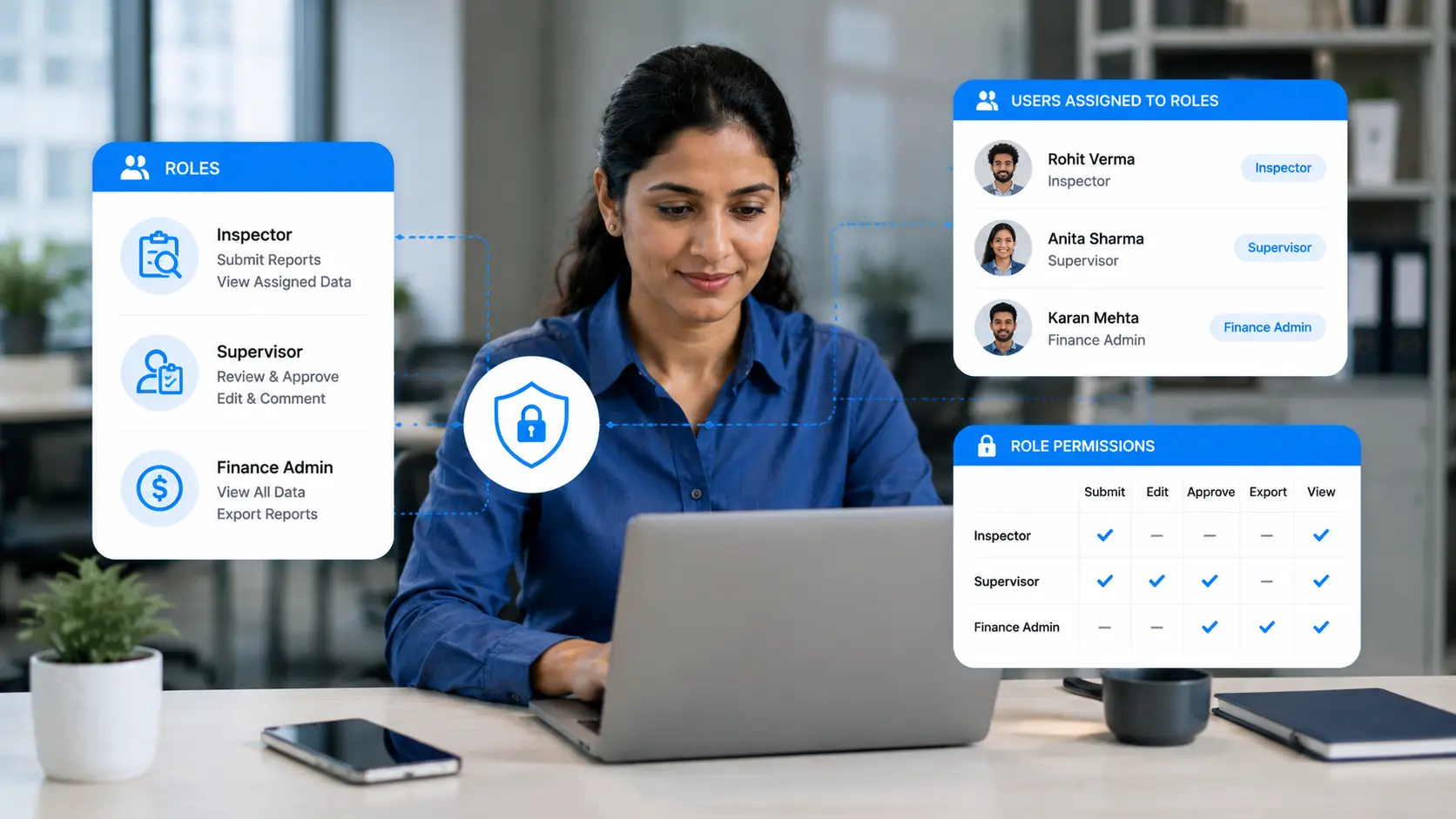
A role-based access control (RBAC) form restricts what each user can do based on the role assigned to them, rather than granting blanket access to everyone with the link. Instead of setting permissions person by person, you create roles - "Inspector," "Supervisor," "Finance Admin" - attach a defined set of rights to each, and then drop users into the right role.
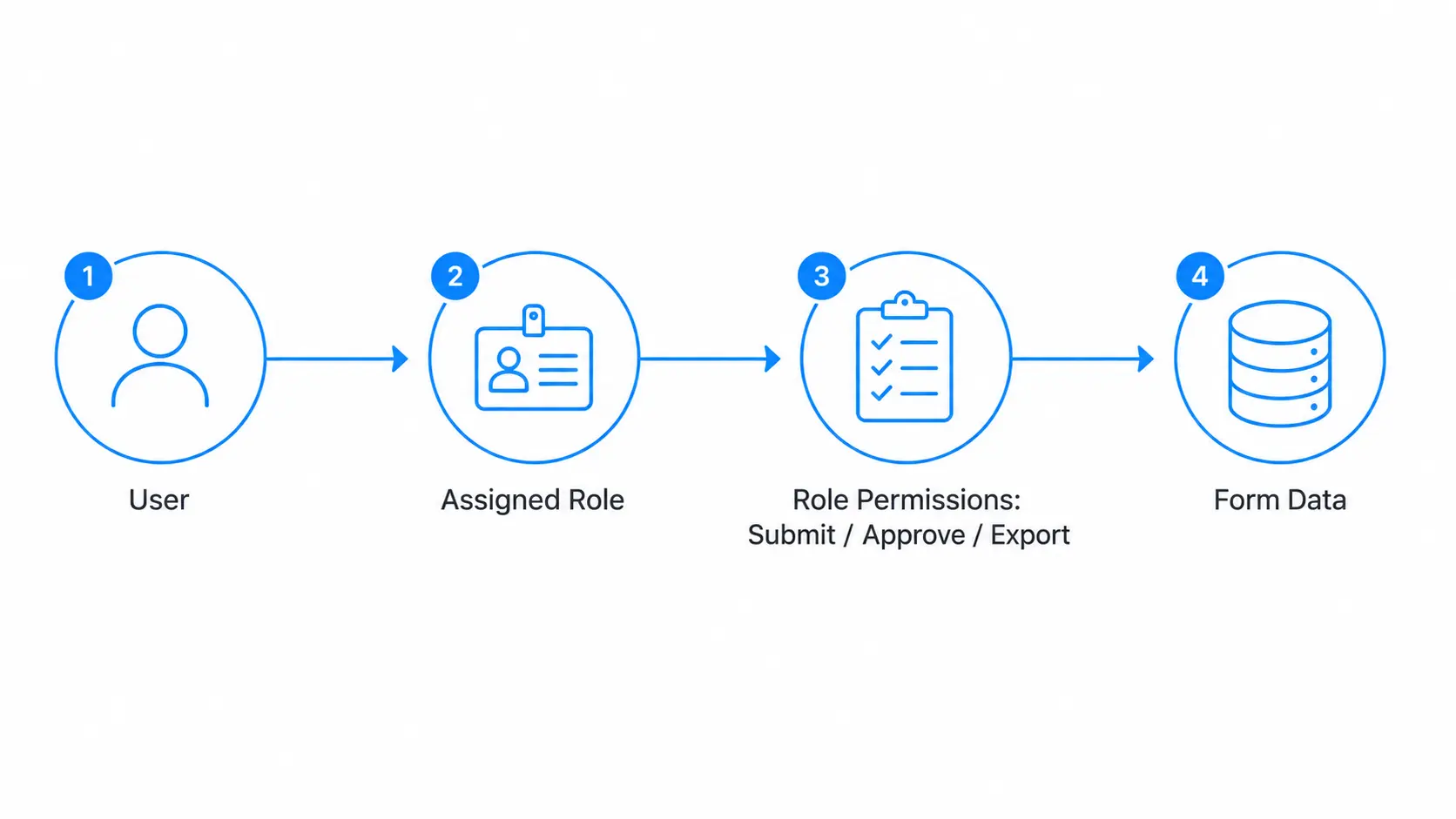
According to the model formalized by the U.S. National Institute of Standards and Technology (NIST), RBAC works through three relationships: users are assigned to roles, roles are granted permissions, and users acquire permissions only through their roles. That intermediary layer of roles is the whole point. When a new hire joins, you assign a role and they inherit the correct access instantly. When someone leaves or moves teams, you change one role assignment instead of hunting through dozens of individual settings.
The transformation is simple to picture. Before RBAC: one form, one link, everyone can view and edit every response. After RBAC: field staff submit but cannot see others' data, supervisors review and approve, and finance exports the final records - all from the same app, each seeing only their slice.
Forms where everyone can see and edit everything feel convenient on day one. The bill arrives later, and it shows up in two forms: data you cannot trust and exposure you cannot defend.
Every person with edit rights is a potential source of accidental change. When a submitted record can be altered by anyone, your data stops being a reliable record and becomes a moving target. Reconciling "which version is correct" burns hours that should never have been spent. Worse, over-broad access is a compliance liability: privacy frameworks such as GDPR expect you to limit personal data to those who genuinely need it, a principle you cannot demonstrate when access is wide open. Our data security guide covers why least-privilege access is a baseline expectation, not a nice-to-have.
Approvals break first. If anyone can mark a record "approved," the approval means nothing. Audit trails break next: when everyone shares one login or one open link, you cannot say who changed what. And separation of duties collapses - the same person can create, approve, and export a payment, which is the classic setup for both error and fraud. Security bodies consistently point to the principle of least privilege as the antidote: give each person the minimum access their task requires, and no more.
You do not need an enterprise identity suite to enforce role-based access on a form. You need a handful of specific, configurable controls.
Teams and user roles
The foundation is the ability to group users into roles and control access at that level. Clappia's access control lets you add users to an app and organize them into teams, so permissions attach to the team, not the individual.
App and workplace permissions
Access should be layered: who can enter the workplace, and who can do what inside a given app. Clappia separates workplace-level permissions from app-level roles so an outside contractor never sees apps meant for internal staff.
Field and section-level visibility
True least privilege means hiding data, not just locking edits. With conditional section display, you can show a "Manager Notes" or "Salary" section only to the roles that should see it, keeping sensitive fields invisible to everyone else on the same form.
Approval routing
Approvals are where roles earn their keep. An approval workflow routes a submission to whoever holds the approver role, so review coverage never depends on one named person being at their desk. See how this plays out in invoice processing with approvals.
Controlled edits after submission
Locking records post-submission is essential for a trustworthy log. Clappia's edit-submission control lets only authorized roles amend a record after it is filed, so a submitted inspection or order cannot be quietly rewritten.
Signatures and identity capture
For sign-offs that carry weight, a signature block captures who approved and when, adding a layer of accountability that a checkbox cannot.
Notifications to the right role
When a record needs a decision, the right role should hear about it - via email, mobile push, Slack, or WhatsApp - so approvals do not stall in an inbox no one is watching.
The order matters: define your roles before you build, so every field and workflow you add has a clear owner.
A manufacturing company gives inspectors access to a quality inspection app on their phones. They can complete inspections even without an internet connection, and their submissions sync automatically once they're back online. Inspectors can only view and edit their own inspection forms, while supervisors can review every submission, approve or reject inspections, and add comments. If an inspection fails, the system automatically generates a PDF report and sends it to the plant manager through WhatsApp and a Slack channel. Because edit permissions are restricted by role, inspectors cannot modify a rejected inspection after it has been reviewed, creating a clear audit trail for every quality check.
An organisation manages supplier onboarding with a role based workflow. Procurement teams submit new vendor requests, finance teams review banking and tax information that is hidden from other departments, and department heads provide the final approval. Each user only sees the sections relevant to their responsibilities, reducing the risk of accidental data exposure. Once approved, the app automatically emails a summary to the requester and posts a notification in Slack. If an employee changes roles or leaves the company, administrators simply update the user's assigned role without changing permissions across the application, making access management much easier.
The savings are real even when they are hard to invoice. You reclaim the hours currently lost to reconciling conflicting edits and chasing "who changed this." You shrink the risk of a costly data-exposure incident by ensuring personal or financial fields are visible only to authorized roles - the least-privilege posture regulators expect. And you cut onboarding and offboarding friction to a single role change instead of a manual permissions sweep. For teams handling personal data under frameworks like GDPR, that defensibility alone can outweigh the entire cost of the tooling.
Per-person permissions assign rights directly to individuals, which becomes unmanageable as teams grow and drifts out of date the moment someone changes jobs. RBAC inserts a role layer: you grant permissions to roles once and assign people to roles. Access stays consistent, and updating one role updates everyone in it.
Yes. In Clappia you configure roles through teams, set app and workplace permissions, hide sections by role with conditional display, and route approvals - all through a visual builder. No code is required to enforce who can submit, view, edit, approve, or export.
RBAC grants access based on a user's role, which is simple to manage and scales well for clearly defined jobs. ABAC decides access using attributes like department, location, or time of day, offering finer control at the cost of more complexity. Many teams start with RBAC and add attribute-style rules only where they truly need them.
It should, and a good implementation does. When each user acts under their own identity and role, every submission and edit can be logged with a timestamp and username. That log is what lets you reconstruct events during an audit or investigation, which is impossible when everyone shares one open link.
It is the security rule that each user should have only the access their task requires, and nothing more. RBAC is one of the most practical ways to enforce it: by mapping tight permission sets to roles, you avoid handing out broad access that increases the risk of accidental changes and data exposure.
A role-based access control form ties permissions to roles rather than individuals, so access stays correct as your team changes and every action is attributable.
If you have been running critical processes on open forms or shared spreadsheets, you already know the cost: uncertain data, stalled approvals, and access no one can fully account for. Role-based access control closes that gap without adding a development team to your headcount.
Start by mapping your roles and the rights each one needs, then build the form around that matrix - submit, review, approve, export - each locked to the people who own it. Route approvals and notifications to Gmail, WhatsApp, or Slack so decisions never stall, and turn on timestamped logs so every action has an owner.
You can build the whole thing yourself and have it running with your real teams today. Sign up and start building for free.
 Get Started – It’s Free
L374, 1st Floor, 5th Main Rd, Sector 6, HSR Layout, Bengaluru, Karnataka 560102, India
3500 S DuPont Hwy, Dover,
Kent 19901, Delaware, USA


.svg)




3500 S DuPont Hwy, Dover,
Kent 19901, Delaware, USA
L374, 1st Floor, 5th Main Rd, Sector 6, HSR Layout, Bengaluru, Karnataka 560102, India
.avif)

.jpg)
.jpg)