What if a single no-code platform could handle your stock counts, dispatch your field crew, and surface live KPIs to leadership, all without writing a line of code?
That is the promise behind the new wave of no-code operations management tools. Most operations teams still run on a patchwork of spreadsheets for inventory, group chats for task assignments, and exported reports for weekly reviews. The result is data silos, manual entry, and decisions based on yesterday's numbers.
A no-code operations management platform pulls these three jobs into one place. You build the inventory database, the task workflows, and the dashboards visually, then ship the same app to your warehouse staff, your field force, and your operations head, all on the same data layer.
Below are 10 platforms worth shortlisting in 2026, with clear notes on where each one shines, where it falls short, and which type of operations team it fits best.
Before the list, here is the short checklist we used to rank these tools. A platform that can genuinely replace your spreadsheets and one-off tools should handle all of the following:
If a tool only covers one of inventory, tasks, or dashboards, you will still end up stitching apps together. That defeats the purpose.
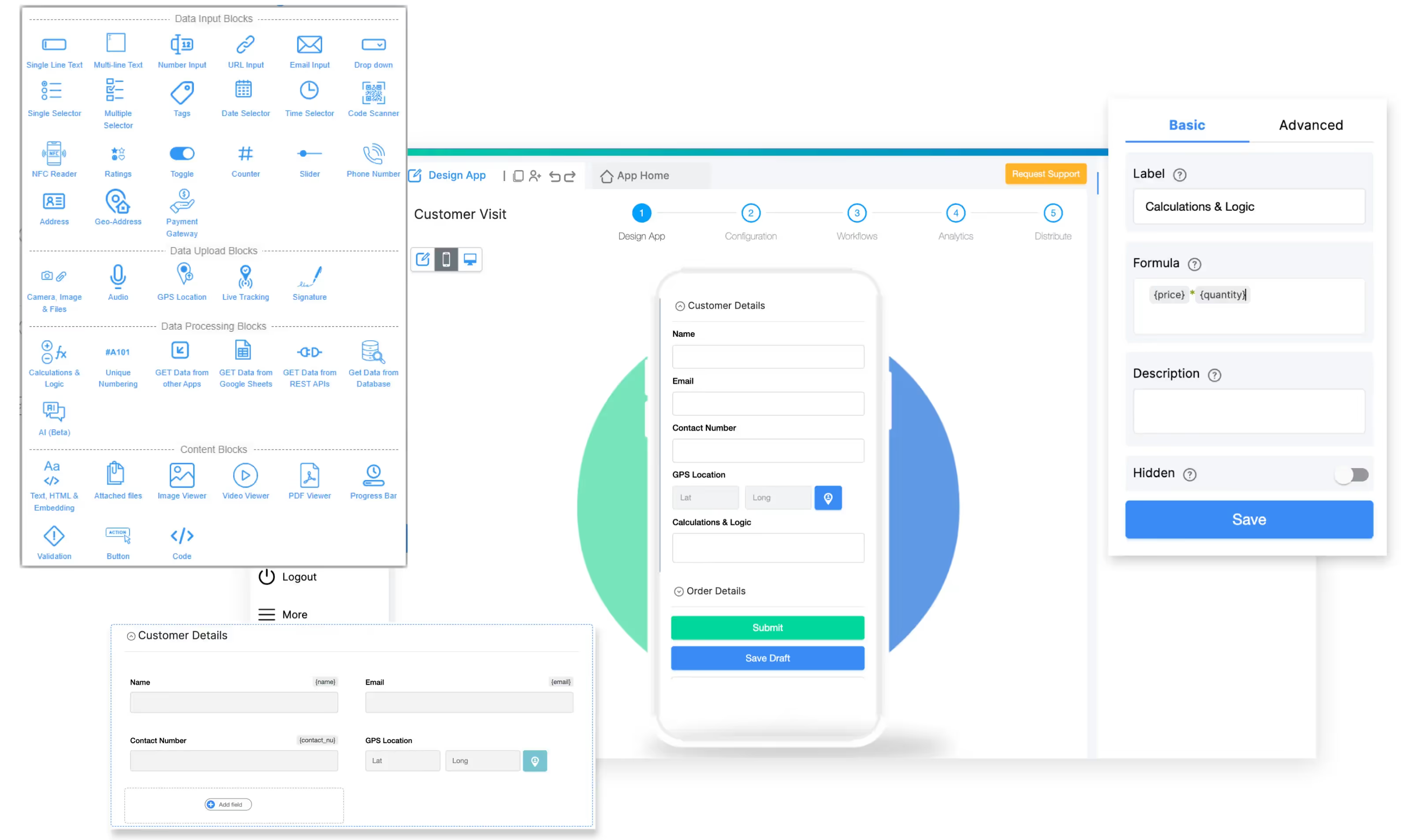
Clappia is an AI-powered no-code platform built specifically for operations teams in logistics, manufacturing, field services, and similar industries. Instead of relying on disconnected spreadsheets, manual approvals, and separate tracking tools, teams can build mobile-first operational apps connected through workflows, dashboards, and automations.
Unlike tools that focus on either spreadsheets or internal admin panels, Clappia treats the warehouse, the field, and the office as one connected system. A field rep submits a delivery confirmation on a mobile phone, a workflow updates inventory in another app, an approval routes to the supervisor, and the dashboard refreshes in real time.
Why it stands out for operations teams:
Real use cases: Clappia is used to build inventory management apps, GPS-based attendance, field force management, employee onboarding checklists, delivery tracking, loan collection, factory inspections, and vehicle inspections, to name just a handful.
Pricing: The free plan supports unlimited apps for any business use case, up to 100 users, mobile apps, live tracking, and 400 submissions a month. That is not a trial; it is a permanent free tier, so teams can prototype an entire inventory, task, and dashboard system before paying. Paid plans start at $6 per user per month and reduce to $2.81 per user per month at scale.
Best for: Operations managers in logistics, manufacturing, and field-heavy industries who need inventory + workforce + dashboards in one mobile-first system, with strong offline support and AI built in. You can start building without a credit card.

Airtable is the spreadsheet-database hybrid that put no-code on the operations map. Records, fields, and linked tables feel familiar to anyone who has lived inside Excel, so non-technical operations leads adopt it quickly.
For inventory, Airtable shines when your stock list, your suppliers, and your purchase orders relate to each other and you want kanban, gallery, and calendar views on top. Bases like "Inventory", "Vendors", and "Orders" link cleanly, and the Interface Designer adds simple dashboards.
Where it works: Lightweight inventory tracking, content operations, project management, and shared data tables across teams.
Where it falls short: Mobile-first field work is not Airtable's strength. There is no native GPS, geofencing, or barcode scanning at the depth of a dedicated operations builder. Reports are limited compared with proper dashboards, and per-seat pricing climbs quickly when you add deskless workers. For a deeper feature gap analysis, see Clappia's writeup on Airtable alternatives.
Best for: Small-to-mid teams that live in spreadsheets and need richer views without mobile workforce demands.
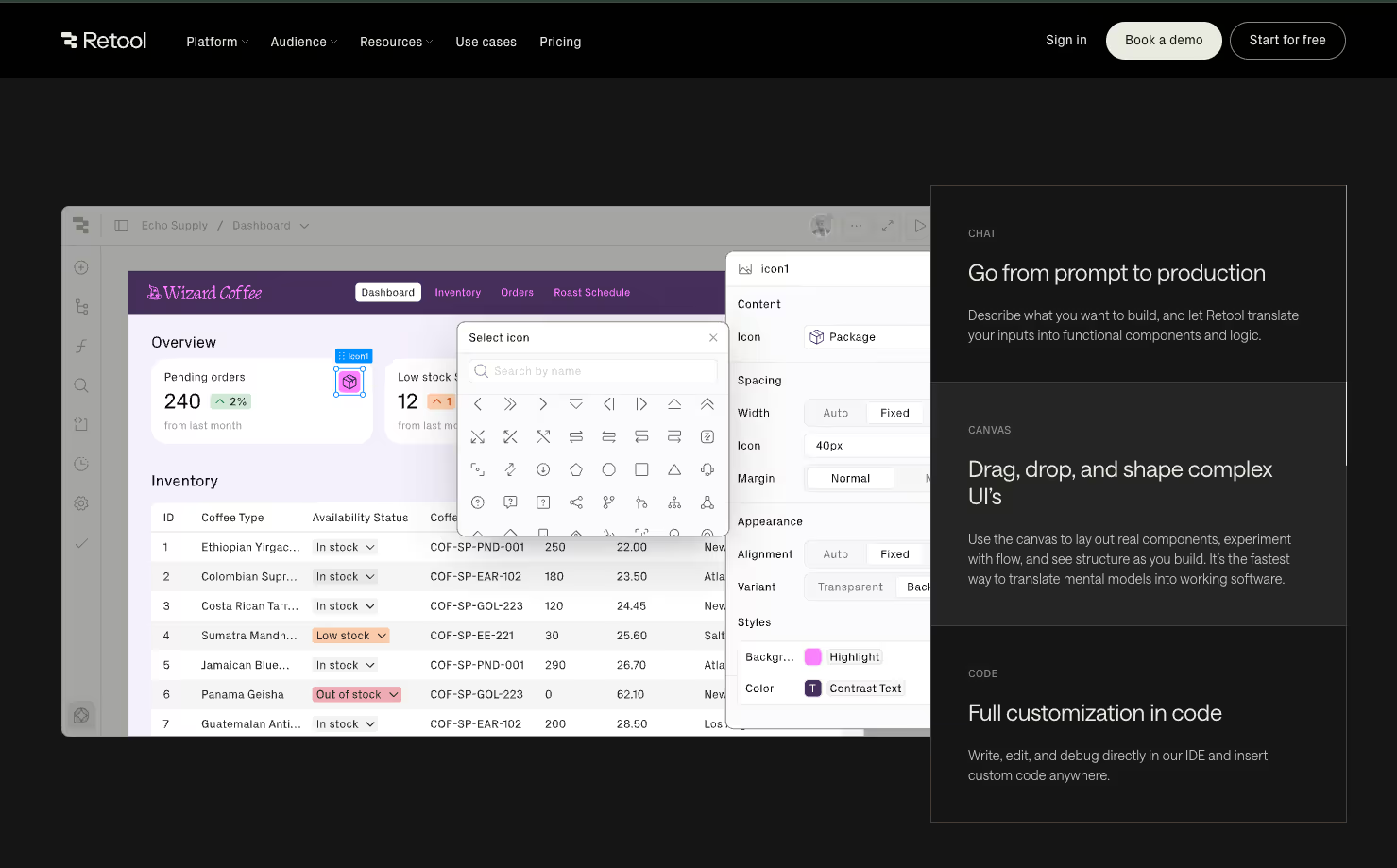
Retool is built for engineering and ops-engineering teams who want to ship internal tools fast. Drag prebuilt components like tables, charts, and forms onto a canvas, then bind them to PostgreSQL, MongoDB, REST APIs, or SaaS data sources with SQL or JavaScript.
For inventory dashboards and admin panels, Retool is extremely flexible. You can pull live counts from your warehouse database, expose action buttons that update records, and build approval queues in an afternoon.
Where it works: Internal admin panels, BI-style dashboards, and CRUD tools for engineering-heavy operations teams.
Where it falls short: Retool is low-code, not no-code. Non-technical operations managers often hit a wall once edge cases need JavaScript. Pricing is also worth a careful read since both builders and end users are billed, which adds up fast for deskless workforces. Field features like offline mode and geofencing are not native.
Best for: Operations teams with at least one developer who wants to wire dashboards directly to a SQL warehouse.

Power Apps is Microsoft's low-code platform and the default choice for organisations already running Microsoft 365. You build canvas apps with full design control or model-driven apps that sit on Dataverse, with deep ties to Teams, SharePoint, and Dynamics 365.
For an operations team inside a large Microsoft enterprise, this integration is the main draw. Inventory data can live in Dataverse, dashboards can render in Power BI, and approvals can route through Teams.
Where it works: Enterprise environments where Microsoft licensing is already in place and IT governance is centralised.
Where it falls short: The learning curve is steep for non-technical users. Per-app and per-user licensing layers on top of Microsoft 365 plans can be hard to predict. Mobile-first deskless workflows feel like an afterthought compared with platforms designed for the field. Clappia maintains a side-by-side comparison in its writeup on Power Apps alternatives.
Best for: Large enterprises with deep Microsoft investment and an IT team to own governance.
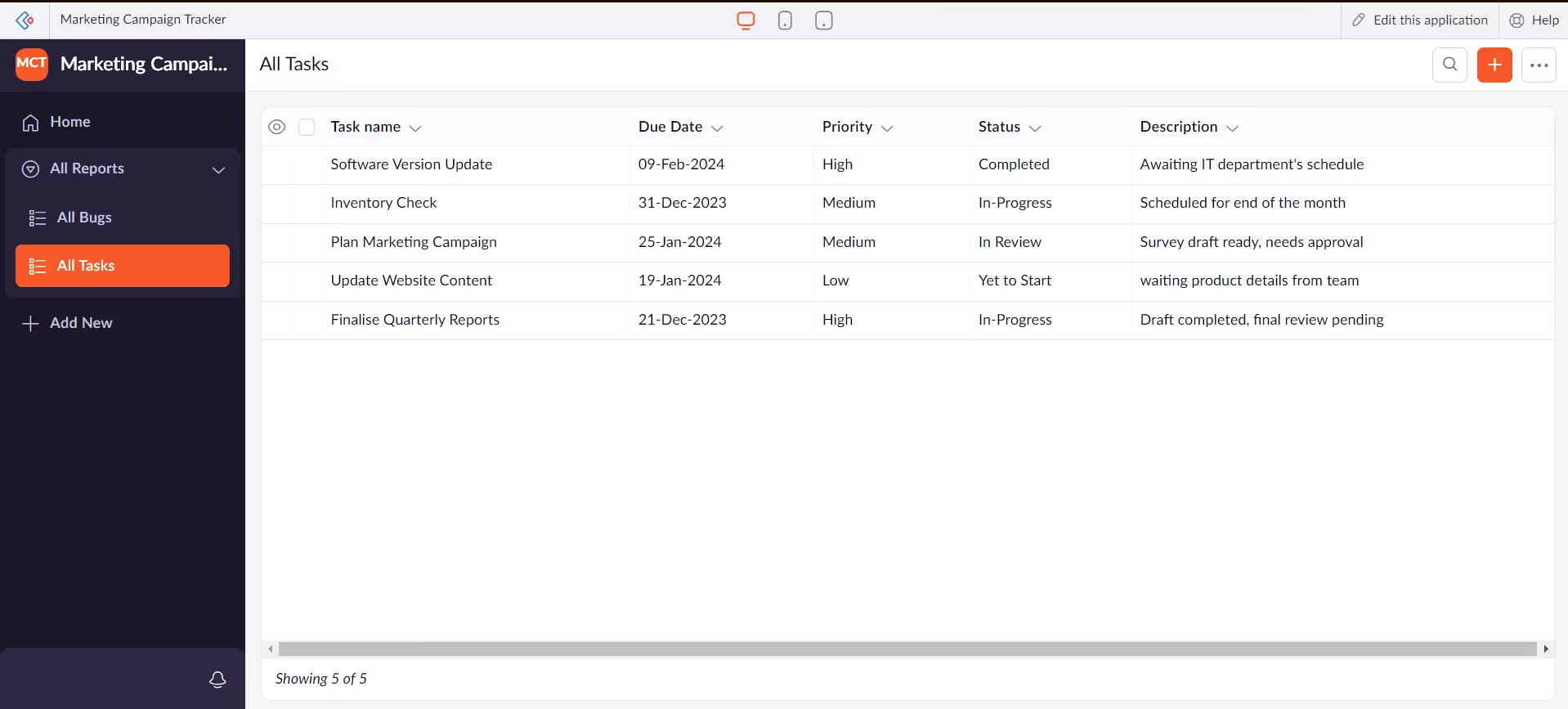
Zoho Creator is the citizen-developer arm of the Zoho ecosystem. It offers drag-and-drop builders, a scripting language (Deluge) for power users, and tight integration with the rest of Zoho (CRM, Books, Inventory, People).
For mid-size businesses already using Zoho, Creator is the natural way to extend the suite with custom inventory, task management, or field service applications without paying for full development.
Where it works: Companies committed to the Zoho ecosystem who want to build custom apps on top of CRM, finance, or HR data.
Where it falls short: Outside the Zoho stack, integrations are less seamless. The interface can feel dated compared with newer no-code builders, and pricing is per-user across all roles, which inflates costs for large deskless workforces. See Zoho Creator alternatives for a deeper comparison.
Best for: SMBs and mid-market firms standardised on Zoho who want one stack for everything.
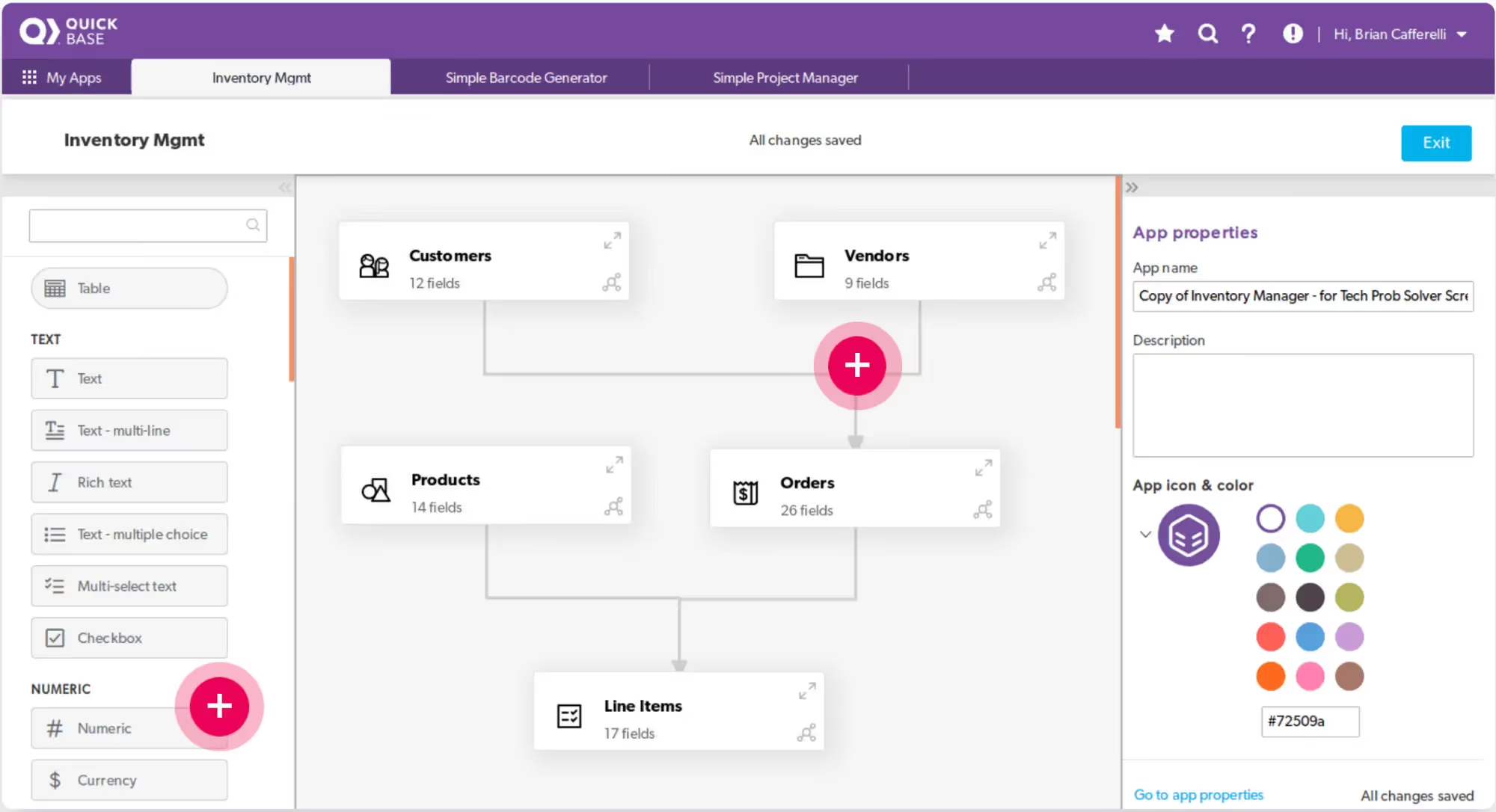
Quickbase is a long-standing low-code platform that targets process-driven operations and project teams. The data model is relational, automations run in the background, and dashboards combine charts, summary reports, and KPIs.
It is a favourite in EPC (engineering, procurement, construction), manufacturing, and field services for tracking projects, assets, and resources together.
Where it works: Mid-to-large operations with formal processes, multiple stakeholders, and a need for audit trails.
Where it falls short: No free tier, only a 30-day trial. Pricing starts at the Team tier (around $35 per user per month) and climbs from there, so it is not ideal for testing ideas at low cost. Mobile and offline capture are usable but not class-leading.
Best for: Established operations teams in regulated industries that need structure over speed.

Glide turns spreadsheets and databases into polished mobile and web apps very fast. The visual builder, KPI cards, and chart components let small operations teams put a dashboard on top of Google Sheets, Excel, or a SQL source in a single afternoon.
Inventory templates, work-order systems, and warehouse dashboards are common starting points.
Where it works: Small teams that already manage data in spreadsheets and want to layer a mobile-friendly app and a basic dashboard on top.
Where it falls short: Once you need complex relational data, deep workflows, or sophisticated approval chains, Glide starts to feel restrictive. Heavy compliance or offline-first warehouse use cases are not its strongest area. For a head-to-head view, see Glide alternatives.
Best for: Lean teams running operations off spreadsheets that need a fast, attractive front end.
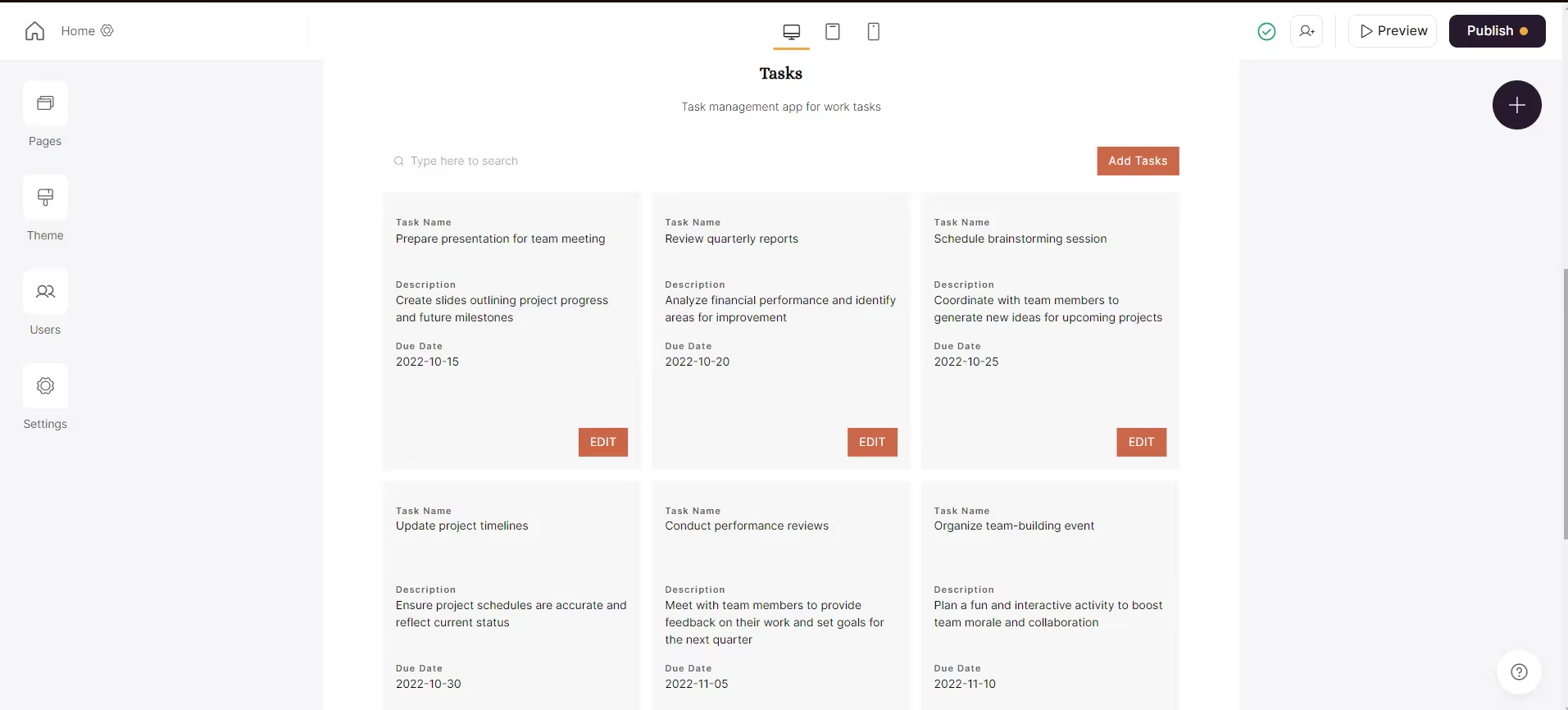
Softr is an AI-native no-code platform that builds business software on top of Airtable, Google Sheets, HubSpot, or its own database. It is popular for client portals, internal tools, and operational dashboards.
You can describe what you want, and Softr's AI Co-Builder assembles the data model, app, and basic logic, which is then refined with point-and-click components.
Where it works: Internal dashboards, client-facing portals, and lightweight operational apps where presentation matters.
Where it falls short: Without an underlying Airtable or external source for heavy data work, Softr leans on its own database, which is still maturing for high-volume operations. Native mobile features like barcode scanning and offline capture are limited.
Best for: Service businesses and agencies that need polished operational dashboards quickly.
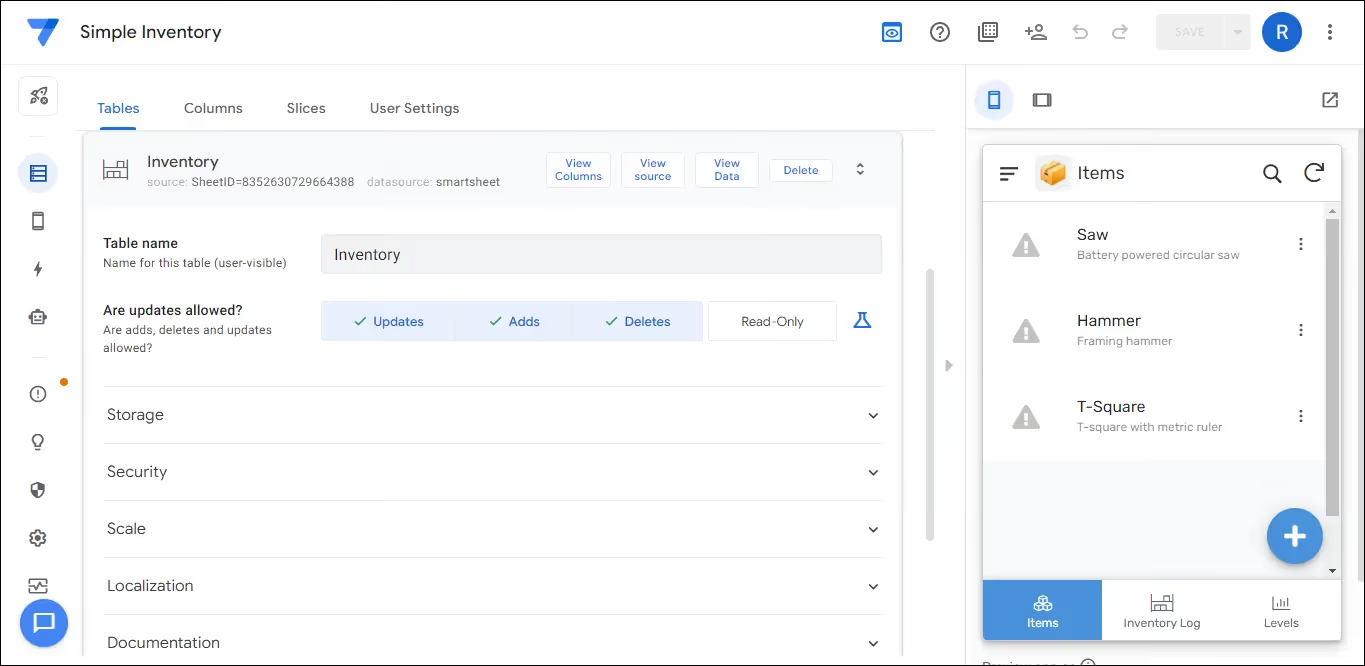
AppSheet (owned by Google) builds mobile and web apps directly from Google Sheets, Excel, or a database. It supports barcode scanning, signature capture, GPS, and basic offline mode, which makes it relevant for inventory and field workflows.
Where it works: Quick mobile apps for inventory counts, field surveys, and audits on top of an existing Google Sheets data layer.
Where it falls short: Workflow logic is more limited than a dedicated process platform. UI customisation is narrower than in newer builders, and dashboards typically rely on Looker Studio or other Google tools rather than native widgets. See Clappia's perspective in AppSheet alternatives.
Best for: Google Workspace shops that want a quick mobile front end for spreadsheet data.
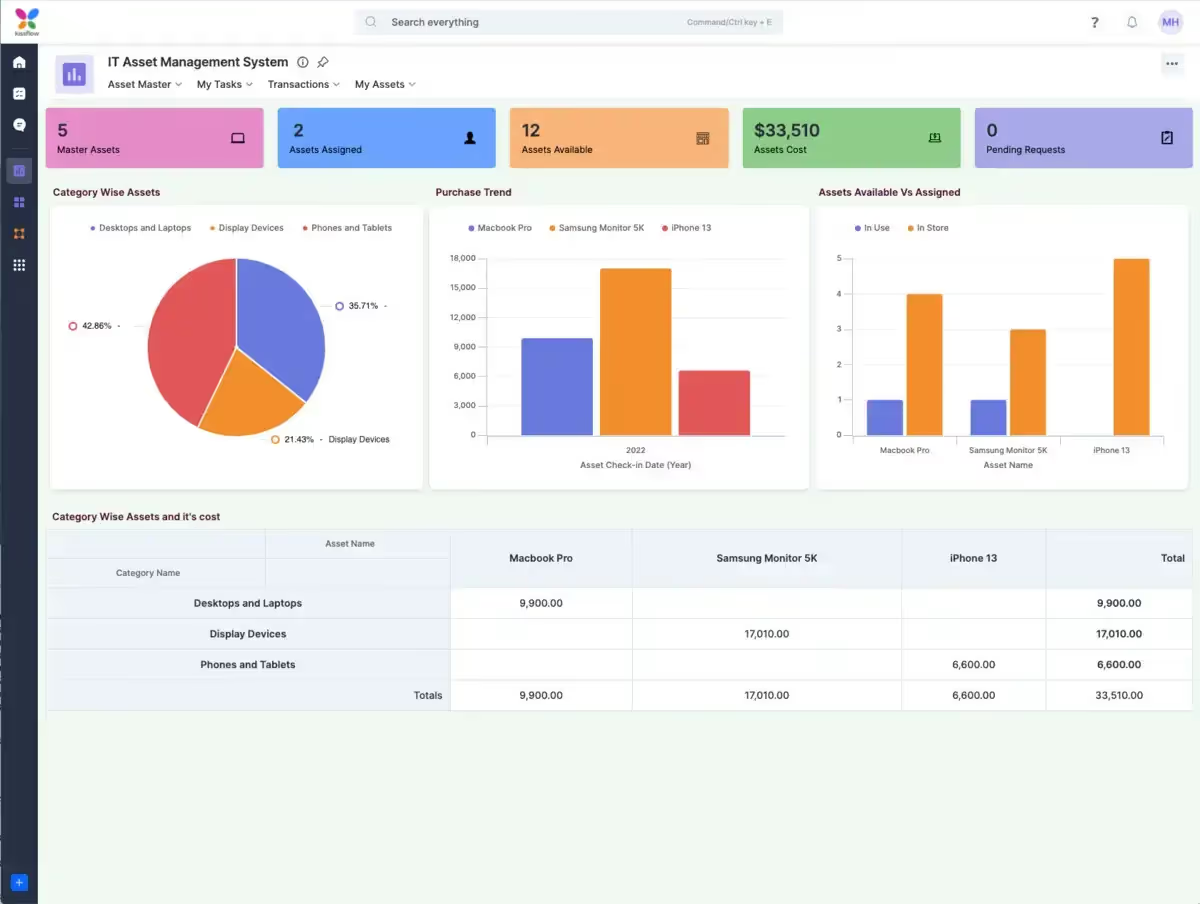
Kissflow is a process-first no-code platform with strong workflow automation, case management, and basic app-building. Operations leaders use it for procurement approvals, employee onboarding, vendor management, and structured ticketing.
Where it works: Approval-heavy and ticket-heavy operations where process consistency is the goal.
Where it falls short: Inventory and mobile field-data capture are not the headline strengths. Dashboards are functional rather than rich. Pricing is positioned at mid-market and above, which can rule it out for smaller teams. For a side-by-side view, see Kissflow alternatives.
Best for: Mid-market operations teams whose biggest pain point is approval and process compliance rather than inventory or field capture.
The table below summarises how the 10 platforms compare across the three jobs operations teams care about: inventory, workforce/tasks, and dashboards.
| Platform | Inventory Fit | Workforce / Tasks Fit | Dashboards Fit | Mobile & Offline | Best Suited For |
|---|---|---|---|---|---|
| Clappia | Strong, with QR, barcode, NFC, and AI-based stock checks | Strong, with GPS, geofencing, approvals, live tracking | Live analytics, custom charts, scheduled reports | Native iOS, Android, true offline sync | Operations teams in logistics, manufacturing, field services |
| Airtable | Good for SKU lists and relations | Limited; lacks field capture features | Interface Designer charts, basic | Mobile views; limited offline | Spreadsheet-first office teams |
| Retool | Strong when wired to a database | Admin panel style; not field-first | Very strong if you can write SQL | Web-first; mobile is secondary | Ops + engineering teams |
| Power Apps | Strong inside Dataverse / Dynamics | Strong if linked with Teams and Power Automate | Best paired with Power BI | Mobile available; offline is configurable | Large Microsoft enterprises |
| Zoho Creator | Good, especially with Zoho Inventory | Good for HR, CRM linked tasks | Built-in dashboards and reports | Mobile apps; offline supported | Zoho-standardised mid-market |
| Quickbase | Strong for project + asset inventory | Strong for structured approvals | Charts, summaries, KPIs | Mobile available; limited offline | Regulated, process-heavy industries |
| Glide | Light inventory on spreadsheets | Light task and work order apps | KPI cards and charts | Mobile-first; offline is limited | Lean teams off spreadsheets |
| Softr | Light, leans on Airtable | Internal portals and ticketing | Operational dashboards with AI assist | Responsive web; mobile-friendly | Agencies, service businesses |
| AppSheet | Decent inventory on Google Sheets | Field forms, audits, surveys | External (Looker Studio) preferred | Native mobile, basic offline | Google Workspace shops |
| Kissflow | Limited dedicated inventory | Strong process and approval flows | Process dashboards | Mobile available; offline is limited | Mid-market approval-heavy ops |
The 10 tools above target different operations realities. To narrow your shortlist, walk through these decision points:
Start with where your work happens. If most of your team operates in warehouses, factories, or in the field, mobile-first capture and offline mode matter more than fancy charts. Tools like Clappia, AppSheet, and Power Apps fit that reality better than Retool or Softr.
Consider how your data already flows. If your stock data lives in Google Sheets, Glide or AppSheet plug in fast. If it sits in SQL, Retool gives you direct query power. If it lives in spreadsheets but you want a richer relational model, Airtable is a fair starting point.
Map your approval and notification needs. Multi-level approval workflows, SMS, email, and WhatsApp notifications are mature on Clappia, Quickbase, and Kissflow, but lighter on Airtable, Glide, and Softr.
Plan for scale. Per-builder pricing favours teams with few makers and many users. Per-user pricing inflates fast when you add deskless workers. Look at the pricing carefully for what total cost looks like at 50, 100, and 500 active users.
Test for free first. Several platforms (including Clappia) let you build unlimited apps on a real free plan, not a trial. That is the cheapest, lowest-risk way to validate fit before you commit a budget.
If your goal is one platform that genuinely handles inventory, workforce tasks, and dashboards, Clappia covers more of that single-platform brief than any other tool on this list, especially for logistics, manufacturing, healthcare, retail, EPC, and field services.
You can prototype a barcode-scanned stock counter, a geofenced attendance app, a delivery confirmation flow, a loan collection app, an inspection checklist, and a live KPI dashboard, all on a free plan, all linked through workflows, and all available on iOS and Android with offline support. When you outgrow the free plan, scaling up is predictable thanks to clear per-user pricing and a deep features library.
The AI Block and the AI Workflow Node let you push intelligence into both the form (extract data from a photo as the user submits) and the backend (analyse the submission, route it, and trigger downstream actions). That combination is rare among no-code platforms and especially useful for operations teams that get value out of every photo, scan, and entry their staff makes.
Ready to see it in action? Start building on the free plan, or explore Clappia's features and pricing to plan a rollout across your operations team.
What is a no-code operations management platform? It is a software tool that lets non-technical users build apps for inventory, workforce, and dashboards visually. Drag-and-drop blocks replace traditional coding, and the same app usually runs on the web, on Android, and on iOS.
Can one no-code platform really replace separate inventory, task, and dashboard tools? Yes, if the platform has a flexible data layer, mobile capture features, workflow automation, and native analytics. Platforms like Clappia, Quickbase, and Zoho Creator are designed for this single-platform approach. Lighter tools like Glide and Softr cover parts of it well but may leave gaps in offline or field workflows.
Which no-code platform is best for inventory management? For pure inventory inside a spreadsheet world, Airtable, AppSheet, or Glide work well. For inventory that connects to field reps, mobile scanning, approvals, dashboards, and AI-based stock checks, Clappia is purpose-built for that broader workflow. See the inventory management app guide for a walkthrough.
Do these tools work offline for warehouse and field teams? Offline support varies. Clappia and AppSheet have native offline capture with automatic sync. Power Apps supports offline with configuration. Airtable, Retool, and Softr are web-first and lean toward online use.
How long does it take to build an operations app? Simple apps like a daily attendance tracker or an inventory count form can be live in hours on most no-code platforms. A full operations system with multiple linked apps, approvals, and dashboards typically takes one to four weeks on a no-code tool, compared with several months on traditional development.
Is a free plan enough to test seriously? With Clappia's free plan you can build unlimited apps with up to 100 users, 400 monthly submissions, live tracking, mobile apps, and the AI block, which is enough to validate a real operational workflow end-to-end before paying anything.
 Get Started – It’s Free
L374, 1st Floor, 5th Main Rd, Sector 6, HSR Layout, Bengaluru, Karnataka 560102, India
3500 S DuPont Hwy, Dover,
Kent 19901, Delaware, USA


.svg)




3500 S DuPont Hwy, Dover,
Kent 19901, Delaware, USA
L374, 1st Floor, 5th Main Rd, Sector 6, HSR Layout, Bengaluru, Karnataka 560102, India