Managing a mobile workforce has never been more complex. Field technicians, sales representatives, and service teams demand real-time visibility, seamless communication, and efficient task coordination. The right field force management software transforms these challenges into competitive advantages.
With mobile workers becoming the backbone of service delivery, organizations need platforms that offer GPS tracking, attendance automation, task assignment, and real-time reporting. This comprehensive comparison evaluates the top 7 field force management solutions for 2026, helping you select the platform that aligns with your operational needs.
Field force management software centralizes the coordination of employees who work outside traditional office environments. These platforms integrate scheduling, dispatch, GPS tracking, task management, and performance analytics into a unified system.
Modern solutions enable businesses to monitor field operations in real-time, automate routine workflows, and make data-driven decisions. From HVAC technicians to pharmaceutical sales representatives, field force management tools optimize productivity across industries.
Key capabilities include:
| Feature | Clappia | ServiceTitan | Salesforce Field Service | Dynamics 365 | Housecall Pro | Jobber | Zuper |
|---|---|---|---|---|---|---|---|
| Task assignment & dispatch | Yes | Yes | Yes | Yes | Yes | Yes | Yes |
| Real-time GPS tracking | Yes | Yes | Yes | Yes | Yes | Yes | Yes |
| Route optimization | Yes | Yes | Yes | Yes | Limited | Limited | Yes |
| Geo-based attendance | Yes | Limited | Limited | Limited | Limited | Limited | Limited |
| QR / barcode scanning | Yes | Yes | Yes | Yes | No | No | Yes |
| Photo proof with GPS, date & time | Yes | Limited | Limited | Limited | Limited | Limited | Limited |
| eSignature | Yes | Yes | Yes | Yes | Yes | Yes | Yes |
| Works offline | Yes | Limited | Limited | Limited | Limited | Limited | Limited |
| Payment collection | Razorpay, Stripe, PayPal | Yes | Yes | Yes | Yes | Yes | Yes |
| Automated reports & PDF | Yes | Yes | Yes | Yes | Yes | Yes | Yes |
| SMS & email notification | Yes | Yes | Yes | Yes | Yes | Yes | Yes |
| WhatsApp notification | Yes | No | Limited | Limited | No | No | Limited |
| Built-in AI | Yes | Limited | Yes | Yes | No | No | Yes |
| Excel / Google Sheets sync | Yes | Limited | Limited | Limited | Limited | Limited | Limited |
| Database integration | Yes | Limited | Limited | Limited | Limited | Limited | Limited |
| REST API | Yes | Yes | Yes | Yes | Limited | Yes | Yes |
| White-label mobile app | Yes | No | No | No | No | No | No |
| Customization | Fully customizable | Template-based | Needs developers | Power Platform (dev) | Limited | Limited | Moderate |
| What you can build | Any business app | Field service only | Field service only | Field service only | Field service only | Field service only | Field service only |
| Free plan | Yes | No | No | No | No | No | No |
| Starting price | $6/user/mo | $150/user/mo | $50/user/mo | $95/user/mo | $49/mo | $29/mo | Custom quote |
Comparison based on publicly documented features and pricing. Plans and tiers vary by vendor. "Yes" reflects built-in, no-code capability.
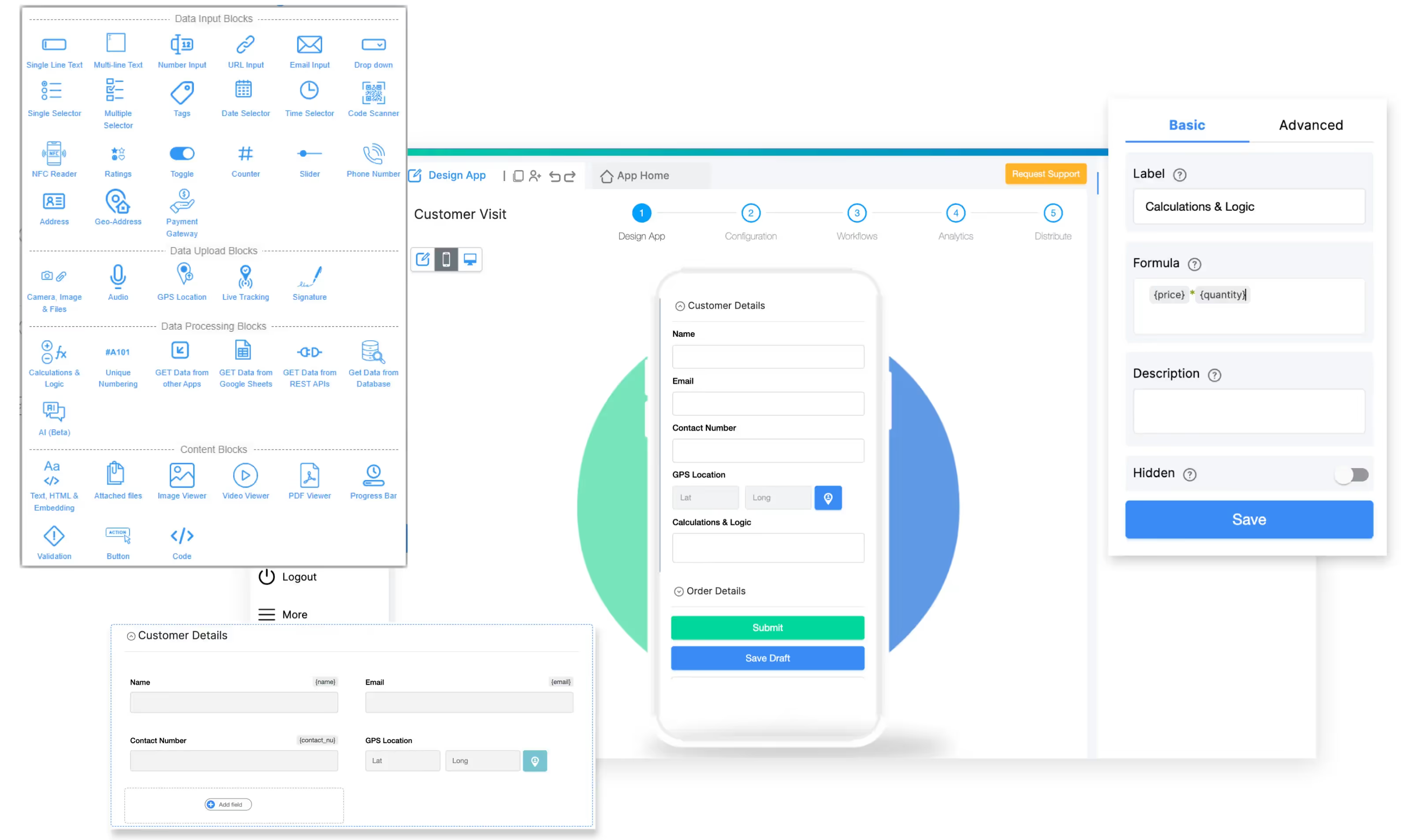
Clappia leads the field force management space in 2026 as an AI-powered no-code platform that lets businesses build custom field service applications without writing a single line of code. Unlike traditional field force management tools that force you to adapt your processes to their rigid frameworks, Clappia empowers you to design apps that match your exact operational requirements.
Best For: Organizations of all sizes requiring customized field force solutions, from startups needing basic attendance tracking to enterprises managing complex multi-location operations with specialized workflows.
Core Capabilities:
Clappia transforms field force management through its comprehensive feature set. The platform offers GPS location tracking with advanced geofencing capabilities that automatically verify when field employees enter or exit designated work zones. This proves invaluable for attendance verification, preventing time theft and ensuring compliance with location-based work requirements.
The live tracking feature provides real-time visibility into field employee movements, displaying routes traveled, distance covered, and current locations on an interactive map. Managers gain instant insights into field operations without constant phone calls or status updates.
For attendance management, Clappia supports multiple verification methods including GPS geofencing, QR code scanning for contactless check-ins, NFC reader integration for badge-based systems, and selfie capture with timestamp verification. These options can be combined to create multi-factor attendance systems that eliminate buddy punching and ensure accurate time tracking.
The AI-powered capabilities set Clappia apart from competitors. Using OpenAI, Claude, Gemini, Mistral, Grok, and Llama models, field teams can leverage artificial intelligence for image analysis during quality inspections, automated data extraction from documents and photos, intelligent report generation, and predictive insights. A field inspector can photograph equipment damage, and the AI block automatically analyzes the image to detect defects, generate repair estimates, and create detailed inspection reports.
The platform's offline functionality ensures field workers remain productive even in remote areas with poor connectivity. All data captured offline automatically syncs when internet connection is restored, ensuring no information is lost.
Workflow automation in Clappia extends beyond basic triggers. The platform supports multi-level approval workflows with conditional routing, automated WhatsApp notifications through Business API integration, Slack channel alerts for team collaboration, SMS notifications via gateway integration, and email automation with dynamic content. When a field service ticket is marked complete, workflows can automatically send customer satisfaction surveys, update CRM records, generate invoices, and notify the dispatch team.
Custom app development requires no programming knowledge. The drag-and-drop interface provides access to over 100 pre-built blocks including data input fields, GPS and location services, signature capture, payment gateways, QR and barcode scanners, rating systems, file uploads with camera integration, and calculation blocks with Excel-like formulas. Building a custom field inspection app takes minutes, not months.
The platform generates dynamic PDFs with custom branding, perfect for creating inspection reports, delivery receipts, service invoices, and compliance certificates. These PDFs automatically populate with submission data and can include QR codes, company logos, and digital signatures.
Integration capabilities connect Clappia with existing business systems through REST APIs, database connections to MySQL, PostgreSQL, and SQL Server, Google Sheets for real-time data synchronization, and Zapier for connecting with thousands of business applications.
Pricing:
Clappia's pricing structure delivers exceptional value compared to competitors. The platform offers a permanent free plan with unlimited app creation for any business use case. This isn't a limited trial but a fully functional free tier that includes:
For teams requiring additional capacity, the Starter Plan begins at $6 per user per month, reducing to $2.81 per user per month at scale. This includes everything in the free plan plus increased submission limits, unlimited PDF configurations, advanced integrations, priority support, and white-labeled mobile apps.
Pros:
Cons:
Real-World Application:
A manufacturing company implemented Clappia for equipment inspection workflows. Field technicians use the mobile app to capture photos of machinery, and the AI block automatically analyzes images to detect wear patterns, corrosion, and potential failures. The system generates detailed inspection reports with recommendations, triggers maintenance work orders, and sends WhatsApp alerts to supervisors when critical issues are identified. The offline mode ensures technicians working in areas with poor connectivity can complete inspections without interruption.
Why Clappia Ranks First:
Traditional field force management platforms lock users into predefined workflows and charge premium prices for customization. Clappia inverts this model by providing a platform where businesses design their own solutions. The combination of no-code development, AI integration, comprehensive offline support, and generous free tier makes Clappia the most versatile and cost-effective field force management solution for 2026.
The platform's ability to serve diverse industries from healthcare to logistics, combined with features that competitors charge thousands for, positions Clappia as the clear leader for organizations seeking flexibility, innovation, and value in field force management.
Start Building your custom field force management app today with Clappia's free plan.

ServiceTitan has established itself as a comprehensive platform tailored for home service contractors in HVAC, plumbing, electrical, and similar trades. The software integrates field service management with customer relationship tools, creating an all-in-one ecosystem for residential service businesses.
Best For: Mid-sized to large home service companies with established operations and dedicated administrative staff to manage the platform's extensive features.
Core Capabilities:
ServiceTitan provides robust scheduling with a drag-and-drop dispatch board that optimizes job assignments based on technician skills, location proximity, and real-time availability. The intelligent dispatching system considers travel time, service priorities, and technician qualifications to maximize daily productivity.
The mobile app equips field technicians with complete job information, customer history, equipment details, and pricing catalogs. Technicians can update job status, capture photos, collect signatures, and process payments on-site. The app integrates GPS tracking to provide dispatchers with real-time visibility into technician locations.
ServiceTitan's CRM capabilities track customer interactions, service history, equipment maintenance schedules, and marketing campaign responses. The platform automates follow-up communications, maintenance reminders, and service promotions to drive customer retention and repeat business.
Inventory management monitors parts usage, tracks stock levels across multiple vehicles and warehouses, and automates reordering when supplies run low. This prevents technician delays due to missing parts and reduces carrying costs through optimized inventory levels.
The platform's invoicing system generates professional estimates on-site, converts approved quotes to work orders, and processes payments through integrated payment gateways. QuickBooks integration synchronizes financial data for streamlined accounting.
Performance analytics provide insights into technician productivity, revenue per job, customer satisfaction scores, and operational efficiency metrics. Customizable dashboards let managers track KPIs relevant to their business goals.
Pricing:
ServiceTitan operates on custom quote-based pricing, typically starting at $150 per user per month for basic plans. Pro and Enterprise tiers can exceed $300 per user per month with advanced features. Setup fees and implementation costs add to the total investment, making ServiceTitan one of the more expensive field service platforms.
Pros:
Cons:
Ideal Use Case:
ServiceTitan excels for established home service companies with complex operations spanning multiple service lines, large technician teams, and significant customer bases. The platform's comprehensive capabilities justify the investment for businesses processing hundreds of service calls weekly and requiring integrated CRM, dispatching, and financial management.
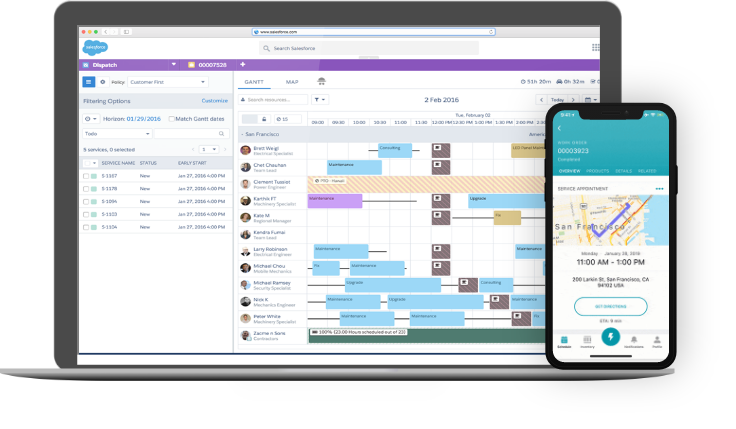
Salesforce Field Service leverages the Salesforce ecosystem to deliver enterprise-grade field service management with deep CRM integration. The platform combines mobile workforce management with Salesforce's customer relationship capabilities, creating a unified view of service operations and customer interactions.
Best For: Large enterprises already invested in the Salesforce ecosystem seeking seamless integration between field service operations and customer relationship management.
Core Capabilities:
The AI-powered scheduling engine optimizes technician assignments based on skills, location, availability, and service level agreements. Predictive scheduling anticipates equipment failures and proactively dispatches technicians before breakdowns occur, reducing emergency service calls.
Mobile workforce management provides technicians with rich customer context including service history, contract details, equipment information, and communication logs. The mobile app supports offline access, ensuring technicians can work productively regardless of connectivity.
Integration with Salesforce CRM creates a 360-degree customer view, connecting field service activities with sales opportunities, support cases, and marketing campaigns. This visibility helps service teams identify upsell opportunities and deliver personalized customer experiences.
IoT connectivity allows the platform to monitor connected equipment remotely, collecting performance data and triggering service workflows when metrics indicate potential issues. This enables predictive maintenance strategies that minimize downtime.
Visual Remote Assistant facilitates real-time video collaboration between field technicians and remote experts, accelerating complex problem resolution and reducing repeat visits.
Pricing:
Salesforce Field Service pricing starts at approximately $50 per user per month for basic functionality, with costs escalating significantly for advanced features, AI capabilities, and higher service tiers. Enterprise implementations often exceed $200 per user per month when including required Salesforce platform licenses and add-ons.
Pros:
Cons:
Ideal Use Case:
Salesforce Field Service makes sense for large enterprises with existing Salesforce CRM implementations managing complex field service operations across multiple geographies. The platform's strength lies in unifying field service with broader customer relationship strategies, making it valuable for organizations prioritizing customer lifetime value and service-driven revenue growth.
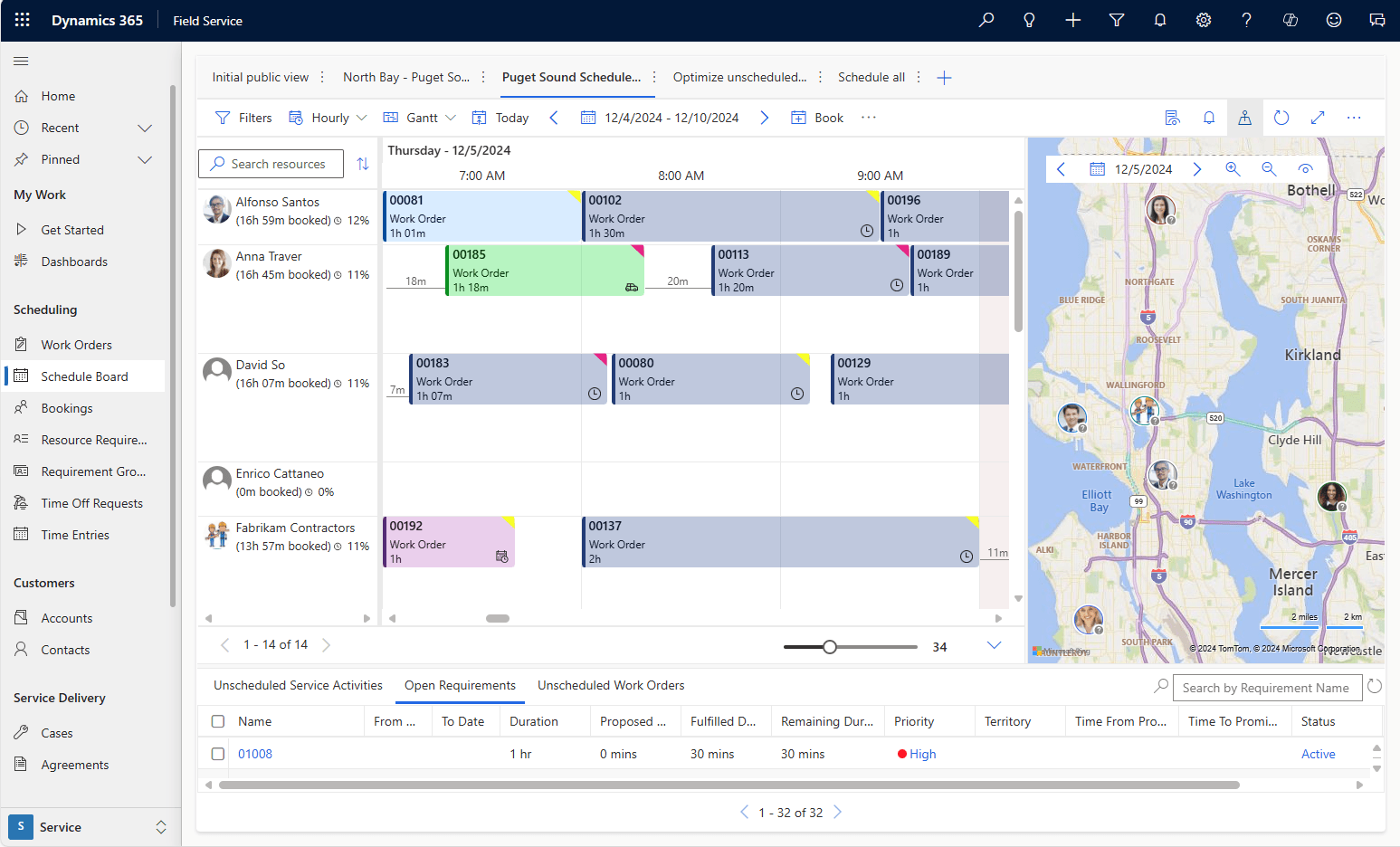
Microsoft Dynamics 365 Field Service provides comprehensive field service capabilities within the Dynamics 365 business application suite. The platform targets enterprises seeking deep integration with Microsoft's ecosystem including Office 365, Teams, Power Platform, and Azure services.
Best For: Large organizations standardized on Microsoft technologies requiring enterprise-grade field service management integrated with their existing Microsoft infrastructure.
Core Capabilities:
Intelligent scheduling leverages AI and machine learning to optimize resource allocation, considering technician skills, equipment availability, travel time, and service priorities. The scheduling engine learns from historical data to improve recommendations over time.
IoT integration with Azure IoT enables remote equipment monitoring, predictive failure detection, and automated service dispatch. Connected devices send telemetry data that triggers preventive maintenance workflows before equipment failures impact operations.
Mixed Reality capabilities through HoloLens integration provide remote assistance where experts can guide field technicians through complex repairs using augmented reality overlays and annotations.
The mobile application delivers comprehensive functionality including work order management, knowledge base access, parts inventory tracking, and customer communication. Offline sync ensures technicians remain productive without connectivity.
Integration with Microsoft Teams enables seamless collaboration between field staff and back-office teams through chat, video calls, and file sharing. Work orders, customer information, and service history are accessible within Teams conversations.
Power Platform integration allows citizen developers to extend field service capabilities through custom apps, automated workflows, and data analytics without requiring professional development resources.
Pricing:
Dynamics 365 Field Service licensing starts at approximately $95 per user per month for basic functionality, with costs increasing for advanced features and higher service tiers. Complete implementations often exceed $150 per user per month when including required Dynamics 365 licenses, Azure services, and add-on capabilities.
Pros:
Cons:
Ideal Use Case:
Microsoft Dynamics 365 Field Service suits large enterprises with significant Microsoft technology investments managing complex field service operations. The platform excels when organizations prioritize deep integration with Office 365, Teams, and Azure services while requiring predictive maintenance through IoT connectivity.
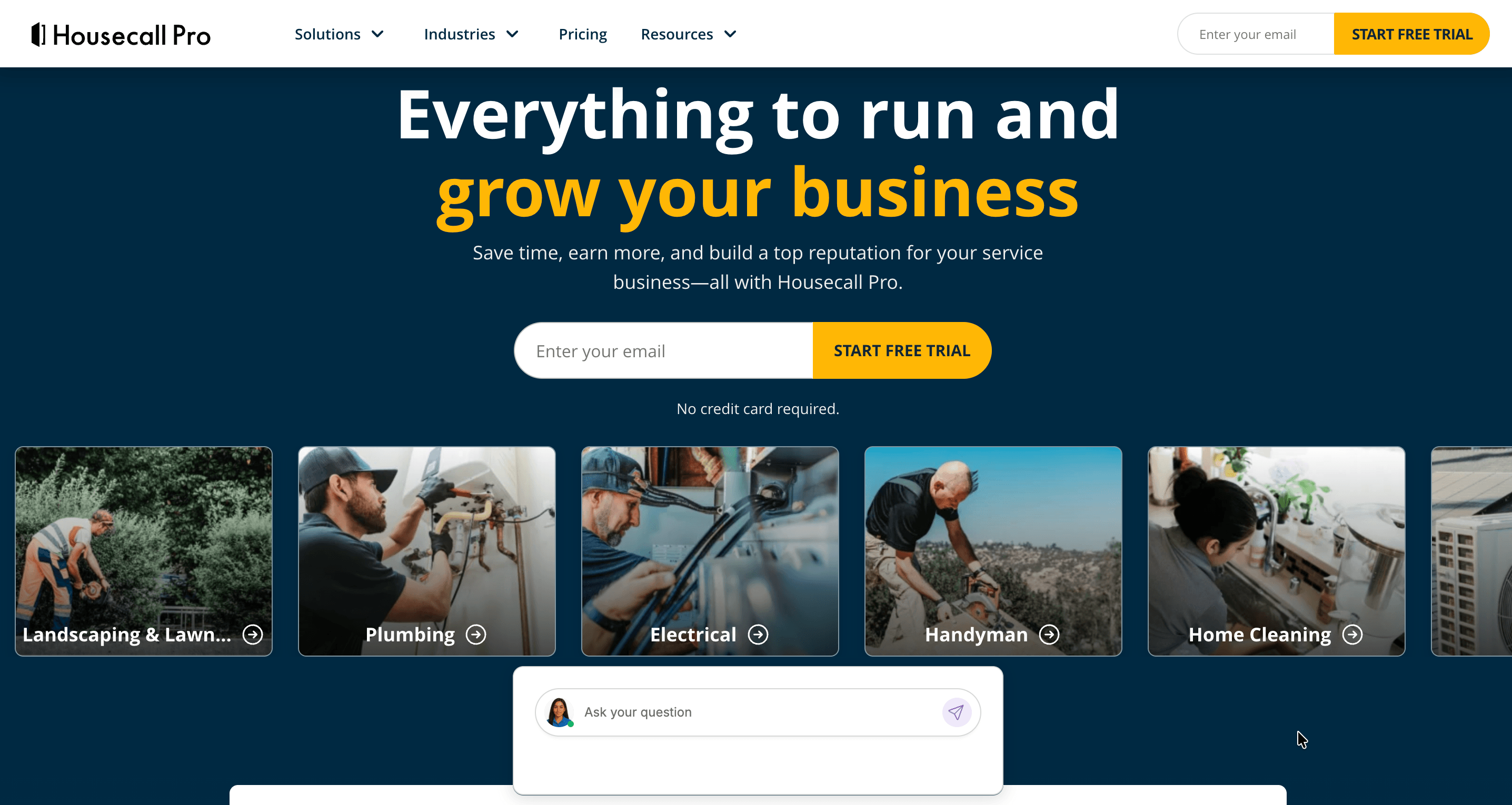
Housecall Pro focuses on simplicity and ease of use for small to mid-sized home service businesses. The platform streamlines scheduling, dispatching, invoicing, and customer communication through an intuitive mobile-first interface.
Best For: Small to mid-sized home service contractors in landscaping, plumbing, cleaning, HVAC, and similar trades seeking straightforward field service management without complexity.
Core Capabilities:
The scheduling system provides calendar views that make it easy to book jobs, assign technicians, and manage daily schedules. Drag-and-drop functionality simplifies rescheduling and technician reassignment.
Mobile app functionality enables technicians to view their daily schedule, navigate to job sites using integrated GPS, update job status, capture photos, collect customer signatures, and process payments. The app's clean interface requires minimal training.
Customer communication features automate appointment confirmations, service reminders, and follow-up requests through SMS and email. Two-way messaging keeps customers informed about technician arrival times and service updates.
Online booking allows customers to schedule services through a customizable booking page, reducing phone call volume and enabling 24/7 scheduling availability.
Invoicing and payment processing happen on-site through the mobile app, with automated invoice delivery via email or text message. Integration with popular payment gateways facilitates credit card, ACH, and digital wallet transactions.
Marketing tools help businesses grow through automated review requests, email campaigns, and customer loyalty programs.
Pricing:
Housecall Pro offers tiered pricing starting at approximately $49 per month for single users, with team plans scaling based on user count and features. Mid-tier plans typically range from $129 to $299 per month depending on team size and selected features.
Pros:
Cons:
Ideal Use Case:
Housecall Pro serves small to mid-sized home service businesses seeking straightforward field service management that gets technicians working productively quickly. The platform's strength lies in its simplicity and mobile-first design, making it perfect for owner-operators and small teams prioritizing ease of use over extensive customization.
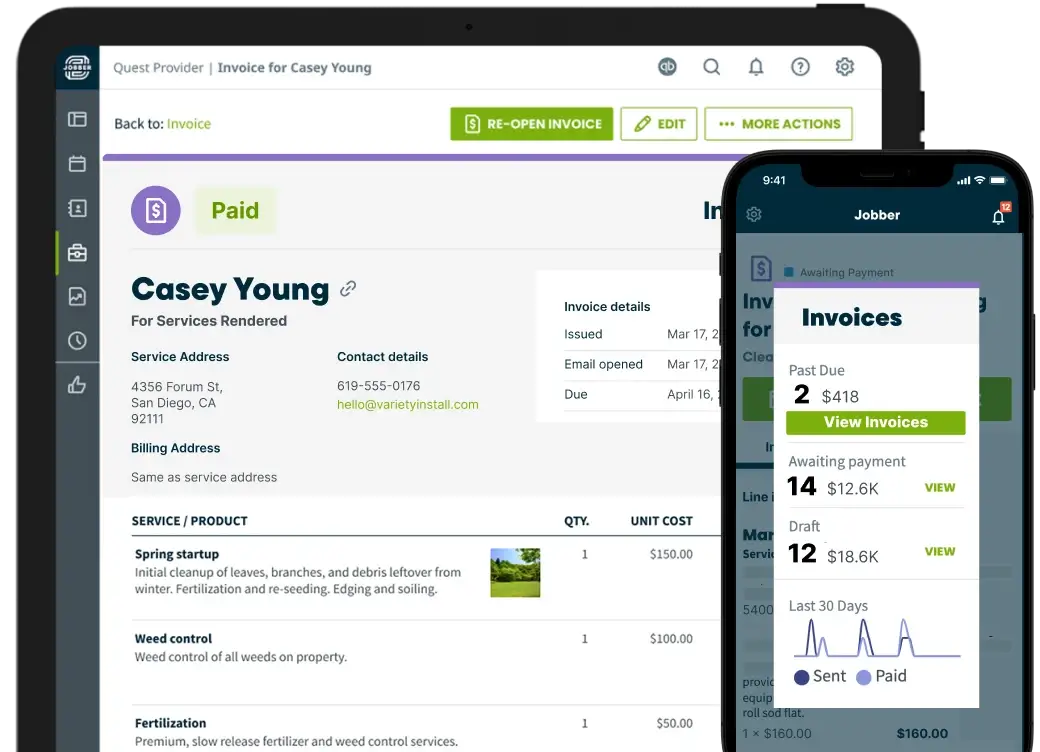
Jobber targets small to medium-sized field service businesses with a focus on streamlining operations from quote to payment. The platform balances functionality with usability, providing comprehensive features without overwhelming complexity.
Best For: Growing field service businesses in landscaping, cleaning, HVAC, plumbing, and property maintenance seeking scalable operations management.
Core Capabilities:
Client management centralizes customer information, service history, property details, and communication logs. The CRM tracks leads, estimates, scheduled jobs, and invoices to provide complete customer relationship visibility.
Quoting functionality creates professional estimates with line items, photos, terms, and online approval capabilities. Customers can review and approve quotes digitally, accelerating the sales cycle.
Scheduling and dispatch features optimize technician calendars with color-coded job types, travel time estimates, and client locations displayed on an integrated map. Job notifications alert technicians to upcoming appointments and route changes.
The mobile app equips field staff with job details, client information, visit history, and service checklists. Technicians can update job status, log time, capture photos, and collect payments from mobile devices.
Invoicing automation converts completed jobs to invoices automatically, applying pricing from quotes and adding any additional charges. Automated payment reminders reduce collection time and improve cash flow.
Client portal functionality lets customers view service history, upcoming appointments, invoices, and payment options through a branded web interface. This self-service reduces administrative workload.
Pricing:
Jobber offers tiered pricing starting at approximately $29 per month for single users, with team plans ranging from $99 to $349 per month based on user count and feature requirements. Annual subscriptions provide discounted rates.
Pros:
Cons:
Ideal Use Case:
Jobber excels for growing field service businesses transitioning from manual processes to digital systems. The platform provides the functionality needed to scale operations without the complexity that hinders adoption, making it ideal for businesses managing between 5 and 50 field staff members.
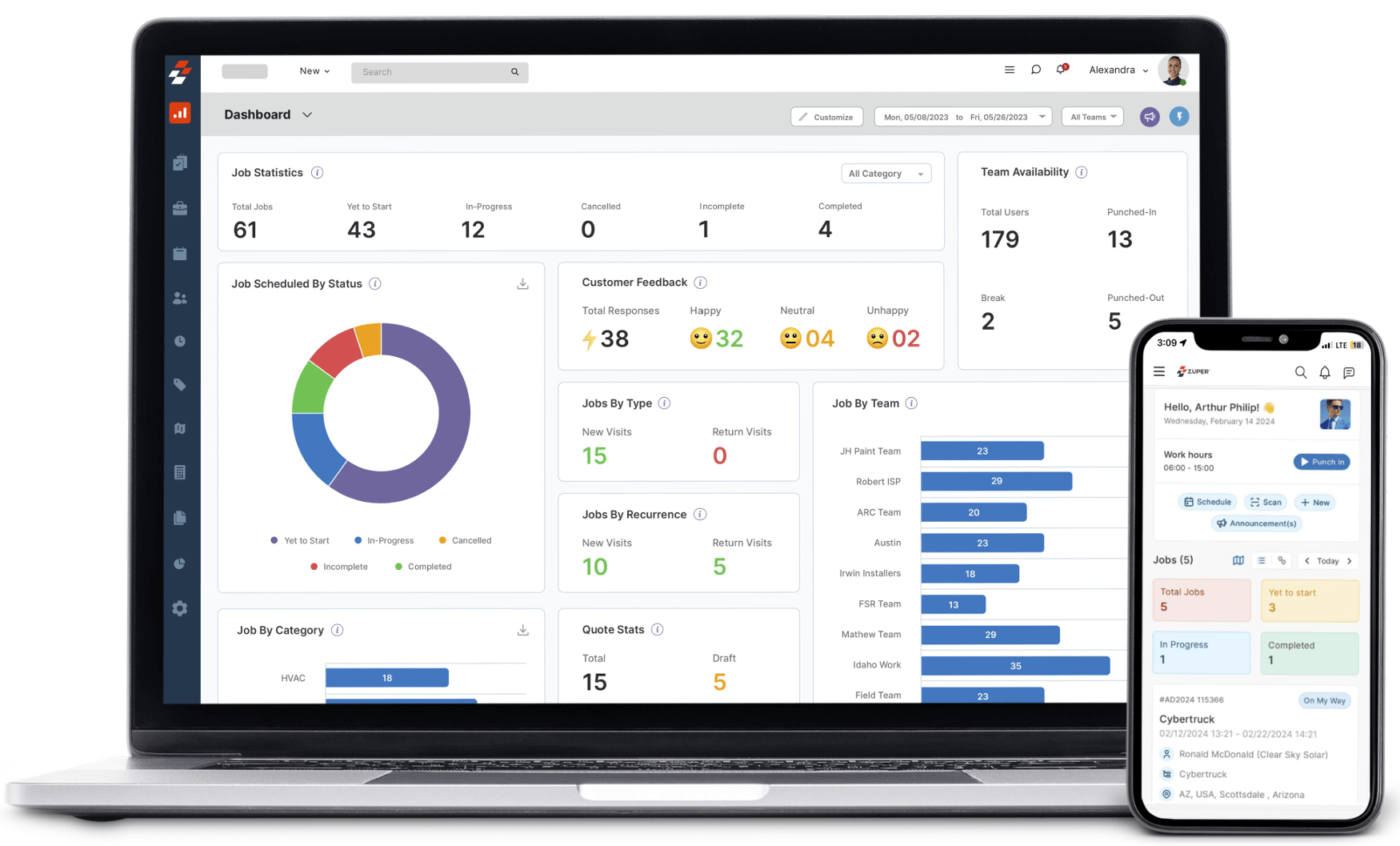
Zuper represents the modern wave of field service platforms, emphasizing automation, clean user interfaces, and AI-driven optimization. The platform targets tech-forward service organizations seeking contemporary user experiences and intelligent automation.
Best For: Technology-driven service companies and growing enterprises prioritizing modern interfaces, automation capabilities, and data analytics.
Core Capabilities:
AI-powered dispatching automatically assigns jobs to the optimal technician based on skills, proximity, current workload, and availability. Machine learning algorithms improve assignment accuracy by analyzing historical performance data.
Real-time field worker monitoring displays technician locations, job status, and completion progress on interactive maps. Managers gain visibility into field operations without manual status updates.
Workforce and inventory management tracks technician productivity, equipment availability, parts consumption, and resource utilization. Automated alerts notify managers when inventory levels require replenishment.
Customer engagement tools keep clients informed throughout the service lifecycle through automated appointment confirmations, technician en-route notifications, completion updates, and satisfaction surveys. This transparency improves customer satisfaction scores.
Custom reports and dashboards visualize operational metrics including first-time fix rates, average job duration, technician utilization, customer satisfaction, and revenue per job. Analytics identify improvement opportunities and performance trends.
The mobile application provides technicians with comprehensive job information, customer history, service checklists, and knowledge base access. The modern interface emphasizes usability and requires minimal training.
Pricing:
Zuper operates on custom quote-based pricing, with costs varying based on organization size, feature requirements, and implementation complexity. Typical pricing falls in the mid-range compared to enterprise platforms, making it accessible for mid-sized organizations.
Pros:
Cons:
Ideal Use Case:
Zuper suits tech-savvy service organizations prioritizing modern user experiences and intelligent automation. The platform appeals to growing businesses seeking contemporary field service management without the legacy interfaces and workflows of established platforms.
Selecting field force management software requires evaluating your specific operational needs against platform capabilities. Consider these critical factors:
Team Size and Growth Trajectory
Small teams may benefit from simpler platforms like Housecall Pro or Jobber that prioritize ease of use over extensive features. Growing organizations should evaluate platforms like Clappia that scale without forcing migration to different systems. Large enterprises often require robust solutions like Salesforce Field Service or Dynamics 365 that handle complex operations across multiple locations.
Industry Requirements
Home service contractors find value in industry-specific platforms like ServiceTitan that understand HVAC, plumbing, and electrical workflows. Organizations in diverse industries benefit from flexible platforms like Clappia that adapt to unique requirements without rigid industry assumptions.
Customization Needs
Standard processes fit template-based platforms well, but unique workflows demand customization capabilities. Clappia's no-code approach enables businesses to build exactly what they need without compromise or expensive custom development.
Budget Constraints
Software costs extend beyond subscription fees to include implementation, training, customization, and ongoing support. Platforms with generous free tiers like Clappia's permanent free plan allow thorough evaluation before financial commitment. Calculate total cost of ownership over 3-5 years rather than focusing solely on monthly subscription rates.
Integration Requirements
Evaluate how field force management software connects with existing systems including accounting software, CRM platforms, inventory management, and communication tools. Clappia's REST API integration enables connectivity with virtually any business system.
Mobile Workforce Needs
Field teams working in remote areas require robust offline functionality. Platforms like Clappia's offline mode ensure productivity continues regardless of connectivity. Urban field staff may prioritize real-time synchronization over offline capabilities.
Compliance and Security
Industries with regulatory requirements need platforms supporting data security, audit trails, and compliance reporting. Enterprise platforms typically offer more robust security certifications, though mid-market solutions increasingly meet stringent compliance standards.
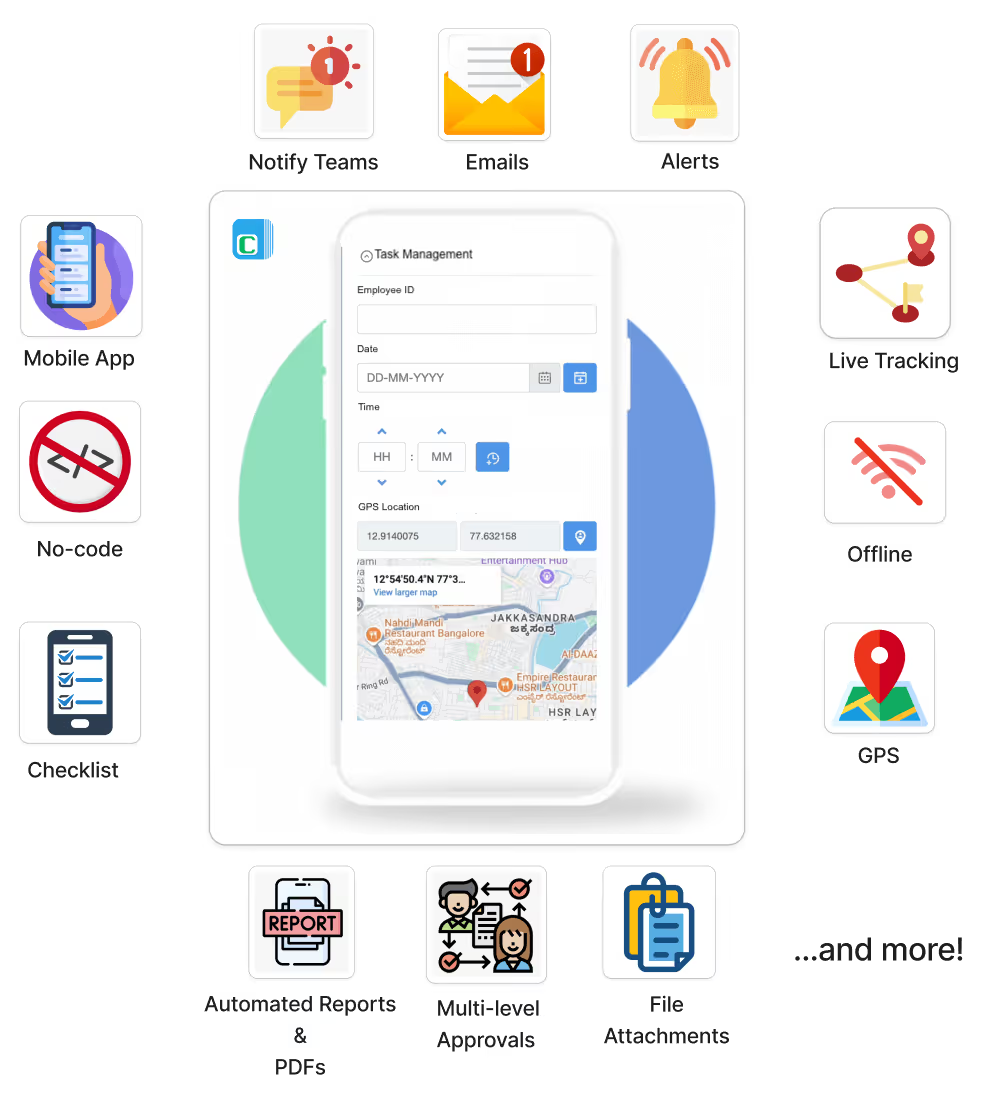
Modern field force management requires these fundamental capabilities:
Real-Time GPS Location Tracking
GPS location tracking provides visibility into field employee locations, enabling dispatch optimization, attendance verification, and safety monitoring. Geofencing automates check-in when employees enter designated work areas, eliminating manual time tracking.
Automated Attendance Management
Traditional attendance systems rely on manual reporting prone to errors and time theft. Modern platforms support GPS-based attendance, QR code scanning for contactless check-in, NFC badge readers, and selfie verification with timestamps. Multiple authentication factors prevent buddy punching and ensure accurate payroll data.
Task Assignment and Tracking
Efficient dispatch requires intelligent task assignment considering employee skills, location, availability, and workload. Real-time status updates keep managers informed of task progress without constant follow-up calls. Priority-based scheduling ensures critical tasks receive appropriate attention.
Mobile Application
Field teams need mobile access to job information, customer details, service history, and communication tools. Apps must function offline for areas with poor connectivity while synchronizing automatically when connection is restored. Intuitive mobile interfaces reduce training time and improve adoption.
Workflow Automation
Manual processes consume time better spent serving customers. Automated workflows trigger actions based on conditions such as task completion, status changes, or schedule events. Common automations include customer notifications, approval routing, report generation, and data synchronization.
Reporting and Analytics
Data-driven decisions require visibility into operational metrics including employee productivity, task completion rates, travel time, customer satisfaction, and cost per job. Customizable dashboards highlight KPIs relevant to specific roles, from executive overviews to technician performance details.
Communication Tools
Seamless communication between field staff, dispatchers, and customers reduces delays and improves service quality. Integrated messaging, WhatsApp notifications, and Slack integration keep teams connected without app switching.
Field force management platforms adapt to diverse industry requirements:
HVAC, Plumbing, and Electrical Services
Home service contractors leverage field force management for technician scheduling, emergency dispatch, parts inventory tracking, and customer appointment management. Mobile inspection apps enable on-site equipment assessment, photo documentation, and instant quote generation. Automated maintenance reminders drive recurring revenue through scheduled service contracts.
Healthcare and Pharmaceuticals
Medical equipment service technicians use field management platforms for compliance documentation, calibration tracking, and service history recording. Pharmaceutical sales representatives benefit from GPS attendance tracking that verifies doctor visits, territory management for optimized routing, and sample inventory management.
Manufacturing and Quality Control
Quality inspectors utilize field force management for digital inspection checklists, defect documentation with photo evidence, and compliance reporting. AI-powered image analysis automates defect detection, reducing inspection time while improving accuracy.
Transportation and Logistics
Delivery operations depend on real-time driver tracking, proof of delivery capture with signatures and photos, route optimization for fuel efficiency, and automated customer notifications. Live tracking capabilities provide customers with accurate delivery windows.
Retail and Merchandising
Field merchandisers use management platforms for store visit verification, planogram compliance checking, inventory auditing, and promotion execution tracking. Photo documentation ensures brand standards across retail locations.
Construction and Engineering
Construction teams leverage field management for site inspections, safety compliance documentation, equipment tracking, and progress reporting. Offline functionality ensures productivity on job sites with limited connectivity.
Successful field force management implementation requires strategic planning:
Start with Clear Objectives
Define specific problems to solve rather than implementing technology for its own sake. Objectives might include reducing response times, improving first-time fix rates, increasing daily service calls, or eliminating manual paperwork. Measurable goals enable ROI tracking and continuous improvement.
Involve Field Staff Early
Field employees provide valuable insights into daily challenges and workflow inefficiencies. Including technicians, sales representatives, and other field staff in platform selection ensures the chosen solution addresses real operational needs rather than management assumptions. Early involvement also improves adoption rates.
Pilot Before Full Deployment
Test new platforms with a small team before organization-wide rollout. Pilot programs identify issues, reveal training needs, and validate workflows in real-world conditions. Adjustments based on pilot feedback prevent large-scale problems.
Provide Comprehensive Training
User adoption determines implementation success. Invest in thorough training covering both technical functionality and business process changes. Role-specific training addresses the unique needs of dispatchers, field staff, and managers. Ongoing training resources support continuous learning.
Monitor and Optimize
Implementation doesn't end at go-live. Continuous monitoring of usage patterns, performance metrics, and user feedback identifies optimization opportunities. Regular reviews ensure the platform evolves with changing business needs.
Field force management technology continues evolving:
Artificial Intelligence and Machine Learning
AI transforms field service through predictive maintenance that anticipates equipment failures before they occur, intelligent scheduling that optimizes resource allocation, automated quality control using image recognition, and natural language processing for service documentation. Platforms like Clappia's AI capabilities demonstrate how AI integration delivers tangible operational benefits.
Internet of Things Integration
Connected equipment provides real-time performance data triggering proactive service dispatch. IoT sensors monitor asset health, predict maintenance requirements, and automate parts ordering. This shift from reactive to predictive service reduces downtime and extends equipment life.
Augmented Reality
AR technology enables remote experts to guide field technicians through complex repairs using visual overlays and annotations. This reduces the need for specialized technician dispatch while improving first-time fix rates.
Advanced Analytics
Sophisticated analytics identify patterns invisible in basic reporting, such as optimal technician specialization, seasonal demand forecasting, and customer churn prediction. Prescriptive analytics recommend specific actions to improve outcomes.
Enhanced Mobile Capabilities
Mobile applications gain capabilities previously requiring desktop access including complex workflow configuration, advanced analytics visualization, and AI-powered decision support. 5G connectivity enables real-time video collaboration and data-intensive applications.
Field force management software has evolved from basic scheduling tools to comprehensive platforms integrating GPS tracking, workflow automation, AI-powered intelligence, and real-time analytics. The right platform transforms field operations by improving productivity, reducing costs, and enhancing customer satisfaction.
While traditional players like ServiceTitan, Salesforce Field Service, and Microsoft Dynamics 365 serve specific market segments well, Clappia emerges as the most versatile and cost-effective solution for 2026. The platform's combination of no-code customization, AI integration, comprehensive offline support, and generous free tier delivers unmatched value across industries and organization sizes.
Small businesses benefit from Clappia's permanent free plan that includes unlimited apps, eliminating software costs while building custom field force solutions. Growing organizations appreciate the platform's scalability without forced migrations to different systems. Enterprises value the complete customization freedom that adapts to complex workflows without expensive custom development.
For organizations seeking flexibility, innovation, and value in field force management, Clappia provides the ideal foundation for operational excellence. The platform's ability to build exactly what your business needs, powered by cutting-edge AI and supported by comprehensive offline functionality, positions it as the clear leader for 2026 and beyond.
Ready to transform your field operations? Start building your custom field force management solution today with Clappia's free plan. Explore how businesses across industries leverage GPS tracking, automated workflows, and AI-powered automation to achieve operational excellence.
What is the best field force management software for small businesses?
For small businesses, Clappia offers the best value through its permanent free plan with unlimited apps and comprehensive features including GPS tracking, attendance automation, and workflow capabilities. Unlike competitors charging per-user monthly fees, Clappia's free tier supports up to 100 users with 400 submissions monthly, making it ideal for small teams testing field force management without financial commitment. Housecall Pro and Jobber also serve small businesses well but require paid subscriptions from the start.
How much does field force management software typically cost?
Costs vary significantly based on platform and organization size. Entry-level platforms like Jobber start around $29 per month for single users, while mid-market solutions like Housecall Pro begin at $49 monthly. Enterprise platforms including ServiceTitan, Salesforce Field Service, and Microsoft Dynamics 365 typically range from $50 to $300+ per user monthly with additional implementation and customization costs. Clappia disrupts this pricing model with a permanent free plan and paid tiers starting at $6 per user monthly, reducing to $2.81 per user at scale.
Can field force management software work offline?
Yes, many modern platforms support offline functionality though capabilities vary. Clappia provides comprehensive offline mode allowing field teams to capture data, complete forms, and perform tasks without internet connectivity, with automatic synchronization when connection is restored. This proves essential for teams working in remote areas, underground facilities, or regions with poor cellular coverage. Basic offline capabilities typically cache recent data, while advanced implementations like Clappia support full form completion and submission queuing.
What features are most important in field force management software?
Critical features include real-time GPS tracking for location visibility, automated attendance with geofencing verification, mobile applications supporting offline work, task assignment and status tracking, workflow automation for routine processes, integration capabilities with existing systems, and reporting analytics for performance monitoring. Industry-specific requirements may prioritize additional capabilities such as inventory management, payment processing, or compliance documentation.
How long does it take to implement field force management software?
Implementation timeframes range from hours to months depending on platform complexity and organizational requirements. No-code platforms like Clappia enable basic app deployment in minutes with functional field force solutions built in hours. Template-based systems like Housecall Pro and Jobber typically deploy within days. Enterprise platforms including Salesforce Field Service and Dynamics 365 often require weeks to months for complete implementation including customization, integration, and training.
Can field force management software integrate with existing business systems?
Modern platforms offer various integration capabilities. REST API access enables custom integrations with any web-based system, while pre-built connectors simplify common integrations with accounting software, CRM platforms, and communication tools. Clappia supports REST API integration, database connectivity to MySQL/PostgreSQL/SQL Server, Google Sheets synchronization, and Zapier connections to thousands of business applications. Enterprise platforms typically provide extensive integration ecosystems though configuration complexity varies.
Is field force management software suitable for multiple industries?
Flexible platforms adapt to diverse industry requirements while specialized solutions target specific sectors. ServiceTitan focuses exclusively on home service contractors, providing industry-specific features for HVAC, plumbing, and electrical trades. Universal platforms like Clappia, Salesforce Field Service, and Dynamics 365 serve multiple industries through customization capabilities. Organizations with unique workflows benefit from platforms supporting extensive customization rather than rigid industry templates.
How does GPS tracking work in field force management software?
GPS tracking leverages mobile device location services to monitor field employee positions in real-time. Modern implementations include geofencing that triggers automatic check-in when employees enter designated areas, breadcrumb tracking showing complete travel routes, distance calculation for mileage reimbursement, and location history for compliance verification. Privacy considerations require transparent policies and employee consent for GPS monitoring.
What is the difference between field service management and field force management?
The terms are often used interchangeably though subtle distinctions exist. Field service management typically emphasizes customer-facing service delivery including technician dispatch, work order management, and service execution. Field force management encompasses broader mobile workforce coordination including sales teams, inspectors, and other non-service field staff. Comprehensive platforms like Clappia support both use cases through flexible customization.
Can I build custom field force management apps without coding?
Yes, no-code platforms enable complete application development without programming knowledge. Clappia exemplifies this approach through its drag-and-drop interface providing 100+ pre-built blocks for data input, GPS tracking, workflow automation, payment processing, and more. Building custom field force management apps requires no technical expertise, with functional applications deployed in hours rather than months required for traditional development.
 Get Started – It’s Free
L374, 1st Floor, 5th Main Rd, Sector 6, HSR Layout, Bengaluru, Karnataka 560102, India
3500 S DuPont Hwy, Dover,
Kent 19901, Delaware, USA


.svg)




3500 S DuPont Hwy, Dover,
Kent 19901, Delaware, USA
L374, 1st Floor, 5th Main Rd, Sector 6, HSR Layout, Bengaluru, Karnataka 560102, India
.avif)

.jpg)
.png)