TL;DR:
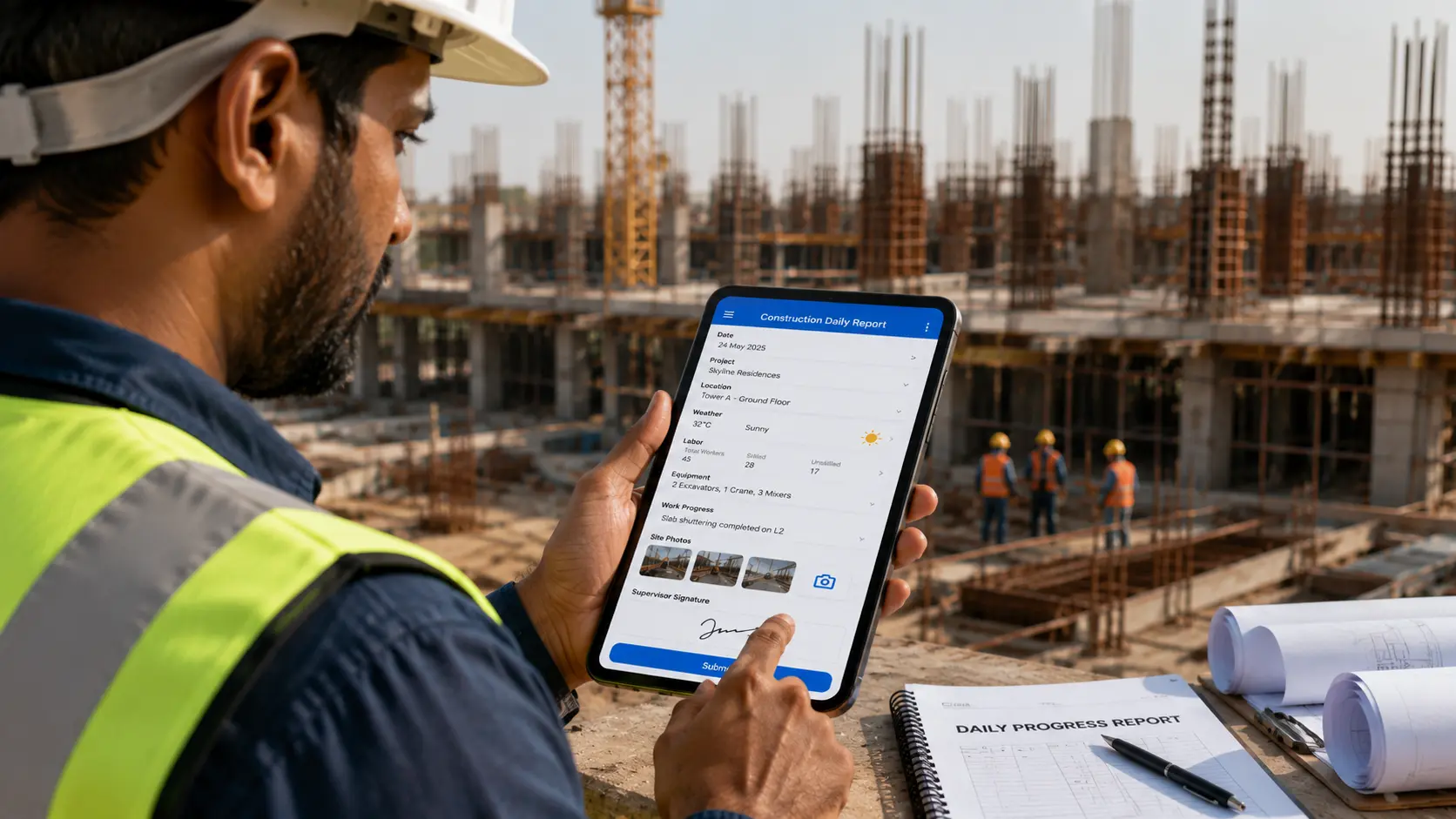
A construction daily report (DPR) is the day by day record of what happened on a job site: labor, equipment, materials, weather, delays, and progress. Its value is both operational and legal, because records made on the day of an event carry far more weight in a dispute than accounts reconstructed weeks later. The fastest way to make daily reporting consistent, timestamped, and dispute ready is a mobile first app with offline capture, GPS tagged photos, e signatures, and automatic PDF archiving. You can build one on a no code platform without developers.
A construction daily report, also called a daily progress report (DPR) or daily log, is the single most important operational record a site produces. It captures who worked, what was built, what was delivered, what went wrong, and under what conditions, on a specific date. Done well, it doubles as your schedule tracker, your safety evidence, and your first line of defense in a claim. Done badly, or skipped for days, it leaves gaps in exactly the contemporaneous proof that change orders and time extension requests depend on. Clappia already helps teams run adjacent field workflows like the daily construction progress report app and the construction safety checklist, and this guide focuses squarely on the daily report itself.
At a glance, what every daily report needs:
A construction daily report is a dated, contemporaneous log of all significant activity on a job site for a single day. It serves three jobs at once. Operationally, it tells project managers whether the day's work matched the plan. Financially, it substantiates change order pricing and time extension claims by showing what was directed, which crews were reassigned, and how the schedule was affected. Legally, it becomes evidence.
That legal weight is the part teams underestimate. In construction disputes, contemporaneous records, meaning those created at or near the time of the event, are consistently given more weight than testimony or documents assembled after the fact. Under the U.S. Federal Rules of Evidence, regularly kept business records are admissible as an exception to the hearsay rule, but only when they were made at or near the time of the event, by someone with knowledge, as part of a regular record keeping practice (see the business records exception, Cornell Law School LII). A field report written days later can be excluded. This is why consistency matters as much as content. A daily report is only strong evidence if it is genuinely daily. Capturing it in the field through a tool like Clappia's field reporting app keeps that discipline intact.
There is no single mandated template, but effective DPRs converge on the same core fields. Missing any of these weakens the report's operational and evidentiary value.
| Section | What to capture and why it matters |
|---|---|
| Header | Project name, date, day number, author, and weather (temperature, precipitation, wind). Weather data is what justifies weather related delay claims later. |
| Labor | Each crew and subcontractor on site, headcount, trade, and hours worked. This is the backbone of productivity and delay claims. Teams often pair this with a GPS based attendance app to verify presence. |
| Equipment | Machinery on site, whether it was operating or idle, and any deliveries or breakdowns. |
| Materials | What was delivered, what was installed, and any shortages or rejections. |
| Work performed | Activities completed and quantities, mapped to schedule line items so progress is measurable rather than narrative. |
| Delays and disruptions | Any event that slowed or stopped work, such as late deliveries, RFIs, weather, or owner directed changes, with the time and cause. An on site hazard reporting app can feed disruptions straight into the log. |
| Instructions received | Verbal directions given on site, which frequently become the basis of change order disputes. |
| Safety and incidents | Hazards observed, toolbox talks, near misses, and any recordable injury. These also feed OSHA logs and can route through a safety incident reporting app. |
| Photos | Timestamped, ideally GPS tagged, showing progress and any documented issue. |
| Sign off | The supervisor's signature and the time the report was completed. |
Pro Tip: Tie the "work performed" section to your schedule's activity codes rather than free text descriptions. When a delay claim arises months later, quantities mapped to schedule activities are far easier to defend than prose like "poured some footings."
Daily reporting overlaps directly with U.S. safety obligations. OSHA's construction standards (29 CFR 1926) require, in numerous places, that a competent person conduct frequent and regular inspections of the job site, materials, and equipment. For example, daily inspections of excavations and their protective systems are required before work begins and as conditions change (see OSHA 1926 Subpart P, Excavations). Documenting those inspections inside the daily report creates a single dated record that a competent person looked at the site and noted what they found. A structured site inspection checklist makes that step repeatable.
Separately, OSHA recordkeeping rules require covered employers to maintain injury and illness logs (OSHA Forms 300 and 301) and to post the annual summary, 300A (see OSHA injury and illness recordkeeping). A daily report that captures incidents and near misses at the moment they happen makes those downstream records accurate and timely rather than reconstructed. The report is not a substitute for the OSHA logs, but it is the field level source that feeds them. Broader OSHA construction requirements are collected on the agency's construction standards hub.
Most sites start with paper or a shared spreadsheet and hit the same walls. Reports get filed late, photos live on someone's phone, and there is no reliable timestamp. The table below compares the three common approaches against the qualities that make a daily report defensible.
| Capability | Paper forms | Spreadsheet or email | Mobile DPR app |
|---|---|---|---|
| Contemporaneous timestamp | Handwritten, easily disputed | Editable after the fact | Automatic date and time on submission |
| Photo evidence | Separate, unlinked | Attached manually, often lost | GPS tagged, embedded in the record |
| Works without signal | Yes, but manual | No | Offline capture, auto sync on reconnect |
| Consistency across crews | Depends on the person | Depends on the person | Enforced by required fields |
| Searchable archive | No | Partial | Full, filterable history |
| Approval trail | Physical signature | Ad hoc | Built in approval workflow and e signature |
The pattern is clear. Paper and spreadsheets can hold the same information, but they struggle with the two properties that give a daily report its power: a trustworthy timestamp and a complete, searchable archive. Moving to a mobile app is the same shift teams make when they adopt field service reporting or daily field inspection reports.
If you move to an app, a short requirements list keeps you focused on what actually protects the project rather than on feature count marketing.
Must have requirements: offline data capture with automatic sync, automatic date and time stamping, GPS tagged photo capture, required fields to enforce consistency, e signature capture for sign off, an approval workflow with instant notifications, and automatic PDF generation with a searchable archive.
| Requirement | Why it matters and how to verify |
|---|---|
| Offline capture and auto sync | Job sites routinely lack reliable signal, so data must not be lost. Verify it by filling out a report in airplane mode, then reconnecting and confirming it syncs intact. |
| Automatic timestamp | Contemporaneous records carry legal weight, manual dates do not. Verify that the server side date and time cannot be edited after submission. |
| GPS tagged photos | Links visual evidence to a specific place and moment. Take a site photo and check that the location and time are embedded. |
| E signature sign off | Authenticates who approved the report. Confirm the signature is stored with a timestamp on the record. |
| Searchable PDF archive | Claims surface months later, so you need instant retrieval. Search past reports by date, crew, or keyword. |
You do not need a developer to get a consistent, timestamped daily report into every crew's hands. On a no code platform like Clappia, you assemble the report from pre built blocks and publish it as a mobile app the same day.
Use Case 1: Multi site daily progress reporting for a general contractor
Scenario: A general contractor running six active sites found that superintendents were emailing daily updates inconsistently, some at day's end and some two or three days late, with photos scattered across personal phones. When a client challenged a two week delay, the contractor could not produce dated proof of the weather days and late material deliveries that caused it.
With Clappia, the contractor built a single daily report app deployed to every superintendent. Each submission is automatically stamped with the date, time, and GPS location, required fields force a complete labor and equipment log, and photos are embedded in the record rather than stored separately. Reports sync even from basements and remote sites thanks to offline mode, and every entry is archived as a searchable PDF. When the next dispute arose, the project manager pulled the exact dated reports in minutes, turning a contested claim into a documented one. This mirrors how teams run field crew management at scale.
Use Case 2: App based field maintenance and inspection
Scenario: A construction company wanted to improve and automate its field maintenance process after it observed that maintainers were submitting field inspection reports without actually visiting the site.
Being a stronger alternative to basic form tools, Clappia can track the geolocation from where the form was filled and submitted, ensuring that the maintainer visits the field. Beyond simple location capture, Clappia lets the maintainer complete a field maintenance checklist and upload images, signatures, and any additional remarks directly in the app, with geofencing and live location tracking confirming genuine site visits. The result is a maintenance record that is both complete and verifiable, closing the loophole that plain forms left open.
| Failure | Consequence and fix |
|---|---|
| Skipped days | The archive has gaps exactly where a claim needs proof. Required daily submission and reminders close the gap. |
| Late entries | A report written a week later may be inadmissible. Automatic server side timestamps make the record's timing verifiable. |
| Photos disconnected from reports | Evidence that cannot be tied to a date and place is weak. GPS tagged, embedded photos fix this. |
| Vague work notes | Prose is hard to defend. Map quantities to schedule activities instead. |
| No approval trail | Without sign off, authenticity is contestable. Built in approval workflows record who approved what and when. |
| Data trapped on one device | A single phone is a single point of failure. Cloud sync and a searchable archive keep records retrievable. |
| Point | Details |
|---|---|
| What it is | A dated, contemporaneous log of labor, equipment, materials, progress, delays, and safety for a single day. |
| Why it matters | Operational tracking plus legal evidence. Contemporaneous records outweigh after the fact accounts in disputes. |
| Core contents | Header and weather, labor, equipment, materials, work performed, delays, instructions, safety, photos, sign off. |
| Safety link | Documents competent person inspections under OSHA 1926 and feeds OSHA 300 and 301 recordkeeping logs. |
| Best method | A mobile app with offline capture, auto timestamps, GPS photos, e signatures, and PDF archiving. |
| Build without code | Platforms like Clappia let you assemble and deploy a DPR app the same day, no developers required. |
Teams tend to obsess over what a report contains and underinvest in whether it is actually filed every day, on time, with a trustworthy timestamp. A beautifully designed template is worthless as evidence if half the days are missing or entries are backfilled at week's end. The property that gives a daily report its legal and operational power is not its field list, it is the discipline of contemporaneous, consistent capture. That discipline is far easier to enforce with required fields, automatic timestamps, and offline capture than with a paper pad or a shared spreadsheet that anyone can edit later.
Site teams that have wrestled with paper logs and scattered spreadsheets know the gap: no reliable timestamp, no searchable archive, and photos stranded on phones. Clappia's no code platform closes it without a development team, with offline data capture and automatic sync, GPS tagged photos, date and time stamps, e signature sign off, approval workflows, and dynamic PDF reports, all assembled from drag and drop blocks. Over 2,000 organizations and 300,000 users rely on Clappia to run field workflows at scale. Ready to make daily reporting consistent and dispute ready? Start a free build, or schedule a demo at clappia.com.
Is a daily report the same as a daily log?
The terms are used interchangeably on most projects. "Daily log" and "daily progress report (DPR)" both refer to the dated record of site activity.
Who is responsible for the daily report?
Typically the site superintendent or project engineer, though foremen and subcontractors often contribute their crew and quantity data.
Do daily reports satisfy OSHA requirements on their own?
No. They document competent person inspections and incidents at the field level, which supports compliance, but OSHA still requires the separate 300 and 301 recordkeeping forms where applicable.
Why do timestamps matter so much?
Because records made at or near the time of an event carry more evidentiary weight than accounts written later, and late entries can be excluded from evidence entirely.
Can I build a construction daily report app without coding?
Yes. On a no code platform like Clappia you assemble the report from ready made blocks for photos, GPS, signatures, and approvals, then publish it as a mobile app the same day.
 Get Started – It’s Free
L374, 1st Floor, 5th Main Rd, Sector 6, HSR Layout, Bengaluru, Karnataka 560102, India
3500 S DuPont Hwy, Dover,
Kent 19901, Delaware, USA


.svg)




3500 S DuPont Hwy, Dover,
Kent 19901, Delaware, USA
L374, 1st Floor, 5th Main Rd, Sector 6, HSR Layout, Bengaluru, Karnataka 560102, India