Grab Clappia’s 50% OFF Black Friday Deal before it’s gone! Ends 05 Dec 2025.
View offer →
#bf-banner-text { text-transform: none !important; }
How to Build an AI App for Sales Visit Report Summarization Using Clappia

How to Build an AI App for Sales Visit Report Summarization Using Clappia

By
Vidhyut A
February 23, 2026
|
10 Mins
Table of Contents

Tired of manually summarizing hours of field sales visit notes?

Field sales representatives spend their days meeting clients, building relationships, and closing deals. But when they return from the field, they face another exhausting task: writing detailed visit reports. Summarizing lengthy client conversations, documenting product discussions, capturing monthly usage data, and recording next action steps can take 30-60 minutes per visit.

Sales managers receive unstructured, inconsistent visit reports that are difficult to analyze. Critical details get buried in lengthy paragraphs. Key metrics like close rates and product volumes are scattered throughout free-form text. Extracting actionable insights requires manually reading through dozens of reports.

For international sales teams working with Traditional Chinese (繁體中文) clients in Taiwan, Hong Kong, and other markets, language barriers add another layer of complexity to report standardization.

But there's a better way forward.

With AI-powered text summarization and structured data extraction, you can automate the entire sales reporting process. Field reps can quickly submit their visit notes, and AI instantly transforms them into organized reports with predefined category codes, key discussion points, product volumes, and clear next steps.

In this guide, you'll learn how to build a custom AI application that automatically summarizes field sales visit reports into structured, actionable intelligence. Whether you're managing B2B sales teams, distributor networks, or account executives working across multiple regions, this solution will transform your sales operations.

Prerequisites for Building Your AI Sales Visit Report App

Before we start building, here's what you need:

  • Basic understanding of your sales reporting workflow and requirements
  • No technical or coding skills required
  • Sample visit notes or current report templates
  • List of category codes or classifications used in your organization
  • We'll build everything from scratch with step-by-step guidance

What Does This AI Sales Visit Report App Do?

An AI-powered sales visit report summarization app uses natural language processing to automatically transform unstructured field notes into organized, structured reports. The system interprets free-form text entered by sales reps and extracts key information according to predefined categories and classification codes. Key capabilities include:

  • Capture field sales visit notes via mobile or web interface
  • Support multilingual input including Traditional Chinese (繁體中文)
  • Use AI to automatically summarize notes into structured key points
  • Apply predefined category codes to classify visit purposes and outcomes
  • Extract product items and monthly usage volumes automatically
  • Identify discussion topics and key client concerns
  • Generate clear next action steps and follow-up items
  • Export structured data to CRM, sales dashboards, or spreadsheets
  • Track sales pipeline metrics and conversion rates
  • Maintain complete audit trail with original notes and AI summaries

Why Choose an AI-Powered Sales Visit Report Solution?

Manual sales report writing consumes valuable selling time and produces inconsistent, hard-to-analyze data. Automating this process through AI delivers immediate business value:

  • Save 80% of Reporting Time: Turn 30-minute report writing into 3-minute review
  • Standardize Data Quality: Consistent category codes across all reports
  • Improve Pipeline Visibility: Real-time insights into close rates and opportunities
  • Better Coaching: Managers quickly identify rep performance patterns
  • Multilingual Support: Handle Traditional Chinese and English seamlessly

Benefits of Automating Sales Visit Report Summarization
  • Instant Categorization: AI applies category codes automatically (AA=Product Maintenance, BA=High Close Rate, CA=Volume Data)
  • Structured Key Points: Clear sections for purpose, topics, notes, products, and next steps
  • Time Savings: Reps spend more time selling, less time documenting
  • Data Consistency: Standardized format enables meaningful analytics
  • Language Flexibility: Process reports in Traditional Chinese, English, or mixed languages
  • CRM Integration: Auto-sync visit data to Salesforce, HubSpot, or other systems

What Tool We Are Going to Use

AI-powered app,

To build this AI-powered sales visit report app, we'll use Clappia, a no-code platform that enables sales teams to build custom applications without programming knowledge.

With Clappia's AI Block, you can create apps that automatically process multilingual sales notes and generate structured summaries using advanced AI models.

Key Features of Your AI Sales Visit Report App

To ensure your app delivers actionable sales intelligence, we'll include these essential capabilities:

  • Multilingual Input: Support Traditional Chinese (繁體中文) and English text entry
  • Mobile-First Design: Quick data capture optimized for field sales reps
  • AI Summarization: Automatic extraction of key points from free-form notes
  • Category Code System: Predefined codes for visit classification (AA, BA, CA, etc.)
  • Structured Output: Organized sections for purpose, topics, key notes, products, and next steps
  • Product Volume Tracking: Extract monthly usage data automatically
  • Customer Linking: Associate visits with account records
  • GPS Location: Capture visit location automatically
  • Offline Mode: Submit reports without internet connectivity
  • Workflow Automation: Auto-notify managers of critical opportunities
  • CRM Sync: Push structured data to sales management systems
  • Dashboard Analytics: Track close rates, product volumes, and pipeline health
  • Export Capabilities: Download reports in multiple formats

App Flow

Sales Representative Side
  1. Open Sales Visit Report App on mobile device after client meeting
  2. Select customer account from dropdown or create new entry
  3. Choose visit purpose category code from predefined list
  4. Enter visit notes in Traditional Chinese, English, or mixed language
  5. Upload photos of products, presentations, or site conditions if relevant
  6. AI Block automatically processes notes and generates structured summary
  7. Review AI-generated summary with categorized key points
  8. Make corrections or additions if needed
  9. Submit report (works offline and syncs when connected)
  10. Receive confirmation and continue to next visit
Sales Manager Side
  1. View dashboard showing all submitted visit reports in real-time
  2. Filter reports by rep, customer, product, or category code
  3. Review AI-generated structured summaries instead of raw notes
  4. Track key metrics: close rate distribution (BA codes), product volumes (CA codes), maintenance needs (AA codes)
  5. Identify high-priority opportunities requiring immediate follow-up
  6. Monitor rep activity patterns and coaching opportunities
  7. Export aggregated data for pipeline analysis and forecasting
  8. Sync key account activities to CRM automatically

This streamlined workflow ensures sales reps document visits quickly while managers gain instant visibility into field activities and pipeline health.

Automating Sales Report Workflows with Category Codes

Traditional sales organizations use category codes to standardize visit classification and enable data analysis. Instead of manually assigning codes to each report, Clappia enables automatic categorization using AI. Here's how it works:

  • Visit Completion: Sales rep finishes customer meeting
  • Quick Note Entry: Rep enters visit summary in native language (Traditional Chinese or English)
  • AI Processing: AI Block analyzes text and identifies visit characteristics
  • Auto-Categorization: System applies appropriate category codes based on content
  • Structured Output: Report organized into predefined sections with category labels
  • Data Validation: Checks for missing information or unusual patterns
  • Manager Notification: Alerts sent for high-priority opportunities (BA codes)
  • CRM Sync: Structured data automatically flows to sales management system

Example Category Code System:

  • AA Codes: Product maintenance, technical support, service issues
  • BA Codes: Sales opportunities with close rate indicators (80%+ close rate)
  • CA Codes: Container volume data, monthly usage metrics, quantity information
  • DA Codes: Customer complaints, relationship issues requiring attention
  • EA Codes: Competitor activity, market intelligence

Why This Approach Works Better

  • No Manual Coding: AI identifies and applies category codes automatically
  • Consistent Classification: Eliminates subjective categorization by different reps
  • Faster Reporting: Reps focus on selling, not administrative classification
  • Better Analytics: Standardized codes enable meaningful data aggregation
  • Multilingual Support: Works equally well with Traditional Chinese and English notes

Step-by-Step Guide to Building the AI Sales Visit Report App

Step 1: Create Your Workspace in Clappia
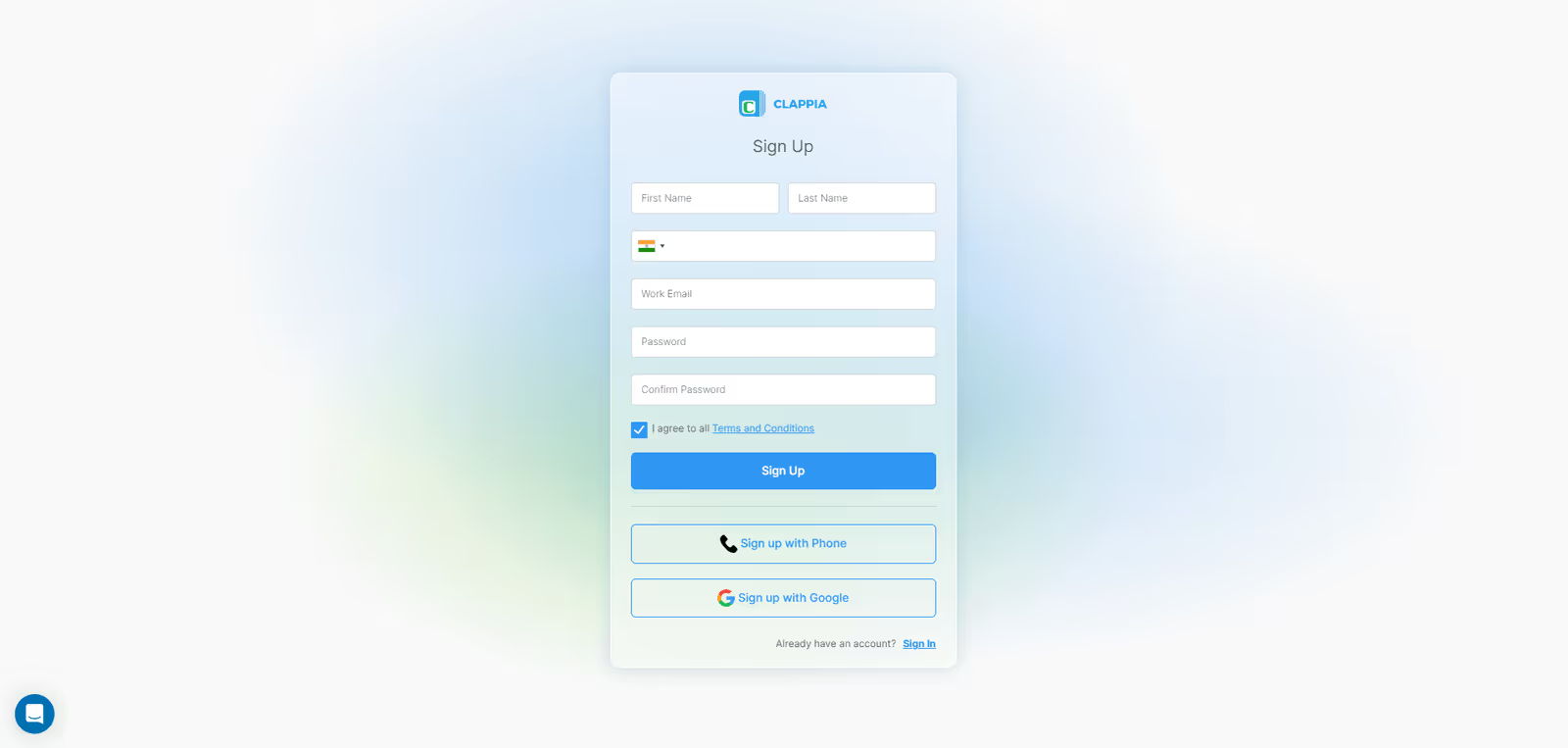
clappia sign up
  • Sign up for Clappia and create your sales organization workspace
  • Name your workspace after your company or sales division
Step 2: Create a New App
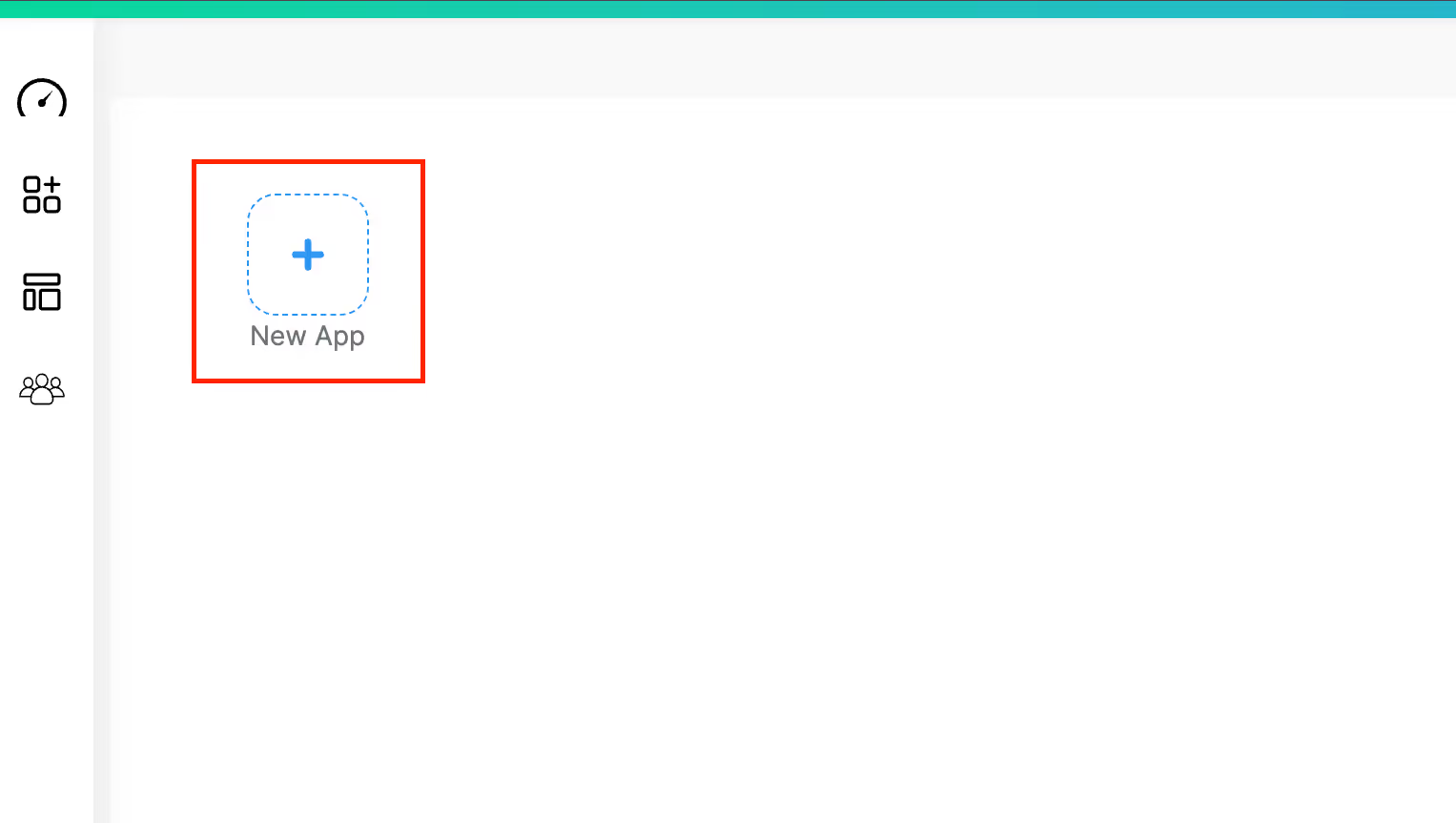
create new app
  • Click "Create App" and name it "Sales Visit Report Summarizer" or similar
Step 3: Add Form Components
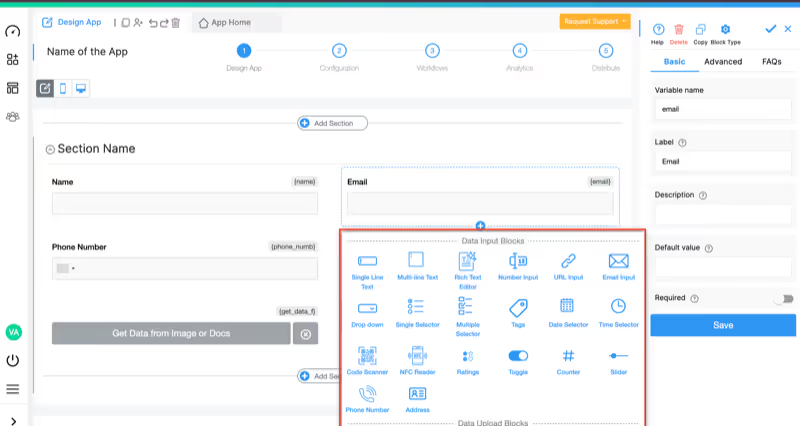
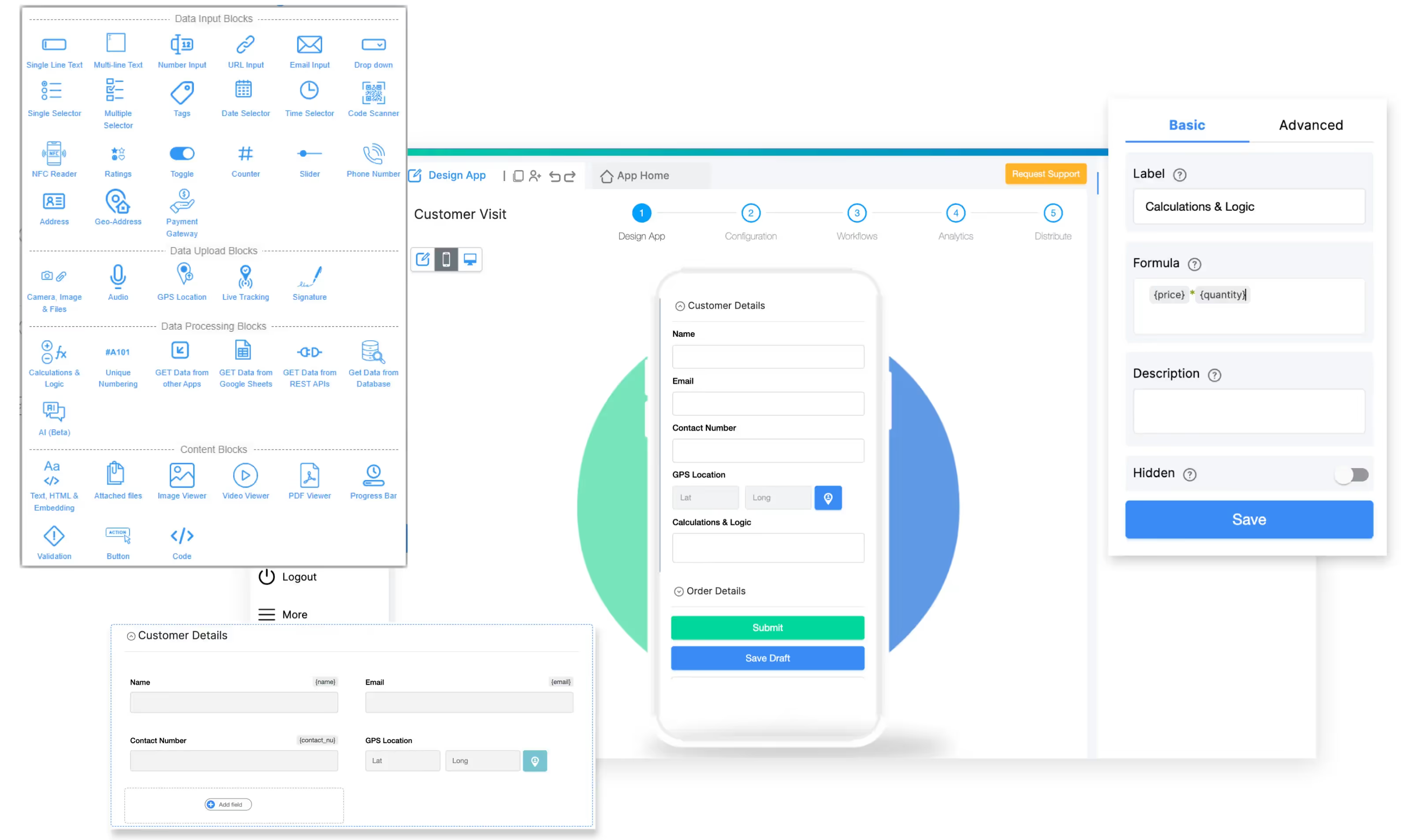
add field

Add these blocks to capture visit information:
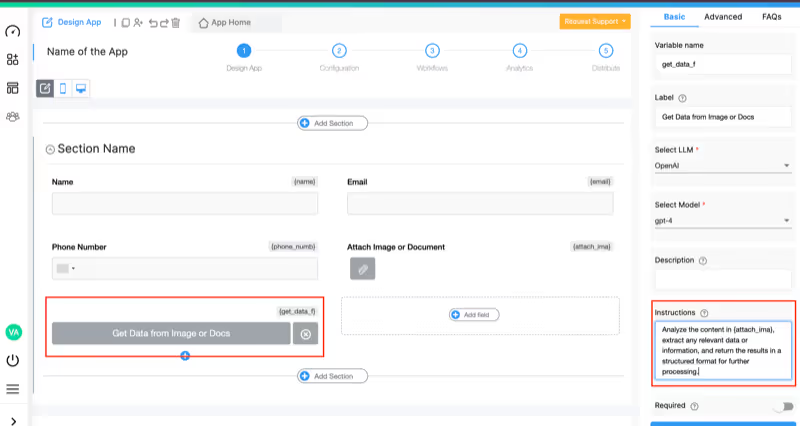
  • Sales Rep Name (Single Line Text or auto-populate from user login)
  • Customer Account (Dropdown or Get Data from Other Apps linked to customer database)
  • Visit Date and Time (Date Selector + Time Selector with auto-capture)
  • Visit Location (GPS Location Block to capture coordinates)
  • Primary Visit Purpose (Dropdown with options like: Sales Meeting, Product Demo, Technical Support, Relationship Building, Contract Negotiation)
  • Visit Notes (Multi-line Text block - this is where reps enter their detailed notes in Traditional Chinese or English)
  • Product Photos (Camera/File Upload - optional for visual documentation)
  • Attendees (Text Input for participant names/titles)
Step 4: Implement AI-Powered Summarization with Category Codes
add ai block

This is the core component that transforms unstructured notes into structured intelligence:

  • Add an AI Block to your form
  • Label it "AI-Generated Visit Summary"
  • Configure it to process the visit notes

Select LLM Provider:Choose an AI model that supports multilingual processing:

  • Claude (Anthropic): Excellent multilingual understanding including Traditional Chinese
  • OpenAI GPT-4o: Strong performance on business text summarization
  • Google Gemini: Native Traditional Chinese language support

Set the AI Instruction Prompt:

Configure the AI to extract and structure sales visit data with this improved instruction:

Process the sales visit notes provided in {visit_notes} and generate a structured summary report. The report should organize information using these predefined category codes:

Category Codes Reference:
- AA = Product Maintenance/Technical Issues
- BA = High Opportunity (close rate 60% or higher)
- CA = Volume/Quantity Data (containers, monthly usage)
- DA = Customer Concerns/Complaints
- EA = Competitive Intelligence

Structure your output in the following format:

**Visit Purpose:** [State primary reason for visit and apply AA/BA/CA/DA/EA code if applicable]

**Discussion Topics:** [Bullet list of main topics covered during meeting]

**Key Notes:** [Important details, customer feedback, relationship insights]

**Product Items and Monthly Volume:** [List products discussed with usage quantities if mentioned, apply CA code]

**Close Rate Assessment:** [Evaluate deal probability and apply BA code if 60%+ likely]

**Next Steps:** [Specific action items and follow-up commitments]

Process both Traditional Chinese (繁體中文) and English text. Maintain the original language for customer quotes when relevant.

The AI Block will process notes in Traditional Chinese or English and generate structured output, handling:

  • Mixed-language input (Chinese and English in same report)
  • Traditional Chinese characters (繁體中文) used in Taiwan and Hong Kong
  • Sales terminology in multiple languages
  • Numeric data extraction (percentages, volumes, quantities)
  • Action item identification
  • Sentiment analysis for opportunity assessment

Example Input (Traditional Chinese):

今天拜訪了大華公司的採購經理王先生。討論了新產品線的合作機會。
客戶對我們的容器包裝很感興趣,目前每月使用量約500個單位。
王先生表示下週會與決策層開會,成交機率很高,約80%。
需要跟進:下週三前發送正式報價單。

Example AI Output:

**Visit Purpose:** Sales Meeting - New Product Line Opportunity [BA]

**Discussion Topics:**
- Container packaging solutions presentation
- Current supplier comparison
- Pricing and delivery terms discussion
- Decision-making process and timeline

**Key Notes:** Met with Mr. Wang, Purchasing Manager at Da Hua Company. Customer expressed strong interest in container packaging line. Internal meeting scheduled with decision-makers next week. Very positive engagement and buying signals throughout discussion.

**Product Items and Monthly Volume:** [CA]
- Container packaging units: 500 units per month (current usage baseline)

**Close Rate Assessment:** [BA - 80% Close Probability]
High confidence based on customer commitment to internal decision meeting and specific timeline provided.

**Next Steps:**
- Send formal quotation by Wednesday next week
- Follow up post-decision meeting
- Prepare detailed product specifications document

Step 5: Add Data Validation and Quality Control
Formula Block
  • Add a Validation Block to ensure required fields are completed
  • Create conditional logic to show/hide sections based on visit type
  • Add manual review field allowing reps to edit AI output before submission

Validation Block Configuration:

  • Require customer account selection
  • Require visit notes with minimum character count
  • Ensure visit date is not in future
  • Flag if AI summary is empty or extraction failed
Step 6: Structure Category Code Extraction

To make category codes more actionable, add processing fields:

  • Add Formula Blocks to extract specific category codes from AI output
  • Create separate fields for visit type classification
  • Calculate aggregate metrics (total volume, close rate percentage)
  • Auto-populate CRM status fields based on category codes

Example Formula to Extract Close Rate:

IF(CONTAINS({ai_summary}, "[BA"),
  MID({ai_summary},
      FIND("Close Probability", {ai_summary}),
      3),
  "Not Assessed")
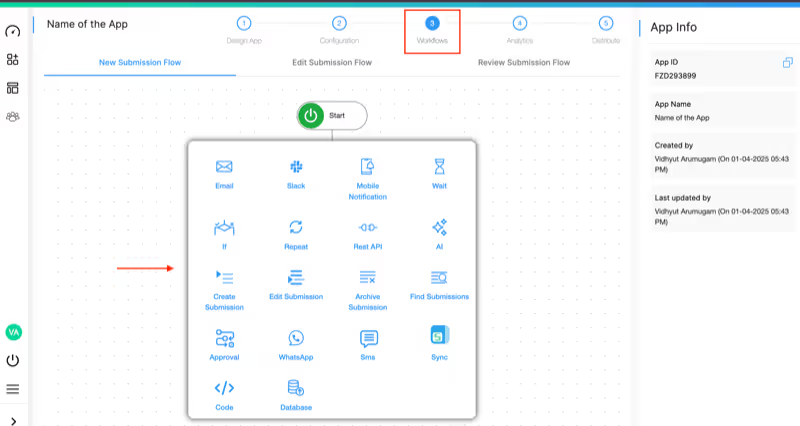
Step 7: Set Up Workflow Automation
setup workflow automation

Use Workflow Automation to route reports intelligently:

  • BA Code Detected (High Opportunity): Immediate email alert to sales manager
  • AA Code (Technical Issue): Auto-create support ticket and notify technical team
  • CA Code (Volume Data): Update inventory planning dashboard
  • DA Code (Customer Concern): Escalate to customer success manager
  • Daily Summary: Automated report of all visits sent to management team via email or Slack
Step 8: Configure CRM and System Integrations
Get Data From REST APIs

Connect your sales visit app with existing business systems:
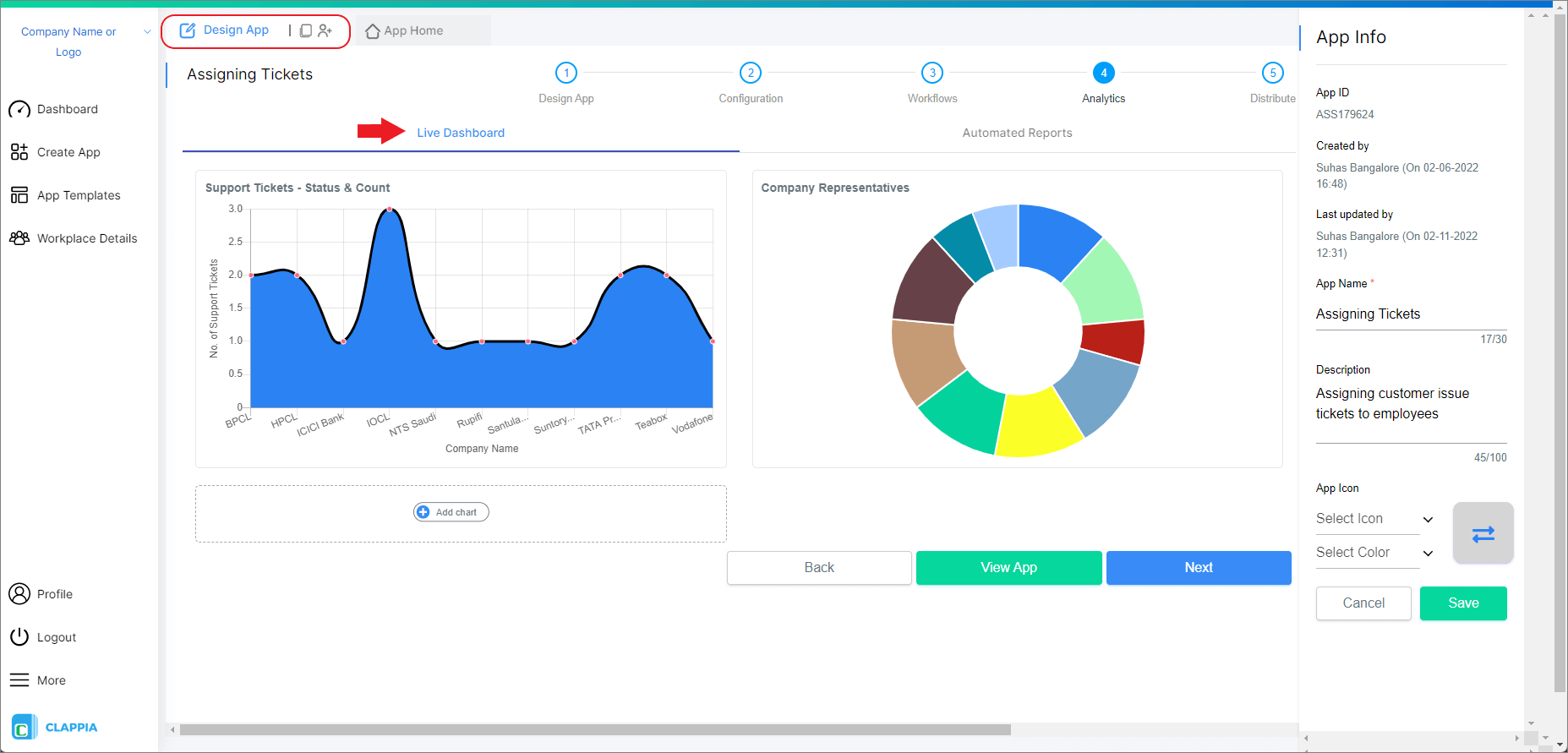
Step 9: Build Analytics and Reporting
Analytics: Automated Reports

Create dashboard views displaying:

  • Visit activity by rep and region
  • Category code distribution (AA/BA/CA/DA/EA breakdown)
  • Close rate trending based on BA code frequency
  • Product volume aggregation from CA codes
  • Rep performance metrics
  • Set up automated reports for weekly/monthly summaries
  • Build pipeline forecasting based on BA code data
Step 10: Test and Deploy the App
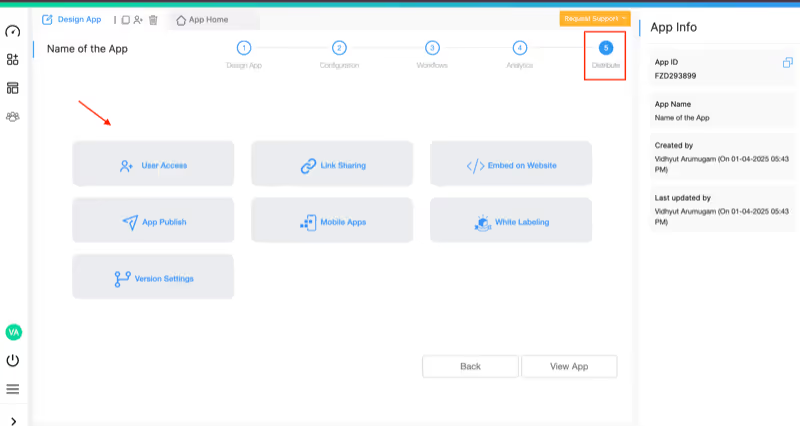
share the app
  • Test with sample visit notes in both Traditional Chinese and English
  • Verify AI correctly applies category codes
  • Validate CRM integration data flow
  • Test offline functionality for field use
  • Train sales team on quick note capture techniques
  • Roll out to pilot sales team first
  • Gather feedback and refine AI prompts
  • Deploy across entire sales organization
  • Monitor adoption and provide ongoing support

Real-World Use Cases for AI Sales Visit Report Summarization

International Distributor Network

Challenge: Managing 50+ field sales reps across Taiwan, Hong Kong, and Southeast Asia. Reps submit visit notes in Traditional Chinese, creating language barriers for regional management. Inconsistent report formats make pipeline analysis impossible.

Solution: Sales reps use mobile app to quickly enter notes in Traditional Chinese after each visit. AI automatically generates structured summaries with category codes in standardized format. Management views translated summaries and aggregated metrics in real-time dashboard.

Results: 70% reduction in report writing time, standardized data across regions, improved forecasting accuracy with BA code tracking.

B2B Account Management Team

Challenge: Account executives meeting 5-10 clients daily, spending 2+ hours each evening writing visit reports. Key details about product volumes and next steps buried in lengthy narratives.

Solution: Quick mobile data capture during or immediately after meetings. AI extracts structured information including product items (CA codes), discussion topics, and clear action items. Auto-sync to Salesforce.

Results: Reps gain 90 minutes daily, managers have instant visibility into account health, 40% improvement in follow-up completion rates.

Pharmaceutical Sales Force

Challenge: Medical sales reps visiting doctors and clinics, need to document prescription volumes, competitor activity (EA codes), and product maintenance issues (AA codes). Compliance requires detailed audit trails.

Solution: Reps capture visit notes with specific focus on volume data and competitive intelligence. AI structures reports with clear category classifications. Complete audit trail maintained with original notes + AI summary.

Results: Regulatory compliance maintained, competitive intelligence systematically captured, territory managers identify coaching opportunities faster.

Consumer Goods Field Sales

Challenge: Route sales reps servicing 30+ retail locations daily, no time for detailed reporting. Management blind to shelf conditions, stock levels, and reorder patterns.

Solution: Quick notes at each stop (even just product codes and quantities). AI generates structured visit logs with volume data (CA codes) and identifies maintenance needs (AA codes). Real-time inventory insights for logistics team.

Results: Complete visit documentation with minimal rep effort, inventory planning based on actual field data, faster response to stock-out situations.

Technical Considerations for Optimal Summarization

Multilingual Text Processing

  • Traditional Chinese Support: AI models handle 繁體中文 characters used in Taiwan, Hong Kong, Macau
  • Mixed Language: Process notes containing both Chinese and English seamlessly
  • Simplified vs Traditional: System distinguishes between simplified (简体) and traditional (繁體) Chinese
  • Language Detection: Automatic language identification for proper processing
  • Translation: Optional translation of summaries for multilingual management teams

AI Model Selection for Multilingual Sales Notes

Clappia's AI Block supports multiple AI models with different multilingual strengths:

  • Claude (Anthropic): Excellent Traditional Chinese comprehension and business context understanding
  • OpenAI GPT-4o: Strong multilingual performance with good Traditional Chinese support
  • Google Gemini: Native Asian language processing including Traditional Chinese
  • Mistral: Alternative for European languages if expanding to other markets

Test different models with your actual sales notes to optimize accuracy for your specific language mix and terminology.

Category Code Configuration

  • Customizable Codes: Adapt AA/BA/CA/DA/EA system to your organization's classification scheme
  • Code Definitions: Provide clear examples of each category in AI prompt
  • Multiple Codes: Support reports that match multiple categories
  • Code Hierarchy: Create sub-categories under main classification codes
  • Dynamic Codes: Add new category types as business needs evolve

Integration Capabilities

Connect your sales visit report app with business systems through Clappia's integration options:

  • CRM Systems: Sync structured visit data to Salesforce, HubSpot, Pipedrive, Zoho, Microsoft Dynamics
  • Sales Dashboards: Feed data to Tableau, Power BI, Looker for advanced analytics
  • Database Integration: Connect to MySQL, PostgreSQL, SQL Server for data warehousing
  • Google Workspace: Auto-sync to Google Sheets for backup and analysis
  • Slack: Post high-priority visit summaries to sales team channels
  • Email Marketing: Trigger automated follow-up sequences based on visit outcomes
  • Zapier: Connect to 1000+ business applications without coding
  • ERP Systems: Update inventory forecasts based on CA code volume data

Security and Data Privacy

Clappia ensures your sales data and customer information remain secure:

  • Data Encryption: 256-bit SSL encryption for all data transmission and storage
  • Role-Based Access: Granular permissions for reps, managers, and administrators
  • Audit Trails: Complete tracking of all report submissions and edits
  • GDPR Compliant: Meets European data protection standards
  • Data Residency: Choose data storage location based on regional requirements
  • Mobile Security: Encrypted offline storage on mobile devices
  • API Security: OAuth authentication for all system integrations

Getting Started: Your Next Steps

Ready to transform your field sales reporting process? Here's how to begin with Clappia's free plan:

  1. Sign up for free and explore the platform
  2. Define your category code system if you don't have one yet (AA/BA/CA/DA/EA is a good starting point)
  3. Build your pilot app following this step-by-step guide
  4. Test with sample notes in Traditional Chinese and English to verify AI accuracy
  5. Refine AI prompts based on your specific sales terminology and categories
  6. Roll out to 3-5 pilot reps for real-world testing
  7. Gather feedback and adjust form fields or AI instructions
  8. Integrate with your CRM for automated data flow
  9. Train your sales team on quick note capture best practices
  10. Deploy organization-wide and monitor adoption metrics

The best part? Start with Clappia's free plan to build and test your app before scaling. No credit card required, no coding skills needed.

Frequently Asked Questions

Can the AI process notes in Traditional Chinese (繁體中文)?

Yes, Clappia's AI Block supports Traditional Chinese input and can generate structured summaries from 繁體中文 notes. Claude and Gemini models provide especially strong Traditional Chinese language understanding.

What if my reps write notes in mixed Chinese and English?

The AI handles mixed-language input seamlessly. It will process content regardless of language switching within a single report and maintain appropriate language in the structured output.

Can I customize the category codes (AA, BA, CA, etc.)?

Absolutely. The category code system is completely customizable. You can adapt the codes, add new categories, create sub-classifications, or use an entirely different coding scheme in the AI prompt configuration.

How accurate is the AI at extracting product volumes and close rates?

With clear input, AI extraction accuracy for numeric data typically exceeds 90%. For best results, train reps to use consistent formats when noting volumes (e.g., "500 units/month" or "80% close probability").

Does it work offline for field sales reps without internet?

Yes, enable offline mode so reps can submit reports in areas with poor connectivity. Data syncs automatically when internet connection returns.

Can I integrate this with our existing Salesforce or HubSpot CRM?

Yes, use Clappia's REST API integration to push structured visit data to any CRM system. Most modern CRMs provide API endpoints for custom data import.

How long does it take to set up the app?

Most sales teams complete a basic visit report app in 2-3 hours following this guide. Additional time needed for AI prompt refinement based on your specific terminology and category codes.

What if the AI misses important details or miscategorizes a visit?

Sales reps review and can edit the AI-generated summary before submission. Set up validation rules to flag low-confidence extractions for manual verification. The system learns from corrections over time.

Can I use my own AI API key to control costs?

Yes, Clappia allows you to connect your own AI API key from OpenAI, Anthropic Claude, or Google Gemini. This bypasses usage limits and gives you direct control over AI processing costs.

How do I train my sales team to use this effectively?

Focus on quick note capture during or immediately after visits. Encourage reps to include specific numbers (volumes, percentages) and clear action items. The more structured their input, the better the AI output. Most reps become proficient within 5-10 submissions.

Conclusion

Manual sales visit report writing wastes valuable selling time and produces inconsistent data that's difficult to analyze. With AI-powered summarization and structured category codes, you can transform field sales documentation from administrative burden to strategic intelligence asset.

Clappia makes it possible to build enterprise-grade sales automation applications with no coding required. The AI Block handles multilingual text processing including Traditional Chinese (繁體中文), while you focus on defining the category codes and business logic that match your sales process.

Whether you're managing distributors across Asia-Pacific, B2B account executives, pharmaceutical sales teams, or consumer goods field reps, this approach delivers faster reporting, better data quality, and actionable pipeline intelligence.

Start building your AI-powered sales visit report app with Clappia today - No Code Required. Transform your field sales operations in hours, not months.

Related Resources:

Field Sales Resources:

FAQ

Start Building Your AI Sales Visit Report App Today - No Code Required

Start Building Your AI Sales Visit Report App Today - No Code RequiredGet Started – It’s Free

Start Building Your AI Sales Visit Report App Today - No Code Required

Summary

Close