Customer service teams, product managers, and quality analysts receive thousands of feedback responses daily through surveys, product reviews, support tickets, employee feedback forms, and social media comments. Reading through every response to understand whether customers are satisfied, dissatisfied, or neutral requires significant time and introduces subjective interpretation bias.
A customer writes: "The product arrived quickly but the packaging was damaged and customer support took 3 days to respond." Is this positive because of fast delivery? Negative due to poor packaging? The sentiment is mixed and requires careful analysis to categorize correctly.
Support managers reviewing 500+ daily feedback entries struggle to prioritize urgent negative responses requiring immediate attention. Positive feedback highlighting successful experiences gets buried in the volume. Neutral comments providing constructive suggestions go unnoticed.
Marketing teams analyzing product launch feedback manually classify thousands of reviews to understand market reception. This manual sentiment classification takes days, delaying critical product decisions. Inconsistent human interpretation leads to inaccurate sentiment trending and flawed strategic insights.
Employee engagement surveys generate hundreds of open-ended responses about workplace culture, management effectiveness, and job satisfaction. HR teams spend weeks reading through comments to identify areas of concern versus positive morale indicators.
But automation changes everything.
With AI-powered sentiment analysis, you can instantly classify any text-based feedback as Positive, Negative, or Neutral the moment it's submitted. The system understands context, tone, and emotional language, providing consistent, objective sentiment classification across all responses. Critical negative feedback gets flagged immediately. Positive experiences are recognized and celebrated. Neutral constructive feedback is properly categorized for product improvement.
In this guide, you'll learn how to build a custom AI application that automatically analyzes sentiment in customer feedback, employee responses, product reviews, support tickets, and any text-based input. Whether you're managing customer experience programs, employee engagement initiatives, product feedback analysis, or support ticket prioritization, this solution will transform subjective interpretation into instant, data-driven sentiment insights.
Before we start building, here's what you need:
An AI-powered sentiment analyzer uses natural language processing and machine learning to automatically evaluate the emotional tone of text-based feedback. The system reads comments, reviews, or responses and instantly classifies them into three categories: Positive (favorable sentiment), Negative (unfavorable sentiment), or Neutral (balanced or factual sentiment). Key capabilities include:
Manual sentiment classification is slow, subjective, and inconsistent across multiple reviewers. Automating this process through AI delivers measurable business value:
Benefits of Automating Sentiment Analysis
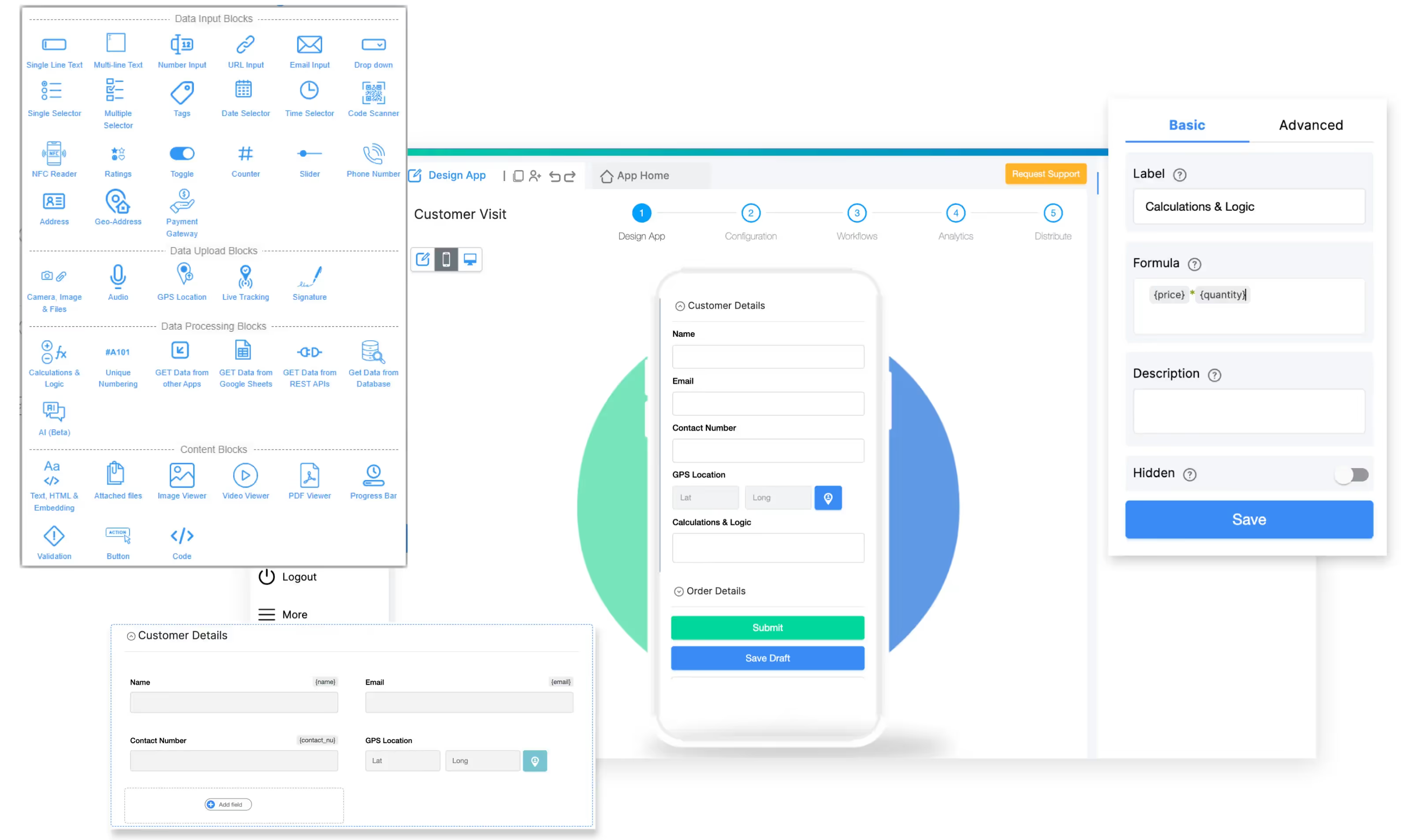
To build this AI-powered sentiment analyzer, we'll use Clappia, a no-code platform that enables customer experience and operations teams to build custom applications without programming knowledge.
With Clappia's AI Block, you can create apps that automatically classify sentiment in real-time using advanced AI language models.
To ensure your app delivers accurate, actionable sentiment insights, we'll include these essential capabilities:
This streamlined workflow ensures every piece of feedback is instantly understood and appropriately prioritized without manual reading and subjective interpretation.
Example Feedback Scenarios:
Scenario 1 - Clear Positive:
"Absolutely love this product! Customer service was outstanding and delivery was faster than expected. Will definitely purchase again."
AI Classification: PositiveWhy: Strong positive language ("love," "outstanding," "faster than expected"), intent to repurchase
Scenario 2 - Clear Negative:
"Very disappointed with the quality. Product broke after 2 days and customer support has not responded to my emails for a week. Would not recommend."
AI Classification: NegativeWhy: Explicit negative emotion ("disappointed"), product failure, poor service experience, negative recommendation
Scenario 3 - Neutral:
"The product meets the specifications as described. Setup instructions could be more detailed. Price is competitive with similar options in the market."
AI Classification: NeutralWhy: Factual observations, constructive criticism without strong emotion, balanced assessment
Scenario 4 - Mixed (Nuanced Negative):
"While the product design is excellent and features work as advertised, the price point is too high for the quality received. Expected more at this price range."
AI Classification: NegativeWhy: Despite positive elements, overall sentiment is dissatisfaction with value proposition
This intelligent classification enables immediate appropriate response: service recovery for negative, thank you outreach for positive, product team review for neutral constructive feedback.
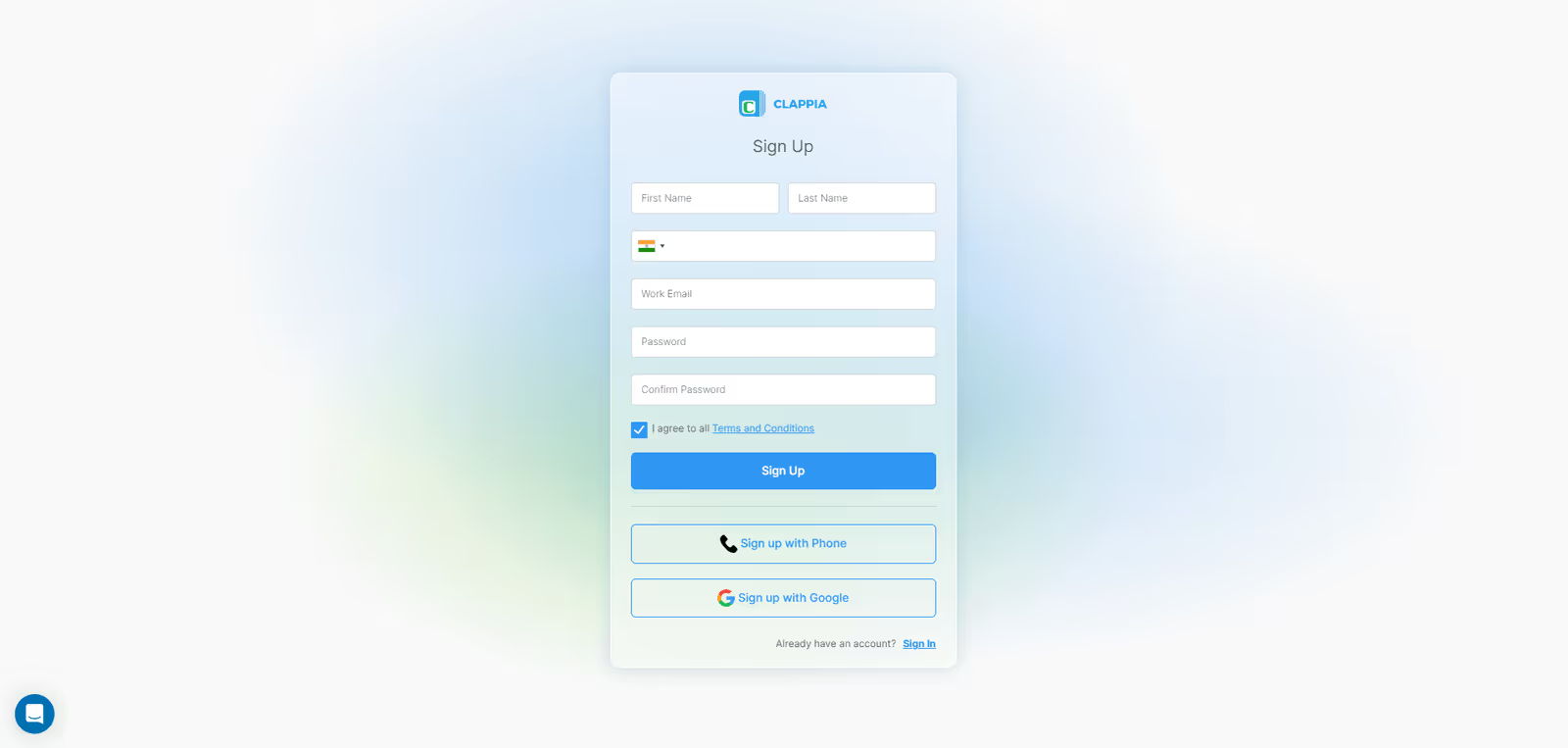
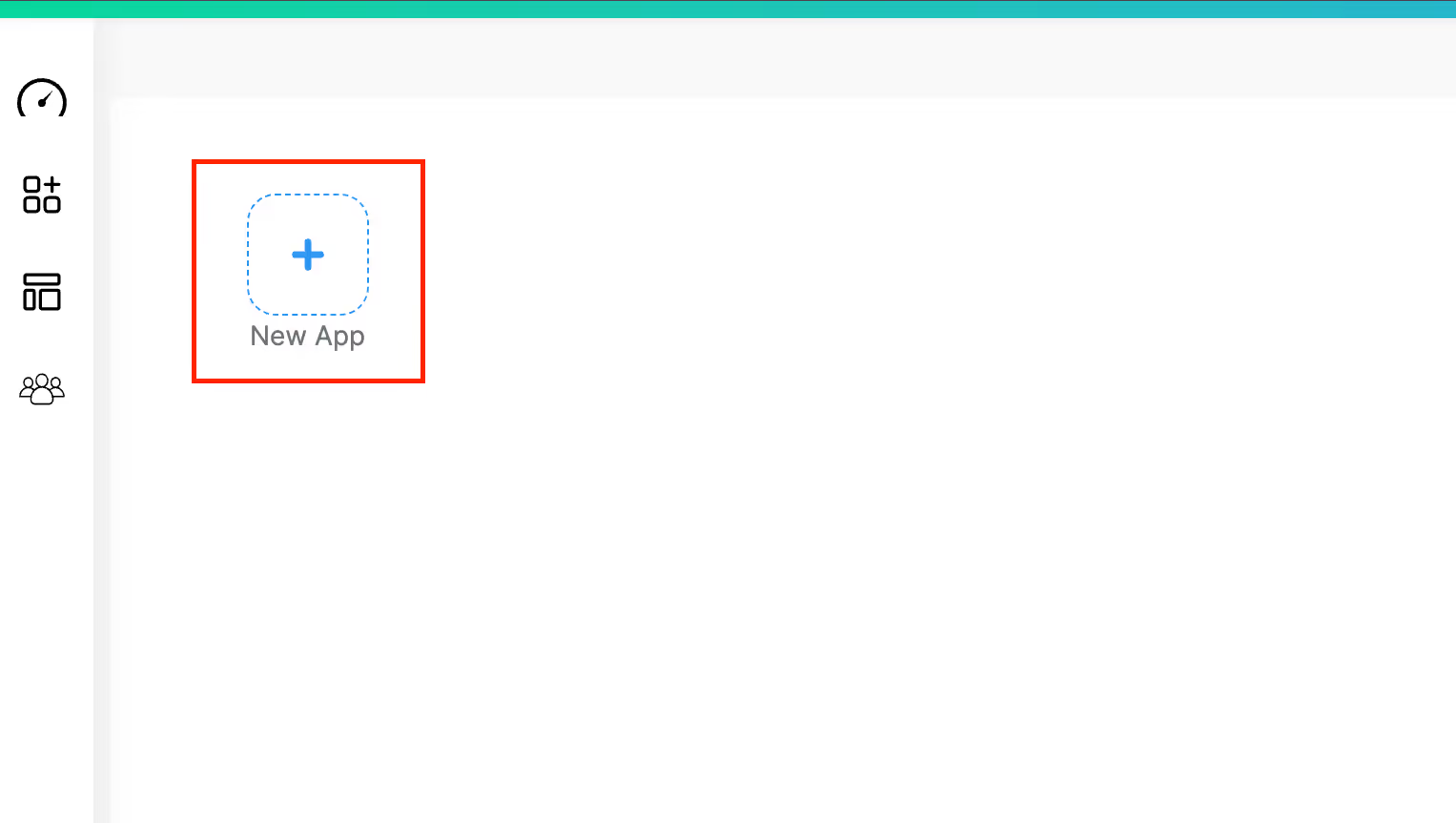
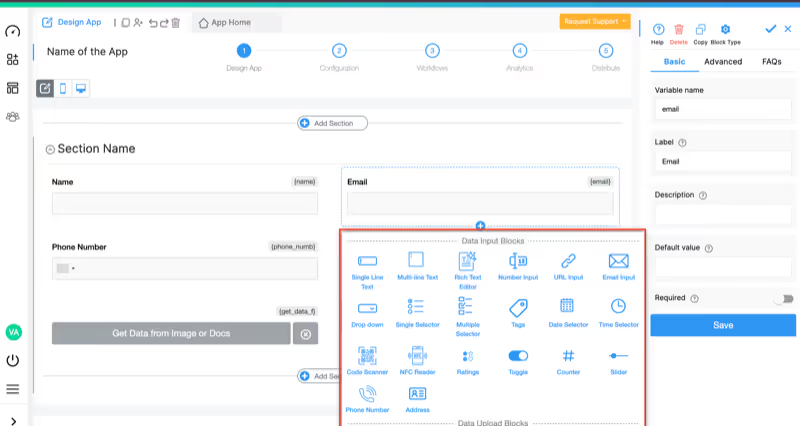
Since feedback is submitted programmatically via API from external platforms, design the app to receive and process this data:
Add these blocks to capture API-submitted feedback:
Fields Populated by External API:
Field Populated by AI Workflow Node:
Optional: Additional AI-Extracted Fields (if using JSON response):
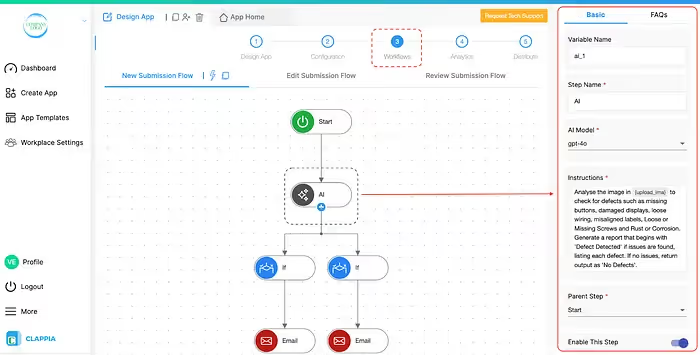
Navigate to the Workflows tab. The workflow will automatically trigger when API submits feedback.
Add AI Workflow Node below the Start node:
Step Name: Sentiment Analyzer
LLM: OpenAI (or Claude)
AI Model: gpt-4o
Instructions:
You are an expert sentiment analysis system specializing in customer feedback evaluation. Analyze the emotional tone and sentiment of the provided feedback text and return structured JSON data.FEEDBACK TEXT TO ANALYZE: {feedback_comment}
CLASSIFICATION CATEGORIES:
**Positive:** Feedback expressing satisfaction, happiness, appreciation, enthusiasm, or favorable opinions. Examples include praise, compliments, expressions of delight, recommendations, and positive experiences.
**Negative:** Feedback expressing dissatisfaction, frustration, disappointment, anger, complaints, or unfavorable opinions. Examples include criticism, problems reported, poor experiences, requests for refund, and negative recommendations.
**Neutral:** Feedback that is factual, balanced, constructive without strong emotion, or contains mixed sentiment that doesn't lean clearly positive or negative. Examples include objective observations, feature requests without criticism, informational comments, and balanced assessments mentioning both pros and cons equally.
ANALYSIS GUIDELINES:
* Consider the OVERALL sentiment of the entire text
* Weigh emotional intensity (strong negative words override mild positive mentions)
* Recognize sarcasm and irony (e.g., "Great job breaking after 2 days" is Negative)
* Mixed sentiment: If text contains both positive and negative but one clearly dominates, classify based on dominant sentiment
* Equally balanced mixed sentiment: Classify as Neutral
* Absence of emotion: Factual statements without emotional language = Neutral
* Focus on customer's experience and feelings, not just facts mentioned
CRITICAL EXAMPLES:
Positive Examples:
- "Exceeded my expectations! Will buy again."
- "Customer service was incredibly helpful and resolved my issue quickly."
- "Best purchase I've made this year."
Negative Examples:
- "Complete waste of money. Product broke immediately."
- "Customer support never responded. Very disappointed."
- "Would not recommend to anyone."
Neutral Examples:
- "Product works as described. Shipping took 5 days."
- "Standard quality for the price point. Nothing special but adequate."
- "The features are good but could use more documentation."
OUTPUT REQUIREMENT:
Return ONLY valid JSON in this exact format:
{
"sentiment": "Positive or Negative or Neutral",
"confidence": 85,
"topics": "pricing, service, quality",
"urgency": "High or Medium or Low"
}
JSON FIELD DEFINITIONS:
- sentiment: One word only - Positive, Negative, or Neutral
- confidence: Number between 0-100 indicating classification certainty
- topics: Comma-separated main themes mentioned (max 3-4 topics)
- urgency: High (critical issues requiring immediate action), Medium (important feedback), Low (general comments)
Return ONLY the JSON object. No markdown formatting, no explanation, no additional text.
Variable Name: {ai_response}
Next Steps:
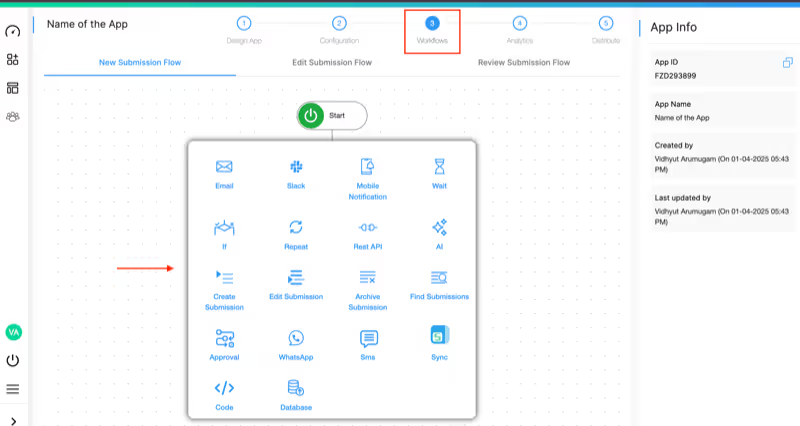
Sentiment classification becomes truly powerful when it triggers appropriate automated responses:
Add Conditional Logic for Sentiment-Based Routing:
Add an If Node to check sentiment classification
If Sentiment = "Negative":
If Sentiment = "Positive":
If Sentiment = "Neutral":
Challenge: Online retailer receives 5,000+ product reviews monthly across 500+ products. Customer service team manually reads reviews to identify dissatisfied customers for proactive outreach. Process takes 40+ hours weekly and misses time-sensitive negative experiences requiring immediate service recovery.
Solution: All product review submissions automatically analyzed for sentiment. Negative reviews trigger instant alert to customer success team with customer contact information. Positive reviews flagged for marketing team to request detailed testimonials or user-generated content.
Results: 95% reduction in negative feedback response time (from 3-5 days to under 4 hours), 40% improvement in negative experience recovery rate, identification of 3x more brand advocates from positive reviews.
Challenge: HR department conducts quarterly engagement surveys generating 800+ open-ended responses about workplace culture, management, compensation, and job satisfaction. Manual reading and categorization takes 2-3 weeks, delaying action on critical morale issues. Subjective interpretation by different HR analysts leads to inconsistent findings.
Solution: Employee survey responses automatically classified by sentiment. Negative sentiment responses flagged for immediate management attention. Sentiment tracking by department, role, and manager identifies pockets of low morale requiring intervention. Trends tracked quarter-over-quarter.
Results: Sentiment analysis completed same-day survey closes, 80% faster insight generation, objective consistent classification across all responses, early identification of retention risks in specific teams.
Challenge: Software company receives 1,500+ support tickets weekly. Support managers struggle to prioritize tickets beyond stated urgency level. Customer frustration level not visible until escalation occurs. Positive interactions highlighting successful problem resolution not recognized or leveraged.
Solution: Support ticket descriptions automatically analyzed for sentiment at submission. Negative sentiment combined with high urgency triggers immediate assignment to senior support specialists. Positive sentiment responses identified for customer success outreach and potential case studies.
Results: 35% reduction in ticket escalation rate, faster assignment of frustrated customers to experienced agents, identification of product pain points through negative sentiment clustering, recognition of support agents delivering exceptional experiences.
Challenge: Restaurant chain with 50 locations collects customer feedback via table tablets and post-visit emails. Management reviews feedback weekly but cannot respond quickly to negative dining experiences. Positive feedback about specific staff members or dishes goes unrecognized.
Solution: All customer feedback instantly classified by sentiment. Negative experiences trigger same-day manager follow-up call. Positive mentions of staff members generate recognition notifications. Sentiment tracked by location, day of week, and meal period to identify operational patterns.
Results: Same-day service recovery for 90% of negative experiences, 25% improvement in repeat visit rate after negative experience recovery, staff recognition program based on positive sentiment mentions, identification of operational issues (slow service on Friday nights) through sentiment pattern analysis.
Clappia's AI Block supports multiple AI models with different sentiment analysis strengths:
Test different models with your actual customer feedback to optimize accuracy for your specific language patterns, industry terminology, and common response types.
Connect your sentiment analyzer with business systems through Clappia's integration options:
Clappia ensures your customer feedback and sentiment data remain secure:
Ready to transform feedback analysis with automated sentiment classification? Here's how to begin with Clappia's free plan:
The best part? Start with Clappia's free plan to build and test your app before scaling. No credit card required, no coding skills needed.
Can the AI accurately detect sarcasm in customer feedback?
Advanced AI models like Claude and GPT-4o are trained to recognize sarcasm and ironic statements. For example, "Oh great, it broke after one use" would correctly be classified as Negative despite the word "great." For best results with sarcastic language, include sarcasm examples in your AI prompt.
What happens if sentiment is genuinely mixed (both positive and negative)?
The AI evaluates which sentiment is dominant based on emotional intensity and volume of positive vs negative content. If truly balanced (equal positive and negative), it classifies as Neutral. You can adjust the prompt to specify how to handle mixed sentiment based on your business needs.
How accurate is automated sentiment analysis compared to human classification?
Modern AI sentiment analysis achieves 85-92% accuracy compared to human judgment on clear sentiment cases. Accuracy improves with prompt refinement using your specific feedback examples. For critical negative feedback, you can implement human review before final classification.
Can I customize sentiment categories beyond Positive/Negative/Neutral?
Yes, you can modify the AI prompt to use different categories like Very Positive, Positive, Neutral, Negative, Very Negative or custom categories like Promoter, Passive, Detractor (NPS-style). Adjust the prompt and workflow logic accordingly.
Does it work for non-English feedback?
The AI models support multiple languages. GPT-4o, Claude, and Gemini all handle major world languages effectively. For best results with non-English feedback, test with sample text in your target language and specify the language in the AI prompt if needed.
How do I handle very short feedback like just "Good" or "Bad"?
AI handles short feedback well, correctly classifying single-word responses. However, extremely short responses may lack context for nuanced analysis. Consider setting minimum character requirements (15-20 characters) to encourage meaningful feedback while still accepting brief responses.
Can I integrate this with my existing survey or feedback platform?
Yes, use Clappia's REST API integration to push sentiment-classified feedback to any platform with API capabilities. You can also pull feedback from external surveys into Clappia for sentiment analysis via API or Zapier.
What if the AI misclassifies sentiment?
Include a manual override field where reviewers can correct misclassifications. Track correction patterns to identify common misclassification scenarios, then refine your AI prompt with those examples to improve future accuracy. Most misclassifications occur with highly nuanced or domain-specific language.
Can I use my own AI API key for high-volume sentiment analysis?
Yes, Clappia allows you to connect your own AI API key from OpenAI, Anthropic Claude, or Google Gemini. This gives you direct cost control and removes usage limits for enterprise-scale sentiment analysis of thousands of responses daily.
How do I train my team to act on sentiment insights?
Focus on response protocols: Negative sentiment = immediate outreach within 24 hours, Positive sentiment = thank you and advocacy outreach, Neutral sentiment = product team review for improvements. Create response templates for each sentiment category and track response time and resolution rates by sentiment.
Manual sentiment classification of customer feedback is slow, subjective, and prevents timely response to critical negative experiences. With AI-powered sentiment analysis, you can instantly understand the emotional tone of every response and trigger appropriate actions automatically while maintaining complete feedback history.
Clappia makes it possible to build enterprise-grade sentiment analysis applications without coding expertise. The AI Block handles intelligent text classification and emotional tone detection, while you focus on building better customer experiences and responding appropriately to feedback.
Whether you're managing customer experience programs, employee engagement initiatives, product review analysis, support ticket prioritization, or any feedback collection process, this approach delivers instant sentiment insights, consistent classification, and data-driven response strategies.
Related Resources:
Customer Experience Resources:
 Get Started – It’s Free
L374, 1st Floor, 5th Main Rd, Sector 6, HSR Layout, Bengaluru, Karnataka 560102, India
3500 S DuPont Hwy, Dover,
Kent 19901, Delaware, USA


.svg)




3500 S DuPont Hwy, Dover,
Kent 19901, Delaware, USA
L374, 1st Floor, 5th Main Rd, Sector 6, HSR Layout, Bengaluru, Karnataka 560102, India