Salesforce serves as the backbone CRM for thousands of businesses worldwide, while Microsoft Forms provides a simple way to collect survey responses, event registrations, customer feedback, and lead information. Connecting these two platforms enables automated data flow from form submissions directly into Salesforce records—eliminating manual data entry, reducing errors, accelerating lead response times.
Microsoft Forms to Salesforce integration creates automated data synchronization between form submissions and Salesforce CRM records. When users submit responses through Microsoft Forms—customer inquiries, lead generation forms, event registrations, feedback surveys—integration automatically creates or updates corresponding Salesforce objects: Leads, Contacts, Accounts, Cases, Custom Objects.
Key Integration Benefits:
Organizations implementing form-to-Salesforce automation report 37% increase in lead conversion rates due to faster follow-up enabled by instant CRM record creation.
Microsoft Forms lacks native Salesforce integration—no built-in connector, no "Connect to Salesforce" button. Integration requires technical implementation using Microsoft Graph API (accessing Forms responses) combined with Salesforce REST API (creating/updating CRM records).
Microsoft Graph API provides programmatic access to Microsoft 365 services including Forms responses. API endpoints enable applications to retrieve form definitions, fetch form responses in JSON format, and access individual response details.
API Authentication Requirements: Microsoft Graph API requires OAuth 2.0 authentication with appropriate permissions including application registration in Azure Active Directory, Client ID and Client Secret generation, and admin consent for Forms.Read.All permission scope.
Salesforce REST API enables external applications to create, read, update, delete Salesforce records programmatically. API supports all standard Salesforce objects (Leads, Contacts, Accounts, Opportunities, Cases) plus custom objects.
API Authentication Requirements: Salesforce REST API uses OAuth 2.0 authentication requiring Connected App creation in Salesforce Setup, Consumer Key and Consumer Secret generation, user authorization, and access token acquisition.
Technical Implementation Approach:
API-based integration requires middleware service (Azure Functions, AWS Lambda, custom application server) executing this workflow:
Technical Challenges:
Microsoft Forms does not provide native Salesforce integration. Despite both being industry-leading platforms, there is no built-in connector, no 'Connect to Salesforce' button, and no straightforward way to push form data into your Salesforce org.
Organizations seeking Microsoft Forms-Salesforce integration must implement complex technical solutions:
For organizations requiring immediate Salesforce record creation or advanced form capabilities beyond Microsoft Forms basic functionality, alternative solutions provide superior approaches.
Microsoft Forms is undoubtedly one of the most popular productivity and marketing tools. It allows users to create, update, and share forms, surveys, and quizzes collaboratively. However, using Microsoft Forms as your primary solution can be limiting, as it does not support advanced features such as Salesforce integration, GPS location capture, QR code/barcode scanning, live tracking, image uploads, or digital signatures.
Clappia overcomes these limitations by offering features like QR code and barcode scanning, NFC reader, live tracking, image uploads, digital signatures, and a REST API block to connect with other tools. This streamlined approach helps businesses make faster, data-driven decisions and efficiently track daily team activities.
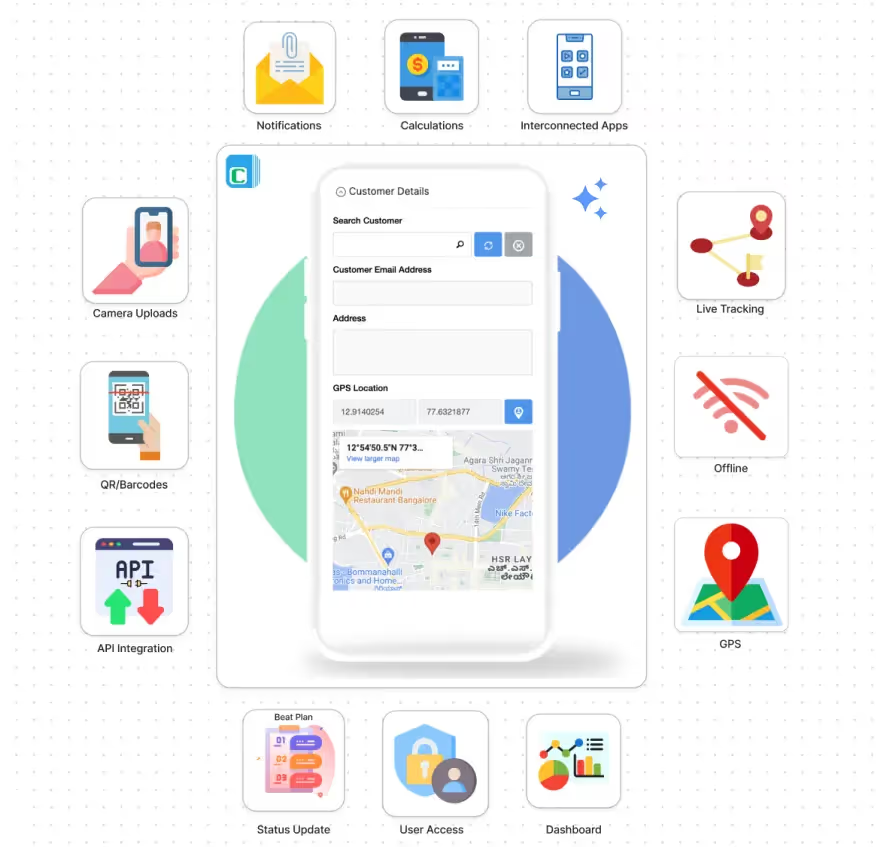
QR Code and Barcode Scanning: Enable mobile scanning for inventory tracking, attendance verification, asset management, product identification—capabilities completely absent from Microsoft Forms.
GPS Location Tracking: Capture precise coordinates automatically during form submission—essential for field service verification, site inspections, delivery confirmations, attendance tracking with geofencing. Microsoft Forms provides no location capture.
NFC Reader: Contactless badge scanning for access control, employee check-in, equipment tracking on Android devices—advanced functionality Microsoft Forms entirely lacks.
Live Tracking: Real-time route monitoring with distance calculation, time tracking, map visualization for field employees, delivery agents, service technicians—impossible with Microsoft Forms.
Digital Signatures: Capture electronic signatures for approvals, contracts, delivery confirmations, legally binding e-signature workflows—feature Microsoft Forms completely missing.
Photo and Video Capture: Unlimited image uploads, video recording, document attachments with mandatory selfie options—far exceeding Microsoft Forms basic single-image limitation.
Offline Forms: Form completion without internet connectivity, automatic synchronization when online—perfect for remote operations. Microsoft Forms requires constant internet connection.

Direct REST API Connection: Native Salesforce integration—no Zapier, no Power Automate, no middleware required. Configure Salesforce REST API endpoints directly within Clappia workflows creating immediate Salesforce record creation upon form submission.
Real-Time Data Synchronization: Unlike third-party integrations causing 5-15 minute delays, Clappia's workflow automation triggers Salesforce API calls instantly when forms submitted—leads appear in Salesforce within seconds.
Flexible Field Mapping: Map any Clappia form field to any Salesforce object field: standard objects (Leads, Contacts, Accounts, Opportunities, Cases) or custom objects. Support for all Salesforce field types: text, number, picklist, multi-picklist, date, datetime, checkbox, currency, URL.
Authentication Management: Configure Salesforce OAuth credentials once—platform handles access token acquisition, refresh token management, API authentication automatically.

AI-Powered Data Extraction: Extract data automatically from uploaded images using OpenAI, Claude, or Gemini: read receipts, analyze business cards, process invoices—intelligent automation Microsoft Forms cannot provide.
Mobile Apps: Native Android and iOS apps with complete form functionality optimized for touchscreen operation. White-labeled apps publish to App Store and Play Store with custom branding.
Workflow Automation: Comprehensive automation exceeding Microsoft Forms basic email notifications:
Professional Reporting: Dynamic PDF generation creates branded reports and invoices. Automated reports email scheduled summaries. Analytics dashboards provide real-time visualizations.
Clappia provides straightforward Salesforce integration through REST API workflow blocks—no third-party platforms, no complex middleware required.
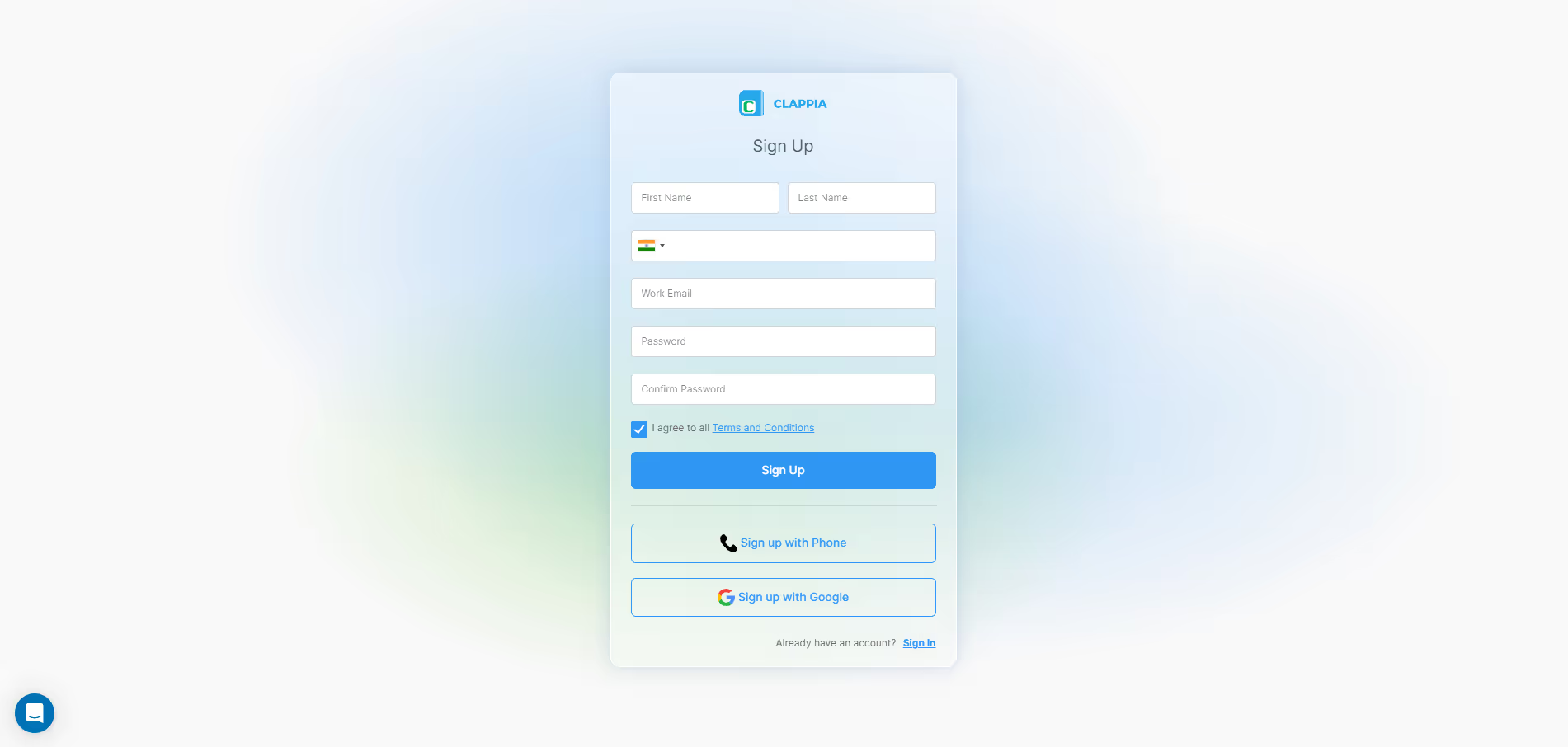
Sign up for free Clappia account and create new app:
Configure Salesforce Connected App:
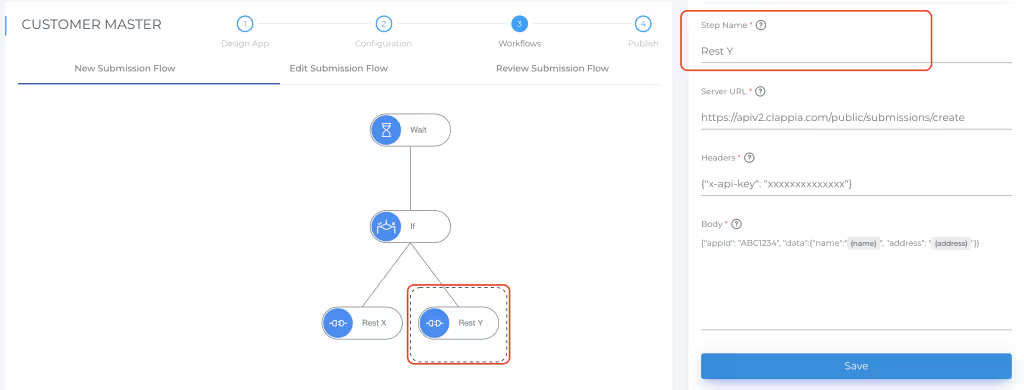
Add REST API workflow to app:
API Endpoint:
POST https://yourorg.my.salesforce.com/services/data/v58.0/sobjects/LeadHeaders:
Authorization: Bearer YOUR_ACCESS_TOKEN
Content-Type: application/json
Request Body:
{
 "FirstName": "{{First_Name}}",
 "LastName": "{{Last_Name}}",
 "Email": "{{Email}}",
 "Phone": "{{Phone_Number}}",
 "Company": "{{Company}}",
 "LeadSource": "{{Lead_Source}}",
 "Description": "{{Comments}}",
 "Status": "New"
}Enhance workflow with conditional logic:
Scenario: Marketing team hosts conference requiring attendee registration automatically creating Salesforce Leads.
Implementation:
Results: 500+ registrations processed without manual entry. Lead-to-opportunity conversion increased 42%.
Scenario: Technicians perform equipment inspections creating Salesforce Cases for follow-up repairs.
Implementation:
Results: Inspections completed 35% faster. Cases created within seconds enabling immediate dispatch.

Scenario: Collect post-purchase satisfaction surveys updating Salesforce Contact records.
Implementation:
Results: Service recovery team addressed negative feedback within 4 hours. Positive reviews increased 68%.
No, Microsoft Forms does not provide native Salesforce integration. There is no built-in connector or straightforward synchronization method. Integration requires third-party platforms (Zapier, Power Automate) introducing 5-15 minute delays and costs, or custom API development requiring technical expertise. Clappia offers native REST API workflow blocks enabling direct Salesforce connectivity without middleware.
Third-party platforms typically sync Microsoft Forms to Salesforce within 5-15 minutes due to polling-based synchronization. Clappia provides instant Salesforce record creation (under 5 seconds) through REST API workflow automation triggering immediately upon form submission—critical for time-sensitive lead response.
Yes, Clappia's REST API workflow block supports mapping any form field to any Salesforce field type including custom objects, custom fields, picklists, lookups—configure field mappings through visual interface without coding.
Clappia's workflow automation includes built-in error handling with retry logic, detailed workflow logs showing API responses, and conditional workflows routing failed submissions to administrator notifications.
No, Microsoft Forms lacks GPS location capture, QR/barcode scanning, digital signatures, offline forms, NFC reader, live tracking. Clappia offers GPS location, QR/barcode scanners, digital signatures, offline mode, NFC readers, live tracking.
Yes, Clappia's REST API workflow blocks support all Salesforce objects: standard (Leads, Contacts, Accounts, Opportunities, Cases) and custom objects. Single form can create multiple related records through multiple API workflow nodes with complete flexibility matching any Salesforce data model.
Clappia's REST API workflow configuration stores Salesforce OAuth credentials securely. Configure Consumer Key, Consumer Secret, Access Token once—platform handles token refresh automatically. No manual token management required. Encrypted credential storage complies with security standards.
While Microsoft Forms provides basic survey capabilities, achieving seamless Salesforce integration requires significant technical complexity. Clappia eliminates Microsoft Forms limitations through native Salesforce integration, real-time synchronization, advanced data collection (GPS tracking, QR scanning, digital signatures, offline forms), professional mobile apps, and comprehensive automation.
Start building free Salesforce-integrated forms with Clappia and experience seamless CRM data flow without technical complexity or third-party dependencies.
 Get Started – It’s Free
Build Custom Apps With GPS Location Without CodingGet Started - It's free!
L374, 1st Floor, 5th Main Rd, Sector 6, HSR Layout, Bengaluru, Karnataka 560102, India
3500 S DuPont Hwy, Dover,
Kent 19901, Delaware, USA


.svg)




3500 S DuPont Hwy, Dover,
Kent 19901, Delaware, USA
L374, 1st Floor, 5th Main Rd, Sector 6, HSR Layout, Bengaluru, Karnataka 560102, India