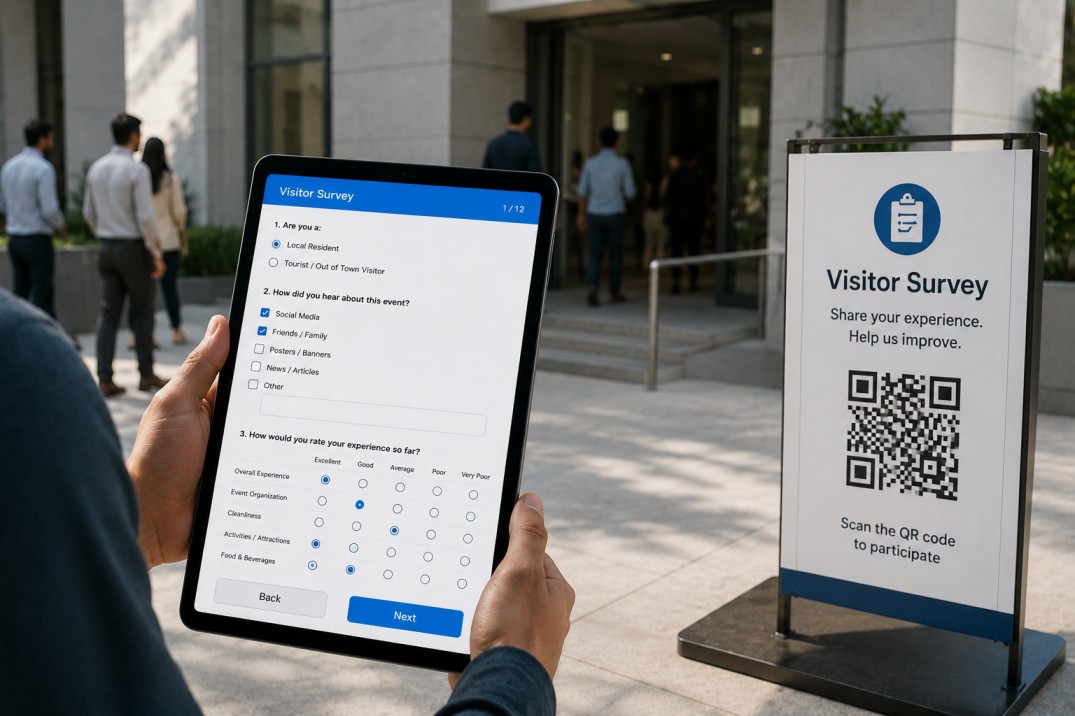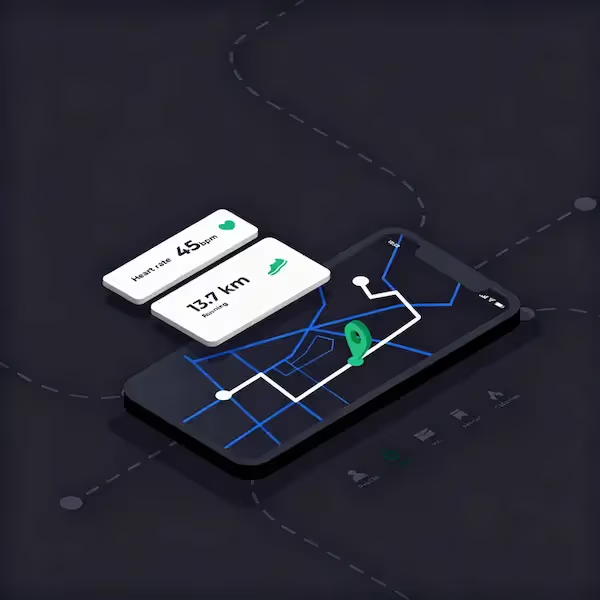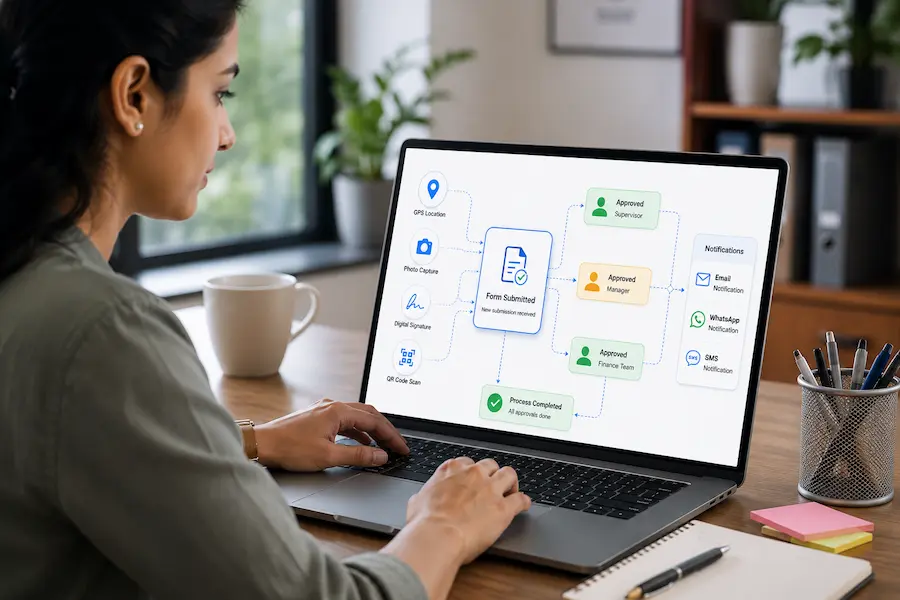
How many hours does your team lose each week chasing signatures, waiting for approvals stuck in someone's inbox, or re-entering data from paper forms?
Paper-based approvals and basic digital forms like Google Forms slow down decision-making, create bottlenecks, and leave no audit trail. When a purchase order needs three sign-offs, a leave request sits unapproved for days, or an inspection checklist never makes it back from the field, your operations grind to a halt.
Workflow automation software built for paperless approval workflows solves this. You replace paper and spreadsheets with mobile-first digital forms, route submissions through multi-step approvals automatically, capture data offline, and surface real-time approval status on dashboards, all without writing code.
This guide explains how paperless approval workflows work, why businesses are moving away from paper and Google Forms, and how to build secure, mobile-ready workflow forms that cut approval times from days to hours.
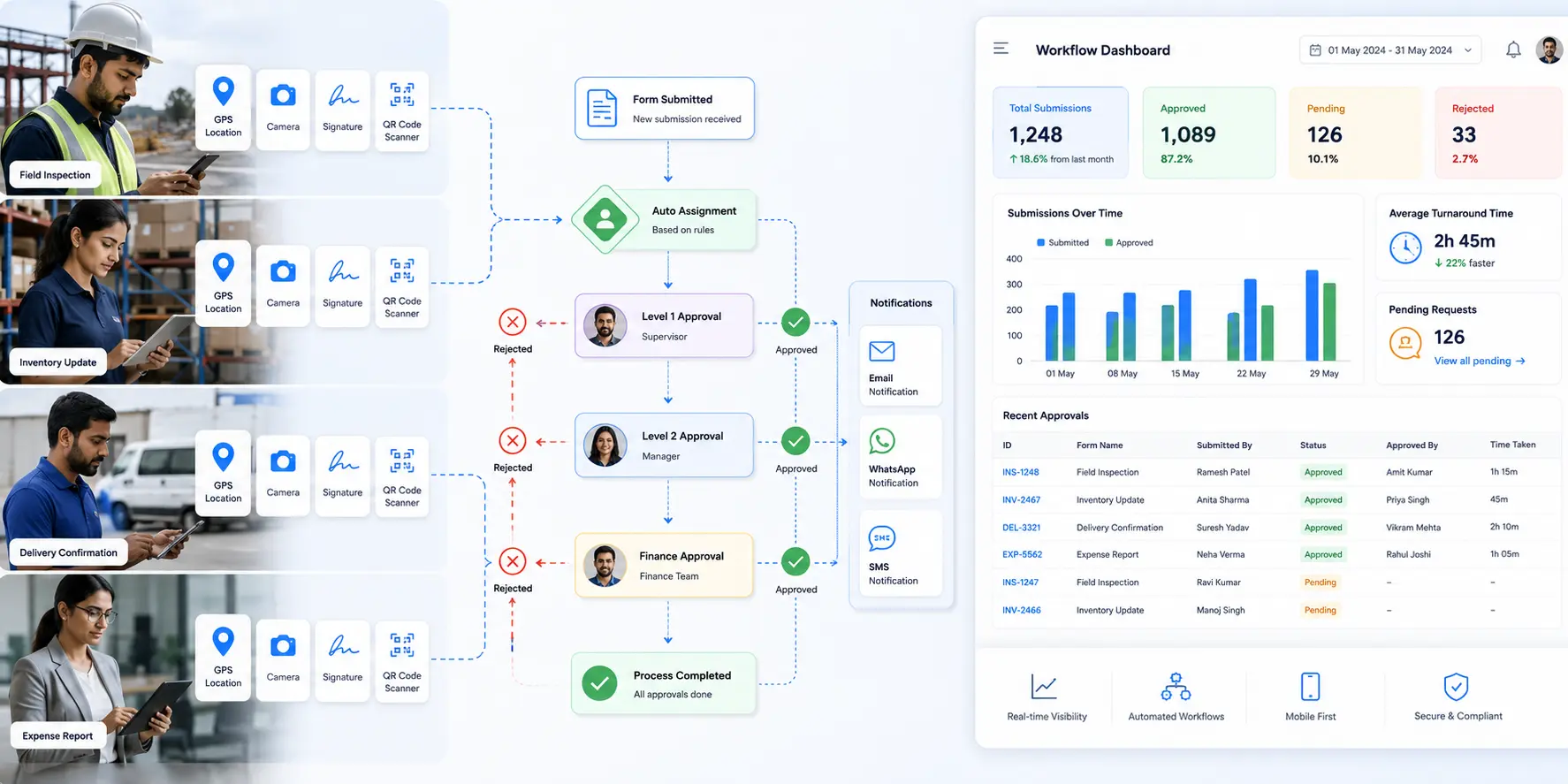
A paperless approval workflow digitizes the entire process of submitting, reviewing, approving, and actioning requests. Instead of printing a form, collecting signatures, scanning it back, and filing it, users submit digital forms on any device. The system then routes the submission to the right approvers based on rules, sends notifications, tracks status, and logs every decision for compliance.
The workflow is paperless because no physical documents change hands. It is automated because routing, reminders, and status updates happen without manual coordination. The result is faster approvals, fewer errors, and a complete audit trail.
Business workflow forms capture the request. Fields like dropdowns, text inputs, signatures, file uploads, and GPS location collect structured data that flows into the approval process.
Conditional routing sends submissions to the right people. If the purchase amount is above a threshold, the form routes to finance. If it is below, it goes straight to the manager. Rules handle the logic so approvals do not get stuck.
Multi-level approvals let you chain decision-makers. A leave request might need team lead approval first, then HR confirmation. Each approver sees only the stage that needs their attention.
Real-time notifications via email, SMS, WhatsApp, or Slack alert approvers the moment a submission arrives. Reminders trigger if approvals stall.
Dashboards and reports surface approval status, bottlenecks, and turnaround times so managers can see where requests are stuck and act.
Audit logs record who approved what and when. Compliance teams can trace every decision without digging through email threads or file cabinets.
Paper approvals are slow, expensive, and risky. A paper form travels from desk to desk, sits in inboxes, gets lost, or arrives with illegible handwriting. By the time it completes the approval chain, the need might have changed. Paper storage is costly, retrieval is manual, and there is no real-time visibility into status.
For operations teams, field workers, or remote staff, paper is even worse. A technician fills out an inspection form on site, drives back to the office, scans it, emails it for approval, and waits. If the approver has questions, the loop starts again.
Google Forms is free and fast to set up, which is why so many teams start there. But it lacks the features that turn a simple form into a business workflow.
Google Forms has no native approval routing. Every submission lands in a spreadsheet. Someone has to manually check the sheet, email approvers, track responses, and update status. That manual step is the bottleneck.
Google Forms has no offline mode. Field teams with poor connectivity cannot submit forms until they find Wi-Fi. Data sits on devices, creating version control problems and delayed approvals.
Google Forms offers no advanced mobile features. You cannot capture GPS coordinates, scan QR codes or barcodes, collect digital signatures, or enforce geofencing. These features matter for field operations, attendance tracking, inspections, and audits.
Google Forms does not provide dashboards or reporting beyond basic charts. Managers cannot see approval status, track turnaround time, or identify bottlenecks without exporting data and building reports manually.
For casual surveys, Google Forms is fine. For business process automation that drives operations, you need a platform built for workflows, not just data collection.
Not all platforms marketed as Google Forms alternatives actually support workflow automation. Before committing to a tool, check for these essential capabilities.
Operations teams work on phones and tablets, not desks. The platform should offer native mobile apps for iOS and Android with full feature parity. Forms should load fast, work offline, and sync automatically when connectivity returns.
Mobile-first also means mobile-ready input blocks like camera uploads, signature pads, GPS, QR and barcode scanners, and NFC readers. These features turn a generic form into a field-ready tool.
Warehouses, construction sites, factories, and remote field locations often have no reliable internet. Offline mode lets users capture data, complete forms, and submit approvals without connectivity. When the device reconnects, submissions sync automatically.
This is not the same as caching a form. True offline means users can fill, edit, and submit forms with full validation, photo capture, GPS stamping, and signature collection while completely disconnected.
You should be able to design approval workflows visually without writing code. Drag nodes for email notifications, approval steps, conditional branches, and integrations onto a canvas, connect them, and publish. Changes to routing or approval logic should take minutes, not development sprints.
The workflow builder should support multi-level approvals, parallel approvals (multiple people approve simultaneously), sequential approvals (one after another), and conditional routing based on form data.
Approvers should receive alerts on the channel they check most. Email workflows work for desk staff. SMS and WhatsApp work better for field teams and deskless workers. Slack integration keeps approvals in team channels.
The system should send reminders if approvals stall and notify submitters when decisions are made.
Not every user should see every submission. Role-based permissions let you control who submits, who approves, who views, and who edits. Field technicians see only their assignments. Managers see their team's submissions. Finance sees purchase orders above a threshold.
Managers need visibility. Analytics dashboards should show approval status, pending requests, average turnaround time, and bottlenecks in real time. Automated reports can email summaries daily or weekly so leadership stays informed without logging in.
Your approval workflow does not exist in isolation. The platform should integrate with email, calendar, CRM, ERP, databases, and other business systems via REST APIs, webhooks, and native connectors. Approved purchase orders should create records in your accounting system. Approved leave requests should update HR calendars.
Clappia is an AI-powered no-code platform built for operations teams that need paperless approval workflows, not just data collection forms. It handles the full loop: mobile-first data capture, offline support, automated routing, multi-step approvals, and real-time dashboards, all without code.
Unlike Google Forms, which stops at collecting responses, Clappia starts where the form ends. Every submission can trigger a workflow, route through approvers, update other apps, generate PDFs, send notifications, and feed dashboards.
Clappia provides over 100 drag-and-drop blocks for building forms. Standard inputs like text, dropdowns, and dates sit alongside operational blocks like GPS Location, Live Tracking, QR Scanner, Camera Upload, Signature, Ratings, and NFC Reader.
These blocks make it possible to replace paper inspection checklists, field audit forms, delivery confirmations, and site visit reports with mobile-first digital equivalents that capture richer data than paper ever could.
For example, a quality inspection app might include photo capture for defects, GPS coordinates for site verification, signature for inspector sign-off, and a formula block that calculates compliance scores. That form then routes through an approval workflow for management review.
Once the form is built, you design the approval workflow visually. Add an Approval node, define who receives the request, set conditional routing rules, and connect notification nodes for email, SMS, WhatsApp, or Slack.
Approvers receive a notification with the submission details and approve or reject with a single tap. If the workflow has multiple stages, each approver sees only their step. The submitter tracks status in real time.
For example, a purchase order workflow might route to the department manager first. If the amount exceeds a threshold, it routes to finance next. If approved at both stages, a Create Submission node logs the order in a procurement app. An Email node notifies the vendor. A dashboard updates showing approved budget spend.
Clappia also supports conditional workflows with If nodes, loops, and code blocks for advanced logic. You can route based on AI analysis, integrate with external databases, and trigger REST API calls to other systems.
Field teams and warehouse staff work in locations where connectivity is unreliable. Clappia's offline mode lets users open forms, fill them completely with photos, GPS, signatures, and barcodes, then submit when back online. Data syncs automatically without manual intervention.
This is critical for field data collection, site inspections, construction safety checklists, and remote audits. Workers do not wait for Wi-Fi. Approvals do not stall because data is stuck on a device.
Clappia includes an AI Block and an AI Workflow Node powered by OpenAI, Claude, Gemini, and other models. The AI Block extracts data from images, analyzes documents, and performs intelligent tasks at form submission. The AI Workflow Node runs AI logic in the background after submission.
For example, a brand audit app might use the AI Block to analyze shelf photos and detect missing products or pricing errors. That analysis feeds into an approval workflow where regional managers review findings and approve corrective actions.
An incident reporting app might use the AI Workflow Node to read an uploaded incident photo, classify severity, and route to the appropriate safety officer based on the AI output.
This combination of AI-powered data extraction and workflow automation eliminates manual data entry and speeds approvals.
Many approval workflows end with document generation. Once an expense claim is approved, you need a receipt. Once an inspection passes, you need a certificate. Clappia's dynamic PDF feature auto-generates branded PDFs from form data and workflow outputs.
You design the PDF template visually, map fields, and the system generates the document on approval. PDFs can be emailed, stored, or pushed to cloud storage automatically.
Managers need to see where approvals are stuck. Clappia's analytics provide live dashboards with bar charts, pie charts, and data tables showing approval status, turnaround time, and bottlenecks.
Automated reports can email summaries daily, weekly, or monthly so leadership stays informed. Role-based dashboards ensure each user sees only relevant data.
For organizations that want branded apps, Clappia offers white-labeled mobile apps for iOS and Android. Your company logo, splash screen, and app name replace Clappia branding. Apps can be published to the App Store and Google Play Store under your account.
This is valuable for field-heavy industries where mobile adoption matters. Workers download your branded app, not a generic tool.
Clappia connects with your existing business systems through REST API integrations, database connectors, Google Sheets, Zapier, and webhooks. Approved submissions can create CRM records, update ERP inventory, trigger accounting entries, or post to Slack channels.
The developer API lets you push and pull data programmatically for custom integrations.
Replace paper purchase requisitions with digital forms that include item details, supplier info, justification, and cost. Route to the department head, then finance, then procurement based on amount thresholds. Track approval status on a dashboard. Generate a PDF purchase order on final approval.
Clappia users report approval times dropping from 5 days to under 24 hours by eliminating email chains and manual routing.
Employees submit leave requests on mobile with dates, reason, and backup coverage. The form routes to their manager for approval, then HR for record-keeping. HR calendars update automatically. Approvers receive WhatsApp or email notifications and approve in seconds.
No more paper leave forms, no more lost requests, no more forgotten approvals.
Inspectors use mobile apps to complete quality inspection checklists with photos, GPS, and signatures. The submission routes to a site manager for review. If issues are found, the workflow creates a corrective action task and notifies the relevant team. Once resolved, the manager approves, and a compliance certificate generates automatically.
Employees photograph receipts, enter amounts, and submit expense claims from their phones. Claims route to managers for approval. Finance receives approved claims, reviews supporting documents, and processes reimbursement. A dashboard shows pending claims, approval rates, and average turnaround time.
New vendors fill out digital onboarding forms with documents, bank details, and compliance certifications. The form routes to procurement for initial review, legal for contract approval, and finance for payment setup. Each stage has distinct approvers. Once fully approved, the vendor record syncs to the ERP.
Clappia offers a free plan that supports unlimited apps, up to 100 users, 400 submissions per month, workflow automation, mobile apps, live tracking, and offline mode. This is not a trial. It is a permanent free tier designed for teams to build, test, and validate approval workflows before committing to paid plans.
Paid plans start at $6 per user per month and include higher submission limits, additional integrations, white-labeled apps, and premium support. Pricing scales predictably as your team grows, with no surprise per-seat fees for end users.
This pricing model contrasts sharply with platforms that charge per approver, per submission, or per integration, where costs spiral as adoption increases.
Transitioning from paper or Google Forms to automated workflows does not require a complete overhaul. Start with one high-impact process, such as purchase orders or leave requests, and build a working approval workflow in a single afternoon.
Clappia's drag-and-drop builder lets non-technical operations managers design forms and workflows without IT involvement. Help guides and video tutorials walk through common use cases like employee attendance, field inspections, and approval workflows.
Once the first workflow proves value, expand to other processes. Link apps together with Get Data from Other Apps blocks so approvals in one system trigger updates in another. Build dashboards that give leadership visibility across all workflows.
Google Forms is a data collection tool. Clappia is a business operations platform. The difference shows up in three critical areas.
Mobile and offline capability. Google Forms requires internet. Clappia works completely offline with automatic sync, GPS, barcode scanning, and signatures. For field operations, this is not optional.
Workflow automation. Google Forms dumps responses into a spreadsheet. Clappia routes submissions through multi-level approvals, sends notifications, triggers integrations, and logs every decision.
Operational features. Google Forms offers text boxes and dropdowns. Clappia offers GPS, QR codes, NFC, live tracking, signatures, AI analysis, and dynamic PDFs. These features transform forms from surveys into operational tools.
For a deeper comparison, see Clappia's guide on Google Forms alternatives.
What is workflow automation software?Workflow automation software digitizes and automates business processes by routing tasks, approvals, and data through pre-defined steps without manual coordination. It replaces email chains, paper forms, and spreadsheet tracking with automated notifications, conditional routing, and real-time status visibility.
Can workflow automation replace paper forms completely?Yes. Digital forms with offline mode, mobile capture, and automated routing replace paper forms entirely. Users submit on phones or tablets, approvals route automatically, and data syncs to dashboards and reports in real time. Many organizations eliminate paper within weeks of deploying workflow automation.
How do paperless approval workflows improve compliance?Paperless workflows create automatic audit trails. Every submission, approval, rejection, and edit is logged with timestamps and user IDs. Compliance teams can trace decisions without digging through filing cabinets or email archives. Role-based permissions ensure only authorized users access sensitive data.
What happens if approvers do not respond?Workflow automation platforms send reminders if approvals stall. You can configure escalation rules that route to backup approvers or supervisors if the primary approver does not respond within a set time. Dashboards surface overdue approvals so managers can intervene.
Can workflow automation integrate with our existing ERP or CRM?Yes. Platforms like Clappia integrate with existing systems through REST APIs, database connectors, webhooks, and automation tools like Zapier. Approved forms can create records, update inventory, trigger invoices, or sync to calendars without manual data entry.
How long does it take to build an approval workflow?With a no-code platform, simple workflows like leave approvals or purchase orders can be built in an afternoon. Complex multi-stage workflows with conditional routing, integrations, and AI logic might take a few days. This compares with weeks or months for custom-coded solutions.
Is a free plan enough to test workflow automation?Clappia's free plan supports unlimited apps, 100 users, workflow automation, mobile apps, offline mode, and 400 submissions per month. Teams can build, test, and validate multiple approval workflows before committing to paid plans.
Build mobile-first approval workflows with GPS tracking, offline capture, multi-level routing, and AI-powered automation in one no-code platform.
 Get Started – It’s Free
L374, 1st Floor, 5th Main Rd, Sector 6, HSR Layout, Bengaluru, Karnataka 560102, India
3500 S DuPont Hwy, Dover,
Kent 19901, Delaware, USA


.svg)




3500 S DuPont Hwy, Dover,
Kent 19901, Delaware, USA
L374, 1st Floor, 5th Main Rd, Sector 6, HSR Layout, Bengaluru, Karnataka 560102, India